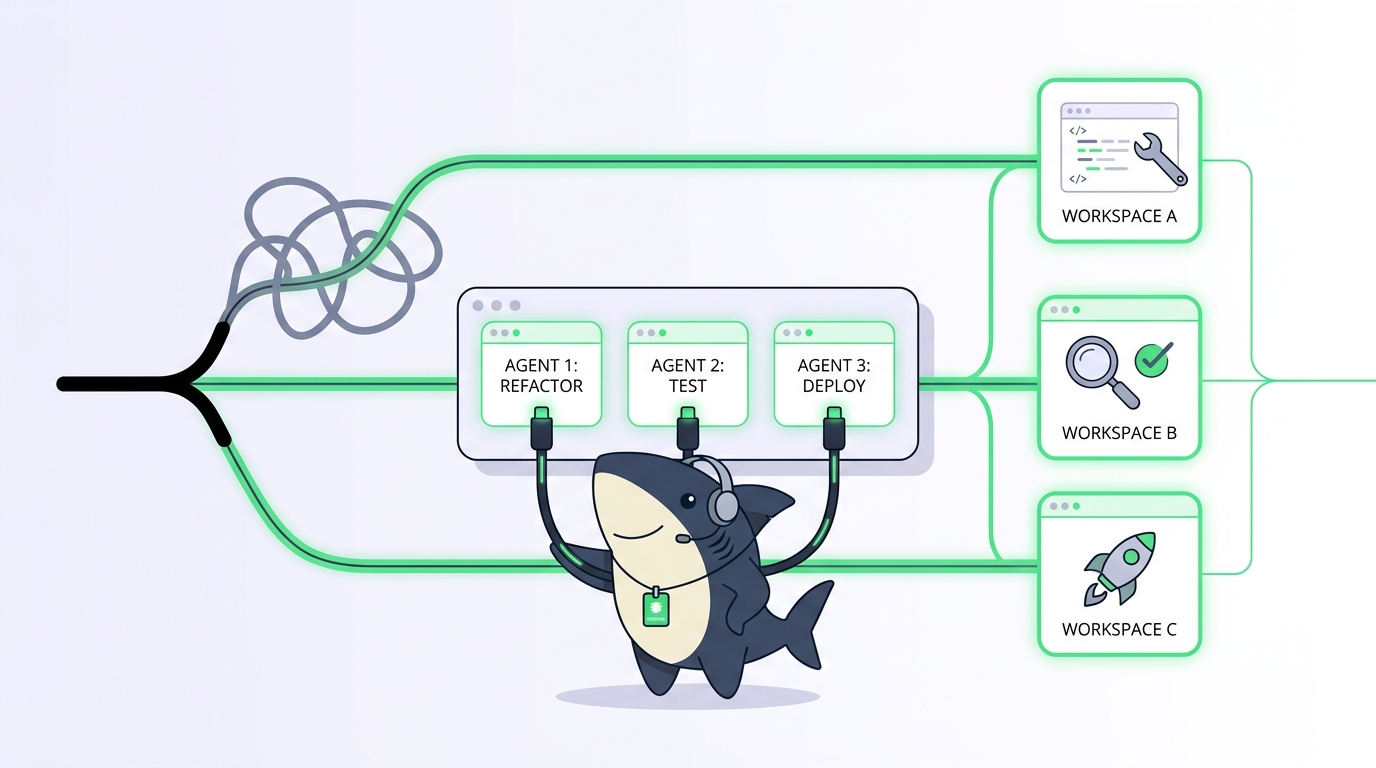
You started running two coding agents at once because one was too slow. Now you run five, and the hard part isn’t launching them. It’s remembering which terminal holds which agent, what each one changed, which branch is safe to merge, and whether the one that went quiet forty minutes ago finished or wedged itself. The parallelism was the easy win. Keeping track of it is the tax you pay every day after.
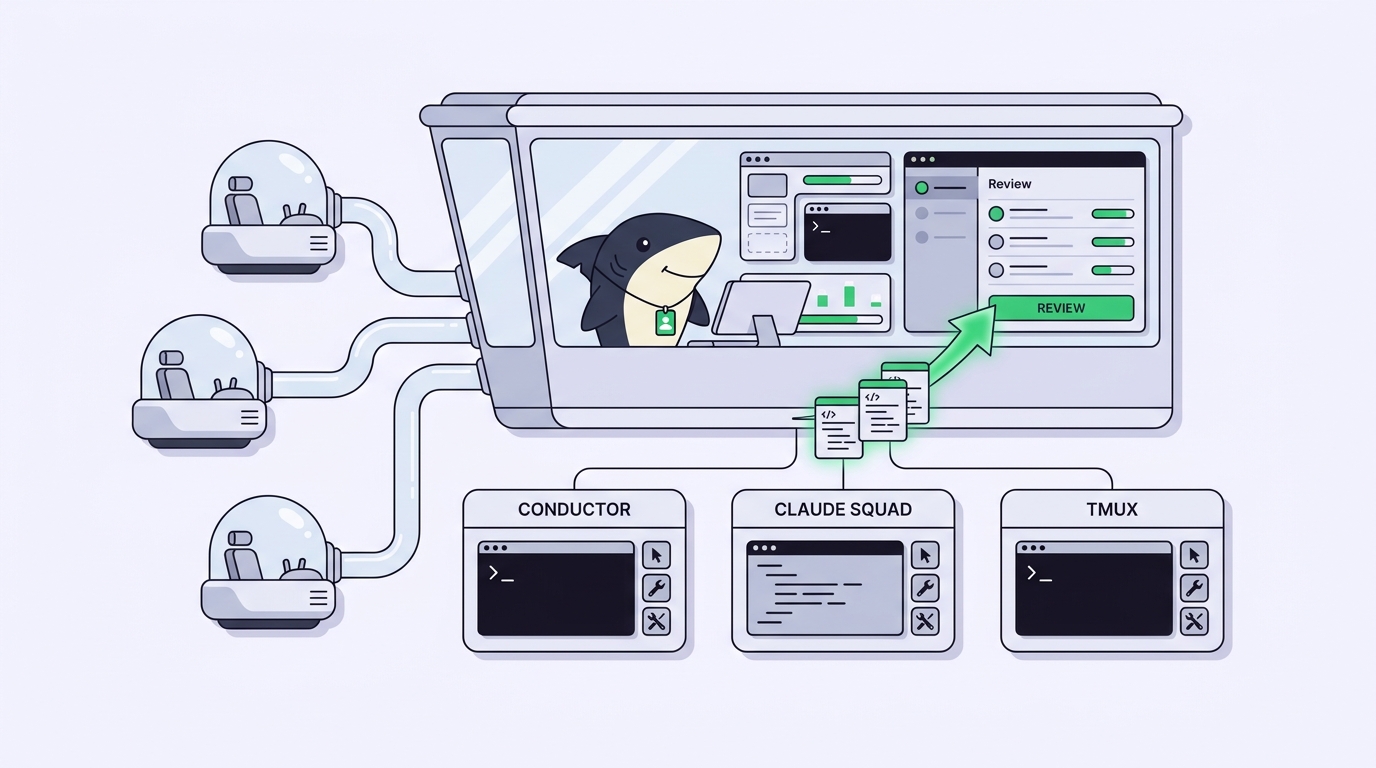
That tax is what the DIY parallel-agent tools try to lower. Conductor, Claude Squad, and hand-rolled tmux plus git worktree scripts all solve the same first problem: give each agent its own isolated workspace so several runs can move at the same time without stepping on each other’s files. They solve it well, and for a solo developer on one machine they can be all you need. This is an honest roundup of what each does, where each stops, and the line where window management quietly turns into a team problem.
That line is where Sharkly comes in, and it’s the workflow this article walks you through. Sharkly is not a replacement for Claude Code, Codex, or any DIY runner. It’s the shared Task, Computer, context, and review layer around the tools you already run, so agent work stays visible from request to release instead of disappearing into private terminals. If your setup still fits on one screen, keep it. If it stopped fitting weeks ago, the second half of this piece is for you.
TL;DR
Conductor, Claude Squad, and raw tmux plus git worktrees are three ways to run multiple AI coding agents in parallel on your own machine. Conductor is a free Mac app built for solo, local runs. Claude Squad is a cross-platform terminal app that layers a switcher over tmux sessions and git worktrees. Raw tmux plus worktree scripts give you total control and zero abstraction. All three master parallel execution. None of them was built to give a team shared visibility, review, or handoffs, and that’s the exact point where you graduate to an orchestration layer like Sharkly.
The real bottleneck isn’t parallelism
Isolation is a solved problem. A git worktree lets one repository check out several branches into separate directories at once, so each agent edits its own copy of the code and commits to its own branch. No shared working tree, no half-applied diffs colliding. Every tool in this comparison stands on that same primitive. If you want the mechanics in depth, our guide on git worktrees with AI coding agents covers the commands and the gotchas.
So if isolation is free, why does running many agents still feel chaotic? Because the work an agent produces has to go somewhere a human can find it, read it, judge it, and act on it. On a single machine that “somewhere” is your own short-term memory plus a scroll-back buffer. That holds up at two agents. It frays at five. It breaks the moment a second person needs to know what any of your agents did.
Here’s the split that matters. Running agents in parallel is a runtime problem: spawn the process, hand it an isolated directory, let it work. Reviewing and coordinating what they produce is a workflow problem: where does the result live, who accepts it, what happens to the ones that stall. The DIY tools are excellent at the first problem. The three sections below judge each on its own terms, then we look at what happens to the second problem as your setup grows.
Conductor: the free Mac app for solo parallel runs
Conductor is a native Mac desktop app for running several Claude Code agents side by side. You point it at a repository, describe a change, and it spins each run up in its own workspace backed by a git worktree. Instead of juggling terminal tabs, you get a windowed view: a column per agent, each with its own conversation, diff, and status. Click across them the way you’d click across chats.
What it does well is remove terminal bookkeeping for one person. You don’t type tmux anything. You don’t remember which pane is which. The app tracks the worktrees, shows you diffs in a real diff viewer, and lets you jump between agents without losing your place. For a solo developer on a Mac who wants to run three or four Claude Code sessions on one codebase and stay sane, it’s a clean, low-friction answer. It’s free to download, and there’s nothing to configure on a server because there is no server.
The boundaries are the flip side of those strengths. Conductor is macOS only, so a Linux teammate can’t share your setup. It’s built around Claude Code as the runtime rather than a mix of agents. And it’s a single-user desktop app: the workspaces, the diffs, and the decisions live on your Mac. Another engineer can’t open your Conductor and see what your agents are doing, and there’s no shared record of who accepted which change. That isn’t a flaw. It’s a scope. Conductor is a cockpit for one pilot.
Use Conductor when you’re a solo developer on a Mac running Claude Code and you want the fastest path from “many terminals” to “one calm window.” Reach for something else when a second person needs to see, review, or take over any of those runs.
Claude Squad: tmux and worktrees with a TUI on top
Claude Squad is an open-source terminal application that manages multiple agents in isolated workspaces. Under the hood it does what a careful engineer would script by hand: it creates a git worktree per agent and runs each agent inside its own tmux session, then puts a text UI on top so you can list your agents, switch into any one, and see which are working, waiting, or done. It’s cross-platform, runs on macOS and Linux, and isn’t tied to a single runtime. It can drive Claude Code, Codex, Aider, and other CLI agents, which makes it a favorite for developers who mix tools. The source lives in the Claude Squad repository on GitHub.
The appeal is that it gives you the ergonomics of a real tool without hiding the primitives you trust. You still get worktrees and tmux, so nothing is magic and everything is inspectable, but you stop hand-writing the glue. Spinning up a new agent is a keystroke, not a three-command ritual. Pausing an agent frees its resources and preserves its branch. If you already live in the terminal and want a fleet of agents you can tab through, Claude Squad hits a sweet spot that raw scripts and desktop apps both miss. Our walkthrough on how to run multiple Claude Code agents in parallel shows the same tmux-and-worktree pattern it automates.
Its limits are the limits of the terminal it lives in. The state is local to your machine and your shell. When you close the session, the shared picture closes with it. There’s no timeline a manager can open, no place a reviewer who isn’t you can accept or reject a change, no queue a teammate can pull the next task from. Claude Squad is a superb single-operator command center. It was never trying to be a team’s system of record, and asking it to be one is asking the wrong tool.
Use Claude Squad when you’re a terminal-first developer running a mix of agents on one machine and you want a fast switcher without giving up worktrees and tmux. Reach for something else when the runs need to be assignable to other people or reviewable by someone who isn’t sitting at your keyboard.
Raw tmux plus git worktrees: the scripts you own
The most honest DIY setup is also the oldest: a few shell scripts that create worktrees and open tmux windows, one per agent. It looks like this.
# one worktree and one branch per parallel unit of work
git worktree add ../app-auth    -b feature/auth
git worktree add ../app-billing -b feature/billing

# a named tmux window per agent, launched in its worktree
tmux new-window -n auth    -c ../app-auth    'claude'
tmux new-window -n billing -c ../app-billing 'claude'
Two commands per feature and you have isolated agents running in parallel, each on its own branch, each in a labeled window you can flip to with a keystroke. Wrap it in a loop and you can launch a dozen. Nothing sits between you and the tools. You can read every line, change any of it, and it costs nothing but the time to write it.
For a certain kind of developer this is the right answer forever, and it’s worth respecting instead of talking anyone out of it. You understand exactly what runs because you wrote it. There’s no vendor, no update that breaks your flow, no abstraction leaking at the wrong moment. If your needs are stable and personal, scripts you own beat tools you rent.
The cost shows up as your setup grows, and it shows up as maintenance, not features. Cleanup is on you: stale worktrees pile up until git worktree prune and a tmux kill-session sweep become part of your routine. Naming collisions are on you. A crashed agent leaves a dead window and a half-finished branch, and noticing that is on you. And none of it leaves your machine, so the moment a teammate asks “what did your agents ship this week,” the only answer lives in your scroll-back. The scripts scale your throughput. They don’t scale your ability to share the result.
Use raw tmux and worktree scripts when you want total control, you enjoy owning your tooling, and the audience for the work is you. Reach for something else when you find yourself rebuilding status tracking, cleanup, and handoff logic that starts to look like a product you didn’t mean to write.
Side-by-side: what each DIY setup does well
| Conductor | Claude Squad | Raw tmux + worktrees | |
|---|---|---|---|
| Interface | Native Mac app | Terminal UI (TUI) | Your own shell scripts |
| Platform | macOS only | macOS, Linux | Anywhere tmux runs |
| Runtimes | Claude Code focus | Claude Code, Codex, Aider, more | Whatever you launch |
| Isolation | git worktree per run | git worktree per agent | git worktree per agent |
| Setup cost | Install and open | Install one binary | Write and maintain scripts |
| Best for | Solo Mac developer | Terminal-first solo dev | Control-maximalist solo dev |
| Shared team view | No | No | No |
| Review and acceptance by others | No | No | No |
The last two rows aren’t a knock. They’re the pattern. Every one of these tools is built for one operator on one machine, and inside that scope they range from good to excellent. The empty column is the same in all three, and it’s the column that matters the day the work stops being yours alone. For a broader map of the category, see our overview of AI agent orchestration.
The graduation line: when window management stops being the problem
Here’s the tell. You stop asking “how do I run more agents at once” and start asking questions the DIY tools can’t answer:
- Which of my agents’ changes has anyone reviewed?
- If I’m out sick, can a teammate see what’s in flight and take it over?
- Where’s the record of why we accepted this diff and rejected that one?
- Which runs are blocked, and on what, and for how long?
Those are workflow questions, not runtime questions. No better switcher or prettier diff viewer answers them, because the missing piece isn’t on your screen. It’s a shared place for the work to live. This is the graduation line: the day your bottleneck moves from managing windows to managing visibility, review, and handoffs.
Sharkly is built for the far side of that line. It keeps context, progress, blockers, results, and human review visible from request to release, in one shared workflow instead of scattered across private terminals. The division of labor is deliberate: Claude Code, Codex, and similar tools perform execution; Sharkly manages team-level assignment, connected Computers, task context, progress, blockers, results, and human review across those tools. You keep the runtimes and the worktrees you already trust. You add the layer that lets more than one person see and steer the work.
The reassurance matters as much as the mechanism. Adopting Sharkly doesn’t ask you to rebuild your process or drop your tools. You bring your own subscription: model usage continues through the subscriptions or API keys configured in the tools your team already runs. You connect a Computer, point Sharkly at the same repositories, and start routing work without tearing anything down. If you’re weighing this against a local board, our Vibe Kanban alternative piece covers the same keep-what-you-have path.
How the same parallel workflow looks in Sharkly
The DIY tools give each agent a worktree and a window. Sharkly gives each unit of work a Task, and lets Agents run it in isolated worktrees the same way, with one difference: the result returns to the Task instead of staying in your scroll-back.
A Task is the main unit of work in Sharkly. It carries the goal, the scope, the diff, the discussion, and the review in one shared record. When you assign a Task to an Agent, the Agent claims it, works in its own isolated worktree, runs typecheck and tests and the build, then attaches the change summary, the verification results, and the known limits back to that Task. The next person to look doesn’t need your terminal. They open the Task.
The smallest useful version is deliberately boring. Connect one Computer, create one Agent, and assign it one low-risk Task, the same way our first-task walkthrough sets it up. From there the parallel story scales the way your scripts wanted to: several Agents claim ready Tasks and work at the same time, each isolated, while frontend, backend, bug fixing, and test coverage move in parallel. The difference from a wall of tmux windows is that every run is assignable to a person, reviewable by someone who isn’t you, and traceable after the fact.
The human-agent contract is where the review layer earns its keep. Agents research, execute, test, and report. People set direction, grant authority, and accept the result. Automation stops where team judgment is required, and returns a delivery with complete context and inspectable evidence. A DIY setup can run the agents. It can’t hold that contract, because it has no shared place for a person other than you to accept or reject. If you want the mechanics of that gate, our note on Cursor background agents walks a similar review flow.
Worked example, in the shape teams use. A task like SH-312 says “add rate limiting to the public API.” An Agent shapes the scope, works its worktree, runs the tests, and returns a summary plus the diff to the Task. Your reviewer opens SH-312, reads the evidence, and accepts or requests changes. When you were solo, that whole loop lived in your head and one terminal. Now it lives somewhere the team can see, which is the entire point of graduating.
Who should stay, who has outgrown it
A comparison that only pitches upward isn’t honest, so here’s the plain version. Plenty of people should not move, and the tools above are the right home for them.
- Stay on Conductor if you’re a solo Mac developer who wants parallel Claude Code runs in a calm window and no one else needs to see them. It does that job cleanly and asks nothing of a server.
- Stay on Claude Squad if you live in the terminal, run a mix of runtimes, and want a fast switcher over worktrees and tmux for your own work. It’s a strong single-operator command center.
- Stay on raw tmux and worktree scripts if you value total control, your workflow is stable, and you’re the only audience for the output. Owned tooling beats rented tooling when the needs are personal.
- Graduate to Sharkly when the work stopped being yours alone: when a teammate needs to review a run, when someone has to take over while you’re out, when a manager needs to see what’s blocked, or when you notice you’re rebuilding status and handoff logic by hand. Our orchestration overview maps where the layers meet.
The decision pair for the whole category is short. Use a DIY tool when the constraint is your own machine and your own time. Use an orchestration layer when the constraint is your team’s shared understanding of what the agents did. Most developers start on the left and cross over the week a second person’s name shows up on the work.
Real-world scenarios
The solo builder who stays put. A freelance developer ships client features with three or four Claude Code agents on a Mac. Conductor or Claude Squad is the whole answer, and adding a team layer would be weight without payoff. Staying is the right call.
The two-person team that just crossed the line. A founder and a first engineer were each running their own tmux scripts. Neither could review the other’s agent work without a screen-share. Moving the runs onto shared Tasks in Sharkly meant each could open the other’s diff, accept it, and merge, without changing the runtimes either of them already used.
The lead standardizing a squad. A tech lead with five engineers found everyone had a slightly different worktree script and no shared review. Shared Agents and a common Task flow turned five private setups into one workflow the team could reuse, while every engineer kept their own Computer and their own model subscription.
FAQ
What’s the difference between Claude Squad and Conductor? Claude Squad is a cross-platform terminal app that manages agents over tmux and git worktrees and supports several runtimes. Conductor is a macOS desktop app focused on running Claude Code in a windowed interface. Both isolate each run in its own worktree; the split is terminal versus native app, and cross-platform versus Mac only.
Do I need Claude Squad or Conductor if I already use git worktrees? Not necessarily. Both are conveniences over the same worktree primitive. If you’re comfortable writing a few tmux and git worktree commands, raw scripts give you the same isolation with more control. The tools buy you ergonomics and cleanup, not a new capability.
Can these DIY tools handle team review? No, and they don’t claim to. Conductor, Claude Squad, and tmux scripts all keep state on one machine for one operator. Shared review, acceptance by another person, and a durable record of decisions are workflow features that live in an orchestration layer, not a local runner. See our Vibe Kanban alternative piece for that distinction.
Is Sharkly a replacement for Claude Code or Claude Squad? No. Sharkly is not a replacement for Claude Code, Codex, or other execution tools. It adds the shared Task, Computer, context, control, and review layer around the tools your team already uses. You keep your runtimes and your worktrees and gain team-level visibility on top.
Does moving to Sharkly mean giving up git worktrees? No. Sharkly runs Agents in isolated worktrees too, so the isolation you rely on stays. What changes is where the result goes: it returns to a shared Task instead of a private terminal buffer.
How do I keep my model usage and costs when I switch? You bring your own subscription. Model usage continues through the subscriptions or API keys configured in the tools your team connects, and model quota depends on those tools, plans, and API accounts. Sharkly adds the coordination layer, not a new billing relationship.
Ready to cross the line? Download Sharkly, connect a Computer, and assign one real requirement to a single Agent. Keep the runtimes and worktrees you already trust, and let the work start returning to a place your whole team can see. The docs cover each concept in more depth at docs.sharkly.ai.