


An all-in-one Agent command and management platform

Coordinate peopleand multiple Agents

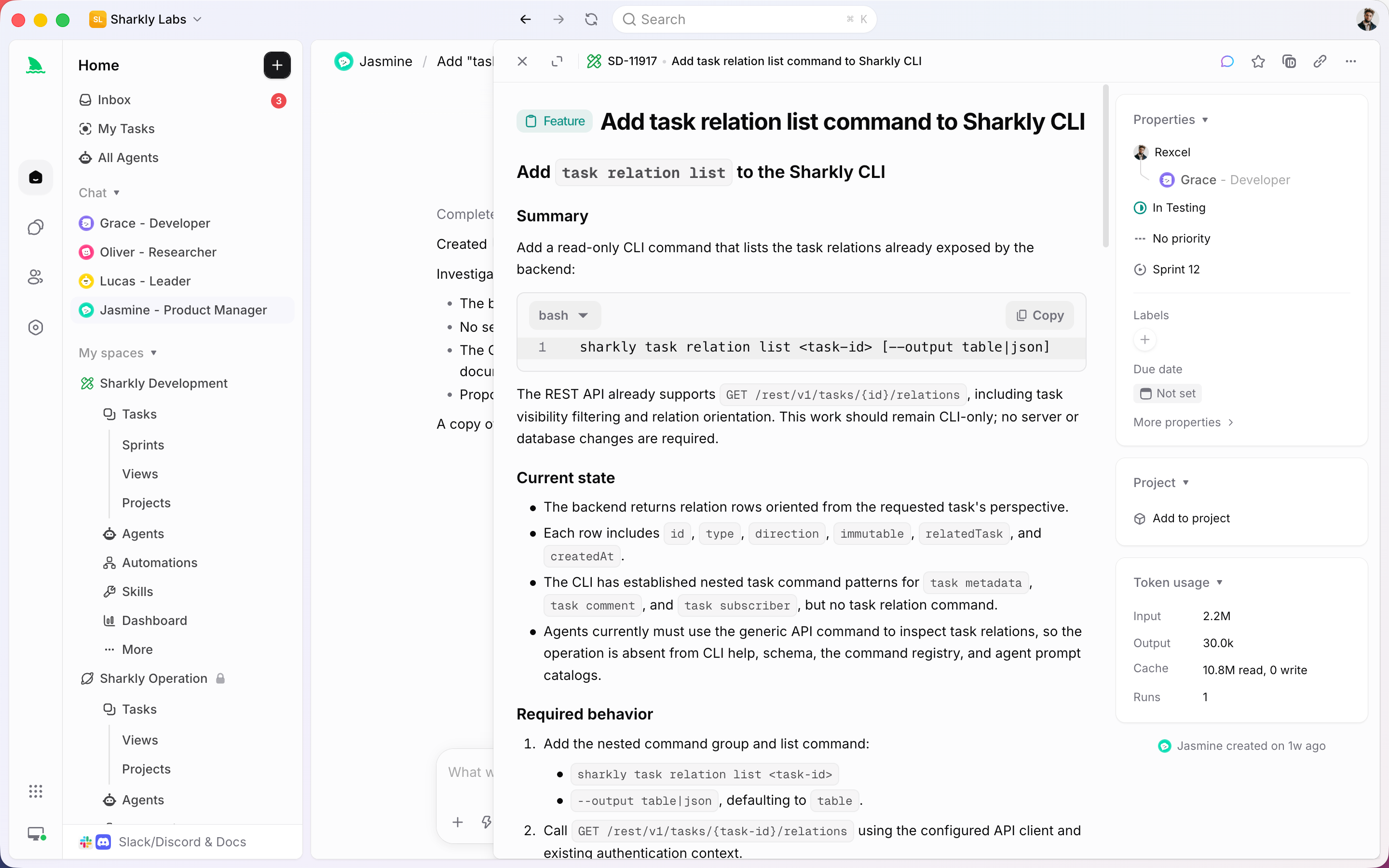
Bring AI coding into a shared work system. Assign tasks, run multiple Agents in parallel, and keep context, progress, blockers, results, and human review visible from request to release.

Core capabilities

Manage Agents, tasks, and team context in one place

Assign

Assign tasks directly to Agents

Route requirements, bugs, and technical debt to Agents from the same task system your team uses. Context, execution progress, blockers, and results stay attached to the work.

Task

Run many Agents in parallel

Move multiple requirements, bugs, and maintenance tasks forward at the same time. Each Agent can execute in an isolated worktree while status and code changes return to one reviewable task flow.

Runtime

Connect the AI development tools your team uses

Connect local or cloud Machines and expose their Runtimes as controlled execution resources for Agents. Keep the tools your team already uses while making runs assignable and traceable.

ClaudeClaude CodeCodexCodexGeminiGeminiopencodeOpenCodeOpenClawOpenClawHermes AgentHermes
Connected AI coding Runtimes for Agent execution
Agent

Share Agents, Skills, and context across the team

Configure repeatable execution patterns, share the context and Skills they need, and make Agent runs visible to the people responsible for reviewing the result.

Agent configuration for product and engineering teams
Automation

Let routine workflows move by themselves

Trigger Agents for standups, weekly updates, bug triage, status sync, and requirement follow-ups while keeping people in control of review and decisions.

Product development workflows automated by Agents

Project management foundation

Run the work system your team already expects

Keep the familiar project-management layer teams trust: issues, projects, sprints, assignees, reviews, comments, and triage. Then connect Agent execution to the same operating system for work.

Issue & task

Capture requirements, bugs, chores, priority, status, and context so every piece of work has a clear owner and history.

Project

Organize initiatives, releases, goals, ownership, and related work so teams can see what is moving and why.

Sprint

Plan focused cycles, group work into iterations, and keep sprint progress, scope, and handoffs visible to the team.

Assignee

Assign work to people or Agents with clear responsibility, expectations, and status updates in the same workflow.

Review & comment

Discuss decisions, review outputs, request changes, and keep the full conversation attached to the work item.

Triage

Sort incoming work, clarify missing context, prioritize what matters, and route each item to the right person or Agent.

Use cases

From requirement to release, AI is in the workflow

Requirement shaping

Turn a one-line idea into a clear requirements document with goals, boundaries, acceptance criteria, and open questions organized for the team.

Development and testing

Agents execute from requirements, add tests, fix issues, and sync progress and results back to the task for review.

Project management

Manage requirements, tasks, sprints, and assignees in one place, with current progress, blockers, and next steps visible at any time.

Team transparency

See how work was broken down, what context was used, and which person or Agent moved it forward inside a team-visible workflow.

Bring your own subscription

Use the Agent tools and plans you already have

Connect Claude Code, Codex, Gemini, OpenCode, OpenClaw, Hermes, Pi, and other command-line Agent tools. Model usage continues through the subscriptions or API keys configured in those tools.

ClaudeClaude CodeCodexCodexGeminiGeminiopencodeOpenCodeOpenClawOpenClawHermes AgentHermesPiPi+More AI coding tools

Start

Bring Agents into your development workflow

Connect a Machine, configure Agents, and start routing work without rebuilding the process your team already uses.

01

Connect a Machine

Connect a local or cloud Machine so its available Runtimes can execute work through the AI coding tools your team already uses.

02

Create an Agent

Configure Agents for bug fixes, requirement breakdown, test coverage, code cleanup, or other repeatable product-development workflows.

03

Assign a task

Set an Agent as the assignee. Execution, blockers, results, and follow-up discussion return to the task timeline.

Project management integrations

Connect Jira and make task workflows AI-native

Keep the projects, tasks, statuses, and workflows your team already understands. Connect Sharkly to Jira and other project-management platforms so existing systems can remain in place while Agent execution moves work forward.

JiraLinearTTAPDPPingCodeTTeambitionYYunxiaoZZenTaoOONESGitHub IssuesGitLab IssuesAsanaShortcut

FAQ

Frequently asked questions

What is Sharkly? Is it another AI Agent?

+

Sharkly is not a replacement for Claude Code, Codex, or other execution tools. It adds the shared task, Machine, context, control, and review layer around the tools your team already uses.

What kind of teams is Sharkly for?

+

Sharkly is for product and engineering teams that already use AI coding tools and want to route work, coordinate multiple runs, and review progress and results in one shared workflow.

How is Sharkly different from using Claude Code or Codex directly?

+

Claude Code, Codex, and similar tools perform execution. Sharkly manages team-level assignment, connected Machines, task context, progress, blockers, results, and human review across those tools.

What tasks can teams assign to Agents?

+

Agents work best on tasks with clear boundaries, enough context, and results that people can review, including requirement research, implementation, testing, bug fixing, documentation, and recurring project operations.

Will Agents modify code directly? How are conflicts avoided?

+

Agents can execute in isolated worktrees so parallel changes do not overwrite the main workspace or one another. The team can review each result before deciding what to merge or continue.

Can we keep using our existing project-management system?

+

Sharkly is designed to connect Agent execution to the project and task workflow your team already uses. Integration paths let teams keep familiar systems while adding visible, reviewable execution.

Does Sharkly have usage limits?

+

Model quota depends on the AI coding tools, plans, and API accounts your team connects. Sharkly keeps assignment, execution visibility, collaboration, and review in one place while those tools handle model usage.