Your backlog lives in Jira. Nobody is moving it. The epics are there, the sprint reports go to leadership, and three other teams depend on those work item IDs. So when someone asks whether an AI coding agent should pick up JIRA-4821, the question is not “should we replace Jira.” It is narrower and more practical: where does the agent actually run, who reviews what it produced, and does any of that come back to the ticket?
That is the real comparison. Jira has agents now, and they work. Sharkly runs agents too, on computers you connect, and syncs the result back into Jira. This guide draws the line between the two honestly, including the cases where adding Sharkly would be overkill.
TL;DR
Jira is a system of record that added agent execution. Sharkly is an execution layer that connects to your system of record. Atlassian’s Rovo Dev handles planning, coding, and review inside Atlassian’s environments, and you can assign work items to agents from the assignee dropdown. Sharkly runs any Runtime your team already pays for on Computers you connect, keeps the execution trace on a shared Task, and syncs bidirectionally with Jira Cloud, Server, or Data Center. If your agent work fits inside Atlassian’s supported environments, Jira alone is enough. If your agents need to run on your own machines, with your own runtimes and your own review gate, Sharkly adds that layer without evicting Jira.
What Jira does well, stated plainly
Give Jira its best version, because the honest version is strong.
Jira is where a company agrees on what work exists. That agreement has real value: shared IDs, permission models, audit history, reporting that finance and leadership already read. Any tool that asks a team to abandon it is asking for something expensive.
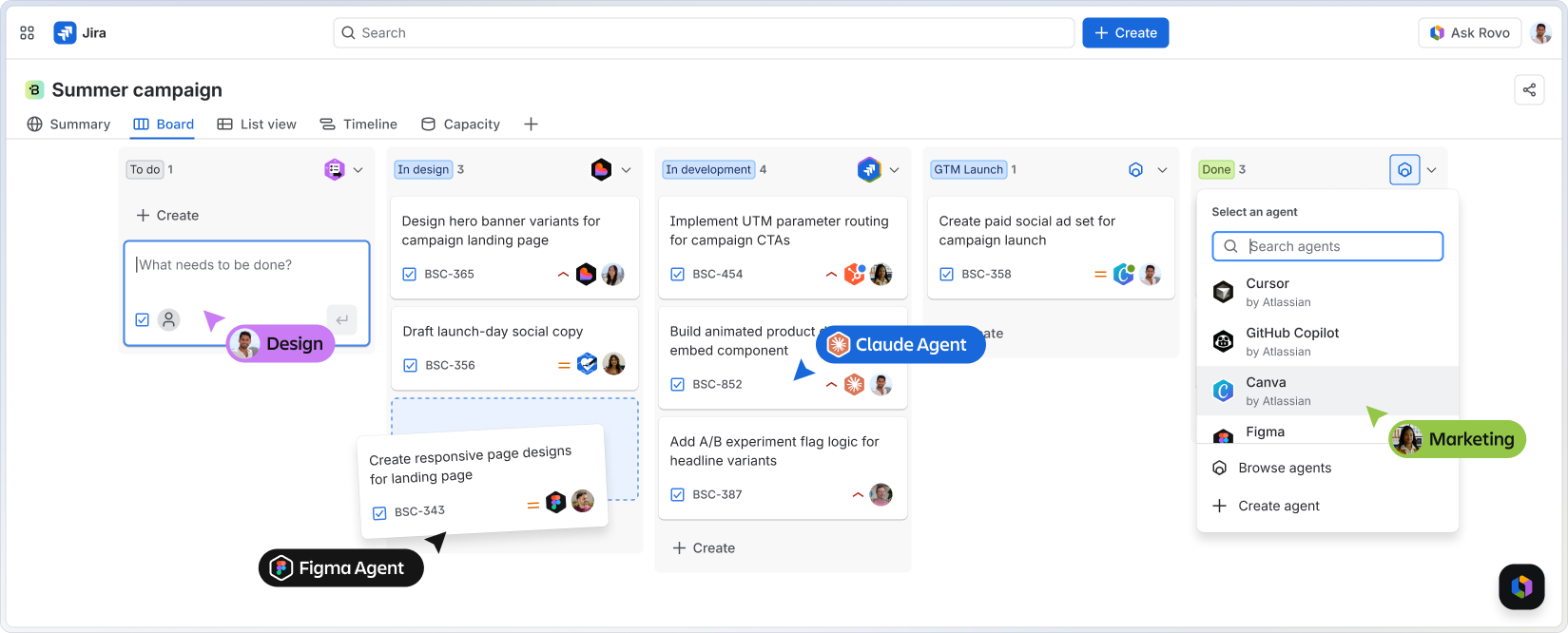
Atlassian also did not sit still on agents. Rovo Dev is described by Atlassian as “a context-aware AI agent that accelerates the software development lifecycle by handling planning, coding, reviews, and automating repetitive work at scale.” It validates code changes against acceptance criteria in Jira, and it operates across the terminal CLI, Bitbucket Cloud, GitHub, and VS Code. Atlassian says Rovo Dev Standard is generally available for all new and existing customers, with monthly credits rolling out on Standard, Premium, and Enterprise Cloud plans.
The assignment model is genuinely good. You open the assignee dropdown on a work item and pick an agent the same way you would pick a colleague, and that list includes third-party agents such as the GitHub Copilot coding agent. Atlassian’s own engineering team published an account of delivering 120 PRs in two weeks using Rovo Dev in Jira. That is not a demo number. It is a team reporting throughput on real work.
So the starting position is not “Jira is behind.” It is “Jira has an answer, and you should know exactly what that answer covers.”
Where Jira’s answer ends
The boundary is about where execution happens and which tools it can reach.
Jira-native agent execution lives inside the environments Atlassian supports. That is a deliberate design, and for a lot of teams it is the right one. It also means the runtime question is answered for you. If your developers standardized on Claude Code with a particular Skills setup, on Codex through a ChatGPT subscription, on Gemini CLI, on OpenCode, or on something you built against a custom protocol, the Jira-native path does not run those the way your developers run them locally.
There is a second boundary that matters more than most comparisons admit: the machine. Agent work is not just a model call. It needs a checkout, a package manager, environment variables, a local database, the VPN route to your staging API, and the twenty small things that make your repo build on your laptop but not in a generic container. Teams hit this on the second week, not the first.
And there is a review question. When an agent produces a change, the useful artifact is not only the pull request. It is the trace: what the agent was told, what it read, what it tried, where it stalled, and what a human decided about it. That record needs a home that the next person can read.
The decision pair
Sharkly’s own documentation is blunt about the division of labor, and the same bluntness applies here.
Use Jira alone when your agent work fits inside Atlassian’s supported environments, your repositories are in Bitbucket or GitHub, and the agents you want are the ones Jira can already assign. You have a system of record and an execution path in one product, billed once. Adding another layer buys you complexity you do not need. That is a real recommendation, not a hedge.
Add Sharkly when execution has to happen on hardware and runtimes you control. A Computer in Sharkly provides the execution host for Agent work, and it can be a local computer, a remote server, a container, or a supported cloud host. A small local service connects that Computer to Sharkly, detects available Runtimes, receives work, prepares the task directory, starts the selected Runtime, and streams progress back. That is the piece Jira does not try to be.
A definition, because the rest depends on it. A Task is the main unit of work in Sharkly. It holds the goal and description, the person responsible, the Agent or Crew assigned to execute it, the comments, the execution state, the trace, and the result. Where a Jira issue records that work exists, a Sharkly Task records how the work was done and by which agent on which machine.
You do not have to choose: the sync path
This is the part most “Sharkly vs Jira” framings get wrong. The two are not mutually exclusive, and the integration is documented rather than aspirational.
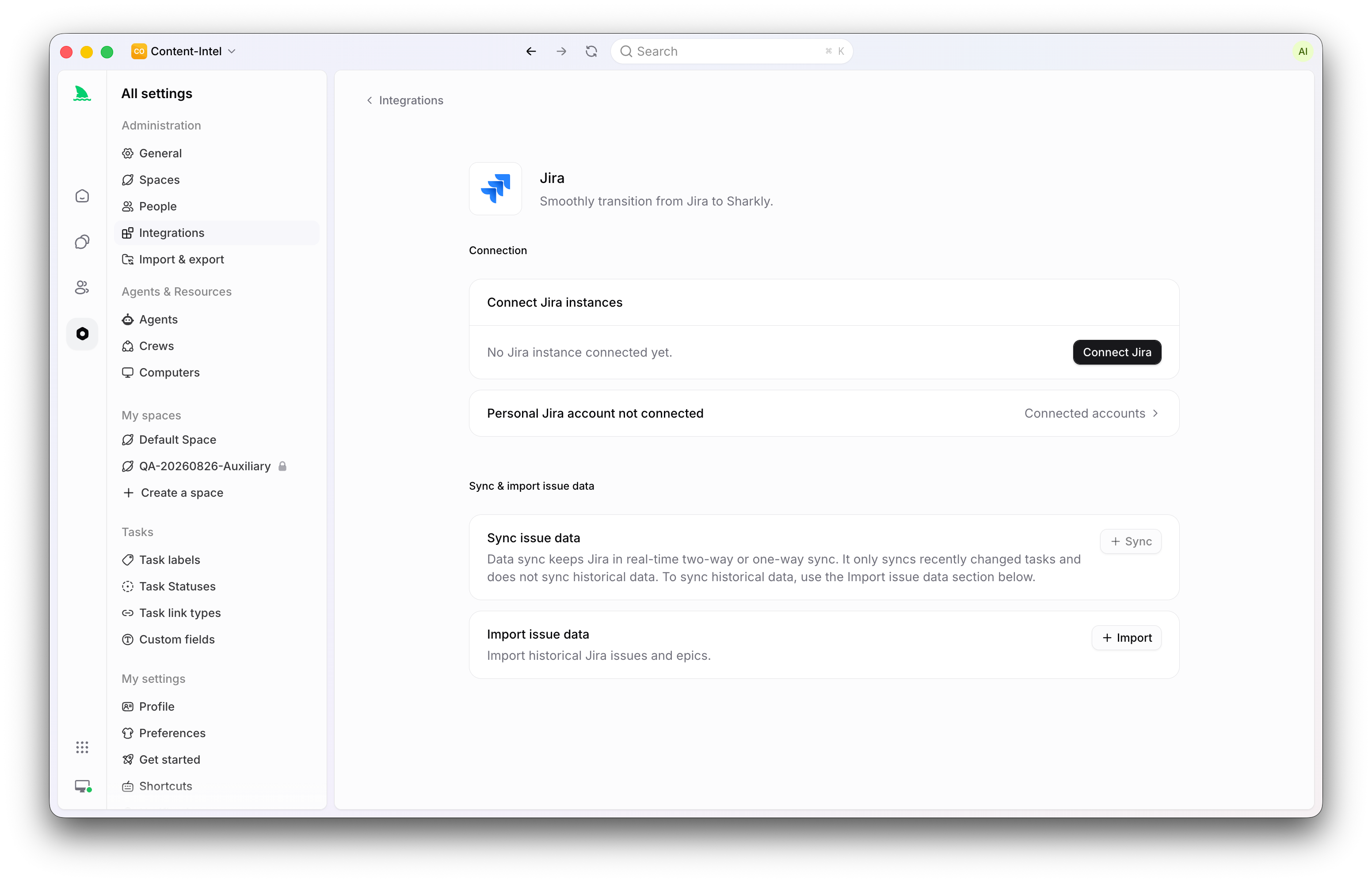
Sharkly’s Jira integration supports Jira Cloud and Jira Server or Data Center, and it offers three modes:
- Import copies existing Jira data into Sharkly. Use it for historical work or a controlled migration.
- Sync links a Jira project to a Sharkly Space and keeps recent changes connected. Sync does not import historical data by itself.
- Import and then sync brings the selected history across and can enable ongoing sync with the credentials already entered in the wizard.
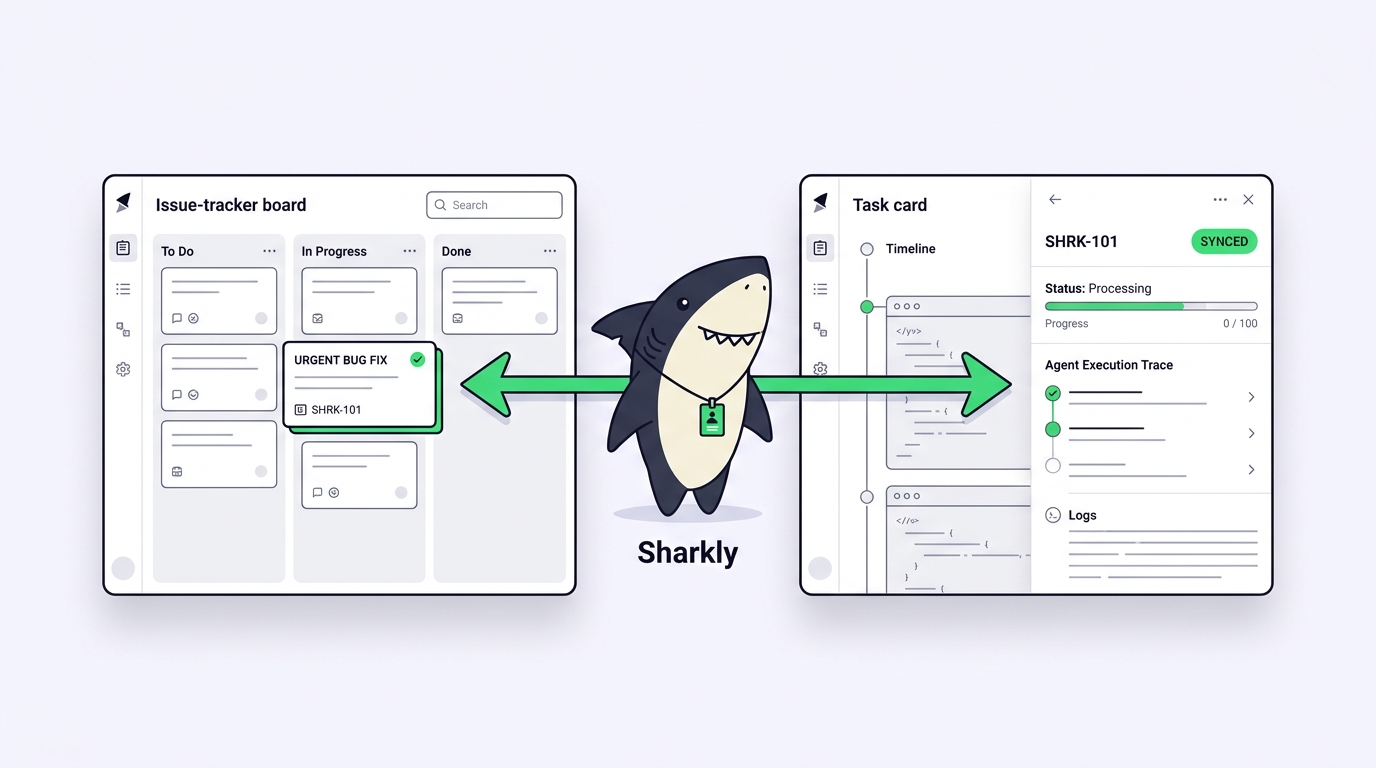
A sync link pairs one Jira project with one Sharkly Space. One Jira project can have only one active link, though multiple Jira projects can link to the same Space. In bidirectional mode, Jira issues and epics sync with Sharkly Tasks and Projects in both directions, and new Tasks and Projects in the linked Space can create Jira issues and epics. If you would rather keep Jira authoritative, the Jira to Sharkly mode creates and updates linked Sharkly records without pushing new records back.
Two operational notes worth knowing before you start. Automatic webhook installation requires Jira administration permission, and a missing webhook permission does not block the connection but will stop Jira changes from arriving. Deleting a link stops future sync without deleting anything on either side, which makes this reversible if you decide against it.
For the ticket-level workflow, our walkthrough on assigning a Jira ticket to an AI agent covers the loop end to end.
A worked example
A payments team runs Jira as the company standard. Support files JIRA-4821: a webhook retry storm is double-charging a small number of customers.
The tech lead triages it in Jira, sets the priority, and links it to the incident epic. Because the linked Space syncs bidirectionally, the same work shows up in Sharkly as a Task with the description and acceptance criteria intact.
There the routing gets specific. The Task goes to an Agent configured for backend fixes: a defined role, the payments repository, and Claude Code as the Runtime, running on a connected Computer that already has the staging credentials and the VPN route. A second Agent handles test coverage in an isolated worktree so the two never touch the same files. Our guide to running parallel agents in isolated worktrees covers why that isolation matters once more than one agent is working.
The agent reads the issue, reproduces the retry storm against a local replay, proposes an idempotency key change, runs the suite, and reports back. Everything it read, tried, and failed at is on the Task, in the trace, next to the comments. The lead reviews the diff, asks one follow-up question in a Task comment, which starts another run, then accepts.
The result flows back to JIRA-4821 for the people who never left Jira: the ticket closes, the sprint report is accurate, and support sees the resolution in the tool they already use. Nobody had to move.
Sharkly vs Jira: a fair comparison
| Jira (with Rovo Dev and assignable agents) | Sharkly | |
|---|---|---|
| Primary role | System of record for organization-wide work | Execution and review layer for People and Agents |
| Agent assignment | Assignee dropdown, Rovo agents and supported third-party agents | Task assigned to an Agent or a Crew |
| Where agents run | Atlassian-supported environments including CLI, Bitbucket Cloud, GitHub, VS Code | Computers you connect: local machine, remote server, container, or supported cloud host |
| Runtime choice | The agents Jira supports | The Runtime detected on that Computer, including a custom ACP Runtime you configure |
| Model billing | Through your Atlassian plan and credits | Through the subscriptions or API keys already configured in your tools |
| Execution record | Work item history and linked PRs | Task with execution state, trace, result, and comments |
| Cross-platform hosts | Managed by Atlassian | macOS, Linux, and Windows installers for the CLI and local service |
| Relationship | The record everyone reports on | Syncs bidirectionally with Jira rather than replacing it |
Common mistakes
Treating this as a migration. The most common error is framing agent execution as a reason to leave Jira. Finance, support, and three other teams read those reports. Sync, do not evict.
Skipping the webhook conversation. The Jira link needs administrator permission to install its webhook automatically. If you do not have that, get the one-time configuration packet to a Jira administrator early rather than debugging silence later.
Pointing many Jira projects at one Space by accident. One Jira project can have only one active Space link, and the pairing cannot be changed after creation. Decide the mapping before you create links, because fixing it means deleting and recreating.
Assigning work that is not agent-ready. A ticket that says “fix the payments bug” produces a bad run regardless of platform. Acceptance criteria are what make the difference, which is the same discipline good tickets always needed. Our overview of AI agent project management covers what changes when the assignee is not a person.
Conclusion
Jira answers “what work exists and who owns it.” With Rovo Dev and assignable agents, it now answers part of “who does the work” too, inside the environments Atlassian supports. If that covers your stack, you are done, and you should stop reading comparison posts.
Sharkly answers a different question: where does agent execution happen when it needs your machines, your runtimes, and your review gate, and how does that record stay legible to the team. It is not a replacement for Claude Code or Codex, and it is not a replacement for Jira either. It adds the shared task, connected Computer, context, control, and review layer around the tools your team already uses, then syncs the outcome back to the ticket everyone else reads.
If that is the gap you are feeling, start with Sharkly and connect one Jira project to one Space before you touch anything else.
FAQ
Does Sharkly replace Jira? No. It links to Jira through import, one-way sync, or bidirectional sync. Deleting a link stops future sync without deleting Jira issues, Jira epics, Sharkly Tasks, or Sharkly Projects.
Can I keep Jira as the source of truth? Yes. The Jira to Sharkly direction creates or updates linked Sharkly records without creating new Jira records from Sharkly. Supported updates to already-linked records can still be written back.
Does this work with self-hosted Jira? Jira Cloud and Jira Server or Data Center are both supported. Server and Data Center installations also expose a private network proxy option that Jira Cloud does not show.
What about model costs? Model usage continues through the subscriptions or API keys configured in your coding tools. Model quota depends on the AI coding tools, plans, and API accounts your team connects.
Which agents can Jira assign natively? Rovo agents plus supported third-party agents such as the GitHub Copilot coding agent, selected from the work item’s assignee dropdown. Check Atlassian’s current documentation, since the supported list changes.
Do I need both tools to start? No. You can run Sharkly against its own Spaces first and connect Jira later. Teams that already live in Jira usually find the sync easier to justify once one squad has a working agent loop. Our comparison of Jira alternatives for human-agent teams covers the case where Jira is not already entrenched.