A queue for incoming work
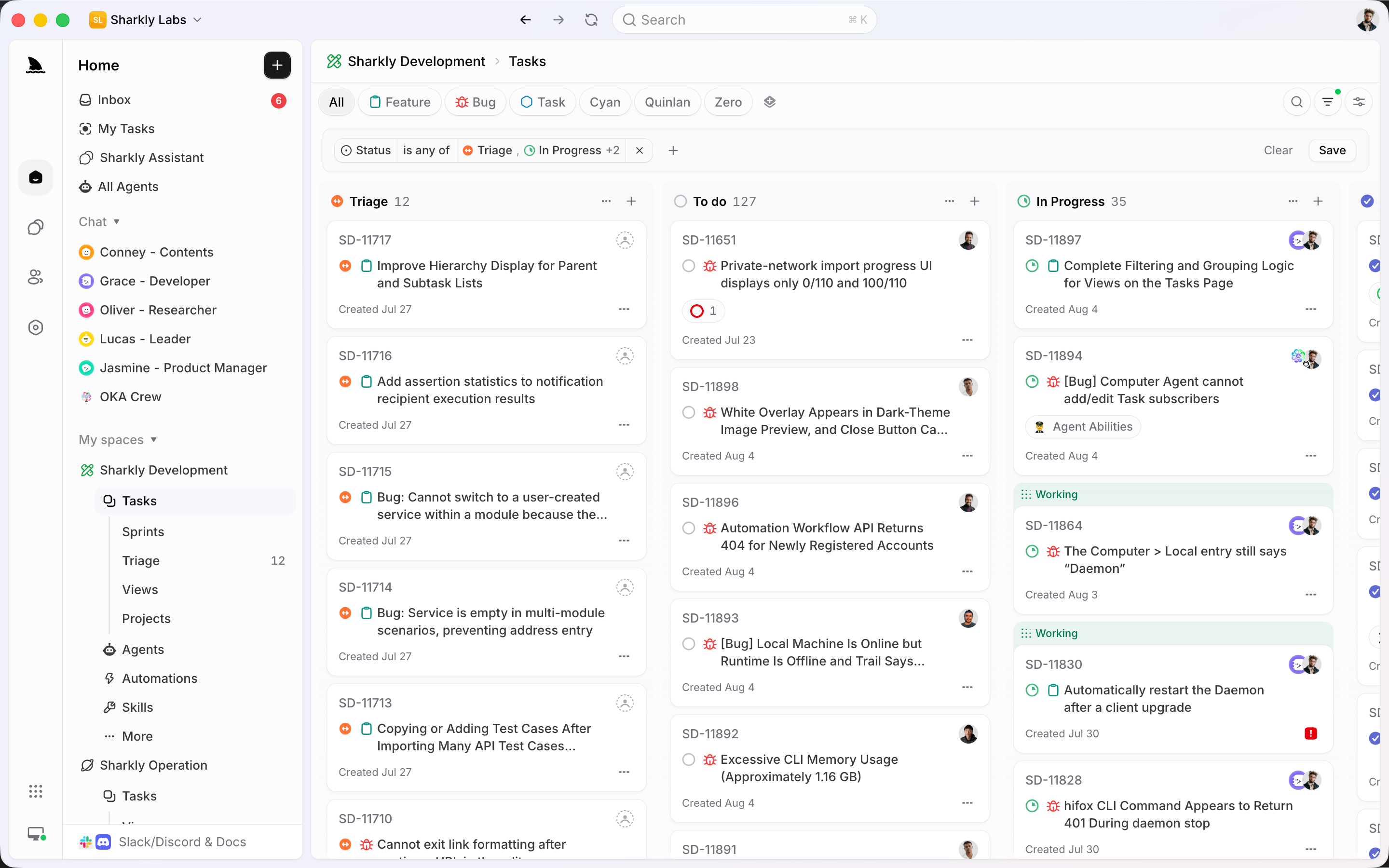
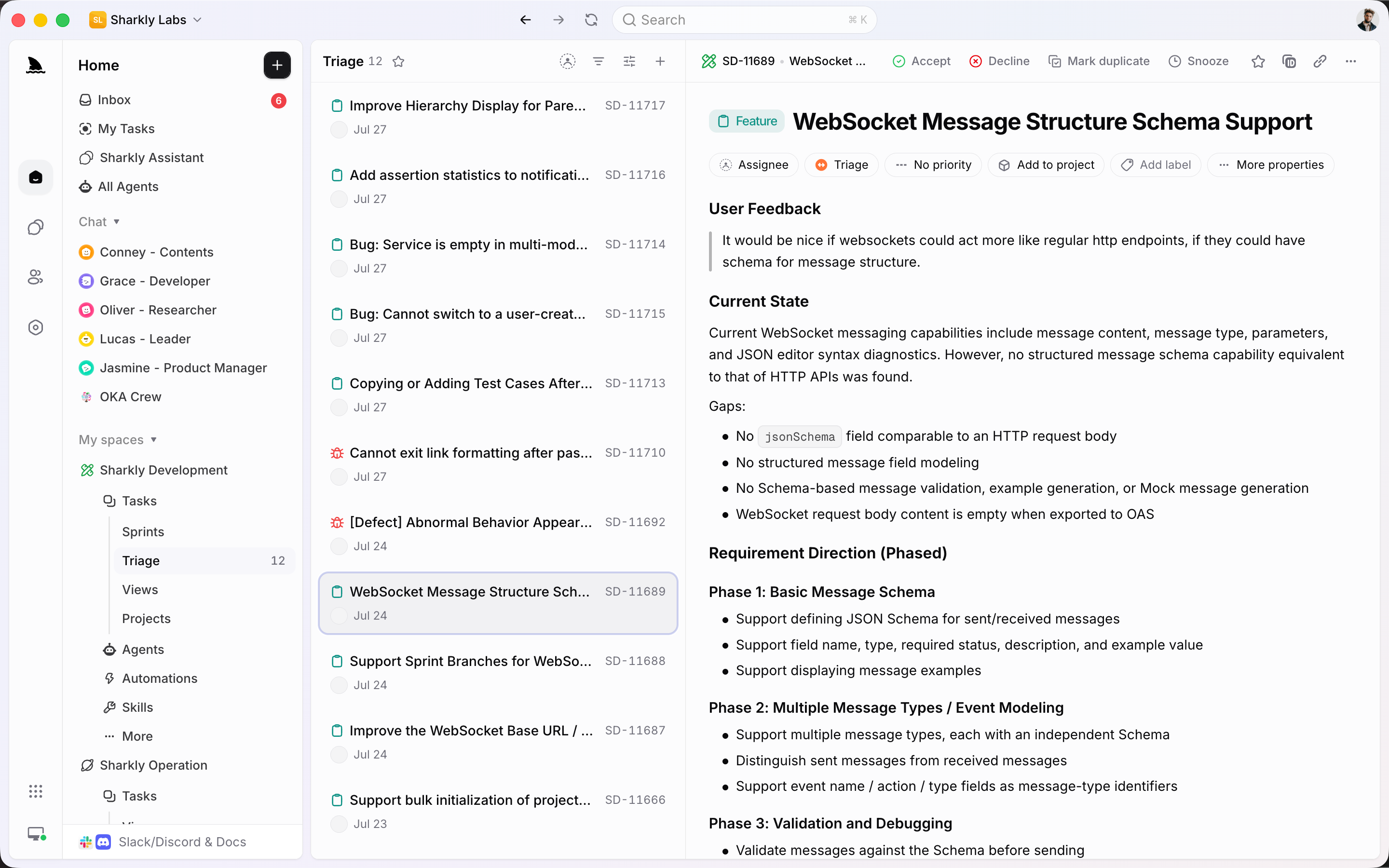
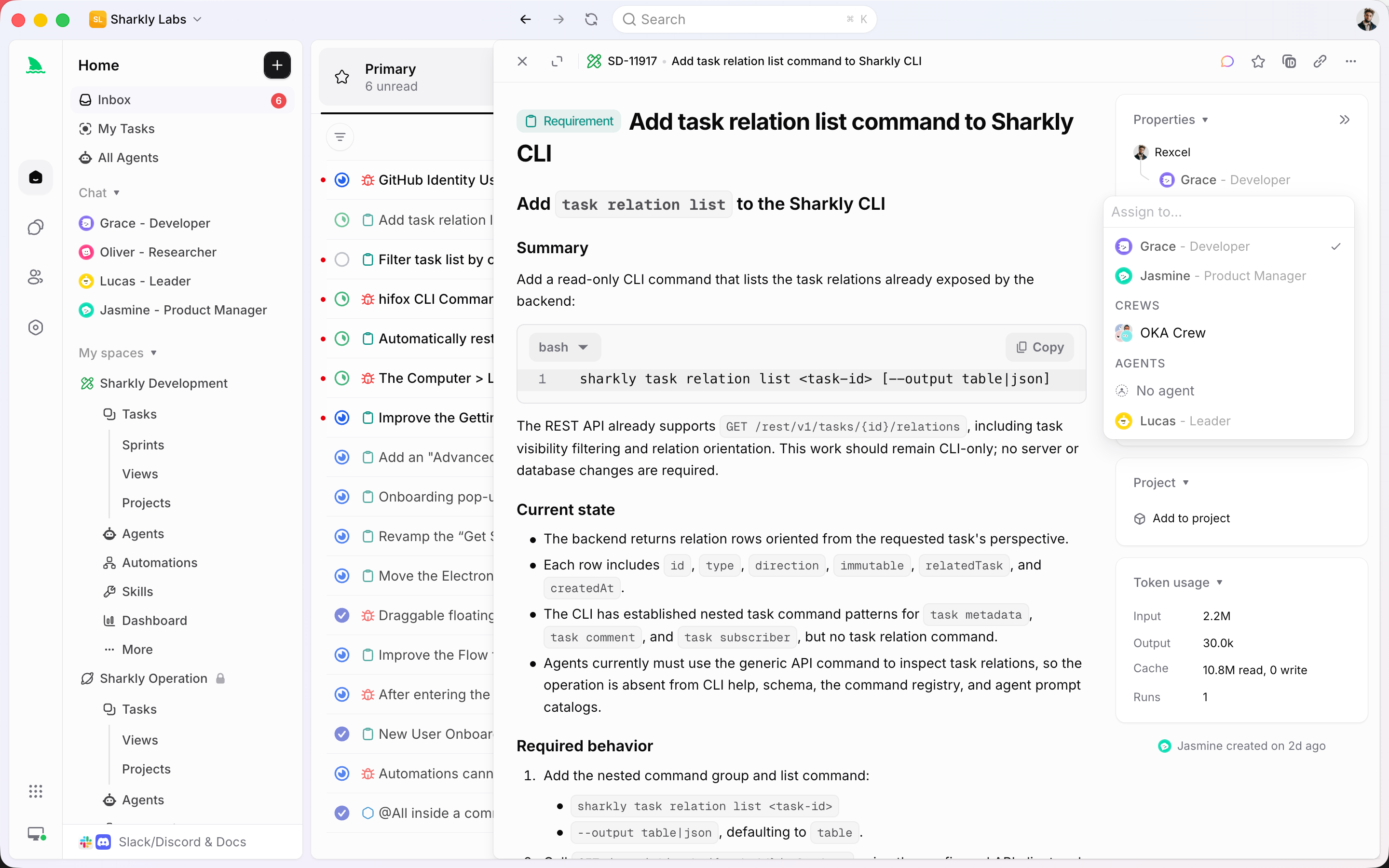
Open Triage and work through items one by one. Accept them into the workflow, Decline them, mark duplicates, or Snooze them until later.
Incoming work lands in Triage. People Accept, Decline, Snooze, or mark duplicates. Task types give each item the right fields and statuses. Agents run the work that repeats.
Used by teams at






Triage, task types, Automations
Keep intake, typed workflows, and recurring execution in one Space instead of spreading them across inboxes, docs, and private chats.
Open Triage and work through items one by one. Accept them into the workflow, Decline them, mark duplicates, or Snooze them until later.
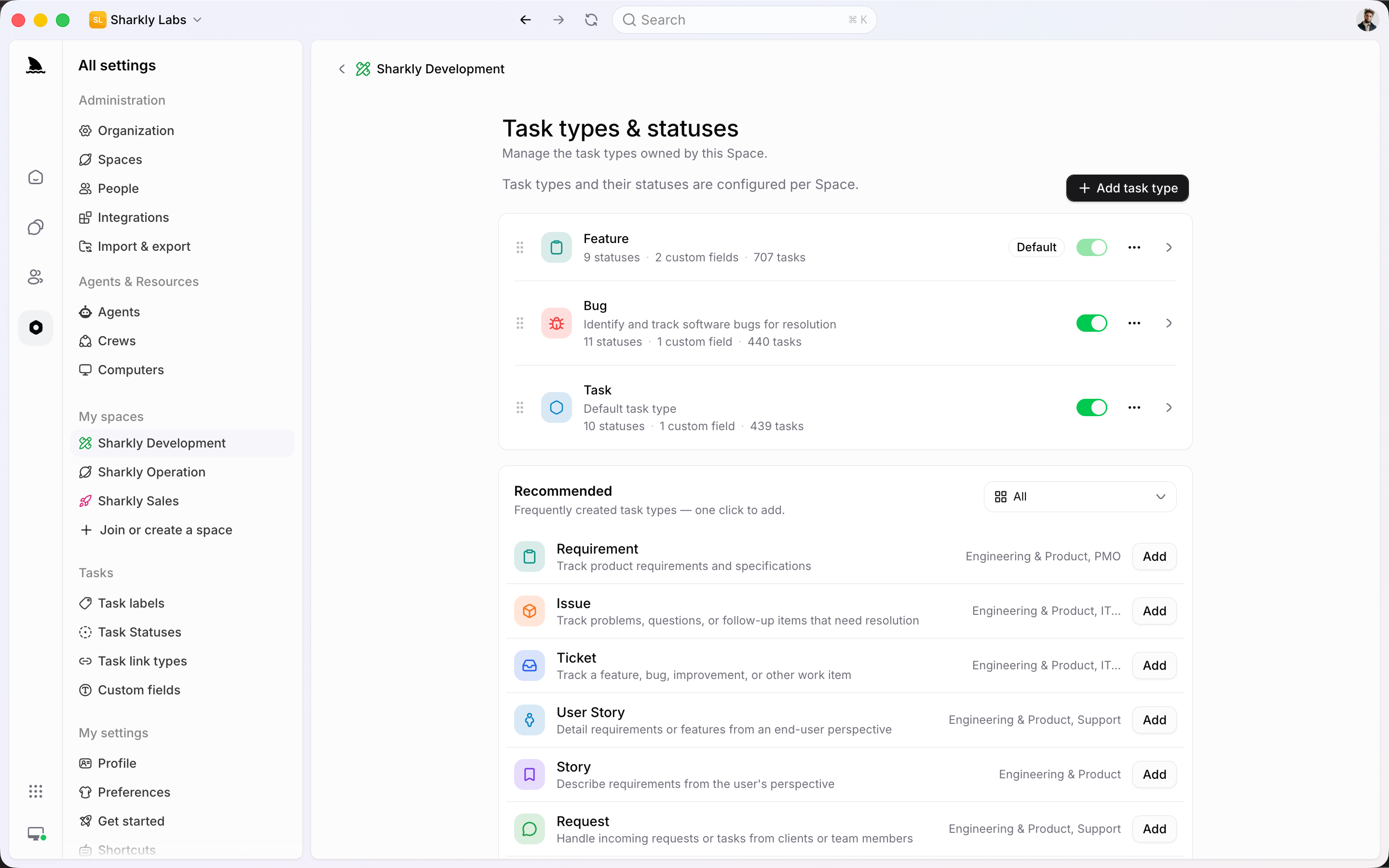
Each Space owns its task types. Feature, Bug, Request, Ticket — each type binds the fields and statuses that process actually needs.
Schedules, status changes, comments, and webhooks can start an Agent or Crew. People still review what matters.
From intake to done
Incoming items sit in one queue until someone decides. Task types keep the process structured. Automations run the repeating checks.
Triage is the Space's intake queue, not a saved View you rebuild every morning. Open an item, decide, and move on: Accept it into the workflow, Decline it, mark it as a duplicate, or Snooze it until later.
A Bug, a Request, and a Feature do not need the same form. Space-owned task types bind custom fields and a bounded Workflow, so intake stays structured without becoming a generic list.
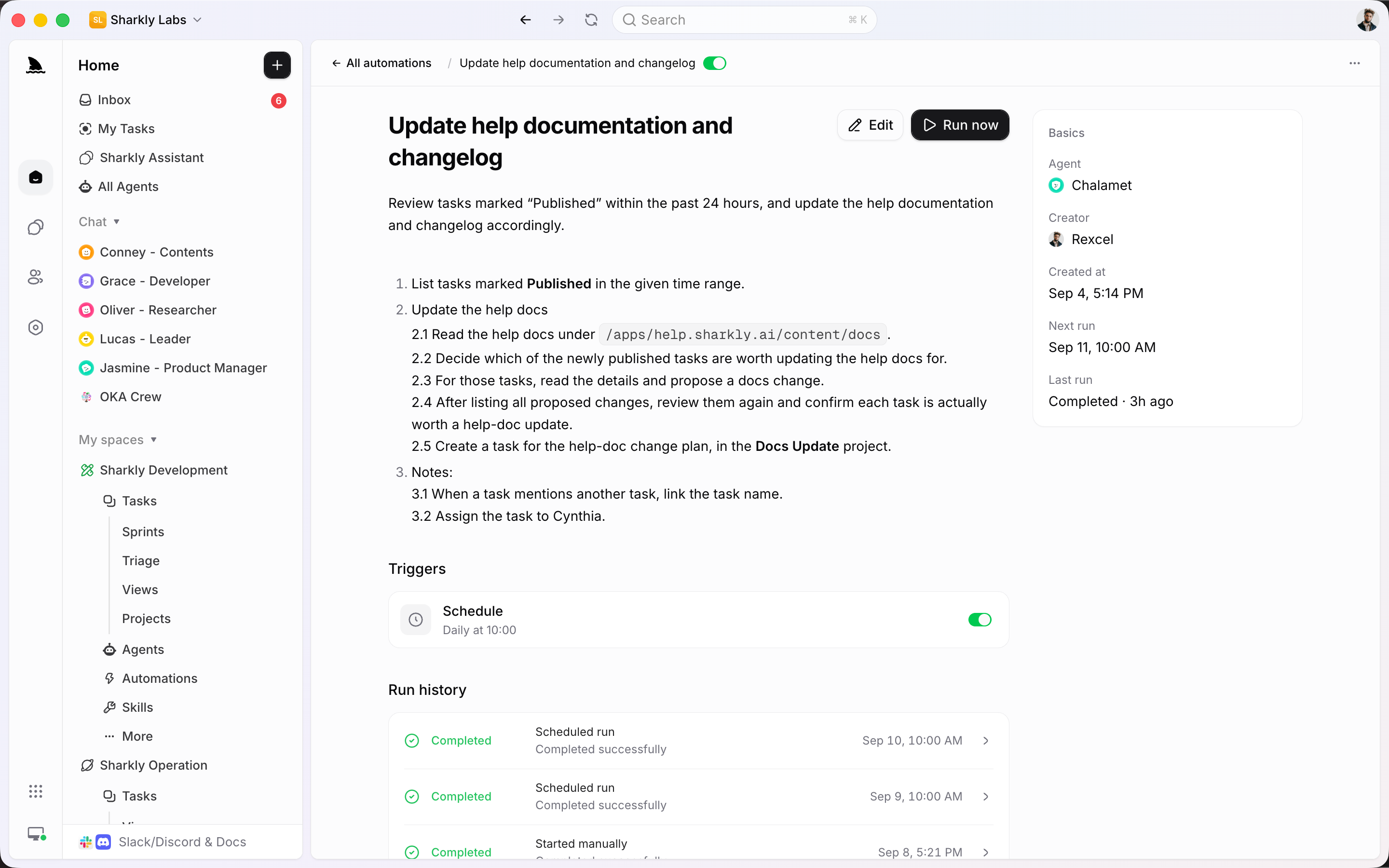
An Automation is one rule: instructions, an Agent or Crew, a trigger, and run history. Use it for daily checks, docs follow-up, or webhook intake. Use automation workflows when several systems have to act in sequence.
A person stays responsible after Triage. An Agent or Crew takes the execution slot. Comments and Inbox keep the decision on the same item the queue is tracking.
Connect local or cloud Computers and expose their Runtimes as controlled execution resources for Agents. Keep the tools your team already uses while making runs assignable and traceable.



















The operating system
Incoming work stays a task. Triage, task types, and Automations attach to that system instead of creating a second source of truth.
Capture the ask, type, priority, dates, fields, and discussion so every item has an owner and a history.
Each Space-owned type binds custom fields and a bounded Workflow, so requests and bugs do not share the same path.
Work through incoming items one by one. Accept, Decline, mark as duplicate, or Snooze until later.
Run an Agent or Crew from a schedule, status, comment, webhook, or a manual start, with run history attached.
Accept signed POST requests from the tools ops already uses, then start the same Automation the team reviews.
Create tasks from Slack, keep a bound thread in sync, and send follow-up without leaving the request.
Meet ops where the request starts
Bring requests in from chat or an external system, keep Jira and GitHub connected when engineering is involved, and let Agents work from the same queue.
Quality of life, built in
Ops only works if Triage, task types, and Automations stay attached to the same request.
Give the team one Triage queue, typed workflows for each request, and Automations for the work that repeats.
Start
Turn on Triage, give each request type its own fields, then route repeating work to Agents without losing review.
Give IT, internal ops, or on-call follow-up a Space. Incoming items sit in Triage until someone Accepts, Declines, or Snoozes them.
Add Request, Ticket, Issue, or Bug. Bind the fields and statuses each type needs so intake is not a generic list.
Add an Automation or workflow for checks, reminders, or webhook intake, then assign a person to review the result.
FAQ
For many teams, yes for the queue itself. Incoming work becomes tasks in a Space. Triage is the intake queue: Accept, Decline, Mark duplicate, or Snooze. Task types give each process its own fields and statuses. Recurring checks run as Automations. Keep a specialist tool only when you need a process Sharkly does not own, such as a dedicated procurement or expense system.
A View is a saved way to inspect tasks. Triage is a dedicated intake queue for items in the triage status. It is built for deciding: Accept into the workflow, Decline, mark as a duplicate, or Snooze. After an item leaves Triage, it still appears in Views, boards, and Inbox like any other task.
People can create tasks in the Space, an Agent can create a task from Slack, and an Automation can start from a webhook. If the Space has Triage enabled, items in the triage status appear in that queue until someone decides. Slack events cannot yet start an automation workflow; Slack is available as a task source and as a workflow action.
An Automation is one rule: when to start, which Agent or Crew runs, and what instructions to follow. An automation workflow is a canvas of triggers and actions, including connectors and a Run Agent step. Use Automations for recurring checks; use workflows when several systems have to act in sequence.
No. Current Automations start an Agent or Crew run directly and keep history on the Automation. Run Agent in a workflow also does not create a task. Use a task when the request needs an owner, status, and review in the queue.
People remain responsible for Triage and approval. An Agent or Crew executes the repeating or well-specified work. Results, failures, and requests for review return to Inbox and the original task or Automation history.