Shape the backlog first
Capture upcoming work, order it, and keep types, estimates, and owners attached before anything is committed to a Sprint.
Backlog, time-boxed Sprints, Projects, and board Views live in the same Space. People commit the work. Agents execute what was planned. Progress stays visible to the team.
Used by teams at






Backlog, Sprint, Project
Agent execution belongs on the same plan the team already runs. If it is not on the board, it is not in the cycle.
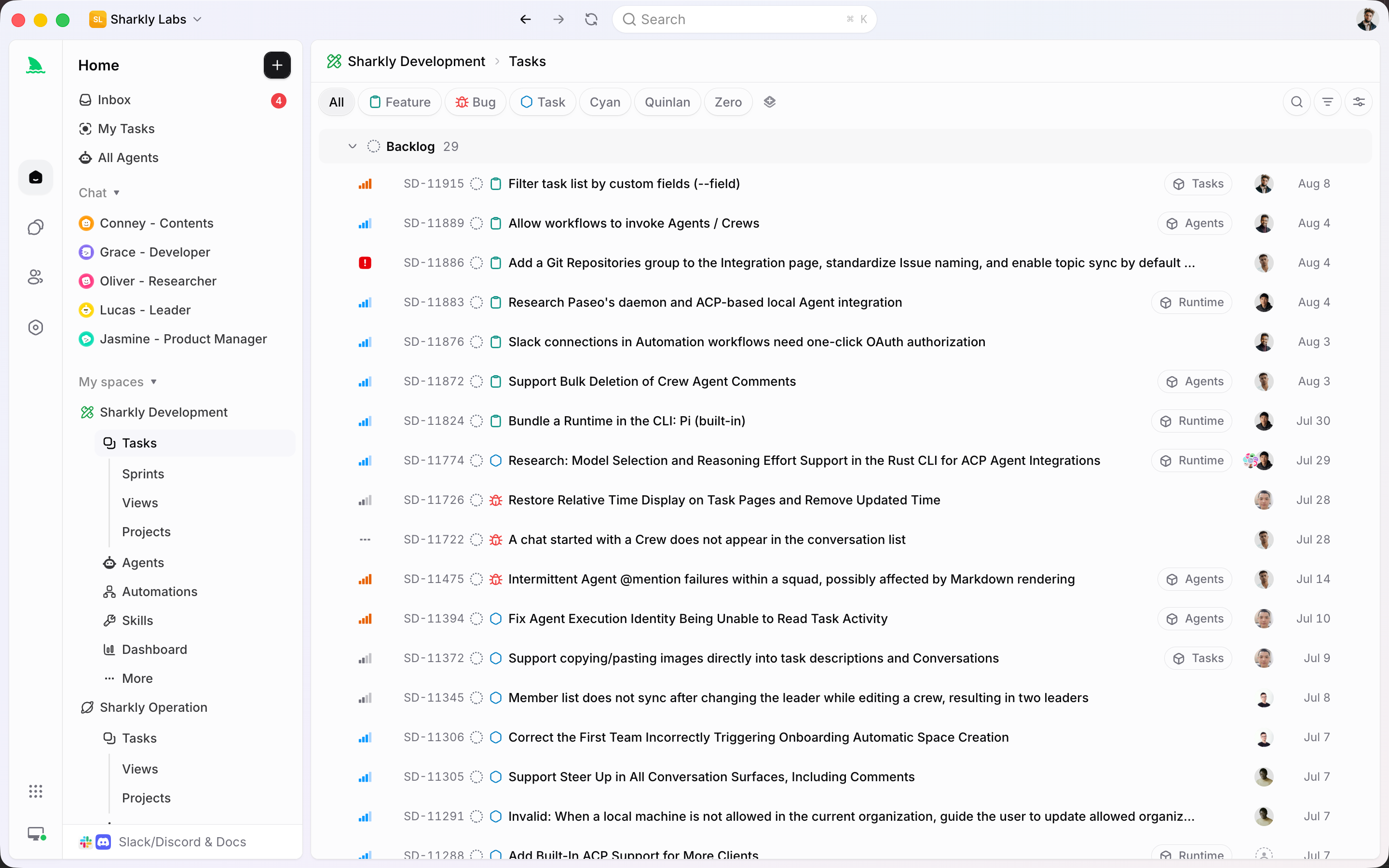
Capture upcoming work, order it, and keep types, estimates, and owners attached before anything is committed to a Sprint.
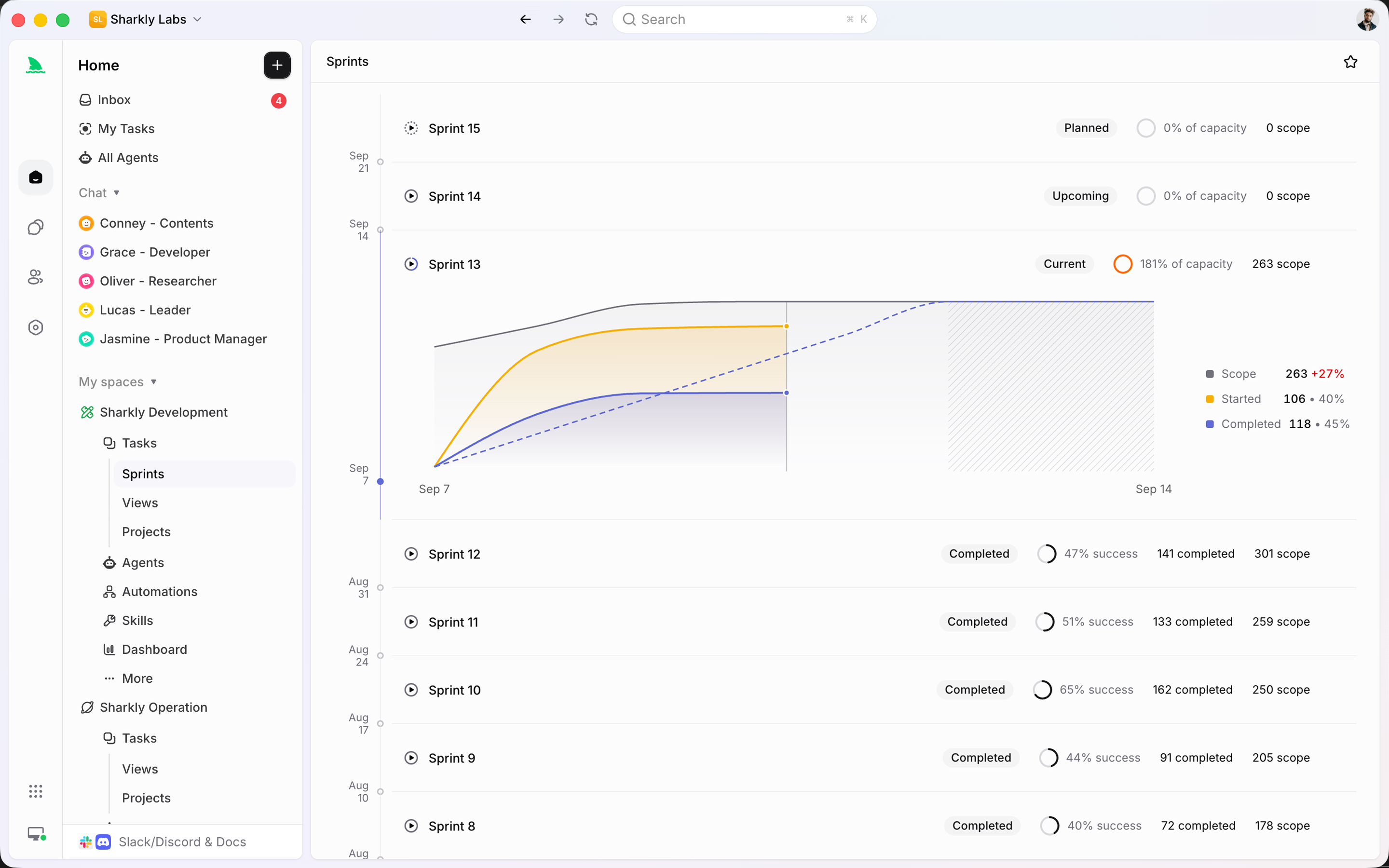
A Sprint is a Space time box. Pull work in, watch capacity, and keep people and Agents on the same committed set.
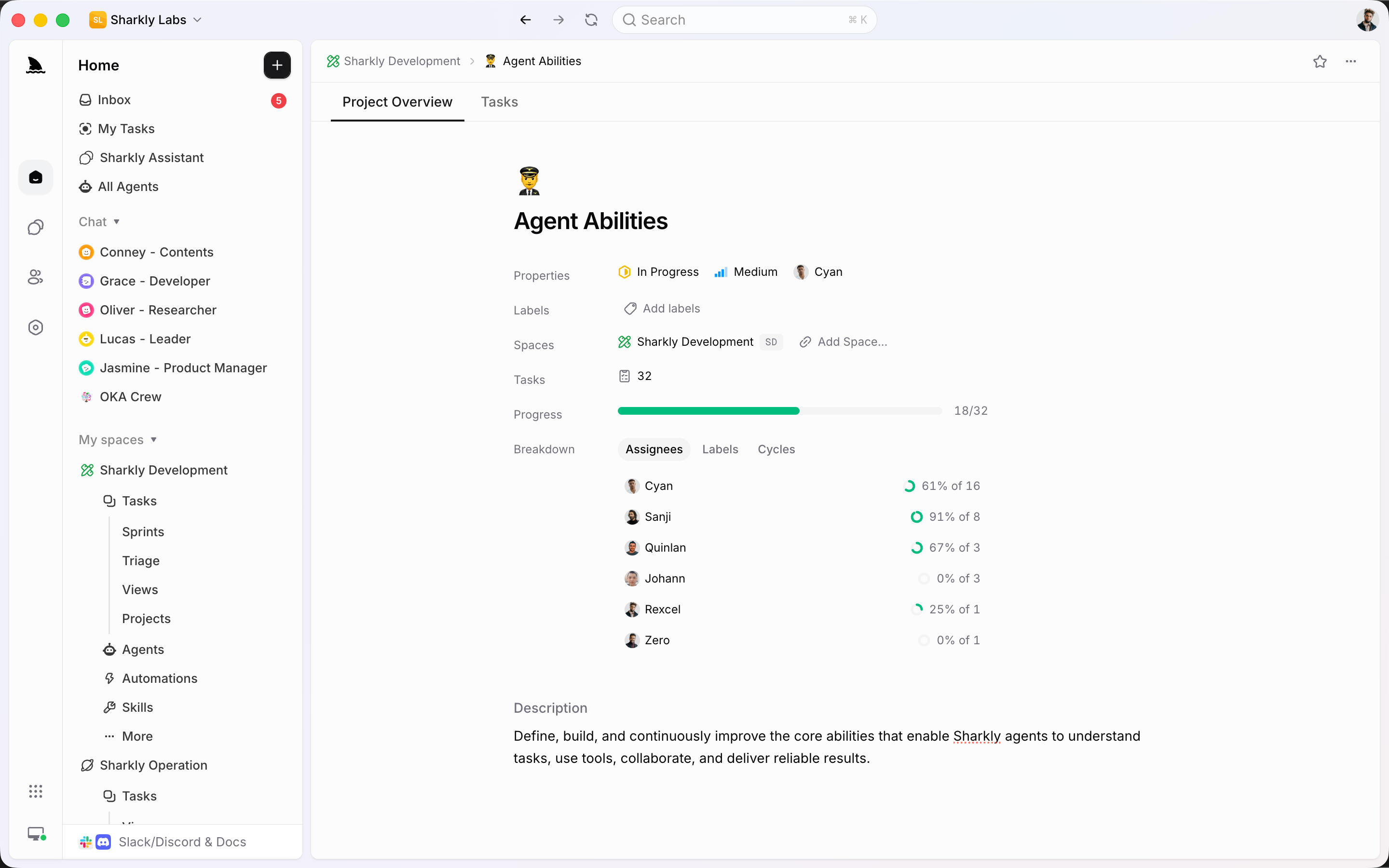
A Project groups related Tasks across the cycle. Use it for a goal or release, not as a second tracker.
From backlog to the board
The planning surfaces write to Tasks. Agents do not get a private plan of their own.
The backlog is where upcoming Tasks wait before a Sprint. Order, type, and estimate them here so commitment is a decision, not a surprise.
A Sprint groups committed Tasks in a Space. Start it, watch what is in progress, and keep scope changes visible instead of burying them in chat.
A Project is an optional grouping for related Tasks. Use it when a goal, launch, or workstream should stay visible across Sprints.
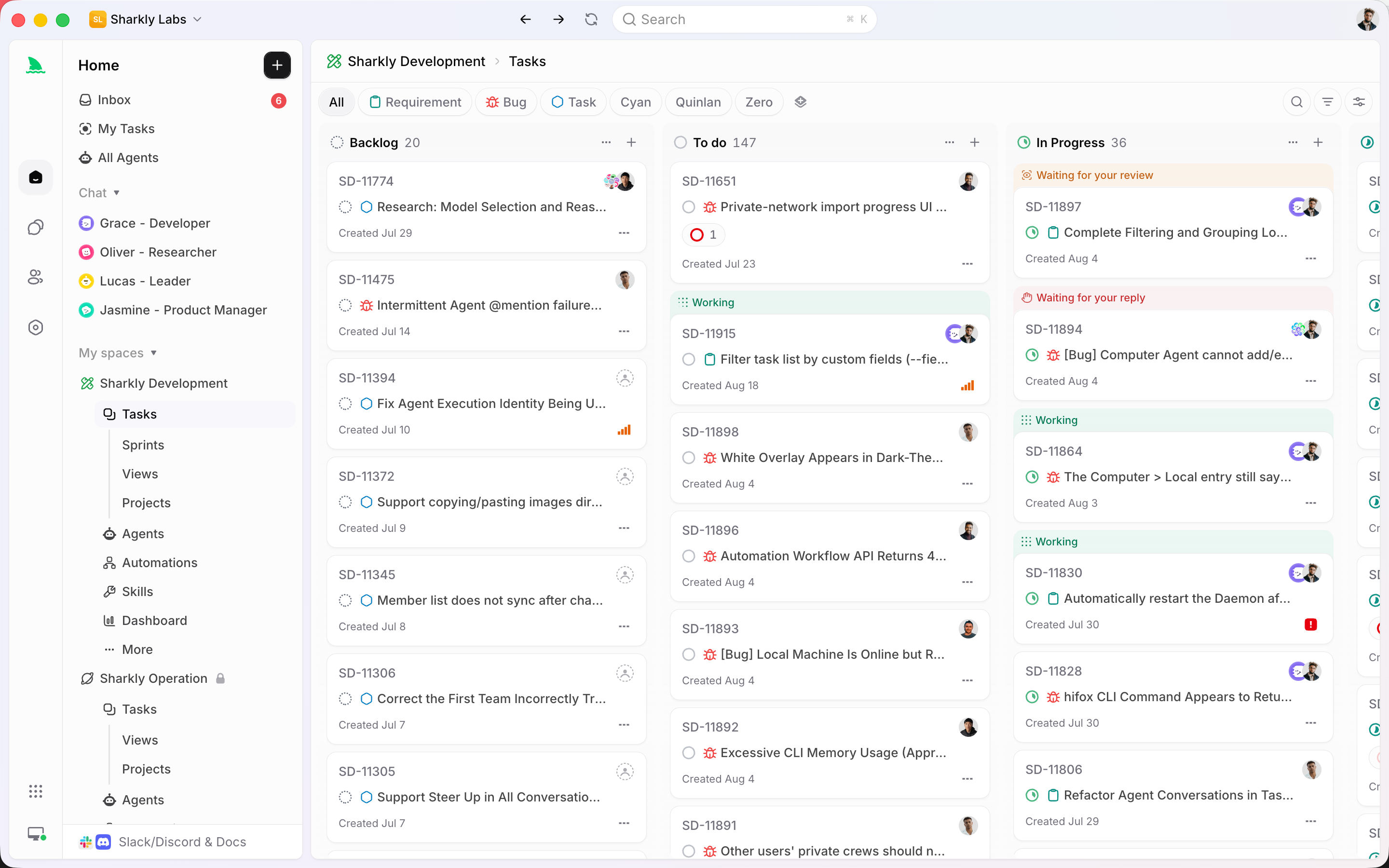
Saved Views keep board, list, grouping, and filters ready. Planning does not depend on rebuilding the same query every Monday.
The planning system
Backlog, Sprint, Project, and View are how the Space plans. Agents execute inside that plan.
Uncommitted work, ordered and typed, waiting for the next cycle.
A Space time box of committed Tasks for people and Agents.
Optional grouping for an initiative, release, or workstream.
The visual path through statuses the Sprint or View is tracking.
Saved presets so the plan is inspectable without rebuilding filters.
Assigned Agents execute committed Tasks; they do not keep a private backlog.
Plan where the work already lives
Synced work can still originate in another tracker. Once it is a Task, it can sit in a Sprint and be assigned to an Agent.
Connected features
Triage feeds the backlog. Agents run committed Tasks. Automations handle what repeats.
Quality of life, built in
If Agent work cannot appear on the Sprint board, it is not part of the plan.
Shape the backlog, commit a Sprint, and let assigned Agents execute without leaving the board.
Start
Fill a backlog, start a Sprint, then assign Agents to committed work so execution stays on the plan.
Create Tasks with types, estimates, and owners. Keep uncommitted work out of the current Sprint.
Pull in what the team can finish in the time box. People and Agents share that committed set.
Put Agents on the Tasks that should run. Review still happens on the same board.
FAQ
No. A Sprint is a Space time box of committed work. A Project is an optional grouping for an initiative that can span several Sprints.
No. Agents execute Tasks that already live in the Space. If the work is not on the backlog or Sprint, it is not in the plan.
A Sprint is the time box. A View is a saved way to look at Tasks — including Sprint boards, backlog lists, or Project groupings.
You can keep Jira connected and still run Agent execution in Sharkly. Synced issues become Tasks that can sit in a Sprint and be assigned.
It remains a Task. Move it to the next Sprint, return it to the backlog, or complete it — the history stays on the item.
Only when they create or update Tasks that the Sprint is tracking. Recurring Agent runs that are not Tasks keep history on the Automation instead.