Backlog and plan first
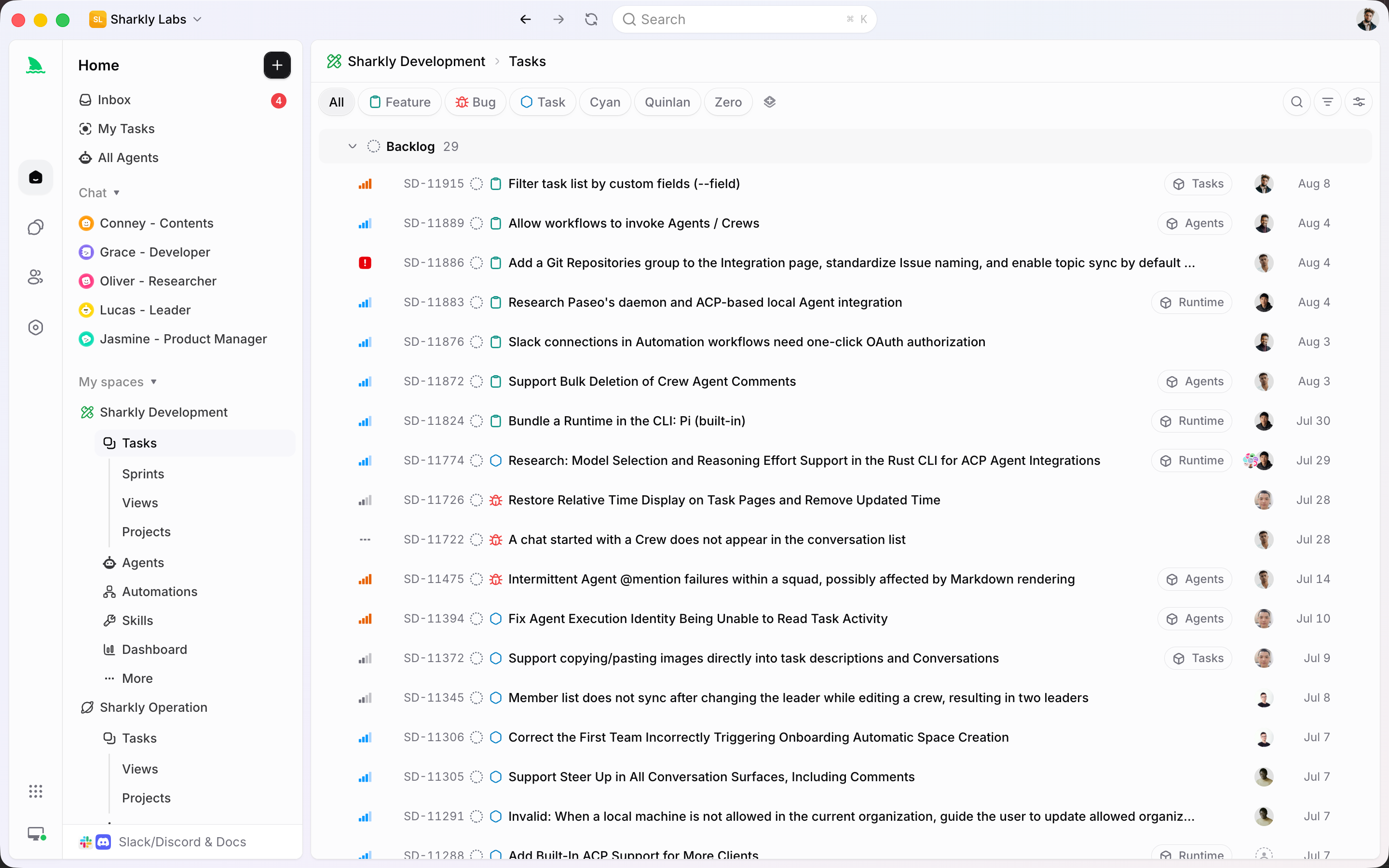
Shape, prioritize, and park work in Backlog until the team is ready to commit. Planning happens before the sprint starts moving.
Keep backlog, time-boxed Sprints, Projects, and board Views in the same Space. People own the work. Agents execute committed tasks. Progress, blockers, and review stay attached to the plan.
Used by teams at






Backlog, boards, sprints
Use the planning layer teams already understand, then let Agents take committed work without leaving the sprint.
Shape, prioritize, and park work in Backlog until the team is ready to commit. Planning happens before the sprint starts moving.
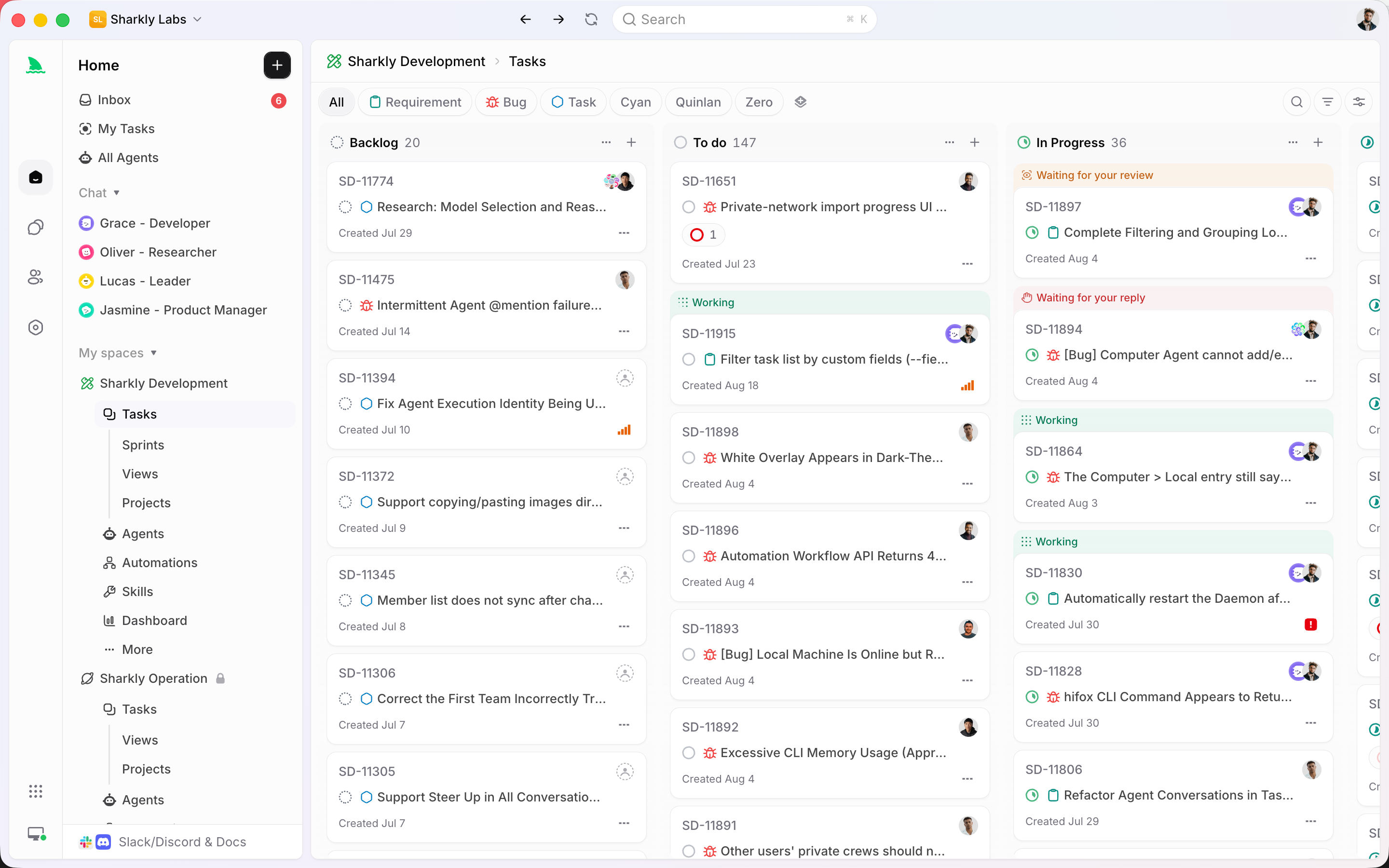
Save Kanban-style Views by status, assignee, Project, or Sprint. The same tasks stay visible in list and board layouts.
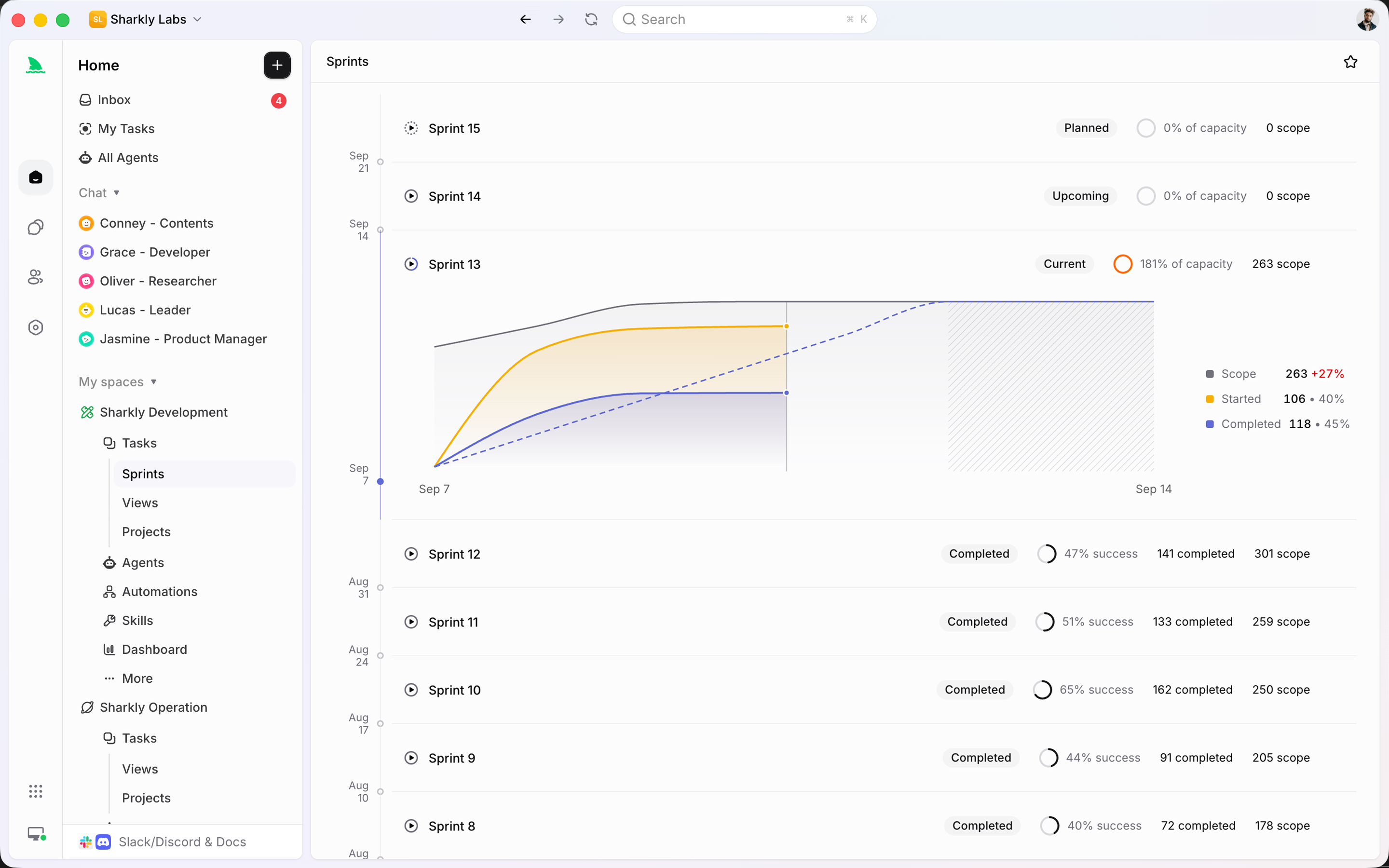
Once work is committed, follow scope, capacity, burnup, and unfinished items in the active time box.
From plan to done
Scope, status, and execution update in the same place. No separate board for people and another for Agents.
Keep uncommitted work in Backlog. Shape scope, priority, and acceptance before the team commits a time box. Saved Views keep planning, grooming, and the team board in one place.
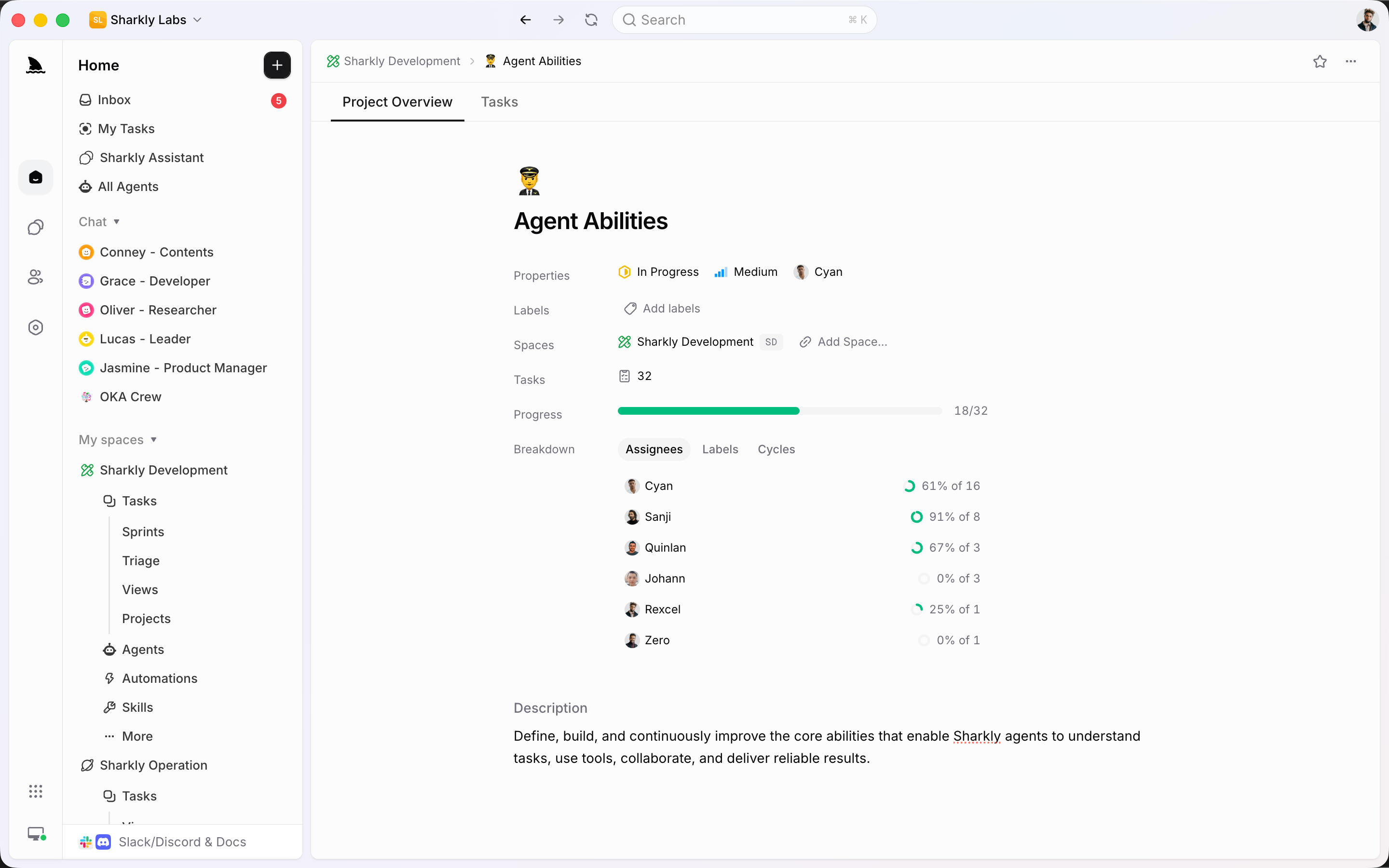
A Sprint answers what this time box should finish. A Project groups the outcome that may take several cycles. Progress rolls up from task status and estimates without changing Space ownership.
Once the team commits a time box, the Sprint shows scope, started work, completed work, capacity, and burnup. Unfinished items can roll forward when the cycle ends.
A person stays accountable. An Agent or Crew takes the execution slot. Mixed teams can plan, comment, and review in the same task while Agents run in isolated worktrees.
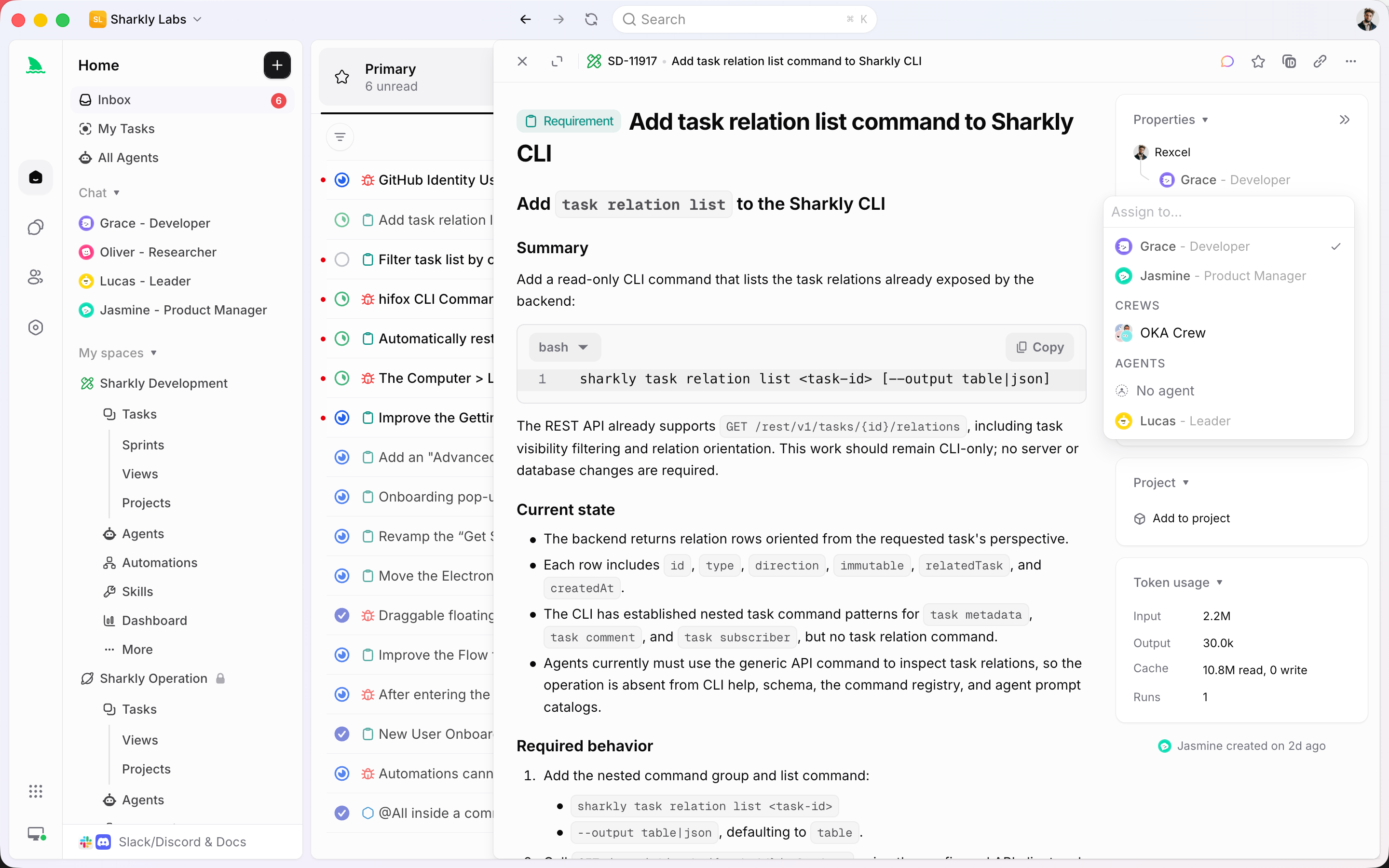
Connect local or cloud Computers and expose their Runtimes as controlled execution resources for Agents. Keep the tools your team already uses while making runs assignable and traceable.




















The operating system
Tasks, Sprints, Projects, and Views stay the source of truth. Agent runs attach to that system instead of replacing it.
Capture goal, type, status, priority, dates, labels, estimates, and discussion so every item has history.
Park work until it is ready. Creating or assigning a task in Backlog does not start an Agent run.
Time-box committed work with automatic or manual cadence, capacity from recent velocity, and burnup history.
Group outcomes that may span several Sprints or Spaces, with progress derived from task status.
Save board and list layouts with filters, grouping, sort, and card properties for the questions the team repeats.
Keep comments, blockers, Inbox review, and Agent results on the same item the sprint is tracking.
Bring the current workflow with you
Move issues, epics, statuses, and Sprint data into a Sharkly Space. Then keep delivery connected to the tools engineering already uses.
Quality of life, built in
Planning only works if status, conversation, and execution stay attached to the same work item.
Give the team one board for committed work, one backlog for what is next, and a clear owner for every task that moves.
Start
Keep the sprint cadence your team already uses, then route committed work to people and Agents from the same board.
Capture upcoming work, set priority, and keep unready tasks in Backlog until the team is ready to commit them.
Filter by status, assignee, Project, or Sprint and save the layout so planning and review open the same board.
Move ready tasks out of Backlog into the time box. Assign a person for ownership and an Agent or Crew when execution should start.
FAQ
Yes. Use Sprints for time-boxed Scrum-style delivery, and use board Views grouped by status for Kanban-style flow. A Space can run both: uncommitted work stays in Backlog, committed work belongs to a Sprint, and the same tasks appear on saved boards.
Sprints are optional and configured per Space. Automatic cadence maintains duration, cooldown, start weekday, timezone, and future Sprints. Manual mode lets people create, start, complete, and even run more than one active Sprint. Unfinished work can roll forward when a Sprint completes.
People remain responsible for the task. An Agent or Crew is the execution assignee. Work in Backlog does not start a run. When the team commits the task and moves it to a ready status, the assigned Agent can start, then return progress and review to the same sprint item.
A Sprint is a time box owned by one Space. A Project groups an outcome that may span several Sprints or Spaces. A View is a saved way to inspect tasks. A task can belong to one Project and one Sprint while appearing in many Views.
No. Adding a task to a Sprint does not change its status. Execution starts when a task with a ready Agent or Crew leaves Backlog for a non-terminal status, and the Computer and Runtime are available.
Yes. Jira import can bring issues, epics, statuses, users, and Sprint data into a Sharkly Space, and can switch that Space to Jira Sprint mode when Sprint import is enabled. GitHub and Slack connections keep delivery and discussion connected after the move.