Work the queue one item at a time
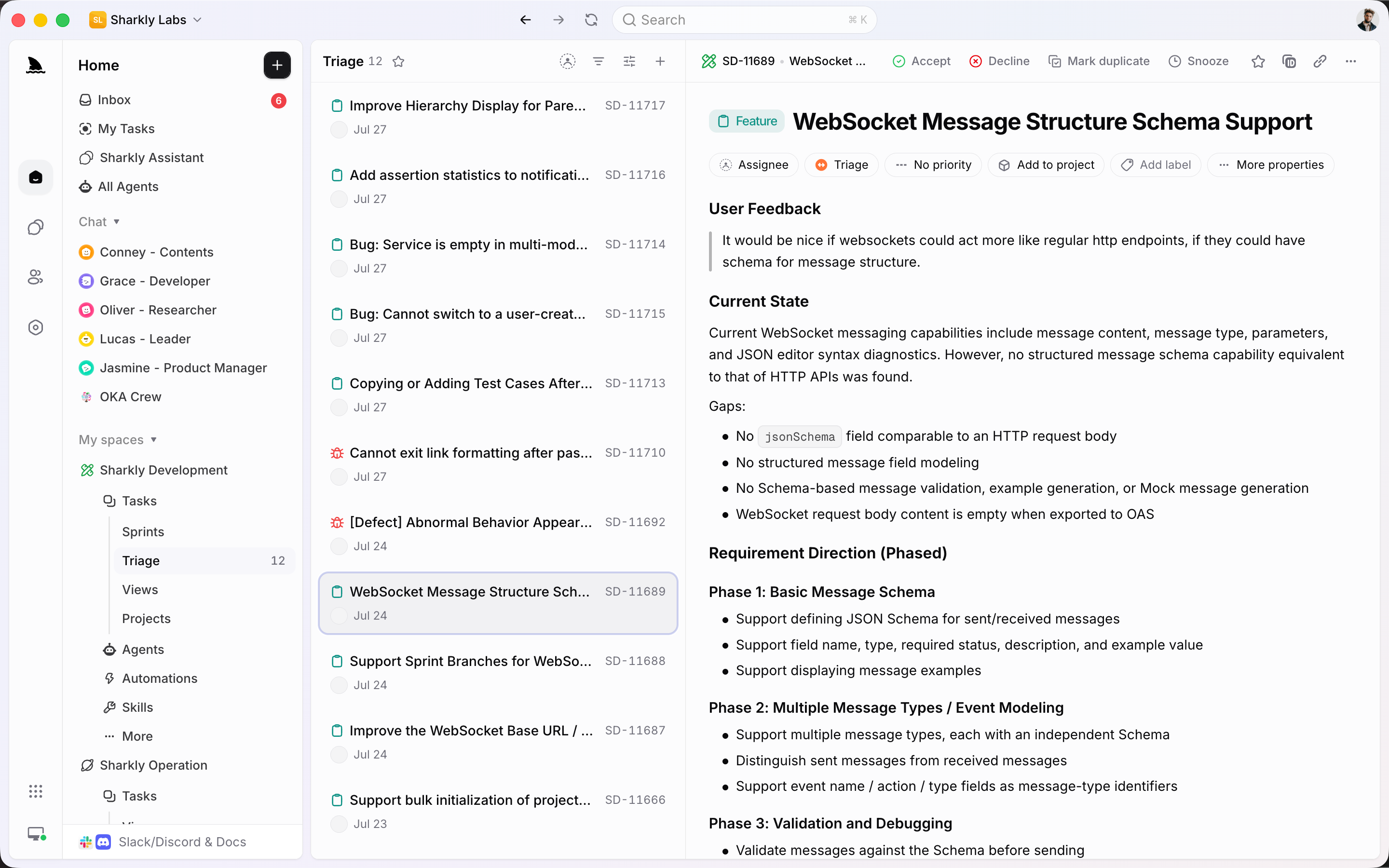
See the pending count, open the next item, and choose Accept, Decline, Mark duplicate, or Snooze without rebuilding a filter.
Triage is a dedicated queue, not a saved View. Open an item, decide, and move on: Accept it into the workflow, Decline it, mark it as a duplicate, or Snooze it until later.
Used by teams at






Queue, type, assign
New work should not land on the board until someone accepts it. Triage holds that decision in one place.
See the pending count, open the next item, and choose Accept, Decline, Mark duplicate, or Snooze without rebuilding a filter.
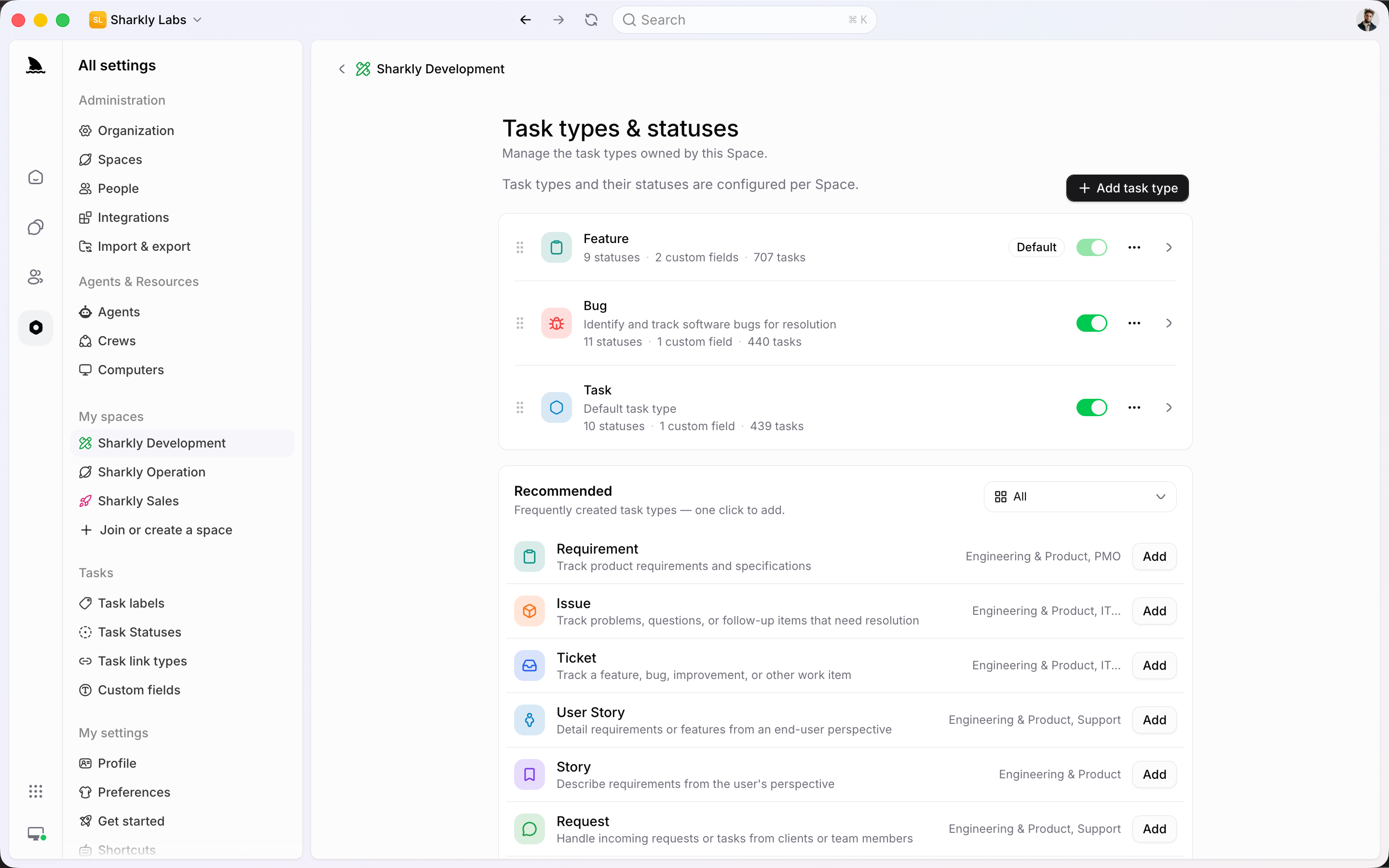
A request, a bug, and a ticket should not share a form. Space-owned types give each item the fields and statuses it needs after it leaves Triage.
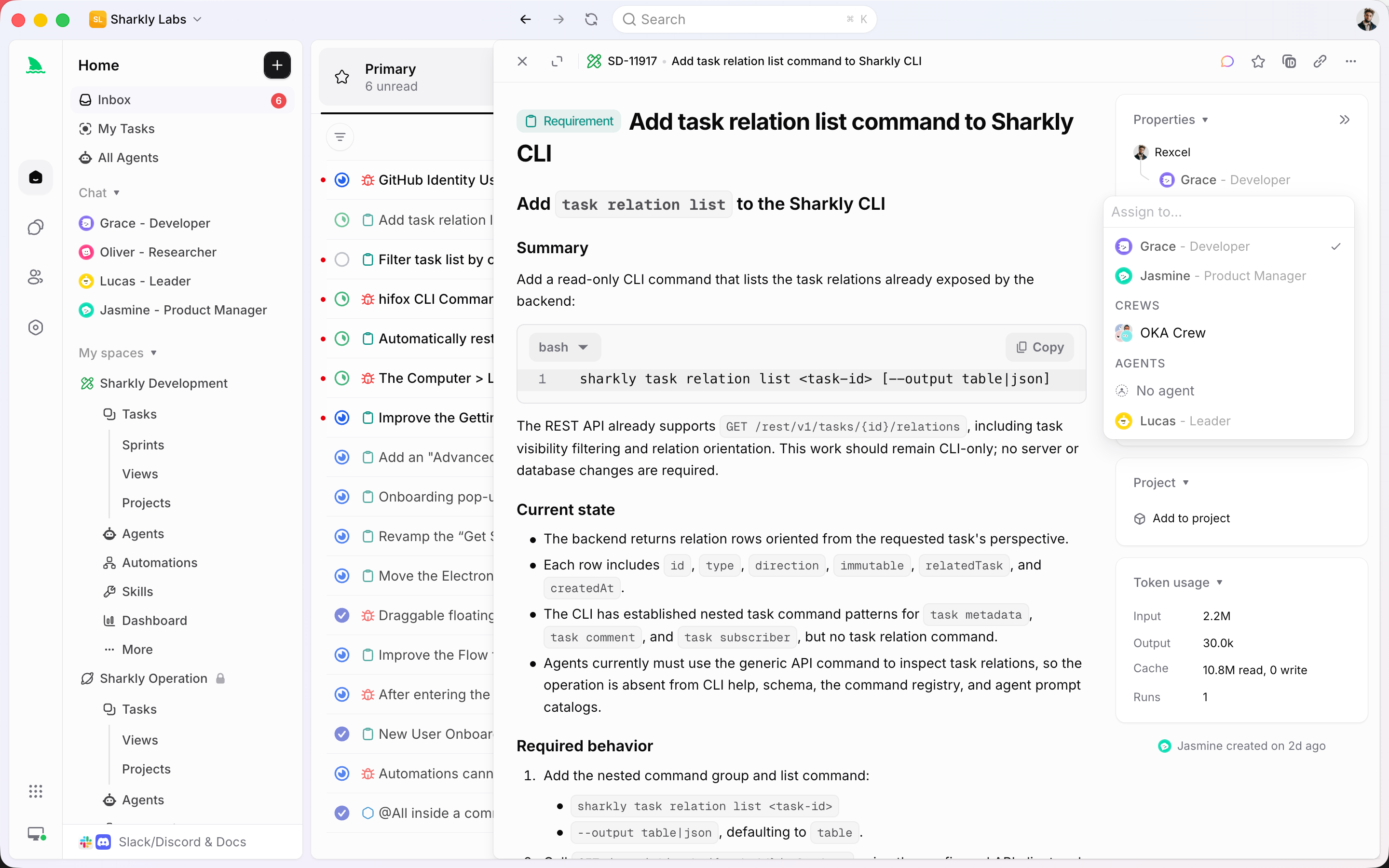
After Accept, a person stays responsible. An Agent or Crew can take the execution slot. The history remains on the same Task.
From incoming to assigned
Triage sits in front of the board. Slack, Jira, and manual creation can feed it. Public forms and email intake are not part of this product today.
Triage is built for deciding. It is not a saved View you reconstruct every morning. Items in the triage status stay here until someone acts.
When an item is accepted, its type already knows which fields and Workflow apply. Intake stays structured without becoming a generic list.
A person remains accountable. An Agent or Crew executes the well-specified follow-up. Comments and Inbox keep the decision on the same item.
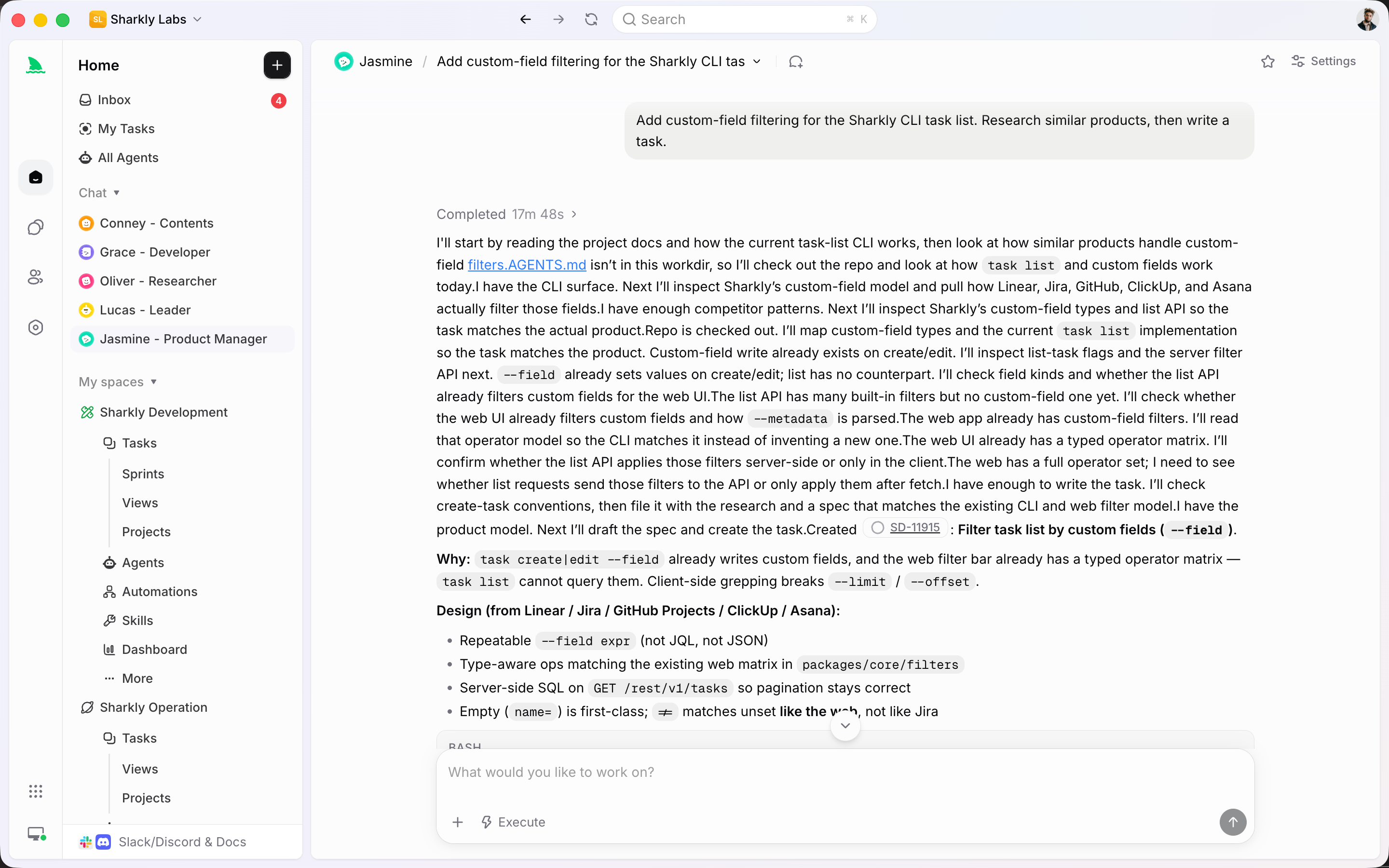
Create a Task from Slack, or turn an Agent Chat into tracked work. If the Space has Triage enabled, new items in the triage status wait in the queue.
The intake system
Triage is a queue with decisions. It is not a View, not a form builder, and not a replacement for the Task after Accept.
Items in the triage status, waiting for Accept, Decline, duplicate, or Snooze.
The process each accepted item enters, with its own fields and Workflow.
Attention for replies, review, and failed runs after work leaves the queue.
A shipped source for creating Tasks that can land in Triage.
Synced or imported issues can enter the Space and wait in Triage when configured.
Execution after a person has accepted the item — not a substitute for the decision.
Meet intake where it starts
Bring requests in from chat or a connected tracker. Keep the decision in Triage. Let Agents run only after someone accepts the work.
Connected features
Accepted work becomes a Task on the plan. Repeating follow-up belongs in Automations.
Quality of life, built in
Ops only works if incoming work cannot skip the decision.
Turn on Triage, decide item by item, and assign people or Agents only after the work is accepted.
Start
Enable the queue, give incoming work a type, then accept the first item and assign it.
Incoming items in the triage status wait here until someone Accepts, Declines, or Snoozes them.
Add Request, Ticket, Issue, or Bug so accepted work enters the right Workflow.
Decide on the first item, then put a person and optionally an Agent on the Task.
FAQ
A View is a saved way to inspect Tasks. Triage is a dedicated intake queue for items in the triage status. It is built for deciding: Accept, Decline, mark as a duplicate, or Snooze.
People can create Tasks in the Space, Slack can create a Task, Jira can sync or import work, and an Agent Chat can become a Task. If the Space has Triage enabled, items in the triage status appear in the queue. Public forms and email intake are not shipped.
No. The incoming item is already a Task. Accept moves it into the type’s Workflow. Decline, duplicate, and Snooze also act on that same Task.
People remain responsible for the decision. An Agent can execute after the item is accepted, or run a recurring check as an Automation. Do not treat the Agent as a replacement for Accept.
The item leaves the current queue until later without being accepted or declined. It remains the same Task, with its history intact.
No. Any Space that needs a decision before work hits the board can use it — product intake, bugs, internal requests. The Operations solution page shows one way Sharkly teams run it.