One rule, one assignee
Name the outcome, write instructions, and assign an Agent or Crew. Active or Paused is the only status the rule needs.
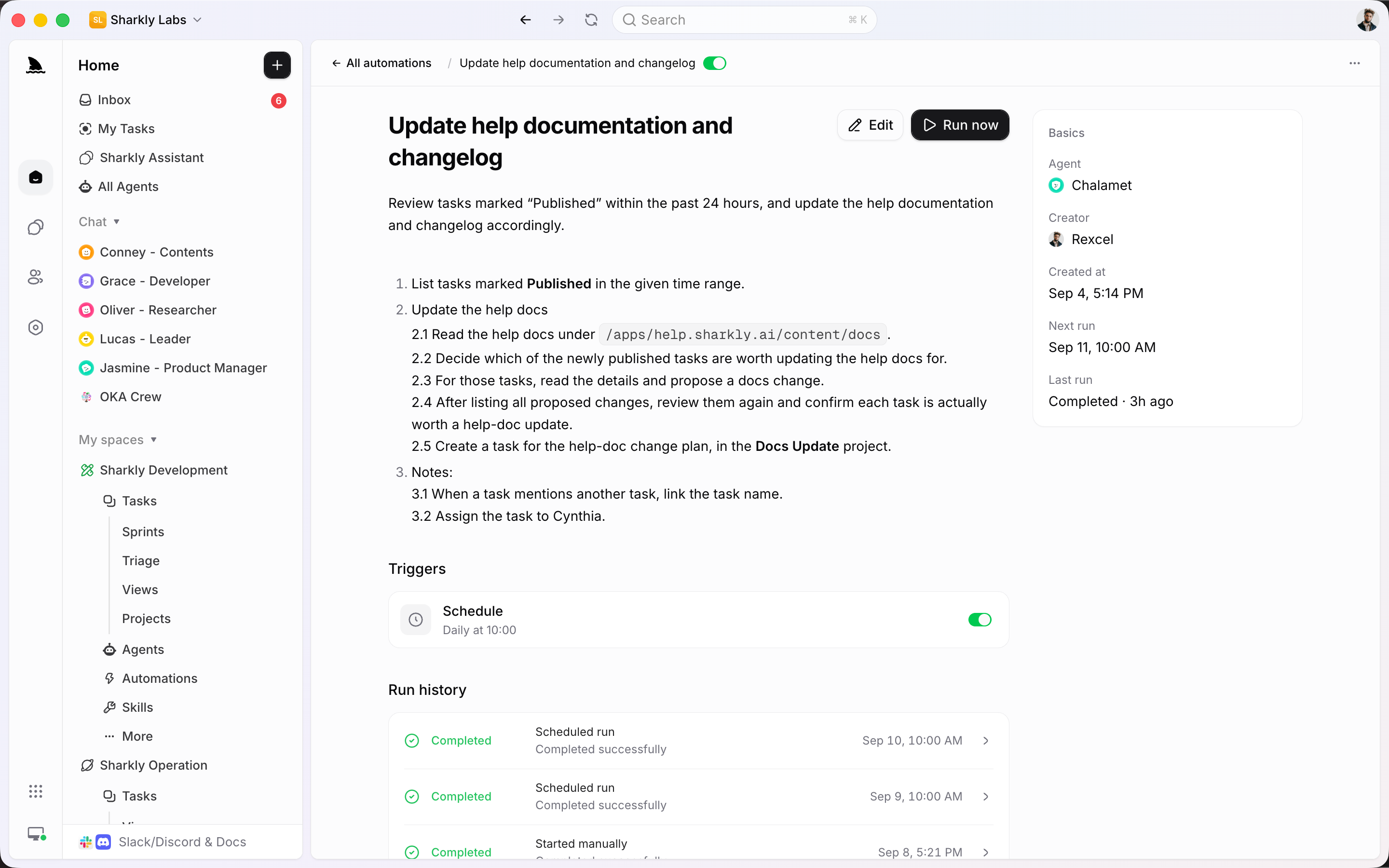
An Automation is one rule: instructions, an Agent or Crew, triggers, and run history. It can start a run directly, or create a Task and have an Agent execute it.
Used by teams at






Rule, trigger, review
Use an Automation when the same well-defined work should start on a schedule or event. Keep the history on the rule. Use a Task when the request needs an owner.
Name the outcome, write instructions, and assign an Agent or Crew. Active or Paused is the only status the rule needs.
Schedule, task status, comment phrase, webhook, or a manual start. Triggers can be enabled independently on the same Automation.
An Automation can create the Task, assign an Agent, and keep the result on the board. People review the same record they already use.
Rule, trigger, review
An Automation is one Agent or Crew rule: instructions, triggers, and run history. It can start a run on the rule, or create a Task and execute it.
An Automation stores name, instructions, Space, assignee, priority, status, triggers, and run history. People still review what matters.

Schedule uses cron and a timezone. Status and comment triggers listen for events. Webhooks accept a signed POST. Manual start is always available.

An Automation can open a Task, assign an Agent, and run the work on that record. Recurring briefs and similar jobs land on the board with owner, status, and the result attached.

The automation system
Use an Automation to start the repeating work. Use a Task when that work should land on the board for people to own and review.
Cron plus timezone for checks, summaries, reminders, and maintenance.
Starts when a Task moves into a selected organization status. Matching is currently organization-wide.
Starts when a comment contains a configured phrase. Matching is also currently organization-wide.
Trigger from the tools you already run
Inbound webhooks start Automations. Slack and Jira still create or sync Tasks that people and Agents can then run.
Connected features
When the request needs an owner, put it on a Task. An Automation can create that Task and run it, or keep history on the rule.
Quality of life, built in
A run that nobody can find is worse than work that waited for a person.
Write the instructions, assign an Agent or Crew, and attach the triggers you already trust.
Start
Start with work that is observable and reversible. Review several runs before expanding the rule.
State the outcome, inputs, allowed changes, and when a person must review. Assign an Agent or Crew.
Use a schedule for recurring checks, a comment phrase for a command, or a webhook for an external event.
Read run history, add result recipients, and only then widen the instructions or add more triggers.
FAQ
Not always. An Automation can start an Agent or Crew run and keep history on the rule. It can also create a Task and assign an Agent so the work lands on the board with owner, status, and the run attached.
Not today. Status and comment matching is organization-wide. Choose a distinctive status or phrase, and make the instructions verify the triggering Task before making changes.
People you list as run-result recipients. Creating a trigger defaults the Automation creator onto that list. Inbox groups results into one row per Automation.
When the repeating work should be owned, reviewed, and tracked on the board — a daily brief, a recurring check that produces a deliverable, or anything people need to follow. Keep history on the Automation when a run does not need that record.