Assign like a teammate
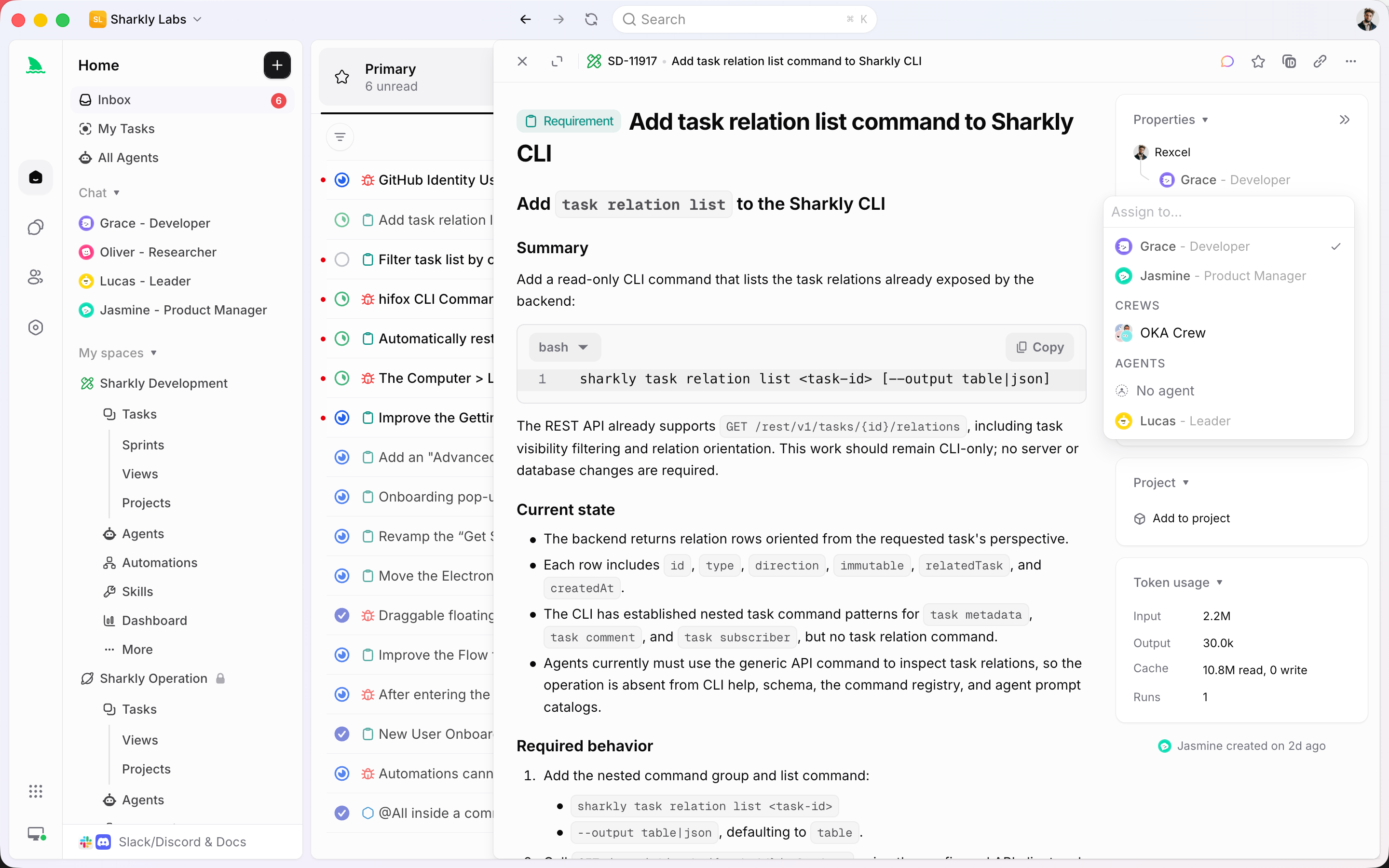
Route a Task to an Agent from the same assignee control you use for people. Context, progress, blockers, and results stay on the work.
An Agent is a saved working configuration, not a one-off prompt. Give it instructions, Skills, and a Runtime, then assign a Task. People stay responsible. Agents execute.

Used by teams at






Assign, configure, coordinate
One person can configure how an Agent works. The rest of the Space can assign it, review it, and keep the result on the Task.
Route a Task to an Agent from the same assignee control you use for people. Context, progress, blockers, and results stay on the work.
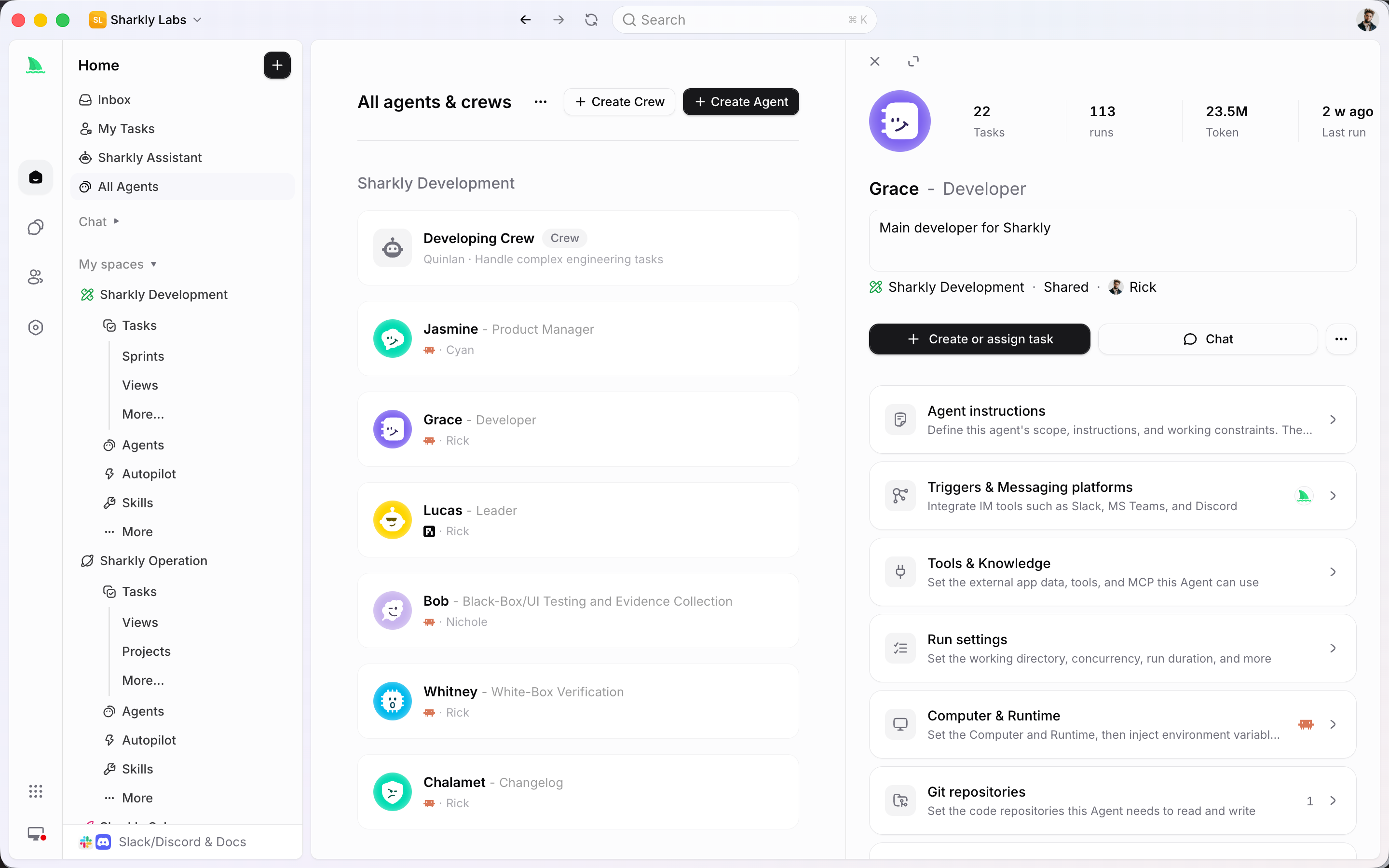
Instructions, Runtime, Skills, repositories, and run settings live on the Agent. The next Task starts from that configuration instead of a blank prompt.
A Crew is a leader Agent plus other Agents and People. Assign the Crew when the work needs roles, sequencing, or a leader who decides who acts next.
From assignment to review
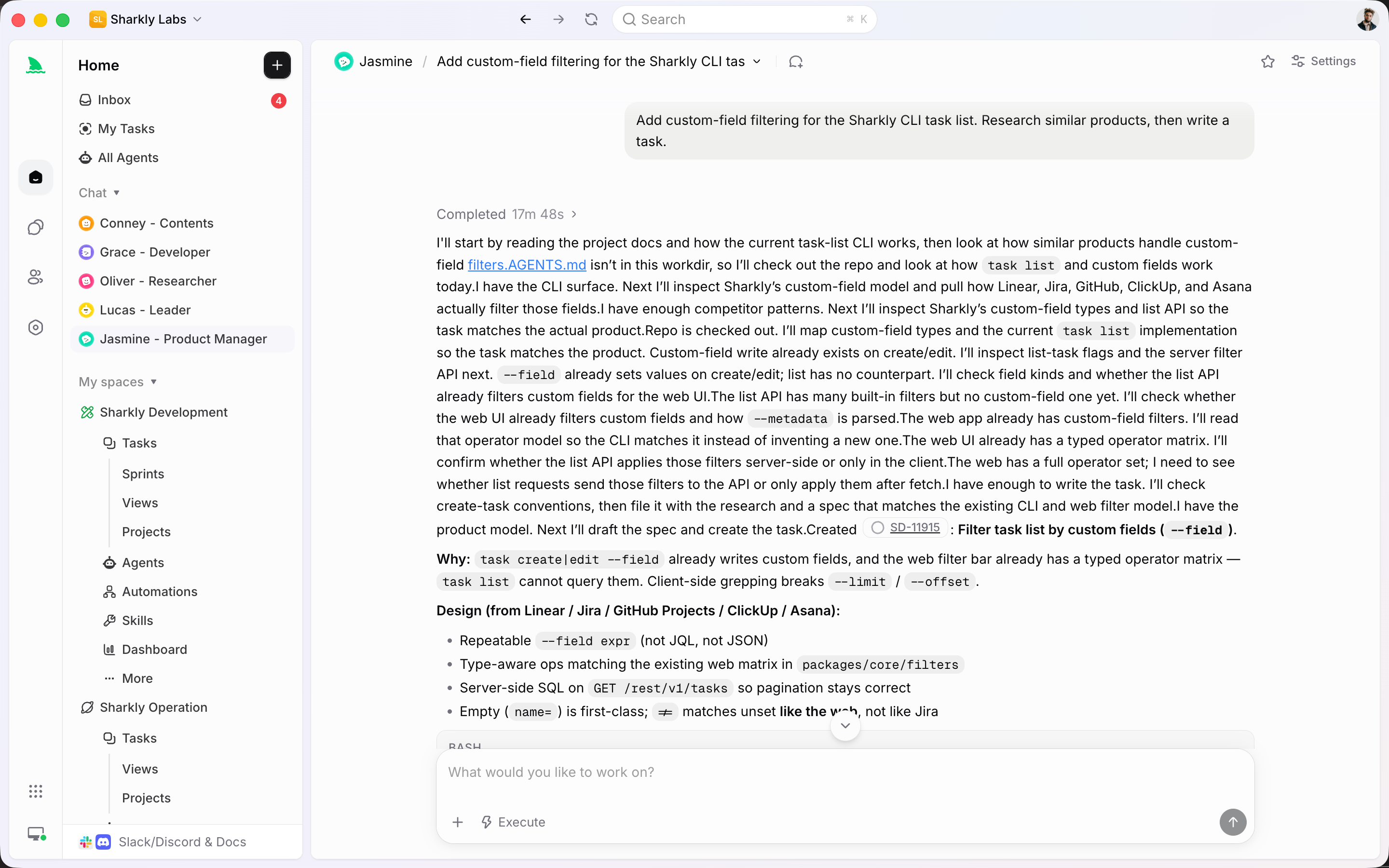
Agents receive Tasks, continue from comments, and can be grouped into Crews. Chat is for exploring. The Task is for work the team must track.
People remain responsible. An Agent or Crew takes the execution slot. Mixed surfaces still use the shared noun Assignee — never Delegate.
Name, instructions, visibility, Computer, Runtime, Skills, repositories, environment, and run settings all belong to the Agent. It is not the host that executes.
A Skill holds reusable instructions and supporting files. Bind it to Agents that should follow the same review rules, delivery checklist, or writing standard.

A Crew has an Owner, a leader Agent, and Agent and People members. Use it when a leader should interpret the goal and involve other Agents.

Standalone Agent Chat is for exploring, planning, or acting before the work needs ownership. Turn it into a Task when status, history, or review has to be shared.
The Agent system
Agents, Skills, and Crews are team resources. Execution still runs on a Computer. Review still lives on the Task.
A saved actor with instructions, Runtime, Skills, and run settings. It can be assigned work and write comments.
Reusable instruction bundles with a scope. Bind them to Agents that should follow the same practice.
A leader Agent plus Agents and People. Assign the Crew when coordination is part of the work.
Personal or Space visibility decides who can find, assign, and reuse an Agent or Crew.
On-task dialogue. An eligible comment can continue an Agent run when that Agent is the execution assignee.
Bring a person or Agent into the Task without copying context into another chat.
Meet the tools Agents already use
Connect Jira, GitHub, or Slack so existing work can be assigned to an Agent without leaving the system your team already runs.
Connected features
Assignment is only useful if the host, the Task, and the review path are the same system.
Quality of life, built in
An Agent is useful when the team can see what it was asked to do and what it did.
Configure the Agent once, assign it like a teammate, and keep every run attached to the Task.
Start
Connect a Computer, save the Agent configuration, then put it on a real Task so review has a place to land.
Register a local or cloud Computer and confirm at least one Runtime is available before the Agent can run.
Write instructions, pick a Runtime, bind Skills, and choose Space visibility so teammates can assign it.
Set the Agent as the execution assignee. Comments, blockers, and results return to the same Task.
FAQ
No. Sharkly is the shared work system around Agents. Claude Code, Codex, and similar tools remain the Runtimes. Sharkly adds assignment, Computers, Task context, and review.
An Agent is the saved configuration: instructions, Skills, Runtime choice, and run settings. A Computer is the host those runs execute on. A Runtime is the concrete tool detected on that Computer.
Assign one Agent for small, well-defined work. Use a Crew when a leader Agent should interpret the goal, involve other Agent members, and bring results back to one Task.
Only when the Task’s execution assignee is an Agent and the comment is eligible. If the assignee is a person or empty, the comment is just a comment.
Agent Chat is a standalone session for exploring or planning. Task Conversation is comment-backed dialogue on a tracked Task. Use Chat first; create a Task when the work needs an owner, status, and review.
Yes, when the Agent is visible in the Space. That is the point: one person’s working setup becomes something teammates can assign without rewriting the prompt.