Sprint planning has always rested on one quiet assumption: capacity is the number of people you have multiplied by the time box. You estimate the work, compare it against what the team finished last cycle, and commit to a scope that fits.
Put AI coding Agents on the team and the equation stops describing reality. An Agent can claim a Task the moment it is ready, work in parallel with every other Agent, and come back with a diff and test results before the standup where you planned to discuss it. Execution capacity inflates dramatically. The tempting response is to commit more scope, and teams that do usually discover the failure mode by the end of the first cycle: the Sprint closes with plenty of finished code and a wall of unreviewed changes that nobody had time to accept.
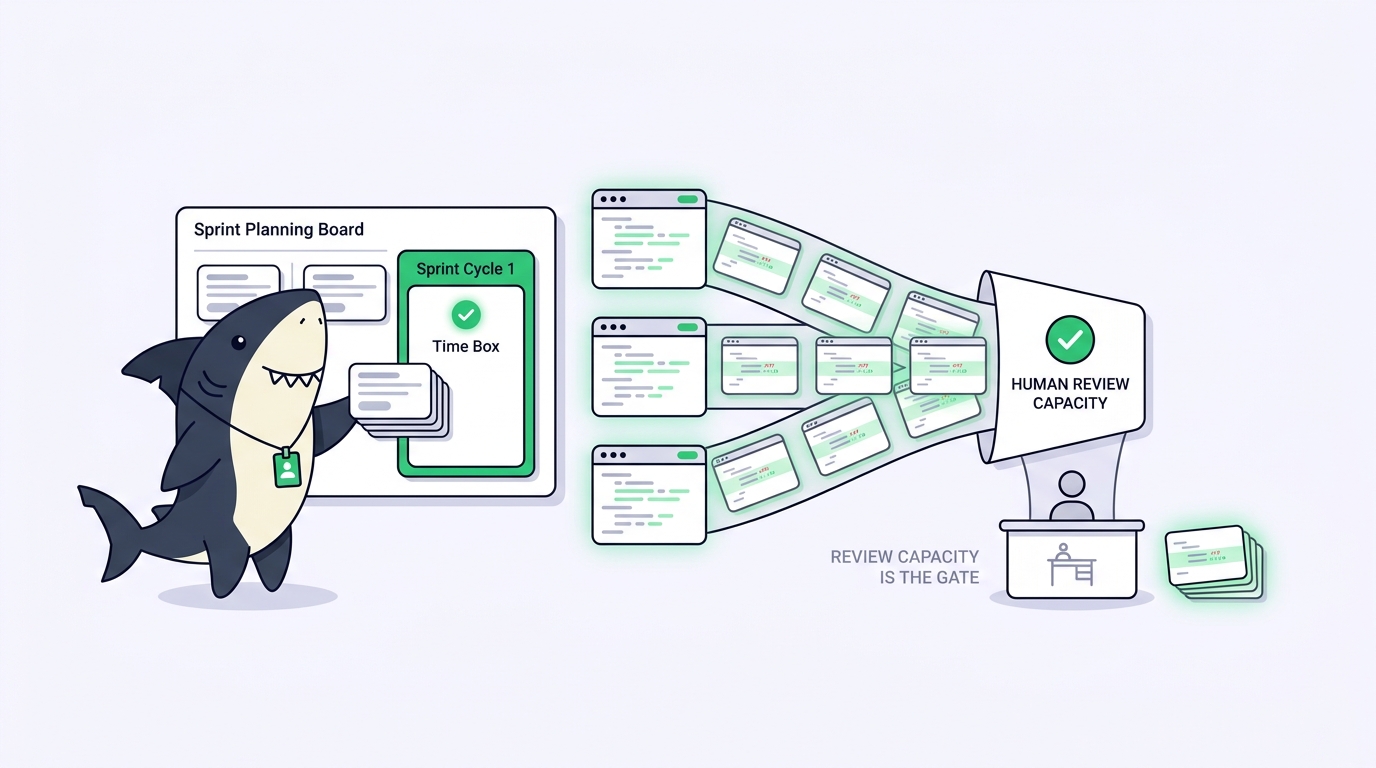
That is the argument this post makes: with Agents on the team, execution stops being the Sprint constraint and human review becomes the Sprint constraint. Plan around acceptance throughput, not around how much code can be produced. We will use Sprints in Sharkly as the concrete mechanism, and keep the planning argument clearly separated from the product facts.
TL;DR
A Sprint in Sharkly is a time-boxed set of Tasks owned by one Space; Tasks remain the source of execution and discussion, while the Sprint adds schedule, scope, and reporting. Sprints are optional and run in one of two modes: Automatic cadence, where Sharkly maintains the schedule and carries unfinished work forward, or Manual, where People create, start, and complete Sprints explicitly. Reporting covers scope, started and completed work, completion rate, capacity, and burnup history. For hybrid human-agent teams, the planning shift is this: Agents inflate execution capacity, but acceptance stays with People, so the honest Sprint commitment is bounded by how much finished work your reviewers can accept, not by how much your Agents can produce.
What a Sprint is in Sharkly
A Sprint is a time-boxed set of Tasks owned by one Space. It helps a team plan a focused scope, track progress, and decide what happens to unfinished work when the time box ends. Tasks remain the source of execution and discussion; a Sprint adds schedule, scope, and reporting on top.
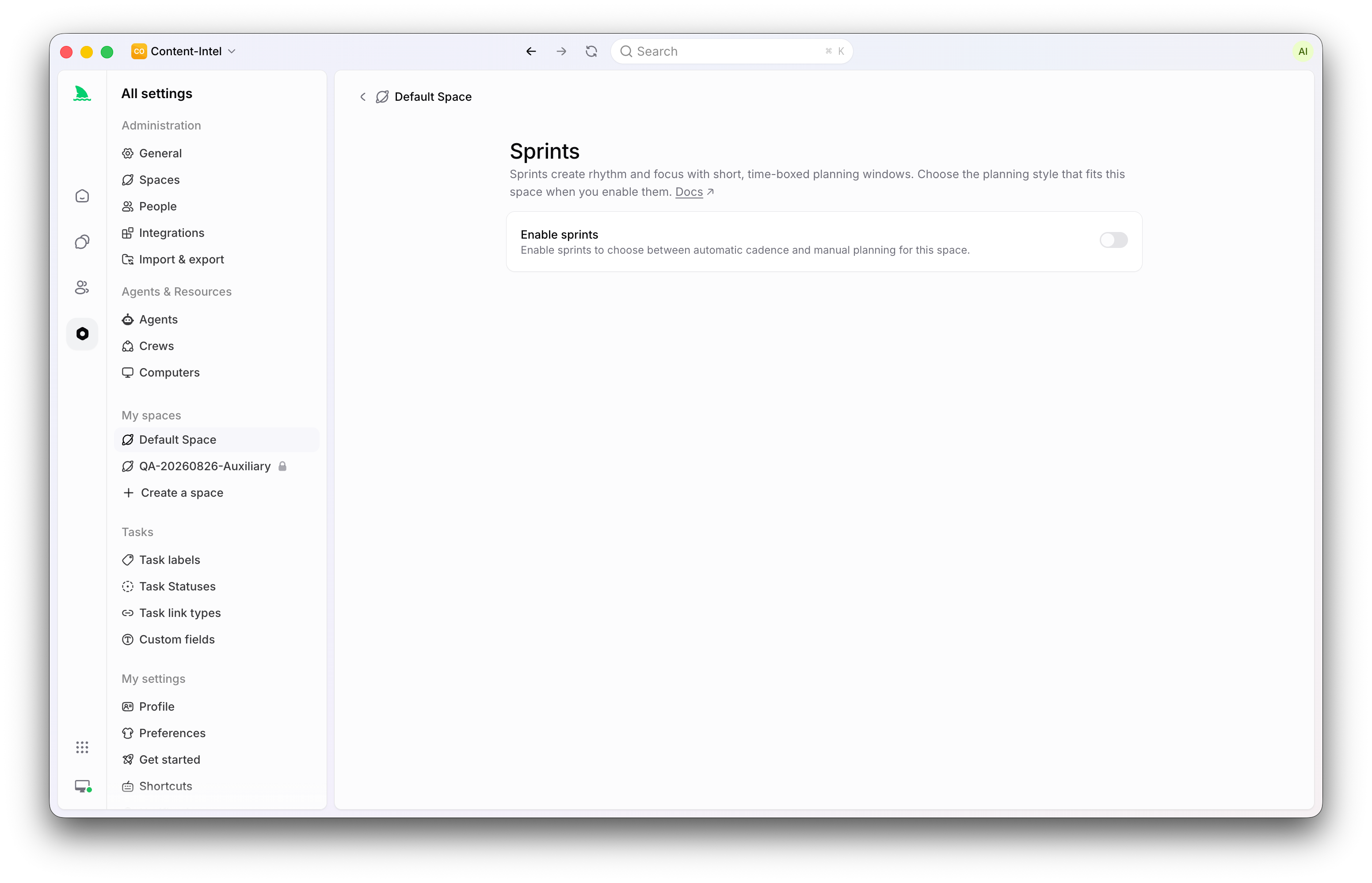
The docs use the term Sprint, and it means what the industry means by it. The Scrum Guide describes Sprints as fixed-length containers where ideas turn into value, and Sharkly’s version keeps that lineage. What Sharkly changes is who is doing the executing inside the window.
Three boundaries keep the concept clean:
- A Sprint belongs to exactly one Space. Placing a Task in a Sprint does not change its ownership.
- Sprints are optional, enabled per Space. A Space that thinks in continuous flow can never turn them on.
- A Sprint is not a Project and not a View. Use a Sprint when the question is what should be completed in a particular time box. Use a Project for an outcome that may span several Sprints or Spaces. Use a View for a saved way to inspect Tasks.
That last distinction does real work in a hybrid team: the Project holds the outcome, the Sprint holds the near-term commitment, and Views hold whatever slices each person needs day to day.
Automatic cadence or Manual mode
When you enable Sprints for a Space, you choose one of two lifecycle modes. The choice changes lifecycle behavior, not Task ownership.
Automatic cadence hands the calendar to Sharkly. You configure the Sprint duration, an optional cooldown, the start weekday, how many future Sprints to maintain, the timezone, and rules that add Tasks automatically when they enter selected status categories. Sharkly then creates future Sprints, starts and completes them on schedule, and carries unfinished work forward. Starting an upcoming Sprint early completes the current one first and rolls its unfinished work into the Sprint being started.
Manual mode leaves lifecycle control with the team. People create planned Sprints when needed, start them without changing their configured dates, run more than one active Sprint in parallel, and choose where unfinished Tasks go on completion. Automatic creation, rollover, cooldown, and status-based add rules stay inactive in Manual mode.
| Automatic cadence | Manual mode | |
|---|---|---|
| Schedule | Sharkly creates, starts, and completes Sprints on a configured rhythm | People create, start, and complete Sprints explicitly |
| Unfinished work | Rolled forward into the next Sprint automatically | Routed on completion: no Sprint, another Sprint, or a new one |
| Parallel active Sprints | One current Sprint per cadence | More than one active Sprint allowed |
| Task intake | Status-category rules can add Tasks during the window | Tasks added by People through planning, lists, or the Sprint field |
| Best for | A steady cadence the team wants maintained without ceremony | Irregular cycles, release-driven windows, or overlapping efforts |
The honest decision pair: use Automatic cadence when your team runs a steady rhythm and wants the mechanics maintained for them. Use Manual when your cycles are irregular, when releases rather than calendars define your windows, or when you need two active Sprints at once. Switching to Manual keeps existing Sprints but stops automatic scheduling. Disabling Sprints entirely completes the active ones, removes future ones, and keeps completed data for reporting.
How Tasks enter, leave, and skip Sprints
Sprints show up in five display states: Current, Upcoming, Planned, Completed, and Canceled. Completed and canceled Sprints move to the Space archive rather than cluttering the active planning list.
You add or move a Task through its Sprint field, from a Task list, or during Sprint planning. Two rules matter more than they look.
First, a Task can have no Sprint at all. That is the normal home for Backlog work and for Tasks not committed to any time box.
Second, adding a Task to a Sprint does not change its status. This is the rule hybrid teams need to internalize, because in Sharkly the Backlog status category is a parking state: creating a Task or assigning an Agent while the Task sits in Backlog does not start execution. Moving the Task out of Backlog into a ready status is what can start the assigned Agent. So Sprint planning and execution release are two separate levers. You can plan the whole Sprint on Monday, with Agents already assigned, and nothing runs until each Task is deliberately moved to a ready status. Status-change Automations can then pick up the transitions you want to standardize.
One more rule protects your history: only completed Tasks can be added to a previous Sprint. That allows historical correction without ever placing unfinished work into a closed period.
For dates, a planned Sprint’s start and end are both editable, while an active Sprint’s start is fixed but its end can be changed.
What Sprint reporting tells you
Sprint reporting includes Task counts and, when the Space has estimates enabled, estimate-point totals across six readings: scope, started work, completed work, completion rate, capacity, and burnup history.
Capacity deserves a closer look because it is the number planning conversations anchor on. Sharkly derives it from recent completed Sprint velocity when enough history exists, and otherwise falls back to an estimate based on Space size. The docs say to treat it as planning input rather than a guarantee, and for a hybrid team that caveat is not boilerplate: velocity measured on a human-only cohort stops predicting anything the week you add three Agents. The burnup history is often more revealing. If scope completes in an early burst and then the line flattens, your Agents finished executing and your reviewers spent the rest of the Sprint catching up.
The hybrid-team constraint: plan for review, not execution
Everything in this section is a planning argument, not a product feature. Sharkly gives you the Sprint mechanics above; how you load the Sprint is a judgment call.
Start from the division of labor. Agents research, execute, test, and report. People set direction, grant authority, and accept the result. In agentic coding, everything between direction and acceptance can be delegated, but acceptance stays human. An Agent that finishes a Task has not finished it in any sense your Sprint should count: the diff, the verification results, and the known limits return to the Task, and a person still has to read them and accept, request changes, or decide the merge.
Now run the arithmetic. Suppose a five-person team adds Agents and execution throughput triples. Review throughput did not triple; the same five people hold it, and each accepted change costs real attention. Plan the Sprint against execution capacity and the surplus does not become shipped value. It becomes a queue of unreviewed work, and an unreviewed change is inventory, not progress. Worse, a closing Sprint pushes reviewers toward exactly the shortcut that makes agent-heavy development dangerous: accepting output without reading it.
So invert the planning question. Instead of asking how much work the team can execute in two weeks, ask how much finished agent work your People can accept in two weeks. In practice this changes four habits:
- Estimate review cost, not just build cost. A Task that is trivial for an Agent to execute can still be expensive to accept.
- Cap concurrent completed-but-unaccepted work. Decide how many Tasks each reviewer can genuinely accept per Sprint and stop planning past the sum. This is a working agreement rather than a Sharkly setting, but the completion metrics will tell you when you have overshot.
- Release execution deliberately. Because Backlog parks execution, you can stagger starts so finished work arrives at a pace reviewers can absorb, instead of all at once on day two.
- Read completion rate as a review number. When the burnup flattens while Agents sit idle, the constraint has announced itself. That is a signal to add reviewers or commit less, not to add Agents.
None of this slows the Agents down. It aims them. A Sprint planned around acceptance throughput ships everything it commits, and never asks a person to approve code they had no time to read.
Planning a hybrid Sprint, step by step
- Enable Sprints for the Space and pick a mode. A steady team rhythm suggests Automatic cadence; release-driven work suggests Manual.
- Shape the scope. Pull candidate Tasks into the upcoming Sprint through Sprint planning or the Sprint field. Keep uncommitted work at no Sprint.
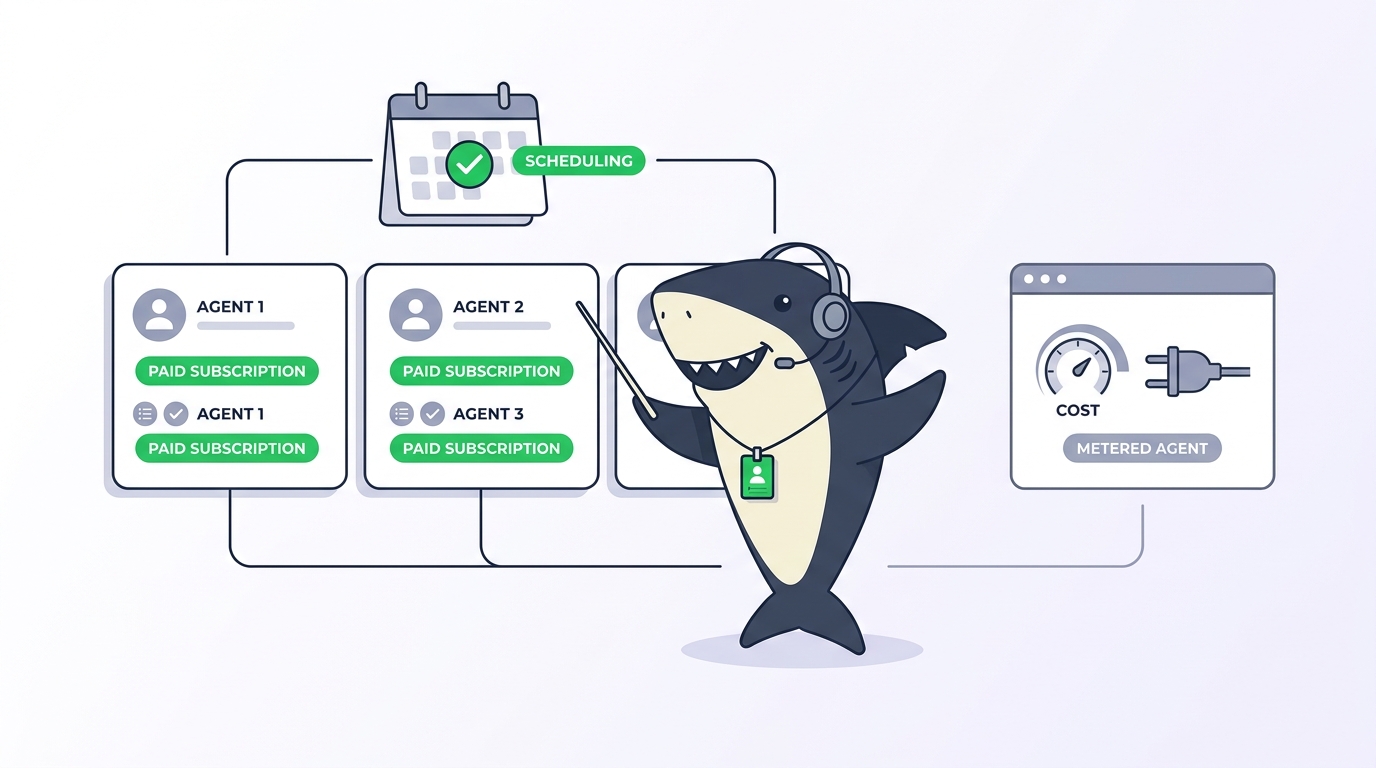
- Assign both halves of each Task. Sharkly separates human responsibility from Agent execution: People go in the assignee set, and an Agent or Crew goes in the single execution slot. Changing one never changes the other.
- Write Tasks an Agent can act on. The description should carry the goal, constraints, and acceptance criteria a new person or Agent would need to proceed.
- Release work at review pace. Move Tasks out of Backlog as reviewer capacity frees up.
- Close with intent. In Manual mode, choose where every unfinished Task goes. In Automatic cadence, check what rolled forward and ask whether it was scoped too big or reviewed too slowly.
The broader discipline of running work this way is covered in our pillar on AI agent project management; the Sprint is the time-boxed slice of that system.
If your Sprints live in Jira today
You do not have to rebuild your process to try any of this. Sharkly’s Jira integration can import Jira Sprint data, and when Sprint import is enabled the target Space can be switched to the Jira Sprint mode, so the cadence your team already runs comes across rather than starting from zero. The walkthrough on assigning a Jira ticket to an AI Agent shows the same idea at the single-ticket level, and the Sharkly docs cover Sprint configuration and the Jira integration in depth.
Start smaller than a migration: enable Sprints in one Space, plan one two-week window against your reviewers’ real acceptance capacity, and compare the burnup against your last human-only cycle.
FAQ
Do I have to use Sprints in Sharkly?
No. Sprints are optional and enabled per Space. A Space that prefers continuous flow can leave them off entirely, and even with Sprints enabled, a Task can have no Sprint at all, which is the normal state for Backlog work.
What happens to unfinished Tasks when a Sprint ends?
In Automatic cadence, Sharkly completes the Sprint on schedule and carries unfinished work forward into the next one. In Manual mode, the completion flow asks you where unfinished Tasks should go: to no Sprint, to another active or upcoming Sprint, or to a newly created Sprint.
Can Agents work on Sprint Tasks automatically?
An Agent or Crew set as a Task’s execution assignee can run the work, but Sprint membership alone never starts anything. Backlog is a parking state, so assigning an Agent to a Backlog Task does not begin execution; moving the Task to a ready status is what can start the run. That separation lets you plan a full Sprint first and release execution at the pace your reviewers can absorb.
How does Sharkly calculate Sprint capacity?
Capacity uses recent completed Sprint velocity when enough history exists, and otherwise falls back to an estimate based on Space size. The docs advise treating it as planning input rather than a guarantee, which matters doubly for hybrid teams, where velocity measures the whole system rather than the review bottleneck inside it.
Can I add a Task to a Sprint that already ended?
Only completed Tasks can be added to a previous Sprint. That supports historical correction, such as crediting work finished inside the window but never recorded, without ever placing unfinished work into a closed period.