
Quick answer: Atlassian Rovo data exfiltration is an indirect prompt injection attack that PromptArmor disclosed to Atlassian on May 23, 2026 and published on August 5, 2026. A hidden instruction in an uploaded file tells Rovo to pack Jira and Confluence content into a URL and open it. The attacker reads the data in their server logs. Turning off web search does not stop it.
If your team runs Jira and Confluence with Rovo on, this is worth twenty minutes of an admin’s time. The attack needs no click, no approval prompt, and no compromised account. It needs one uploaded file and one ordinary request.
Below: the attack step by step, why the obvious toggle misses it, patch status as of October 27, 2026, and a checklist you can run today. We build Sharkly, a workspace where coding agents take tasks from a shared board, so we face the same problem. Prompt injection is unsolved everywhere. The question is what each tool lets a hijacked agent reach.
What happened: the Rovo prompt injection, step by step
PromptArmor’s write-up describes a five-step chain:
- The poisoned file. A victim uploads a document called “Backlog Guide.” It carries a hidden instruction aimed at the model, not the reader.
- The ordinary request. Later, the victim asks Rovo to organize their Jira tickets.
- The search. Rovo pulls in Jira tickets and Confluence pages, and reads the poisoned file along the way.
- The leak. The instruction tells Rovo to append that content to an attacker’s URL and open it with its URL-retrieval tool. The attacker’s server logs the request, data included.
- The cover. The victim sees reasonable ticket suggestions and no sign that anything left.
No human approves the outbound request, which is why PromptArmor calls it zero-click. Their summary of the reach: any data the agent can access in Atlassian, including content that arrives through connectors.
The file is one entry point. PromptArmor also names support tickets from outside the company, web results when web search is on, and third-party connectors. Anything Rovo reads is a place an instruction can hide.
Why disabling web search does not help
Atlassian gives admins a “Web search” toggle for Rovo, and many teams switched it off as a precaution. PromptArmor reports the attack still works with it off, because the toggle does not remove the tool that opens URLs. That tool also had no check on URLs the agent built itself.
A setting named for a capability is not a setting that removes the capability.
Atlassian’s web access and web search admin page now lists two toggles. “Web access” controls whether Rovo can access public web pages; “Web search” depends on it. Both are on by default. The page also warns that “even if web access is disabled, a connected tool may not be blocked.” [VERIFY 2026-10-27: no public source confirms whether turning off Web access closes the URL-fetch path PromptArmor used. Do not tell readers it does.]
Is there a second exfiltration channel?
Yes. PromptArmor notes that Rovo renders Markdown images in its output. An image URL pointing at an attacker’s server leaks whatever data is encoded in it the moment the browser loads it. PromptArmor flags this channel but does not walk through a full Rovo chain for it.
Disclosure timeline and patch status
| Date | Event |
|---|---|
| 2026-05-23 | PromptArmor discloses the issue to Atlassian |
| 2026-05-25 | Atlassian acknowledges and assigns a case number |
| 2026-06-04 | PromptArmor follows up; no substantive reply |
| 2026-07-29 | PromptArmor follows up again; no substantive reply |
| 2026-08-05 | PromptArmor publishes; Rovo still vulnerable |
As of October 27, 2026, we found no Atlassian statement, advisory, or confirmed fix for this path. The Hacker News thread on the write-up (306 points, 138 comments) has no Atlassian reply either. [VERIFY before publish: re-check Atlassian’s security advisories and the PromptArmor page for an update note.]
How is this different from RovoBlast?
They are separate bugs. Varonis Threat Labs published RovoBlast, where a crafted link abused the rovoChatPrompt URL parameter to seed instructions into a victim’s Rovo Chat. Varonis reported it through Atlassian’s Bugcrowd program and says it is fixed. RovoBlast needed a click. The PromptArmor attack needs the victim to do their normal job. A fix for one says nothing about the other.
The pattern behind it: the lethal trifecta
Simon Willison named this shape the lethal trifecta: an agent with access to private data, exposure to attacker-controlled content, and a way to communicate externally. With all three, an attacker can trick it into sending your data out.
Rovo in a Jira and Confluence site has all three by design. That is what makes it useful.
The Hacker News discussion converged on a few fixes:
- Fetch only URLs a person typed or a trusted tool returned. Never a URL the agent assembled. Simon Willison pointed out that with wildcard DNS, data can leak through the subdomain alone.
- Pre-indexed URLs help, but leak slowly. Johann Rehberger (wunderwuzzi) noted that an attacker can still leak data one character per request.
- Domain allowlists work for narrow agents. If an agent needs three domains, give it three.
None of these is a model fix. They narrow the outbound leg, because models still follow injected text some of the time. OWASP puts prompt injection first on its LLM risk list, as LLM01, for that reason.
Rovo security checklist: what Jira admins should check today
Each step shrinks one leg of the trifecta.
- Map what Rovo can reach. List every app, project, Space, and connector. Rovo respects user permissions, so a hijacked session reaches whatever the requesting user can see. Atlassian says Rovo itself cannot be turned off, but admins can block Rovo access per app.
- Find content from outside. Service desk tickets, email-to-issue, attachments, and synced docs carry text your team did not write. Those are your injection surfaces.
- Audit connectors. Disconnect unused ones. For Google Drive and SharePoint, use the connector blocklist or allowlist. Keep legal, HR, finance, and incident-response content out of scope, as Varonis also advises.
- Check both web toggles. Turn off Web search and Web access if nobody needs them. Do not treat either as a fix for this attack until Atlassian says so.
- Watch egress. Flag unexpected external image and link domains in your proxy logs.
- Test with a seeded prompt. Plant a harmless instruction in a test ticket asking Rovo to fetch a URL you control. If the request lands, you have your answer.
- Tell your team. “Organize my tickets” can run instructions hidden in an attachment.
If Jira is also where coding agents pick up work, see assigning Jira tickets to an AI agent.
The same questions apply to coding agents
Coding agents read untrusted text all day: issue bodies, pull request comments, dependency READMEs, fetched docs. They hold your source and usually have network access. That is the trifecta in a terminal instead of a chat panel. We covered why a better model does not replace scope in prompt injection and agent guardrails.
Sharkly does not make an agent immune to injection, and no tool can promise that today. It gives you a place to decide scope before a run starts. Agents run on Computers you connect, through a local service that opens the connection outward, so a typical setup needs no inbound port. Guests can access only the Spaces they are explicitly added to. Third-party actions in automation workflows go through connectors you authorize. The docs say never to store passwords, tokens, or keys in Skill instructions, and to give repositories the least privilege the Task needs.
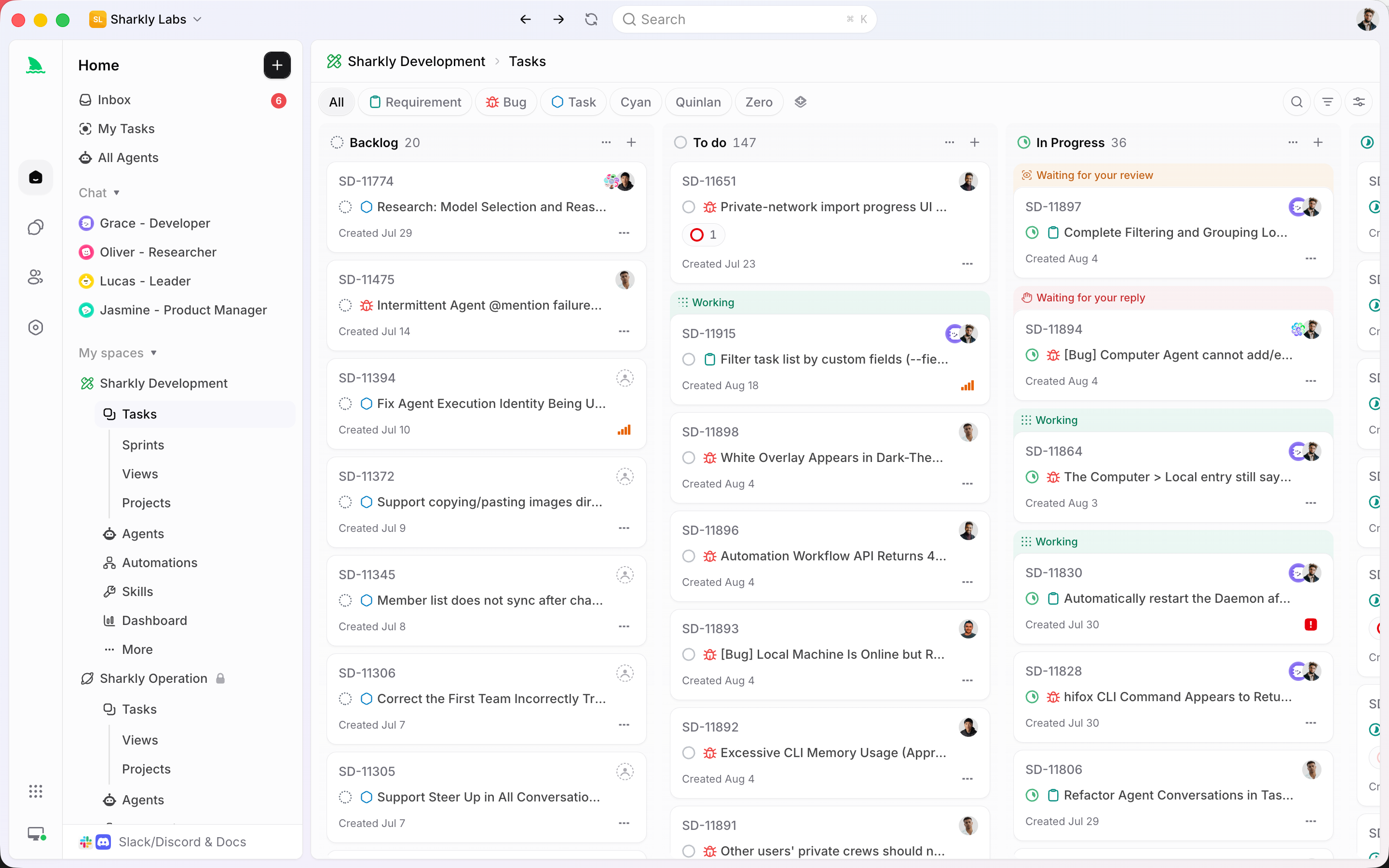
Agents research, execute, and report. People grant authority and accept the result. For the details, read what a coding agent should and should not be allowed to do and where to put approval gates.
Conclusion
The Rovo attack is not exotic. A file, a normal request, and a URL tool with no limit on what it opens were enough, and the toggle most teams reached for did not cover that tool. The content-borne path has no confirmed fix as of this writing.
Treat scope as the control you own. Map what Rovo reads, cut unused connectors, and test the outbound leg yourself. Then ask every agent your team runs three questions: what can it read, what untrusted text reaches it, and where can it send data. To put your coding agents on one board with that scope written down per task, Sharkly is free for organizations of up to 5 people.
FAQ
What is the Atlassian Rovo data exfiltration attack?
An indirect prompt injection PromptArmor published on August 5, 2026. Hidden instructions make Rovo append Jira and Confluence data to an attacker’s URL and open it.
Does turning off Rovo web search protect my data?
No, according to PromptArmor. The toggle does not remove the tool that opens URLs.
Has Atlassian patched the Rovo prompt injection?
We found no Atlassian statement or confirmed fix for the PromptArmor path as of October 27, 2026. The separate RovoBlast bug was fixed.
Is Rovo Dev affected?
Rovo Dev is Atlassian’s coding agent, a different product from Rovo in Jira and Confluence, and PromptArmor’s write-up does not cover it. See our Rovo Dev free tier guide.
Are coding agents vulnerable to the same attack?
Yes. Any agent that reads untrusted text and can reach the network carries the same risk. Limit what it reads, what credentials it holds, and where it can send data.