Search for a no code AI agent builder and you get two different products under one name. The first builds customer-facing chatbots and business automations: an agent that answers support questions, triages a form, drafts an email. The second builds a coding agent your team can assign engineering work to, without anyone writing the glue code that usually surrounds Claude Code or Codex. This tutorial is about the second kind, because it is the one most engineering teams actually need and the one almost nobody explains.
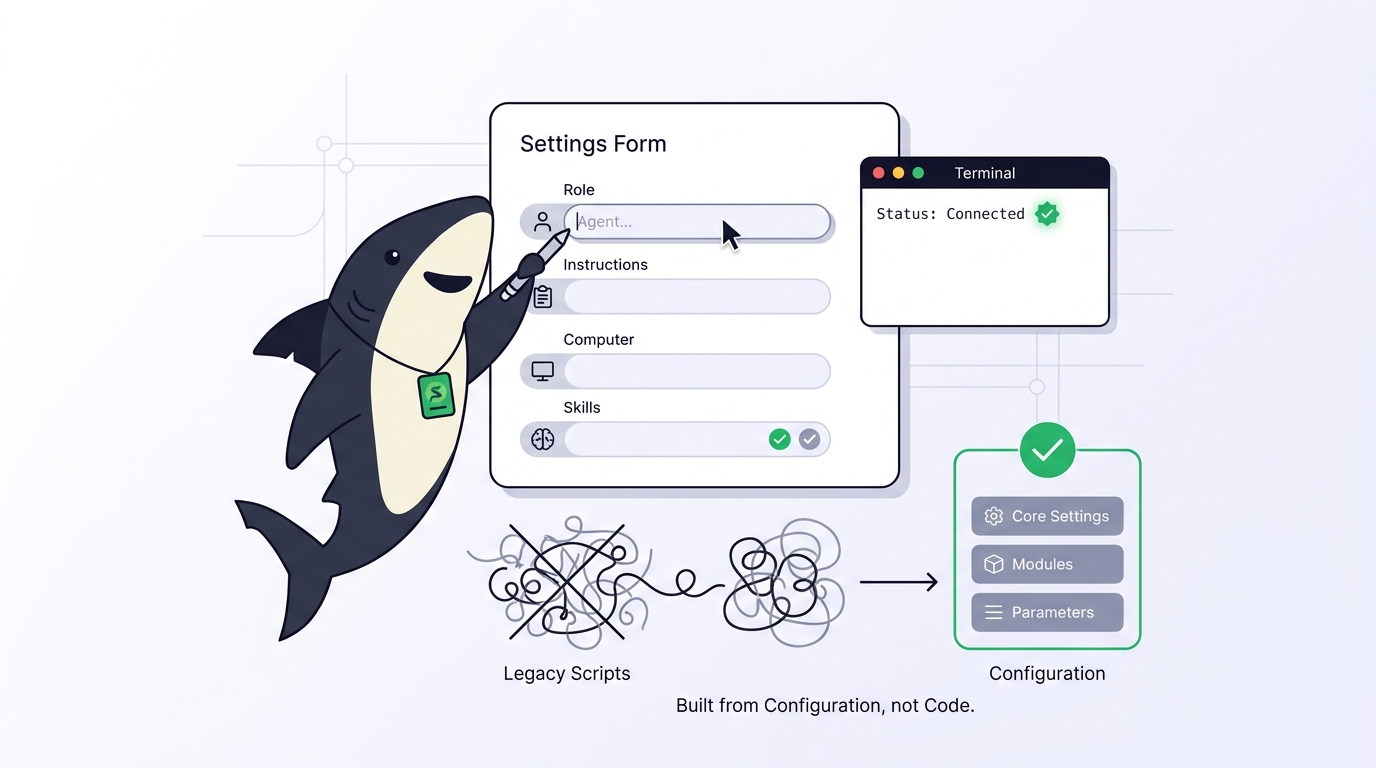
The premise is simple. In Sharkly, an Agent is a saved configuration, not a program: a name, a description, operating instructions, a Computer and Runtime, optional Skills, repositories, and run limits. You fill in fields. The Runtime, such as Claude Code, does the execution. If you want the concept before the tutorial, our explainer on Agents in Sharkly covers what the configuration surface is for.
TL;DR
You can build an AI coding agent without coding by writing its configuration instead of its code: a narrow role, a description that tells people what to assign, instructions that tell the Agent how to work, a Computer with an authenticated Runtime, and a first read-only Task to prove the loop. No code means no orchestration scripts, no wrapper, no prompt chain to maintain. It does not mean no setup: a supported Runtime still has to be installed and signed in on the Computer that runs the Agent.
What no code buys, and where it stops
Building an agent by hand usually means three pieces of code: a script that starts the coding tool with the right prompt, a script that parks its output somewhere the team can see it, and something that stops two runs from writing to the same checkout. A no-code builder replaces all three with configuration and a shared record.
It does not replace the Runtime. An Agent is not the execution host; its work runs through a selected Runtime on a connected Computer. The Agent also follows that Runtime’s default model and offers no model picker, so model choice lives in the tool configuration, not in the builder. Keep both boundaries in mind and the rest of the tutorial is form-filling.
Step 1: Choose one narrow role
Write the role before you open the product. A useful Agent has a focused responsibility rather than a broad name. “Backend helper” produces vague work; “reviews small frontend defects, identifies the responsible component, makes a scoped change, and reports the checks it ran” produces assignable work.
Two sentences do most of the design:
- Description, for people: what to assign to this Agent.
- Instructions, for the Agent: how to work on whatever it is assigned.
For a first Agent, pick a role that can succeed without editing files. A reader that explains code and reports risks earns trust before it holds any authority.
Step 2: Connect a Computer
Open Settings, then Computers, and choose Connect Computer. On a personal machine, install Sharkly Desktop. On a remote host or Linux server, the connection dialog generates a one-time install token and a command to paste into a terminal. That command is the only terminal step in this tutorial, and it installs a local service rather than asking you to write anything. The token is short-lived and single-use, so never paste it into a script, an image, a Task, or a comment.
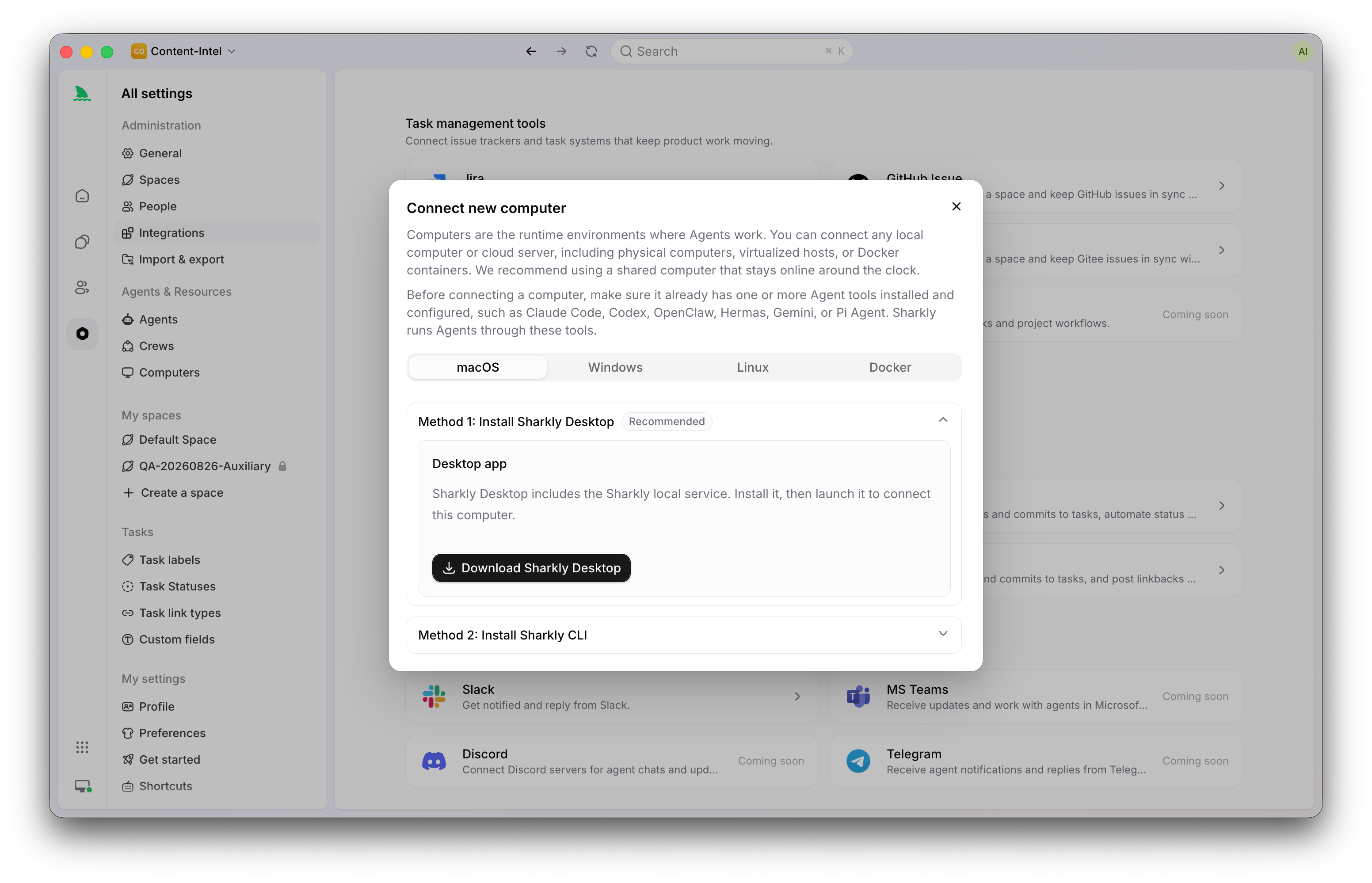
Wait until the Computer shows as connected and at least one Runtime is listed. The local service detects supported agent tools already installed on that machine and reports each one as a Runtime. If none appears, install and sign in to the coding tool on that Computer first. Our guide to Computers in Sharkly covers the remote and container paths.
Step 3: Fill in the Agent
Open Agents and select New Agent. The fields, and what belongs in each:
| Field | What to write |
|---|---|
| Name | The role, not a mascot: Code Reader, Defect Fixer |
| Description | One sentence telling teammates what to assign |
| Visibility | Personal while you test; Space when the team should use it |
| Computer and Runtime | The connection you verified in step 2 |
| Instructions | Stable behavior that should hold on every Task |
| Skills | Reusable procedures, added now or later |
| Repositories | Only if this Agent needs a narrower scope than the Space |
| Task Run Settings | Parallel Task limit, per-Task timeout, working-directory mode |
Instructions are the part people overthink. They are included in each run, so they should carry what is true on every Task: scope and role, how to inspect a Task before acting, when to ask for human input, expected checks, and reporting format. A first draft that works:
Read the Task description and recent comments before editing. Keep changes limited to the requested behavior. Ask for input only when different interpretations would materially change the result. Run the closest relevant checks and report failures without hiding them.
Put Task-specific requirements in the Task, not here. Put a procedure several Agents share in a Skill, not here. That three-way split is what keeps the instructions short enough to stay true.
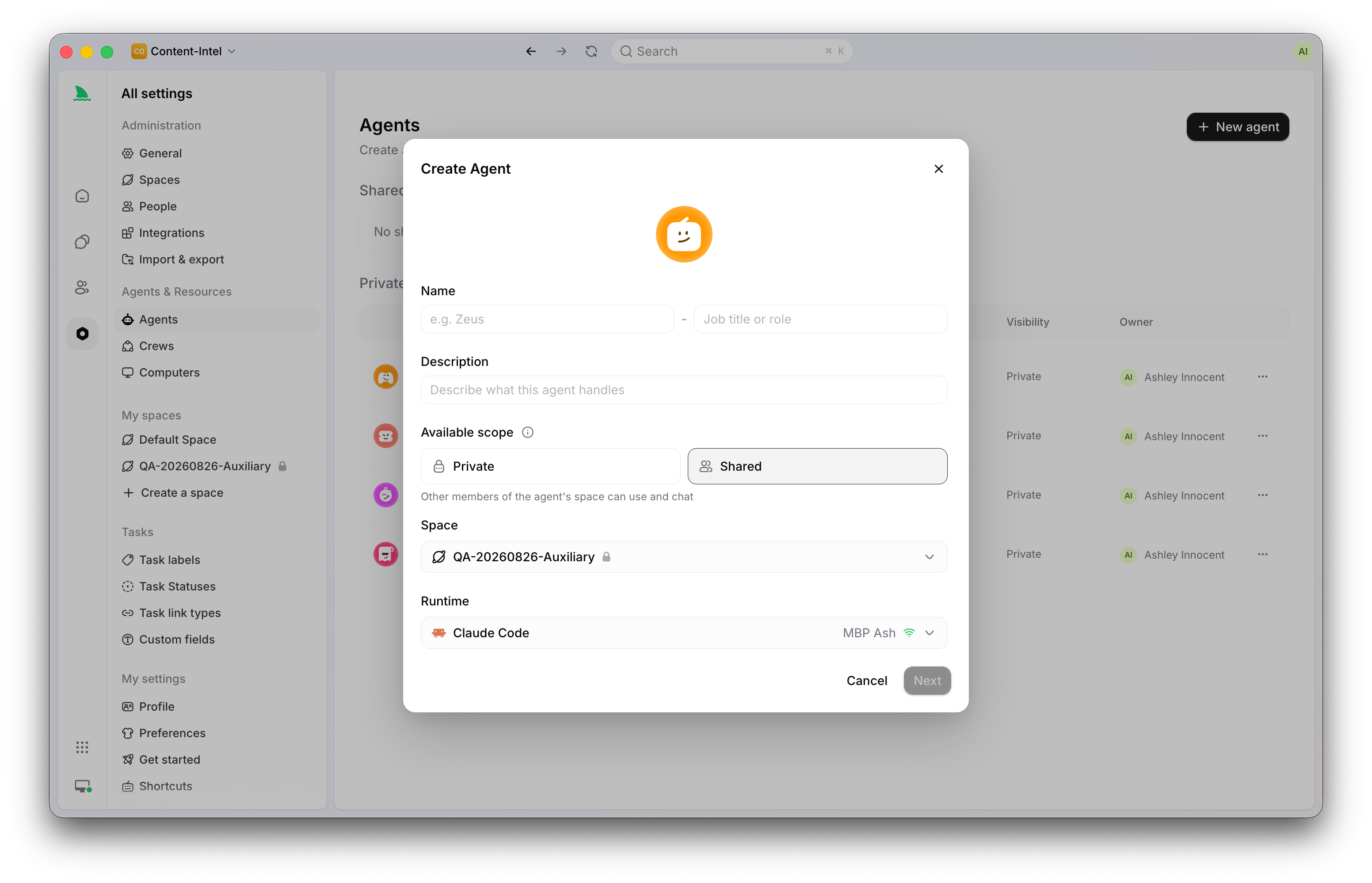
Leave the working-directory mode on Temporary. Each Task then gets an isolated directory, and repository-backed runs prepare a fresh worktree, which is what makes running two Agents at once safe. Specified mode reuses one local directory and exists for very large repositories or expensive local caches; it is a later optimization, not a default.
Step 4: Add a Skill without writing one
A Skill packages reusable instructions and supporting files for Agent work. You can create one from a name, description, and instructions typed into the product; upload a SKILL.md, a .skill file, or a zip; import a published Skill from a supported public source; or import a Skill an online local Runtime already discovered on the Computer.
The import path is the no-code win: a checklist your team already keeps in a markdown file becomes a bound capability in one upload. Review anything external before binding it, and treat imported instructions as third-party configuration rather than organization policy. Bind the narrowest scope that fits. Our post on Skills in Sharkly covers scope and governance.
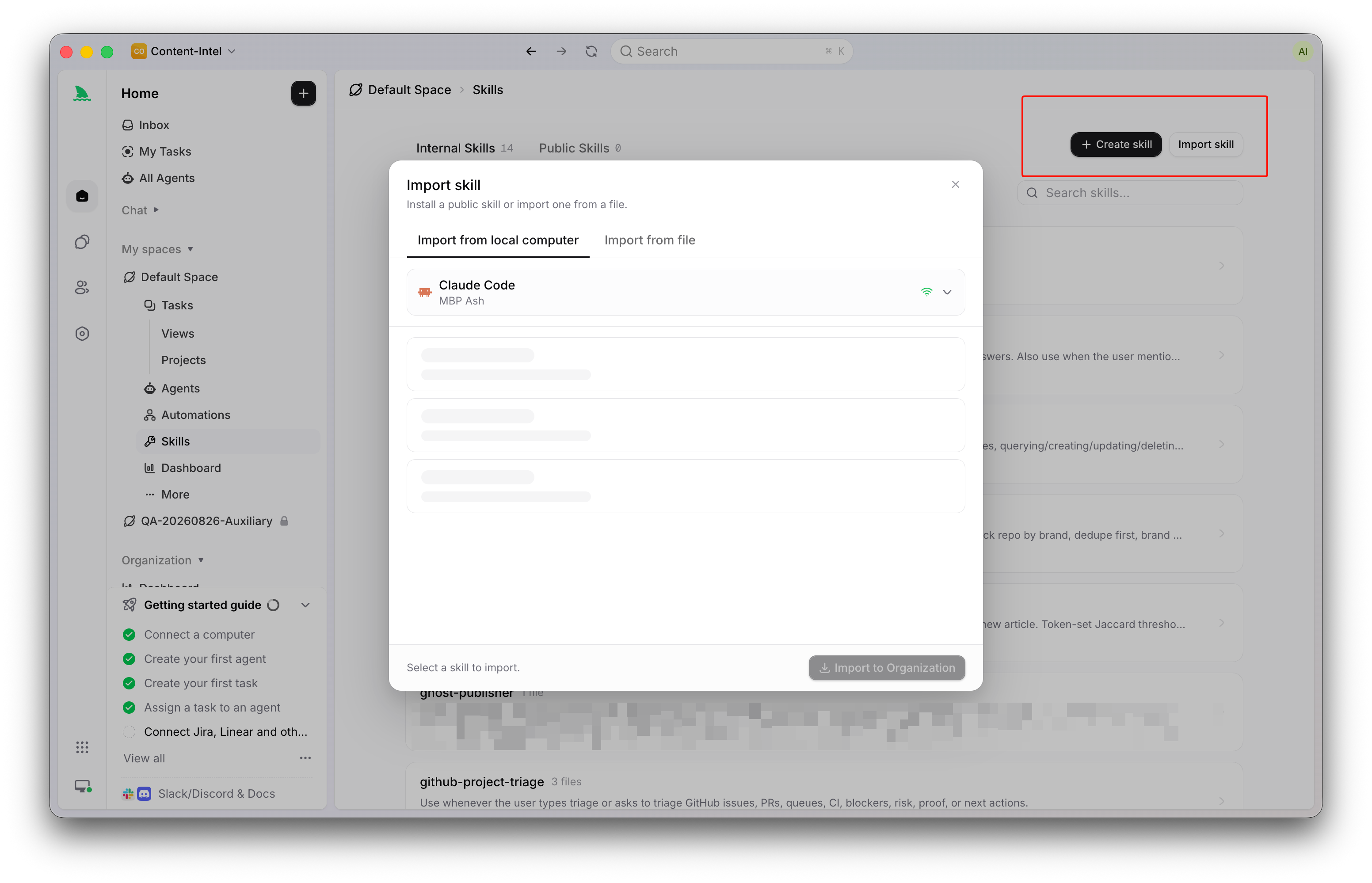
Skip this step for the first Agent if nothing reusable exists yet. Redundant or overlapping Skills make execution less predictable, and an empty Skills list is a valid configuration.
Step 5: Prove the loop with one read-only Task
Create a Task with a clear boundary and a reviewable result, for example: read the current authentication implementation, identify three user-visible failure cases, cite the relevant file for each, and change nothing. Choose the Agent in the Assignee control, then use a status that is ready for work. A Task assigned in Backlog waits by design.
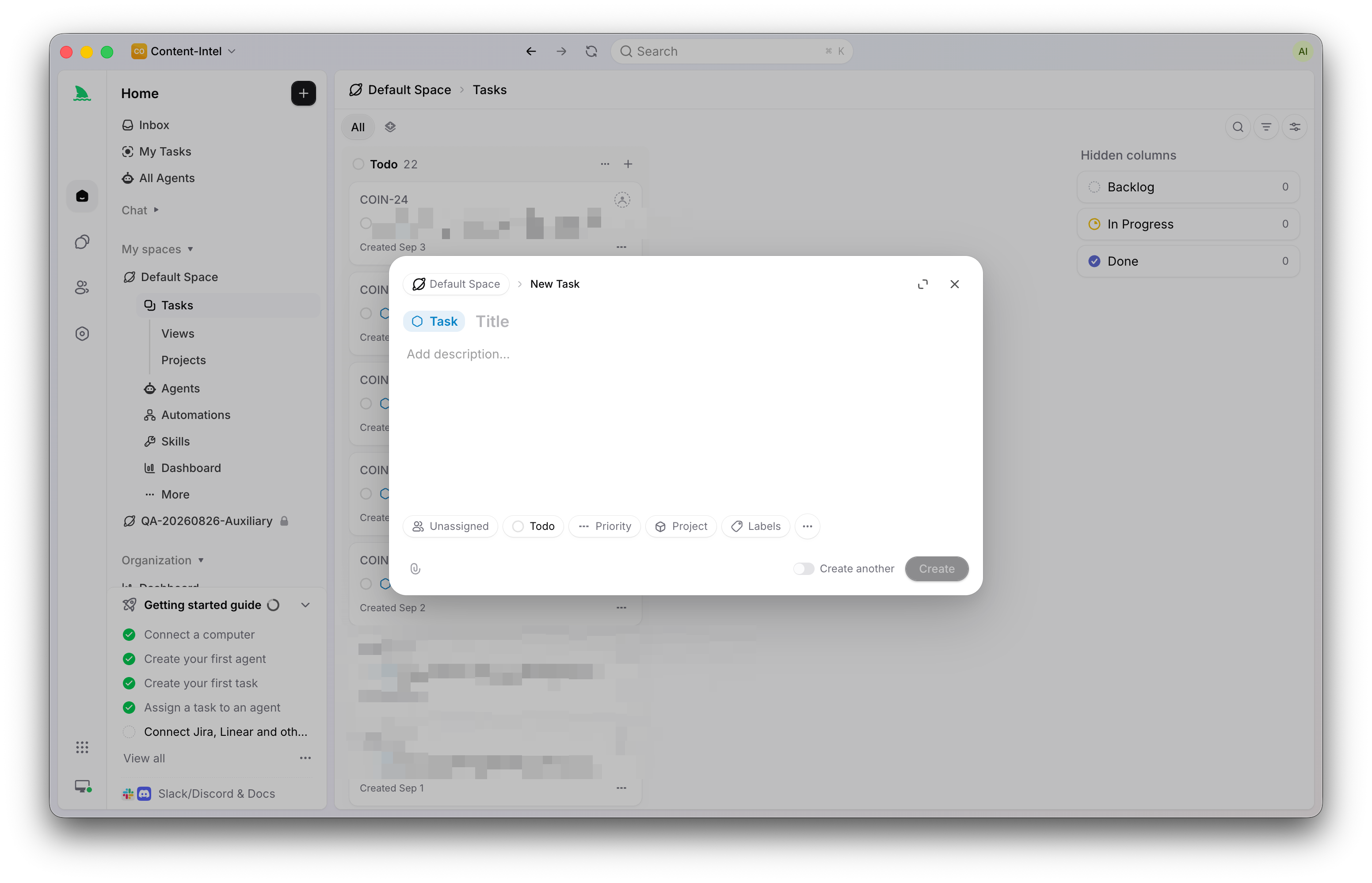
Watch the run state move from queued to running, then read the result on the Task. Check that the Agent inspected the intended code, stayed inside the no-edit boundary, gave evidence for each conclusion, and recorded uncertainty instead of guessing. Progress and the result return to the Task, so the check happens where teammates can see it. The full first-loop walkthrough is in Getting started with Sharkly.
Widening scope deliberately
After the read-only loop works, change one field at a time: allow edits in the instructions, attach a repository, raise the parallel Task limit, share the Agent to the Space. Each change is a configuration edit, reviewable in the Agent’s detail view, and reversible. Archiving an Agent removes it from assignment and cancels running work while keeping its history, so a bad configuration is a five-second rollback.
Agents research, execute, test, and report. People set direction, grant authority, and accept the result. A builder that lets you skip the code does not let you skip that contract.
FAQ
Is this the same as a no-code chatbot builder? No. Chatbot and automation builders produce agents that talk to customers or move data between apps. This tutorial builds a coding Agent that receives assigned engineering Tasks. Sharkly is not a replacement for Claude Code, Codex, or other execution tools; it configures and coordinates them.
Do I need an API key? Model usage continues through the subscriptions or API keys configured in your coding tools. Sign in to the Runtime on the Computer as you normally would; the Agent inherits that access.
Can two people share the Agent I built? Set visibility to Space. People who can access that Space can then assign it, chat with it, or trigger it through a Task comment. Our guide to chatting with an AI agent versus assigning a Task explains which surface to use when.
Which model does the Agent use? The default model of its Runtime. Change models in the tool’s own configuration, not in the Agent.