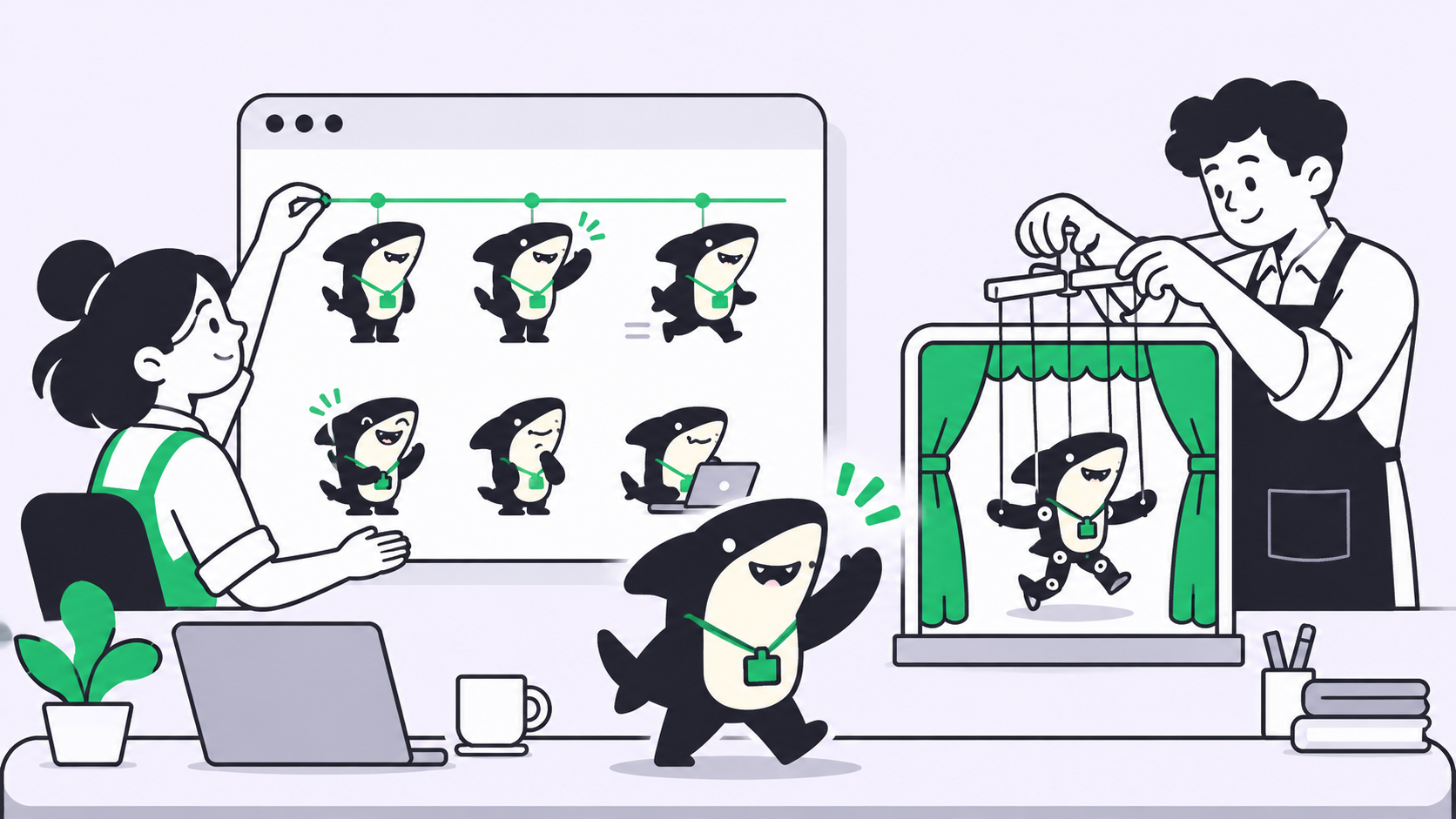
Quick answer: To animate your brand mascot with ChatGPT Images 2.6, ask for a 6-frame sprite sheet in a fixed 3-by-2 grid, cut the sheet into frames, line the frames up, and export a looping GIF. We ran this on a Free account on November 5, 2026. The alignment step cut foot drift from 11.5 pixels to 1.
Why animating a brand mascot needs more than one prompt
A brand mascot has to look like itself in every frame, and that changes the job. A one-off reaction GIF can look like anything. Your mascot can’t.
OpenAI’s Images 2.6 launch post names this use directly: marketers can “animate a brand mascot for a campaign.” It’s available in ChatGPT and Codex across all subscription tiers, and in the API.
ChatGPT also has a one-sentence route. In an earlier test on the same Free account, a prompt asking for a looping GIF returned a finished 8-frame file. That’s fine for a quick reaction. For a mascot, the sprite sheet route gives you more control, because you choose the frame count, see every pose, and fix the timing yourself.
A sprite sheet is one image that holds every frame of an animation in a grid. You check it like a contact sheet, then play the frames in order.
If several people touch your brand assets, the brief and the approval need a home too. Sharkly handles that part, and we cover it below.
What you need before you prompt
Spend five minutes on inputs. They decide whether the result looks like your mascot.
- A reference image. One clean, full-body picture of the mascot on a plain background.
- A written character description. Body color, face, proportions, line weight, and accessories.
- One motion. A wave, a nod, or a blink. Six frames can’t carry a scene.
- A use for the file. A chat sticker and a landing page hero need different sizes and speeds.
Only animate a character you own or have the rights to use.
Step 1: Attach your mascot reference image
Open ChatGPT Images, click Add files and more, and attach your reference. OpenAI says Images 2.6 keeps “characters, products, and brand details consistent as you edit,” so this is the input that should hold your design in place.
We did not run a reference upload for this article, so treat this step as OpenAI’s description, not our result. We did learn two things from running without one:
- When our prompt mentioned an attached image and nothing was attached, ChatGPT stopped and asked for the file. It didn’t invent a character.
- When we then described the mascot in words, we got a consistent character across all six frames, but a rounder shark than the design we started from.
A written description keeps a character consistent with itself. It won’t reproduce your exact design. For a real brand asset, use the reference.
Step 2: Use a sprite sheet prompt built for a mascot
Our prompt follows the pattern in OpenAI’s own examples, which ask for “exactly 6 sequential frames” in a 3-column by 2-row grid. Swap the character paragraph for yours:
Create a single animation sprite sheet for a seamless looping GIF.
Character: a friendly cartoon shark mascot standing upright on two short
legs, charcoal-navy body, pale cream belly and lower jaw, large round eyes,
open smile with small white teeth, three gill lines, thick dark outline,
a small bright green ID badge on a dark lanyard, flat vector style,
no gradients.
The sequence: mascot stands facing forward, raises one fin, waves twice,
lowers the fin back to the starting pose.
Exactly 6 sequential frames in a precise 3-column by 2-row grid, read
left-to-right then top-to-bottom. Every panel has identical dimensions.
Fixed camera, same character, feet in the same spot in every frame,
plain white background. Sixth frame transitions smoothly back to the first.
No captions, no words, no numbers, no logos, no panel labels, no borders,
no gutters.
Each line has a job:
- “Same character” and the fixed camera stop the design and framing from wandering.
- “Feet in the same spot” gives you an anchor to check later.
- The sixth-frame line asks for the loop.
- The “no” list keeps stray text and panel lines out of your frames.
Here’s the unedited sheet ChatGPT returned, a 1536 by 1024 PNG:
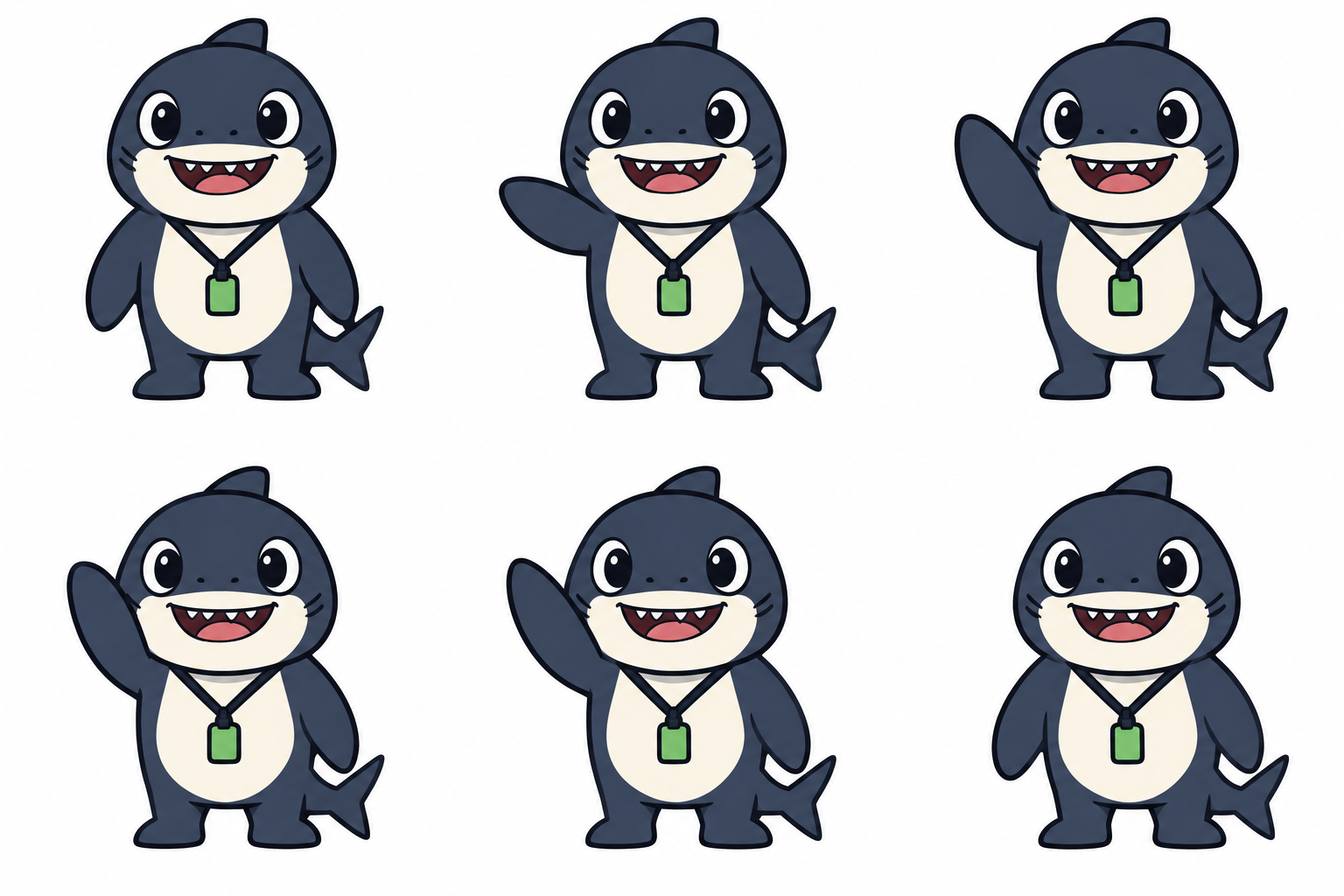
Two honest notes. This prompt returned a still PNG, not a GIF, so the assembly is on you. And we asked for two waves but got about one. ChatGPT flagged this itself, saying the motion “is not perfectly distinct across all six frames.” Six frames fit one wave, so ask for one, or raise the frame count.
Step 3: Cut the sheet and fix the drift
“Identical dimensions” was not exact. Our character looked centered in each panel, but cutting the sheet into even 512-pixel squares made it slide sideways. The feet moved 11.5 pixels between columns, which reads as a jittery hop in a loop.
The fix is to crop each column at its own offset. Measure one fixed point, such as the outer edge of a foot, in each frame. Then shift the crop by the difference. Ours needed offsets of 0, 517, and 1035 pixels. These commands use FFmpeg, and we ran them as written:
i=0
for x in 0 517 1035 0 517 1035; do
  y=$(( (i / 3) * 512 ))
  ffmpeg -y -i sheet.png -vf "crop=500:512:$x:$y" frame$i.png
  i=$((i + 1))
done

ffmpeg -y -framerate 1000/150 -i frame%d.png \
  -vf "scale=384:-2:flags=lanczos,split[a][b];[a]palettegen=max_colors=64[p];[b][p]paletteuse=dither=none" \
  -loop 0 mascot.gif
Your offsets will differ, so measure your own sheet. The second command sets 150 milliseconds per frame and a 64-color palette, which suits flat vector art.
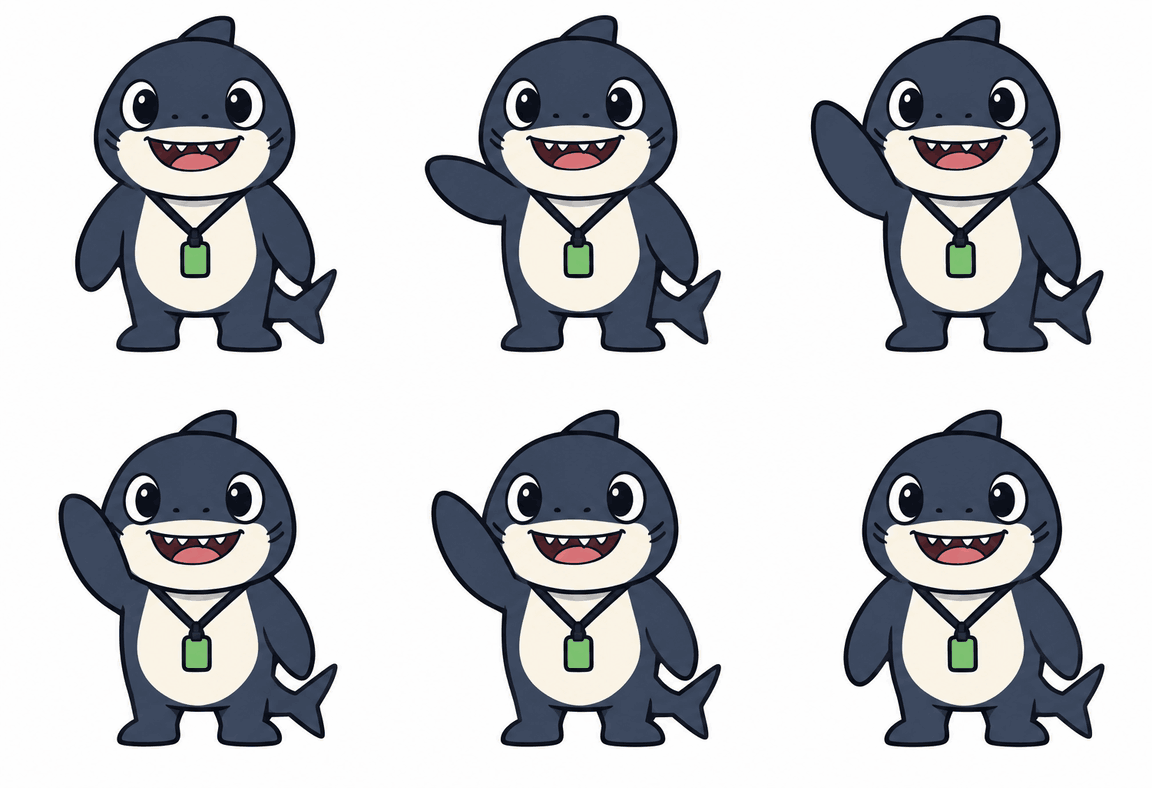
Here’s the finished loop:
Step 4: Check that the loop is clean
A clean loop has no visible jump when the last frame returns to the first. Don’t judge it by eye alone. We compared frames before and after alignment:
| What we measured | Even grid cut | Aligned crop |
|---|---|---|
| Foot drift across frames | 11.5 px | 1 px |
| Pixels changed at the loop seam | 13.8% | 3.6% |
| File size | 332 KB | 284 KB |
The finished GIF is 384 by 394 pixels, 6 frames, 0.9 seconds per loop. Alignment also shrank the file, because GIF compression has less to redraw when the body stays still.
Run this checklist before you share it:
- Compare the first and last frames. Only small differences should remain.
- Check the mascot’s colors, badge, and line weight in every frame.
- Look for stray text or panel lines at the frame edges.
- Watch it at full size for ten loops. Jitter shows up on repeat.
If a frame fails, regenerate the sheet or use the Describe edits box in the image viewer. We didn’t test edits on this sheet.
How to animate a mascot through the API
The API changes the route. OpenAI’s image generation guide says setting output_format to gif returns a finished animation from the generation or the edit endpoint. A mascot belongs on the edit endpoint, because that’s where reference images go.
So for a mascot, you have two API paths:
- Reference to GIF: send your reference to the edit endpoint with
output_format=gifand you get the finished animation back.frame_countruns from 2 to 16 andframe_duration_msfrom 20 to 2000, andsizesets each finished frame, in multiples of 16. - Reference to sheet: ask the same endpoint for a sprite sheet and assemble it as in Step 3. Choose this when you want to check every pose first, or set the timing and alignment by hand.
curl https://api.openai.com/v1/images/edits \
  -H "Authorization: Bearer $OPENAI_API_KEY" \
  -F "model=gpt-image-2.6-sunburst" \
  -F "image[][email protected]" \
  -F "output_format=gif" \
  -F "frame_count=6" \
  -F "frame_duration_ms=150" \
  -F "size=auto" \
  -F "quality=high" \
  -F "prompt=<your motion and loop description>" \
  | jq -r '.data[0].b64_json' | base64 --decode > mascot.gif
We wrote this request from the docs and didn’t run it, so we can’t say how closely the GIF matches your reference. OpenAI revised this part of the guide between November 5 and 6, 2026, so check the ranges, model ID, and prices here against the live docs before you build on them. OpenAI says Sunburst brings “even greater image consistency across edits” at medium or high quality. The pricing page lists 2.6 image tokens at $8 per million input and $30 per million output, as of November 6.
Run mascot animation as a team workflow
One person can do all of this alone. A marketing team needs to know which reference is current, who asked for the loop, and who approved it. Otherwise the final GIF lives in a chat thread.
Here’s how that looks in Sharkly, a work system for People and Agents:
- A Task holds the brief. Attach the mascot references, the prompt, and the brand rules to one Task.
- An Agent does the work. Assign the Task to an Agent, which runs on a connected Computer through a Runtime. Our guide to assigning your first task to an AI agent covers the setup.
- A person reviews and approves. The Agent can leave the Task waiting for human review, and it appears in that person’s Inbox. Our post on human and agent handoffs explains the pattern.
Images 2.6 is available in Codex, and Codex is one of the Runtimes Sharkly runs. We haven’t tested mascot output through Codex, so try it on your own setup first.
Sharkly is free to start: the Free plan covers organizations of up to 5 people, and Agents don’t take a seat. Model usage stays on the plan or API key you connect.
Conclusion
A mascot loop comes down to three habits: anchor the design with a reference, plan one motion across six frames, and align the frames before you export. That last step took our foot drift from 11.5 pixels to 1.
Ready to run this with your team? Create a free Sharkly workspace, put your next mascot brief in a Task, and let a person approve the result. The Sharkly docs cover setup.
FAQ
Can ChatGPT animate my existing mascot?
OpenAI names this use case, and you attach your mascot as a reference. We tested a written description only, which gave a consistent character but not an exact match to our design.
How many frames should a mascot GIF have?
Six handled about one wave for us. Add frames for longer motion. OpenAI’s API docs list 2 to 16 for GIF output as of November 6, 2026.
Does a sprite sheet prompt return a GIF?
Ours returned a PNG sheet, and we assembled the GIF ourselves. A plain looping GIF prompt returned a finished GIF in an earlier test.
Why does my GIF jitter?
The panels are probably not perfectly even. Ours drifted 11.5 pixels between columns. Crop each column at its own offset.
Can the API make a GIF from a reference image?
Yes, according to OpenAI’s docs: send the reference to the edit endpoint with output_format=gif. We haven’t tested it.
Will people know the mascot GIF is AI-generated?
OpenAI says it marks generated images with C2PA metadata and SynthID watermarking. Our ChatGPT sheet carried C2PA data, but the GIF we built from it in Step 3 has none: the metadata didn’t survive the FFmpeg assembly. Don’t rely on the file to label itself. Disclose AI use wherever your campaign rules call for it.