Quick answer: GitHub Universe 2026 (October 28, 2026) moved Copilot from a coding assistant toward a place where agent work is assigned, tracked and reviewed. The six changes that matter to teams running coding agents: the GitHub Copilot app, Copilot projects (public preview), session continuity across clients, shared Copilot automations, Copilot code review Max (public preview) with optional Copilot approvals, and credit-based billing for Enterprise.
Most Universe recaps lead with the model news. If your team already runs coding agents every day, the model is the least interesting part. The bigger story at GitHub Universe 2026 is that GitHub now has opinions about how agent work gets assigned, who sees it, who reviews it and who pays for it.
If your agents run across more than one tool, Sharkly is the board we use to keep that work in one place, and we’ll come back to where it fits.
What GitHub announced at Universe 2026
Here are the six announcements that change how a team works with agents, with the status GitHub’s docs give each one on November 17, 2026.
| Announcement | What it does | Status in the docs |
|---|---|---|
| GitHub Copilot app | One surface for agent sessions, projects and automations | Launched at Universe; the post gives no preview label |
| Copilot projects | A goal that spans repos, sessions and recurring tasks | Public preview |
| Session continuity | One cloud agent session followed across app, VS Code, CLI and web | Documented, no preview label |
| Copilot automations | Cloud agent runs on a schedule, an event or an API call | Available on Pro, Pro+, Max, Business, Enterprise |
| Copilot code review Max | Highest-effort review tier next to Lite and Balanced | Public preview |
| Copilot Fusion | Routes each task across one or more models | Generally available in VS Code, Copilot CLI, the Copilot app and JetBrains |
The rest of this article walks through what each one means for assignment, review and cost.
Copilot projects: a goal instead of a prompt
A Copilot project gives Copilot an ongoing goal and lets it coordinate work across repositories, sessions and recurring tasks. Per the projects docs, it’s in public preview and subject to change.
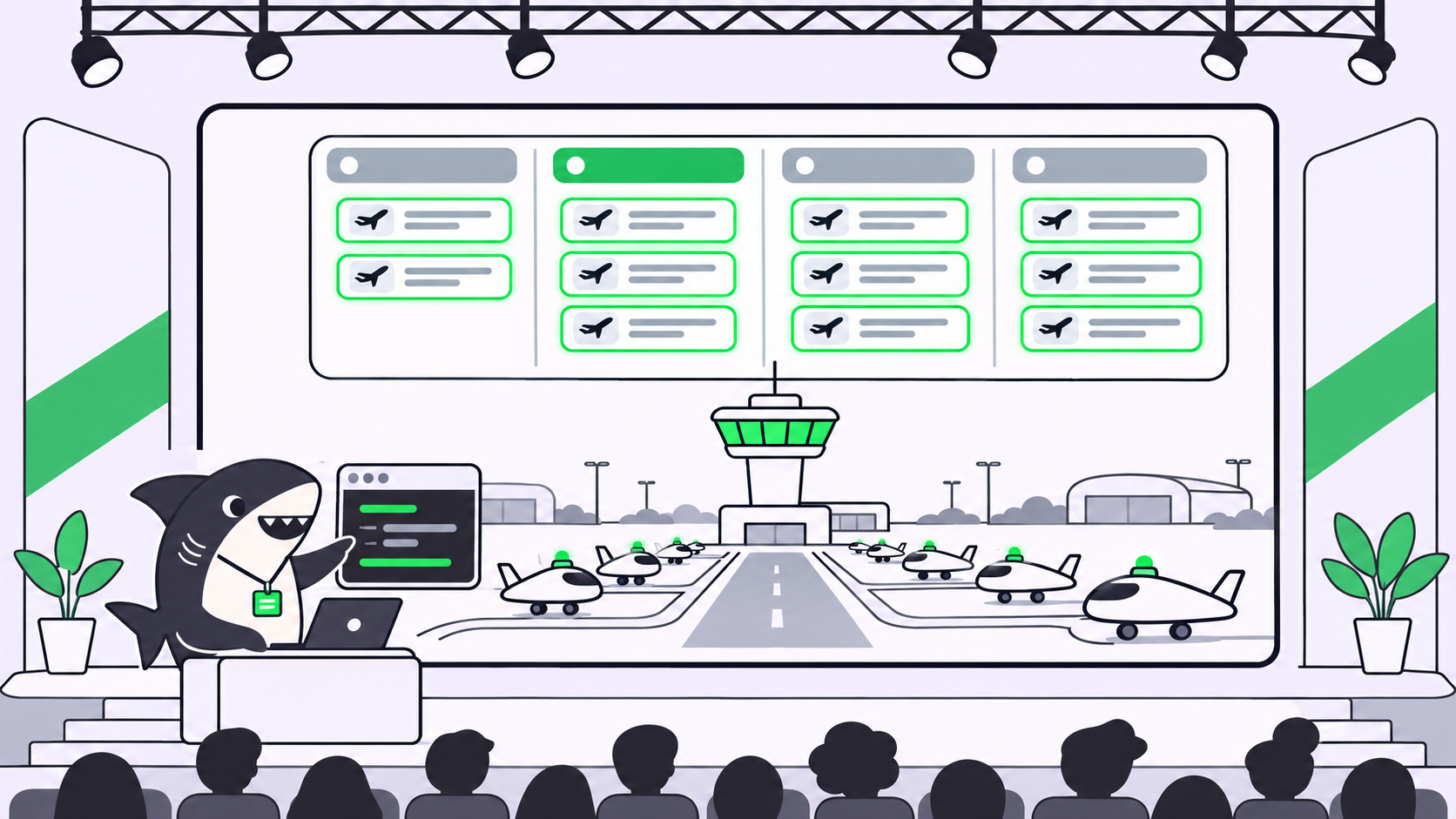
The interesting part is the Overview panel. GitHub groups a project’s work into four buckets:
- Needs input: decisions, reviews and permission requests waiting on you.
- Open: work with an open pull request, with lines added and deleted.
- Working: sessions still running.
- Done: completed work.
That’s a status board. GitHub has accepted the premise that once you run several agent sessions at once, you need a view of where each one stands and which ones are blocked on a human. You can open any session from the Overview, read its plan and diff, and steer it with a message.
What it means for your team: the unit you manage is no longer the prompt. It’s the piece of work, with a state, an owner and a pull request. If you’ve been tracking agent sessions in a spreadsheet or in your head, this is GitHub telling you that approach has run out.
Who decides what an agent works on next?
In a Copilot project, Copilot does. You describe the goal and constraints, and “Copilot coordinates the work toward your goal.” That suits exploratory goals such as triaging feedback. For delivery work where a lead decides priority, you’ll still want explicit assignment: a named task, handed to a named agent, with a status the whole team can read.
Session continuity: the session lives in the cloud
GitHub’s agent management docs describe sessions that run in a cloud sandbox and “aren’t tied to the device or client where you started them.” You start in the Copilot app, check in from the web, and pick it back up in VS Code or the CLI.
For a team, that moves the session’s state out of one person’s laptop. Anyone with access can find the work and see its progress. The trade-off is that the work runs in GitHub-hosted infrastructure, so your agent’s tools and network access are whatever that sandbox allows.
Shared Copilot automations: agent work that outlives its author
Copilot automations run Copilot cloud agent on a schedule, on a repository event, or through the API. Each automation sets a prompt, triggers, allowed tools, an optional model and an optional AI credit limit.
The team-level change is the split between personal and shared automations:
| Personal | Shared | |
|---|---|---|
| Who can edit | Only you | Everyone with write access |
| Who pays for AI credits | You | The repo’s owning org or user |
| Identity on GitHub | Your identity | Copilot’s identity |
A shared automation belongs to the repository, so it keeps working if its creator leaves. Automations can also join groups that share stored results and “suggest improvements to themselves based on outcomes,” which you approve.
Two limits worth knowing before you plan around this: automations only run in private or internal repositories, and an admin must enable Copilot cloud agent for Business and Enterprise.
Code review Max and Copilot approvals
Copilot code review now has three effort levels. Lite gives fast feedback on routine changes. Balanced, the default, routes pull requests to a higher-reasoning model. Max, in public preview, “uses multiple high-reasoning models” for the pull requests that need the most scrutiny.
The code review docs list average costs per review:
| Level | Average cost per review |
|---|---|
| Lite | $0.25 |
| Balanced | $1.50 |
| Max | $10 |
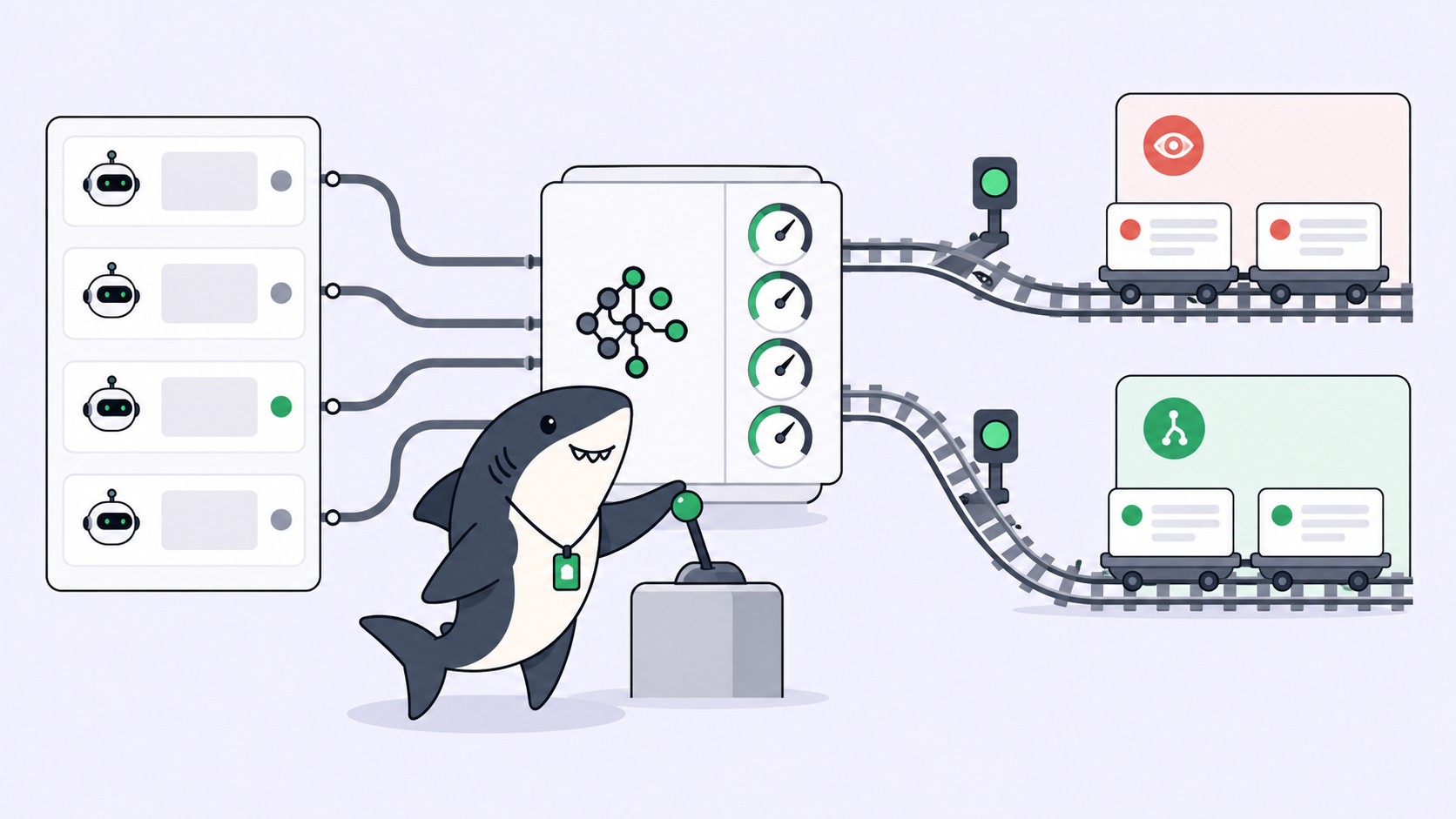
The bigger governance change sits in the same doc. By default, Copilot’s review doesn’t count toward required approvals. When admins enable Copilot approvals at the repository, organization and enterprise levels, Copilot can submit an approving review that satisfies the required-approval rule “the same way a teammate’s approval would.” New commits dismiss it.
What it means for your team: decide now whether an agent may be one of your required approvers, and for which paths. Many teams will want an agent reviewer as a first gate and a person as the last one. We wrote up why human review becomes the bottleneck once agents run in parallel, and why the reviewer should be a different agent from the builder.
Fusion and the new billing model
Copilot Fusion is a router: it picks models and an execution pattern per step and returns one response. You’re billed for each model it calls at that model’s standard rate, with no separate Fusion charge, and paid plans get a 30% discount on Fusion model costs through November 30, 2026.
On licensing, the Universe post says GitHub Enterprise customers can now use every Copilot capability without buying a separate subscription, paying for the AI credits they use. Existing Copilot Business and Enterprise customers can keep their plans or switch.
What it means for your team: agent cost is now per unit of work, not per seat. A Max review averages 40 times the cost of a Lite one. Somebody has to decide which work gets which tier, and that decision belongs in your assignment process, not in each developer’s model picker.
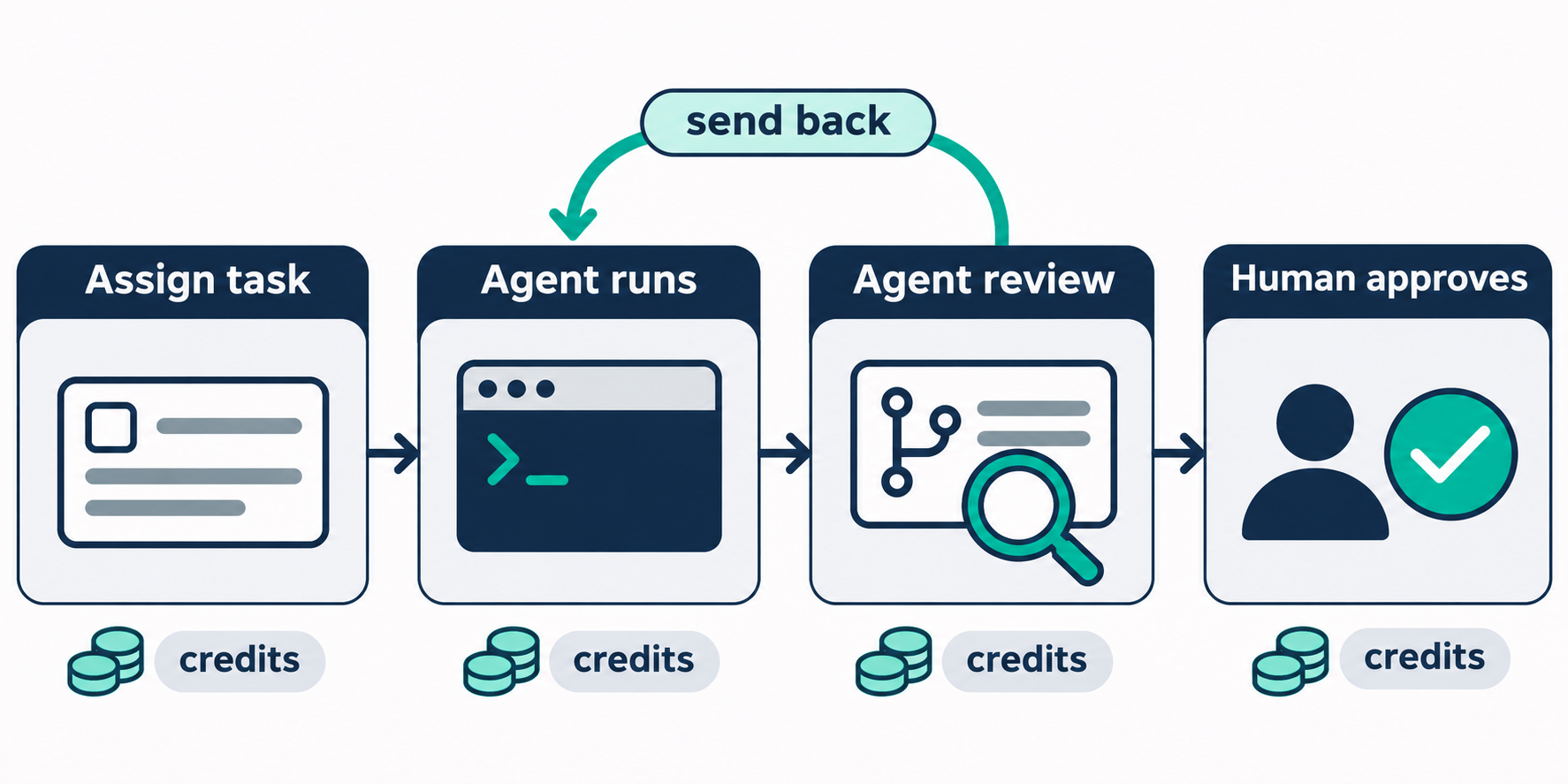
What GitHub Universe 2026 means for teams running coding agents
Put the six announcements together and a shape appears. GitHub now gives you:
- A work unit (projects and sessions) with visible status.
- A trigger layer (automations) for recurring agent work.
- A review layer (three tiers plus optional agent approvals).
- A cost layer (AI credits, per-automation limits).
That’s the management problem every team running agents runs into, now named by the largest code host. Read our earlier breakdown of GitHub Agent HQ for how GitHub got here.
Does this replace a separate agent board?
It depends on where your agents run. If your team works in GitHub, on Copilot cloud agent, inside private repos, the Copilot app now covers a lot of the board. Many teams don’t fit that box. They run Claude Code on one laptop, Codex on a build server and Gemini CLI on a teammate’s desktop, and the work spans GitHub issues, Jira tickets and Slack threads.
Where Sharkly fits next to the new Copilot app
Sharkly sits one layer above the agents you already run. You connect a Computer (a laptop, server or container) with sharkly computer register, and its local service reports the Runtimes it finds, such as Claude Code, Codex, Gemini or OpenCode. Then you assign a task to an Agent the way you’d assign it to a person.
From the agent task execution docs, each run carries the task’s description, status, recent comments and the Space’s repositories, and progress returns to the task. A task in Backlog doesn’t start a run, so you can stage work before release. When one agent isn’t enough, a Crew puts a leader Agent in charge of other members.
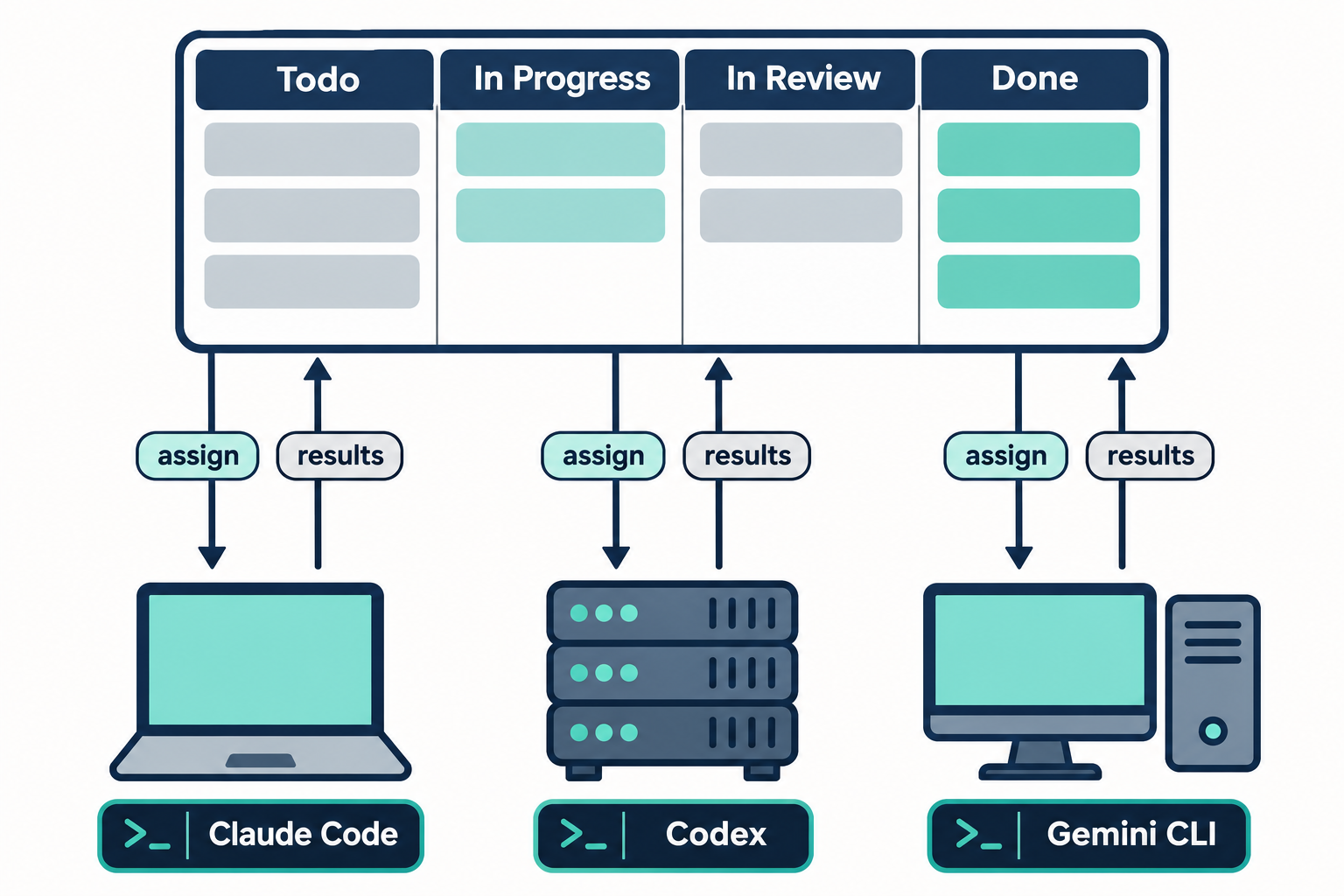
Sharkly’s GitHub integration links pull requests to tasks and syncs new issues into a Space, so it complements GitHub rather than routing around it. Recurring work runs through Space Automations, which assign an Agent or Crew a set of instructions on a trigger. If you want to see that loop with your own agents, the assign a GitHub issue to an AI agent walkthrough is the fastest start.
How to act on Universe 2026 this sprint
- List where your agents run. One runtime on GitHub’s cloud, or several across your own hardware? That answer picks your board.
- Write a review policy. Which paths allow an agent approval, which need a person, and which get Max.
- Set credit limits per automation before you turn on shared automations org-wide.
- Make status visible. Whatever tool you use, every running agent should have a task with a state a teammate can read.
- Re-check preview releases before you rely on them. Projects and Max review are labeled “subject to change.”
Conclusion
GitHub Universe 2026 confirmed what teams running coding agents already felt: the hard part is managing the work, not generating code. Projects, shared automations, tiered review and credit billing are GitHub’s answer for work that lives on GitHub. If your agents span several runtimes and Computers, put the assignment and review layer above them so the next model release doesn’t force a new workflow. Start with Sharkly and assign your first task to an agent today.
FAQ
When was GitHub Universe 2026?
GitHub published its Universe 2026 announcement post on October 28, 2026. The event recap lives on the Universe recap page.
What are Copilot projects?
A project gives Copilot an ongoing goal and lets it coordinate sessions, automations and artifacts across one or more repositories. It’s in public preview in the GitHub Copilot app.
Can Copilot approve a pull request?
Only if admins enable Copilot approvals at the repository, organization and enterprise levels. Then its approving review satisfies required-approval rules, and new commits dismiss it. By default it doesn’t count.
How much does Copilot code review Max cost?
GitHub’s docs estimate an average of $10 per Max review, against $1.50 for Balanced and $0.25 for Lite. Max is in public preview.
Do Copilot automations work in public repositories?
No. Per GitHub’s docs, automations need a private or internal repository with Copilot cloud agent enabled.
Is Sharkly an alternative to GitHub Copilot?
No. Copilot and the coding agents you run do the coding. Sharkly assigns, tracks and reviews the work around them, across whichever runtimes your team uses.