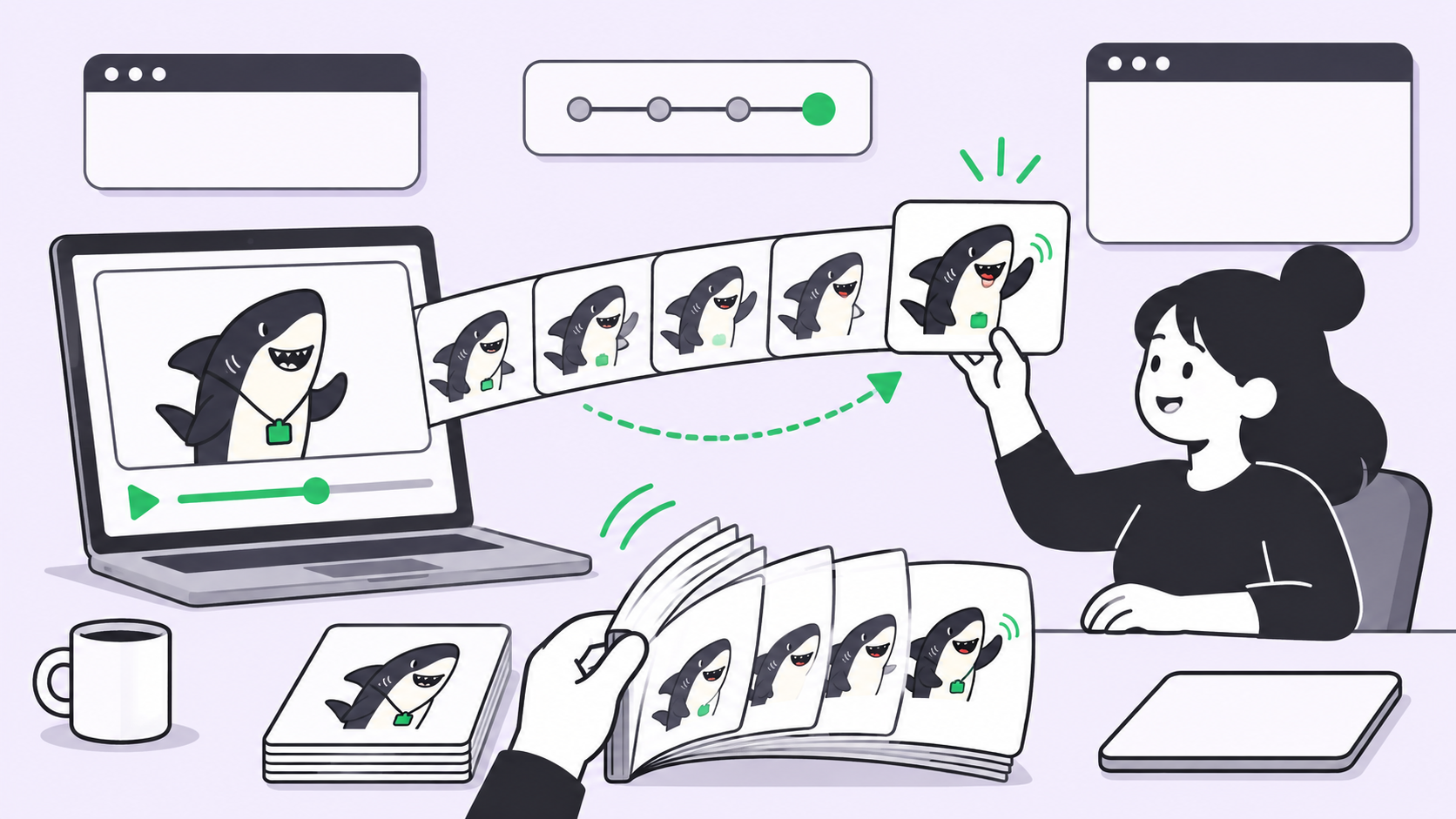
Quick answer: You can make GIFs with ChatGPT for free. Open ChatGPT Images, ask for a looping GIF in one sentence, wait for it to render, then click Download GIF. We tested this on a Free account on November 5, 2026, and got a real animated file. OpenAI is still rolling GIF creation out and publishes no free limit, so your account may not have it yet.
Can you make GIFs with ChatGPT for free?
Yes. ChatGPT Images 2.6 turns a text prompt into an animated GIF, and it worked on a Free plan when we tested it. OpenAI’s launch post says Images 2.6 is available across all subscription tiers, while its release notes say GIF creation “is rolling out.”
“All tiers” didn’t settle the free question for us, so we ran it. One plain sentence on a Free account produced a looping GIF with no upgrade prompt blocking the result. You need no design skills and no extra software.
Two limits apply. Image creation on Free is capped, and OpenAI doesn’t publish the number. Its Free tier FAQ says image generation has separate usage limits and that ChatGPT tells you when you reach one. We made one GIF, so we can’t tell you how many you’ll get per day.
If you make GIFs for a team, the harder problem starts after the file exists: who asked for it, which version is approved, and where the brand rules live. Sharkly handles that part, and we cover it below.
How to make a GIF in ChatGPT, step by step
The whole process takes six steps, and every button name below comes from our test run:
- Sign in at ChatGPT Images and find the box labeled “Describe a new image.”
- Type a prompt that says “looping GIF,” names one subject, and describes one motion.
- Press Enter and wait. You’ll see a “Creating GIF” progress percentage while it renders.
- Open Playback speed on the GIF if the motion feels wrong, and pick from 0.25x to 2x.
- Click Expand this GIF to open the viewer.
- Click Download GIF to save the file.
Here’s the exact prompt we used:
Create a looping GIF of a friendly cartoon shark waving one fin.
Flat colors, plain white background, the last frame flows back into the first.
And here’s what came back, unedited:
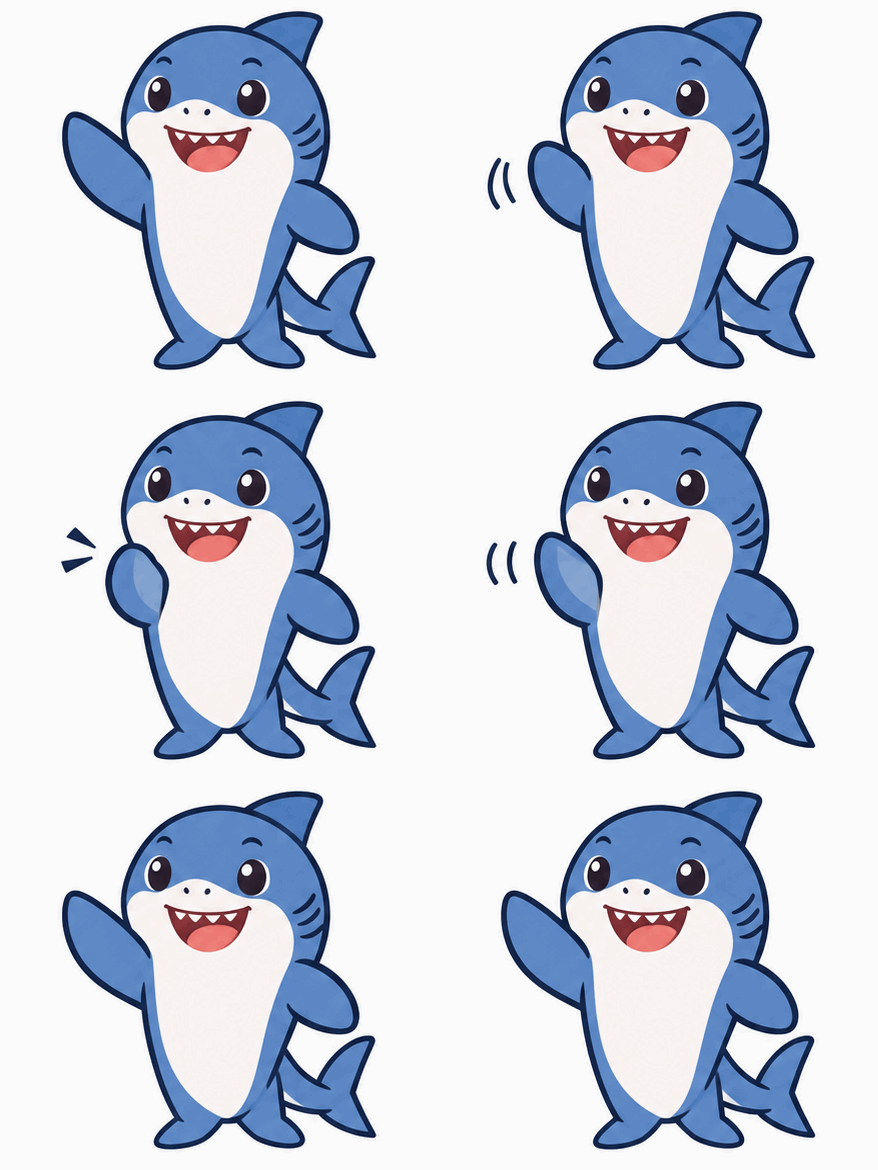
| What we measured | Result |
|---|---|
| Plan | ChatGPT Free |
| File type | Real animated GIF (GIF89a) |
| Frames | 8 |
| Length at 1x | 1.28 seconds per loop |
| Size | 439 x 390 pixels, 285 KB |
That’s small enough for a chat message, a slide, or a blog post. It’s also short, so plan for a reaction or a small gesture rather than a scene.
Set the speed before you download
The speed you choose changes the file you download, not only the preview. We downloaded the same GIF at 1x and at 2x. The 1x file ran 1.28 seconds per loop, and the 2x file ran 0.64 seconds with the same 8 frames.
Pick your speed first, then open the viewer and click Download GIF. Slower settings suit gentle motion like a wave. Faster settings suit a quick reaction.
What is a sprite sheet, and why does ChatGPT show one?
A sprite sheet is a single image that holds every frame of an animation in a grid. Open the viewer and you’ll see two buttons, Sheet and GIF. Sheet shows the frames laid out side by side, and it has its own Download button for a PNG.
ChatGPT handled the assembly for us, so you don’t need to touch the sheet. It’s still useful. You can read each frame at full size and spot the one that looks off before you share anything.
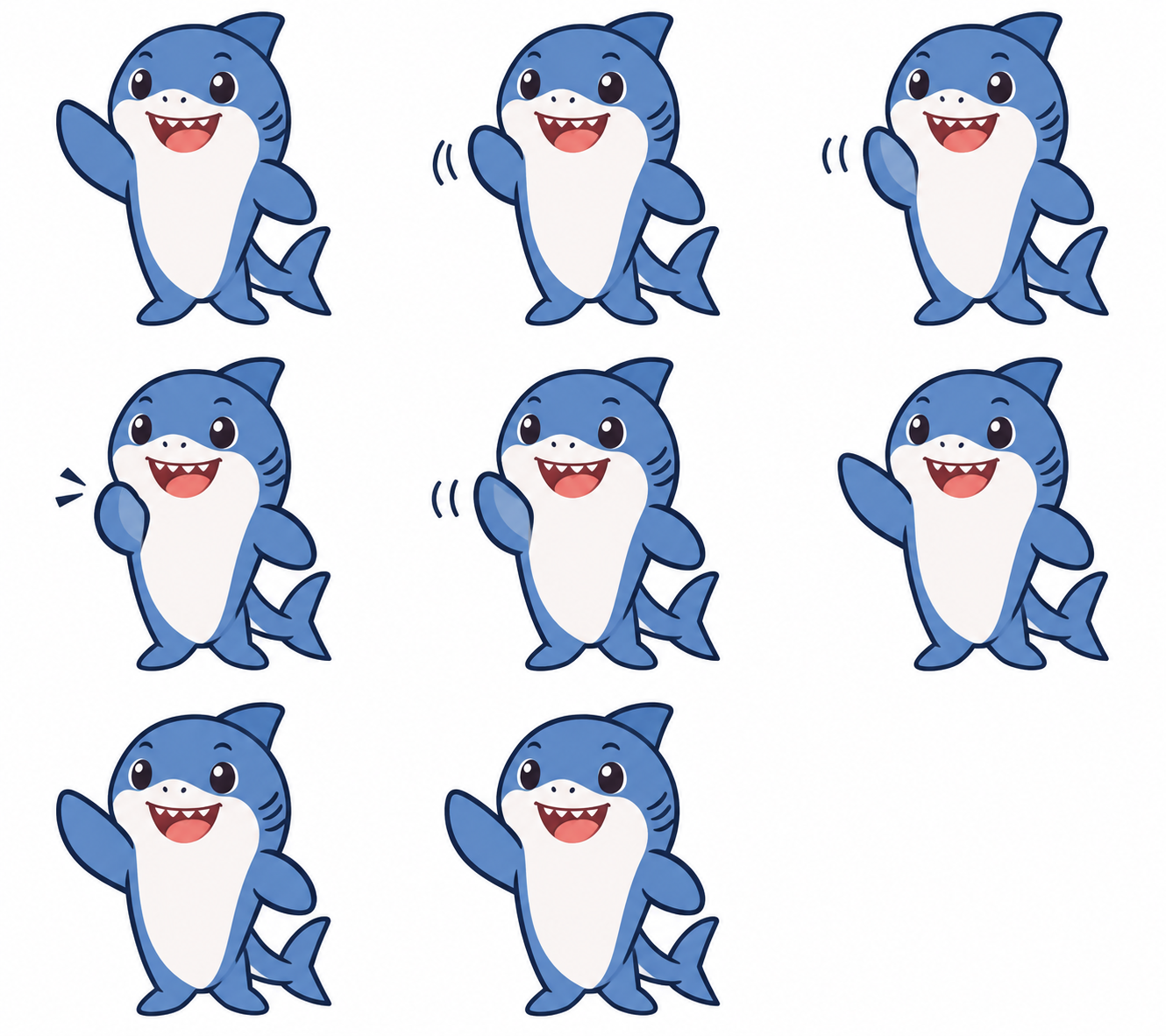
Our sheet shows a flaw you’d miss at full speed: the last three frames barely change, so the wave pauses before it loops. If that bothers you, ask for steadier motion across every frame. The viewer has a “Describe edits” box for this, though we didn’t test an edit on Free.
How to write a better GIF prompt
Good GIF prompts describe motion, not only a picture. OpenAI’s example prompts follow a clear pattern that you can borrow:
- Name one subject. One character holds together better than a crowd.
- Describe the sequence in order. “Notices the chart, eyes widen, face crumples” beats “looks sad.”
- Lock the camera. OpenAI writes “fixed” camera and “same character” so nothing drifts between frames.
- Set the frame count. OpenAI’s examples ask for “exactly 6 sequential frames” in a 3-column by 2-row grid.
- Close the loop. Say that the final frame leads back to the first.
- Ban the extras. OpenAI lists “no captions, no words, no numbers, no logos” so stray text doesn’t appear.
You can start simple, as we did, and add these only when the result needs them. You also don’t need to start from text. The release notes say you can upload a sketch and ask ChatGPT to make the character wave. We didn’t test that route, so treat it as OpenAI’s description.
If your account doesn’t show GIF creation yet, try asking for a sprite sheet with the wording above. It’s a normal image request, and any free GIF maker can stitch the frames together. We haven’t tested this fallback.
How to run GIF requests as a team workflow
One person making one GIF needs nothing more than ChatGPT. A team making GIFs for a campaign needs a record of the request, the references, and the approval. Without one, the final file ends up in a chat thread and nobody knows which version got signed off.
Here’s how that work looks in Sharkly, a work system for People and Agents:
- A Task holds the brief. Put the prompt, the brand colors, and reference images in one Task, using comments and attachments. Anyone can see what was asked for.
- An Agent does the work. Assign the Task to an Agent, an AI teammate that runs on a connected Computer through a Runtime. Our guide to assigning your first task to an AI agent walks through the setup.
- A person reviews and approves. The Agent can leave the Task waiting for human review, and it shows up in that person’s Inbox. Nothing counts as approved until someone says so.
Images 2.6 is available in Codex, and Codex is one of the Runtimes Sharkly runs. We haven’t tested GIF output through Codex, so try it on your own setup before you plan around it. The review step works the same for any output, as we explain in our post on human and agent handoffs.
Sharkly is free to start: the Free plan covers organizations of up to 5 people, and Agents don’t take a seat. Model usage stays on the plan or API key you connect.
Making GIFs with the API (not free)
Developers can skip the chat window, but this route costs money. OpenAI’s image generation guide says the Image API returns the finished animation, so you don’t assemble a sheet yourself. Both gpt-image-2.6-flare and gpt-image-2.6-sunburst support it.
curl https://api.openai.com/v1/images/generations \
  -H "Authorization: Bearer $OPENAI_API_KEY" \
  -H "Content-Type: application/json" \
  -d '{
    "model": "gpt-image-2.6-flare",
    "prompt": "A friendly cartoon shark waving one fin, smooth loop",
    "output_format": "gif",
    "frame_count": 8,
    "frame_duration_ms": 160,
    "size": "auto"
  }'
The docs allow 2 to 64 frames (default 9) and 20 to 2000 milliseconds per frame (default 200). Decode the b64_json value and save it with a .gif extension. GIF output works for generation only, so the edit endpoint can’t return one. We wrote this request from the docs and didn’t run it.
The pricing page lists image output at $30 per million tokens for both models.
What ChatGPT GIFs work well for
OpenAI points to a few uses, and they match what an 8-frame loop does well:
- Reactions and memes for social posts and team chat.
- Mascot moments, like a wave or a nod, for a campaign.
- Product loops that turn a still product shot into something that moves.
- Animated storyboards to test character movement before video production.
Two rules apply to all of them. OpenAI’s system card says GIFs get extra safeguards, and some content categories are blocked more broadly than in still images, so a prompt that works as a picture may fail as a GIF. OpenAI also says it marks generated images with C2PA metadata and SynthID watermarking, so don’t expect your output to pass as hand-made.
Conclusion
Making a GIF in ChatGPT takes one sentence and one download, and it works on the Free plan if the rollout has reached your account. Keep the motion simple, check the Sheet view, and set the speed before you download.
If GIFs are becoming team work, give each request a home. Create a free Sharkly workspace, put your next brief in a Task, and let a person approve the result. The Sharkly docs cover setup.
FAQ
Is ChatGPT GIF creation free?
Yes, for now. We made a GIF on a Free account on November 5, 2026. OpenAI says GIF creation is still rolling out, so some accounts may not have it yet.
How many GIFs can you make for free?
OpenAI doesn’t publish a number. Free accounts have a separate image limit, and ChatGPT tells you when you reach it. We don’t know yet how a GIF counts against that limit.
How long is a ChatGPT GIF?
Ours ran 1.28 seconds per loop with 8 frames at 1x. Yours may differ, because OpenAI hasn’t published a fixed length for ChatGPT. In the API you can set up to 64 frames.
Can you change the speed of a ChatGPT GIF?
Yes. Playback speed runs from 0.25x to 2x, and the downloaded file keeps your setting. Choose the speed before you click Download GIF.
Why can’t I see GIF creation in ChatGPT?
The rollout probably hasn’t reached your account. Try asking for a looping GIF anyway, then check back later. You can also request a sprite sheet and assemble it with a free GIF maker.
Can ChatGPT turn a photo or sketch into a GIF?
OpenAI says you can upload a sketch and ask ChatGPT to animate the character. We only tested a text prompt.