TL;DR: An AI agent task run in Sharkly starts the moment you assign a task outside Backlog to an Agent. Sharkly queues the run, a Computer picks it up, its local service prepares the environment and starts the Runtime with the task’s context, and the result lands back on the task. A later comment that @mentions the Agent starts a follow-up run.
The job, and what you end with
You assign a bug to an Agent and want to know what happens between the click and the answer: where the run waits, what the Agent sees, and how to send it back for a second pass.
By the end you’ll have followed one real AI agent task run from assignment to result, and a second run started by a comment. We did it on 2026-11-26 in the Cancel Anything organization, a small team building a subscription-cancelling CLI. Both runs were real: Echo, the support Agent, took a Bug from the team’s #it-broke channel.
Sharkly is free to start if you want to follow along in your own Space.
Before you start
You need three things in place:
- A Space with a task in a non-Backlog status. Ours is CAAN-31, a Bug titled “Request: Hulu recipe fails at the confirm step” (the intake Workflow kept the prefix when it switched the type to Bug), in Todo.
- A Computer that’s online. See how Sharkly Computers work.
- An Agent with a Runtime on that Computer. Echo runs Claude Code on Sonnet 5.5 at medium thinking. See Agents in Sharkly for how one is built.
How a run moves
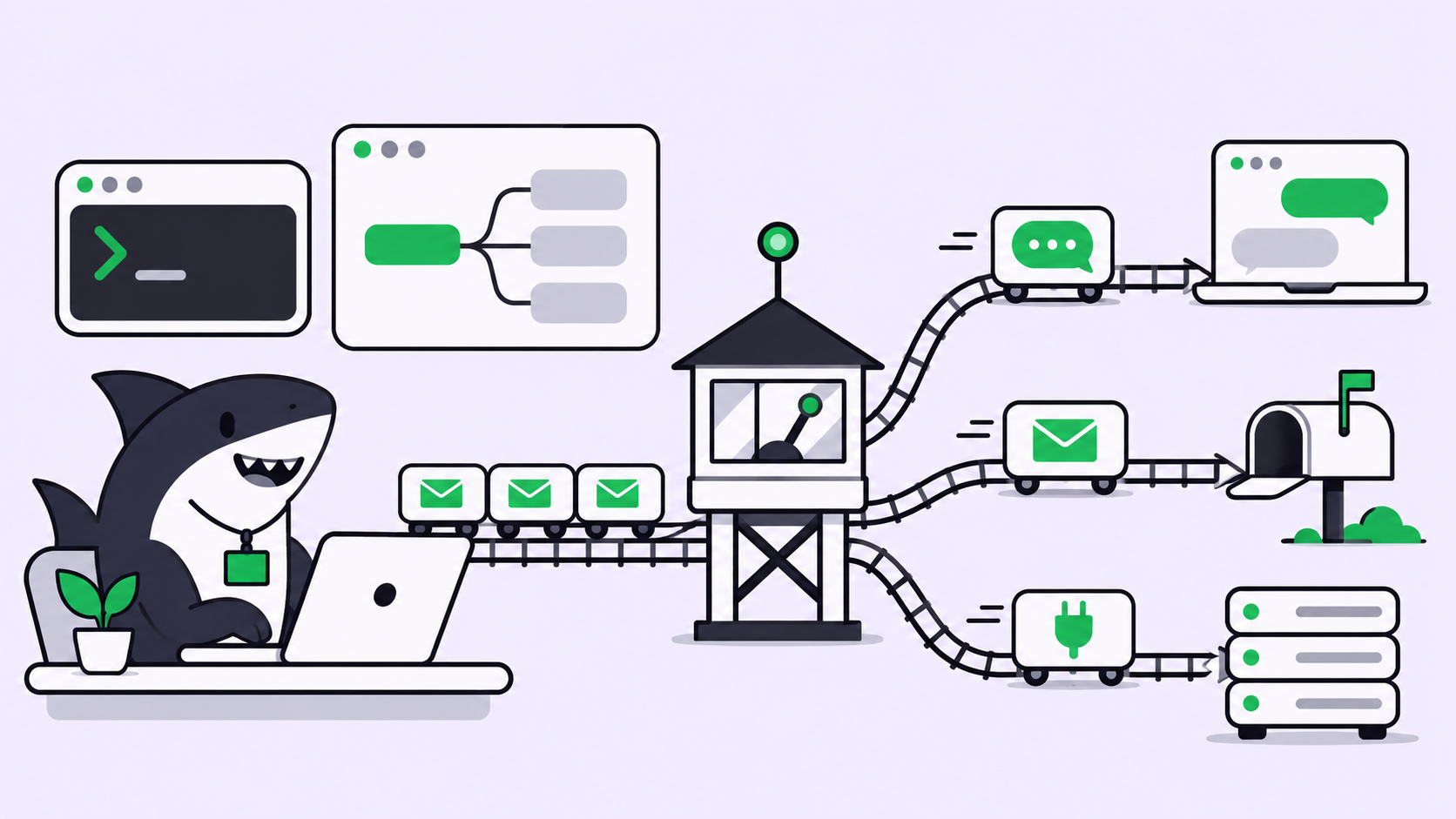
A run joins three things: the task, the Agent, and a Runtime on a Computer. Sharkly keeps the record; the Computer does the work.
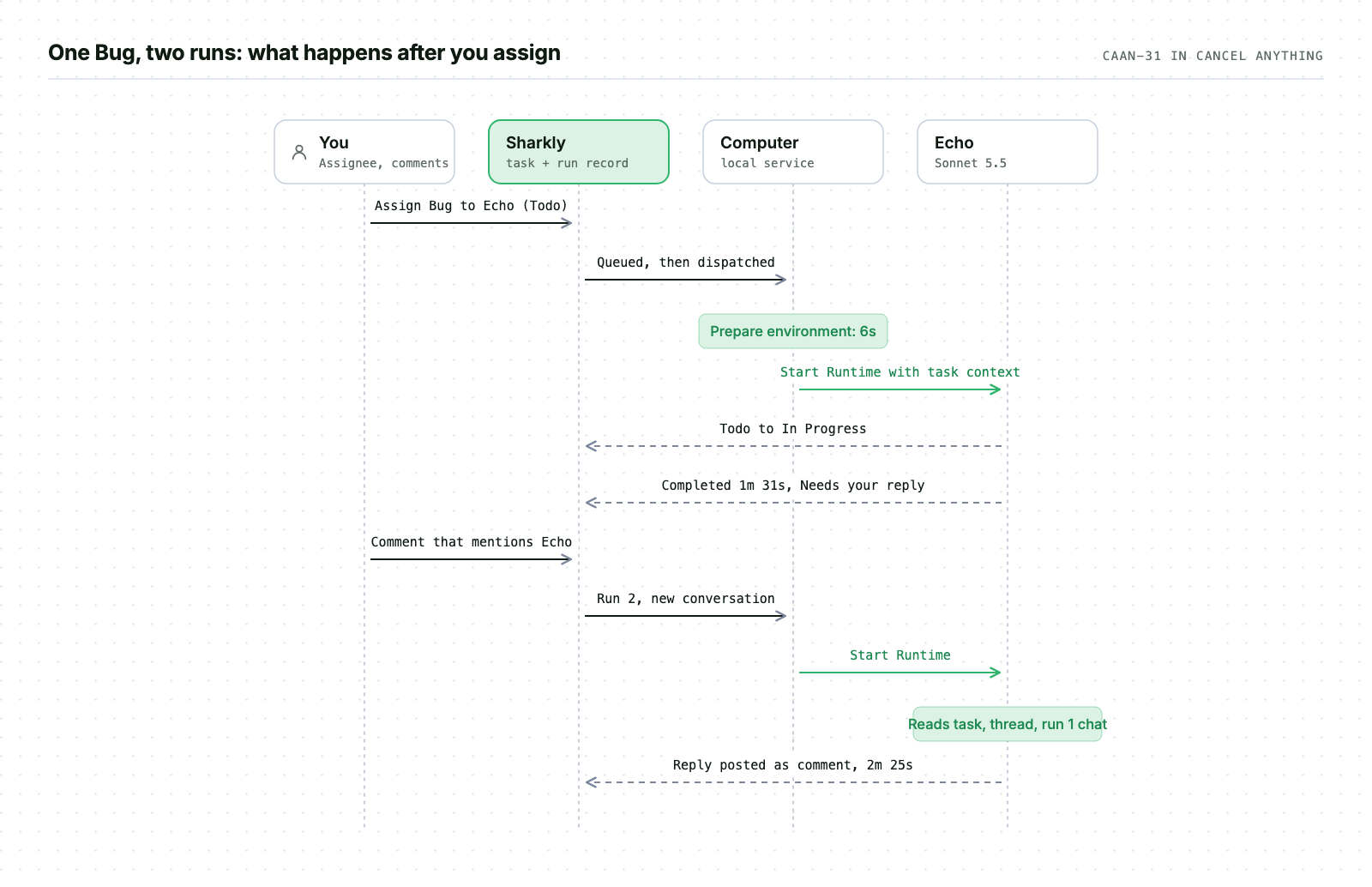
The help page on agent task execution lists the run states:
| Run state | What it means |
|---|---|
| Queued | Accepted, waiting for capacity |
| Dispatched | Claimed and starting on the Computer |
| Waiting for local directory | No configured directory is free |
| Running | The Runtime is working (the app labels it Working) |
| Completed | Finished successfully |
| Failed | Ended with an execution error |
| Canceled | A person or the system stopped it |
Run states are separate from task statuses. A run can complete while the task stays in In Progress. Which statuses start a run at all is covered in Sharkly task statuses and agent runs.
Step 1: Assign the task to the Agent
Open the task and click Assignee in the property row. The picker lists Crews, Agents and People, each Agent with its role.
Hover over the Agent’s row. A model icon appears at the end, and its dropdown picks a model for this run only. Default keeps the Agent’s own model. We left Echo on Default.
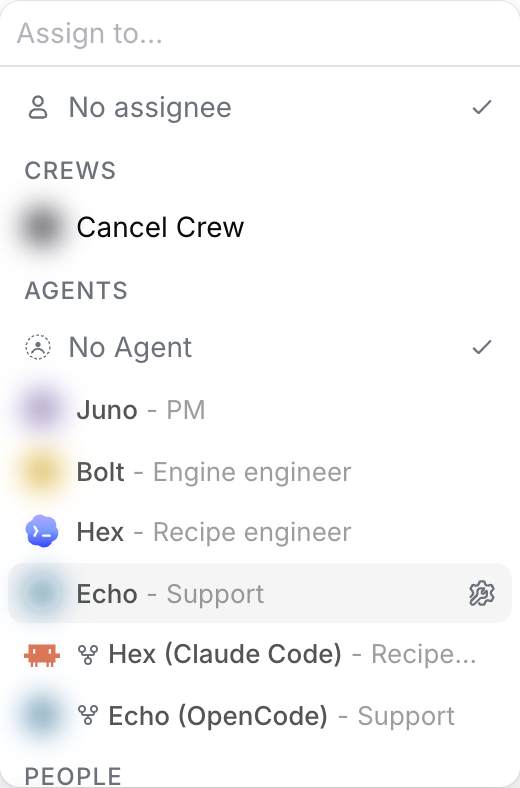
Click the Agent. If the task sits in Backlog, nothing starts; Backlog is a parking area. CAAN-31 was in Todo, so the run started at once.
Step 2: Watch the run get picked up
The conversation panel opened on its own, headed Echo · Runs current task. Within a second it read Working 1s, with Preparing environment and Started below.
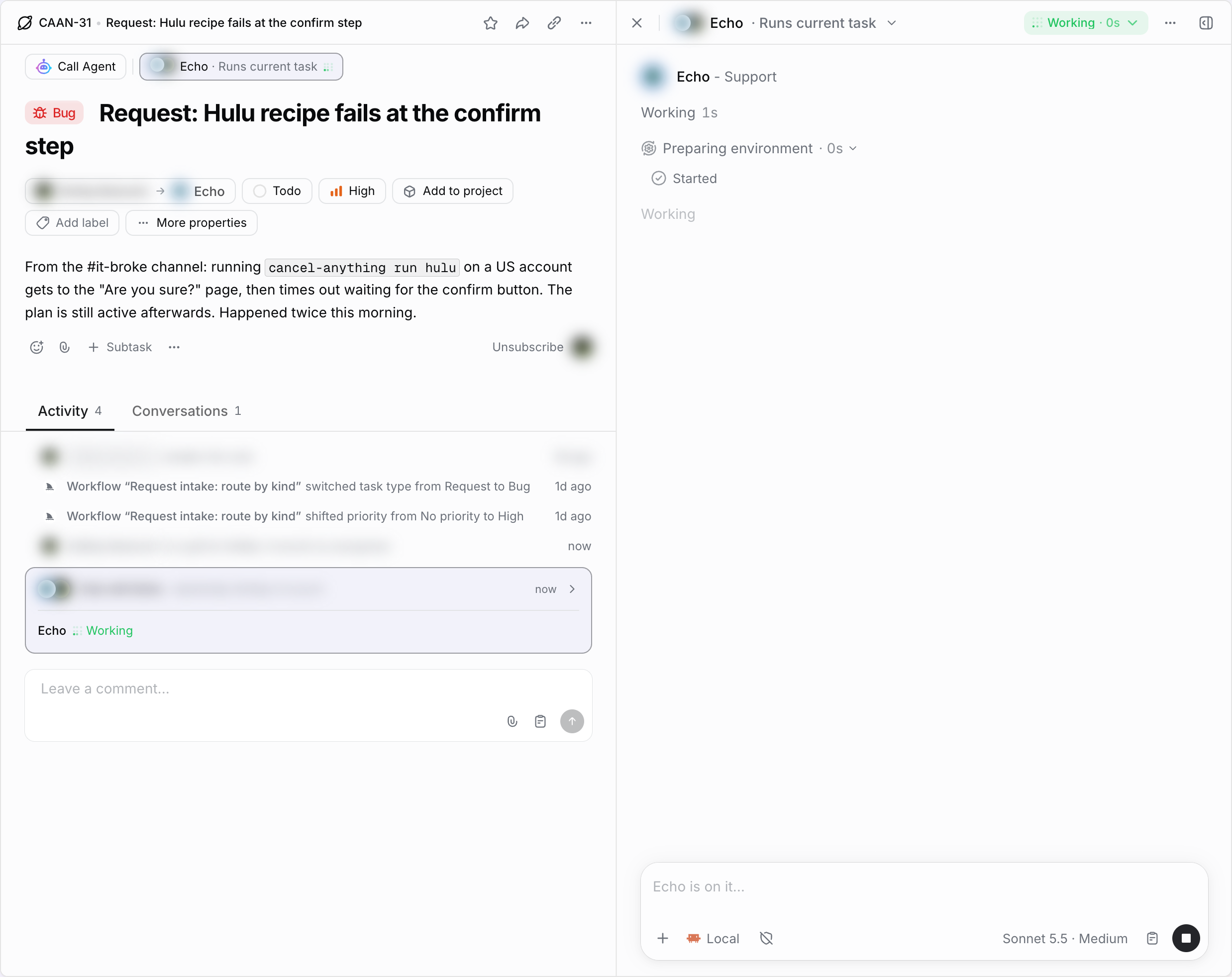
We never saw Queued. The run log shows it created and dispatched at 02:01:46 UTC and started one second later. Queued appears when something holds the run: the Agent’s concurrency is full, the Computer’s is full, load or memory protection is on and tripped, or the Agent is already busy on this task. The queued card names the reason and links to the setting.
Step 3: See what Sharkly prepared
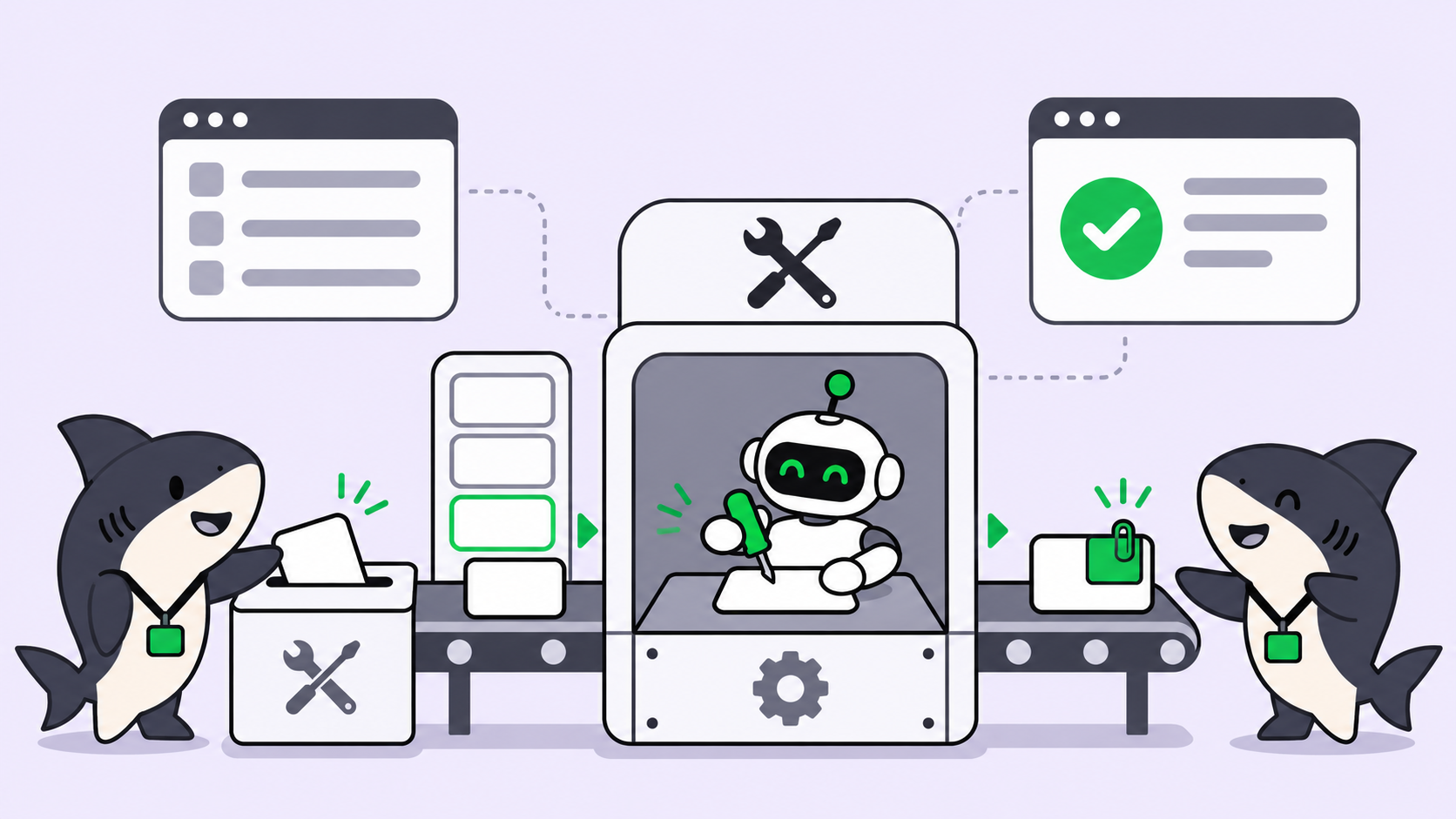
Before the Runtime starts, the Computer’s local service gets the run ready. Depending on the Agent’s settings, it waits for a free directory, creates a temporary directory, checks out repositories, projects environment variables and credentials, and builds the Runtime command.
For Echo, Environment prepared took 6 seconds. Echo uses a Specified directory that runs in place, so there was no clone or worktree; the composer shows that folder as a chip. An Agent on Use temporary directory gets its own git worktree per run, so parallel tasks don’t touch the same files. The working directory guide covers both modes.
The run also receives the task’s context:
- title, description, status, priority, type and labels
- Space, Project and Sprint
- recent comments and the comment that triggered the run
- the task type’s Workflow and its allowed statuses
- the Agent’s instructions and Skills
- repositories, environment variables and timeouts
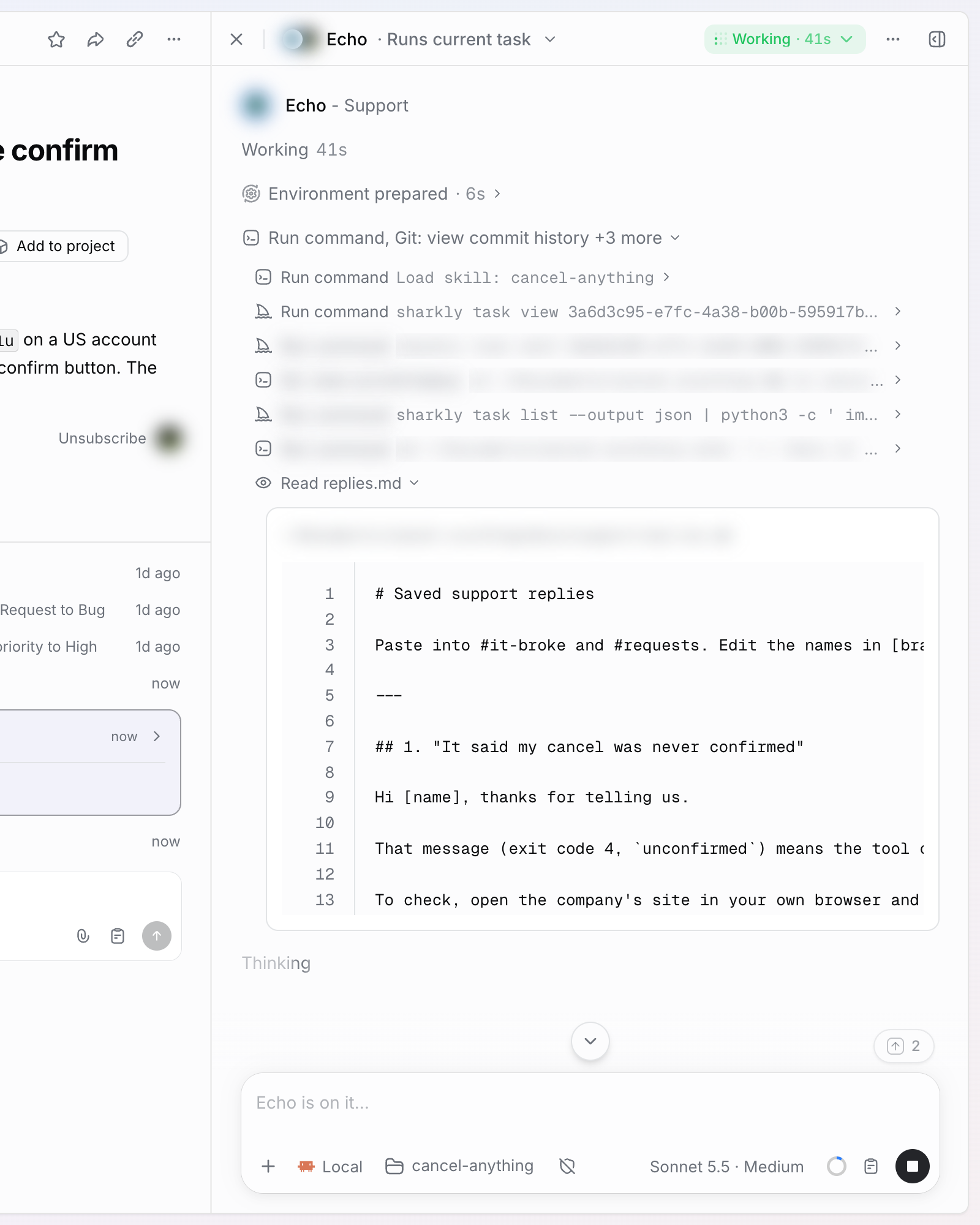
Every command streams into the panel. Echo loaded its cancel-anything Skill, read the task, searched the repo for a Hulu recipe and tried the reporter’s command. The square button in the composer stops the run. A canceled run doesn’t resume in place; you start a new one.
Step 4: Read the result on the task
The run ended at Completed 1m 31s. The conversation header switched to Needs your reply, and Activity logged two lines: Echo switched status from Todo to In Progress and Echo completed the run.
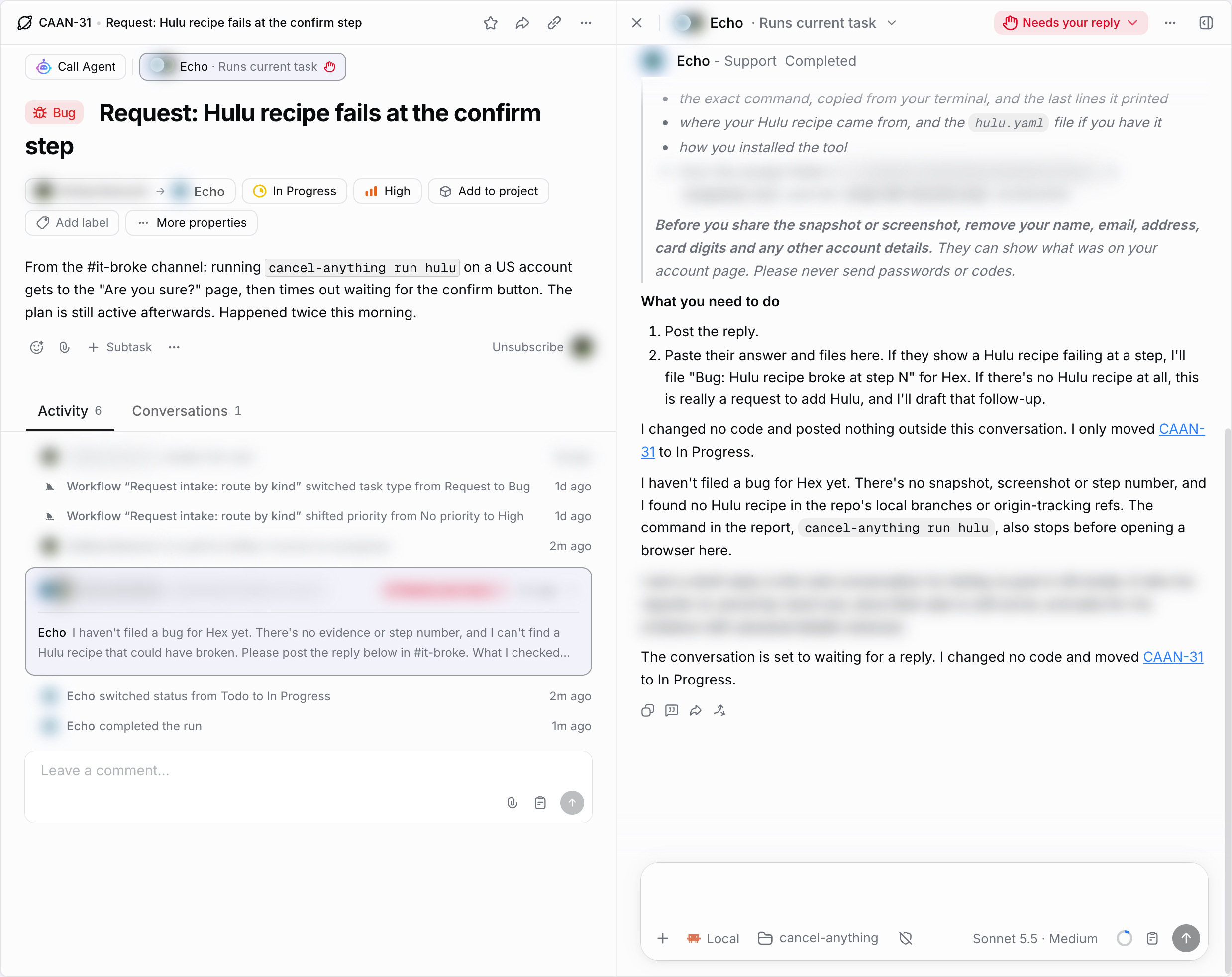
The real result surprised us. Echo found no Hulu recipe on any branch it searched, and run isn’t one of the CLI’s commands (it’s cancel). So Echo filed no bug for Hex, the recipe agent. It drafted a reply for #it-broke telling the reporter to cancel by hand now and asking for the exact command and the receipt files, with personal details removed.
Step 5: Find the run later
Every run lands in the Agent’s history. Open the Agent, click Settings, then the Run history tab. Each row shows the source (Bug, Automation, Request, Workflow), the first line of the answer, the age, and the state the conversation was left in.
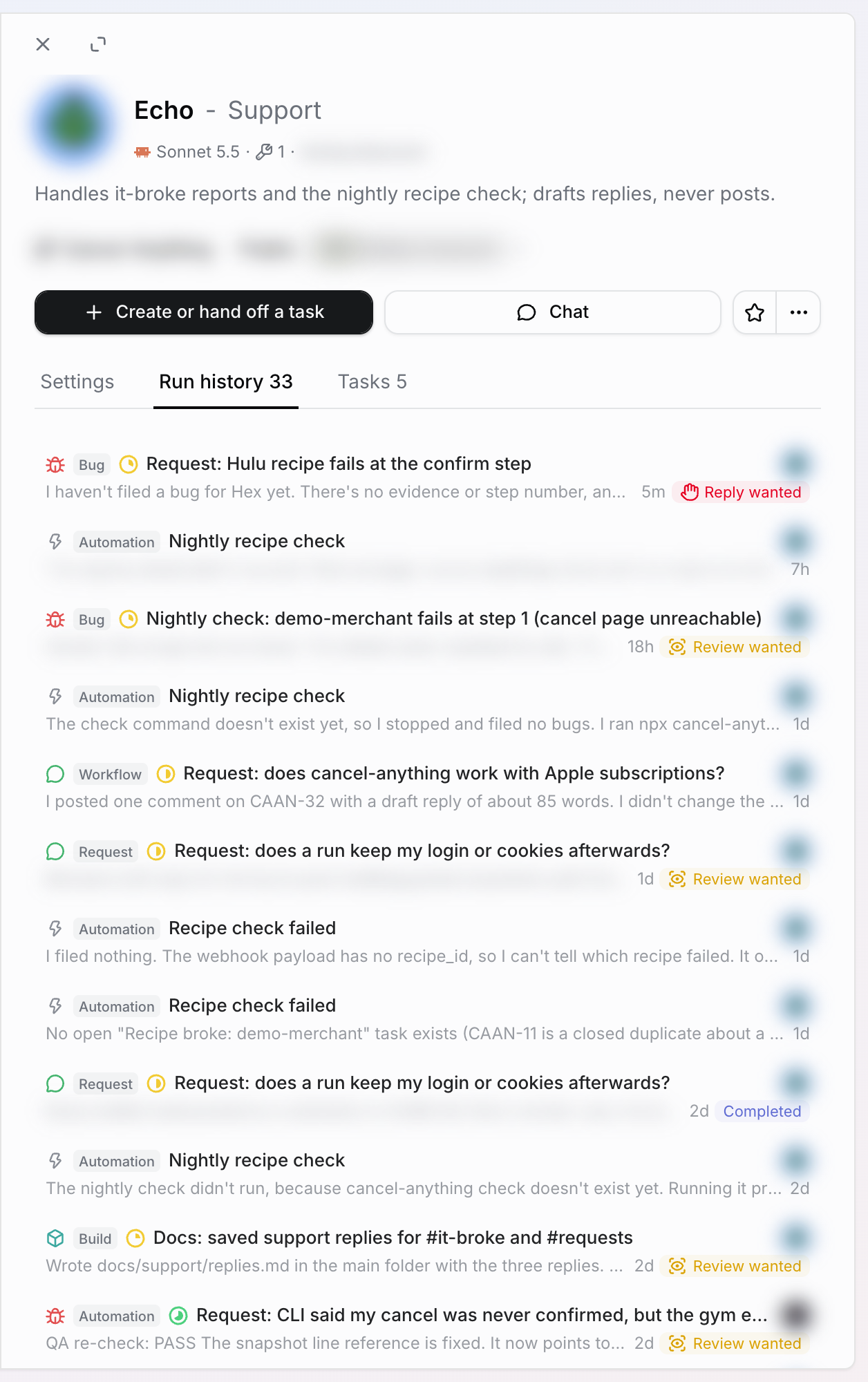
Each run also records Triggered by. The run executes with that person’s permissions, capped at the Agent owner’s.
Step 6: Send a follow-up
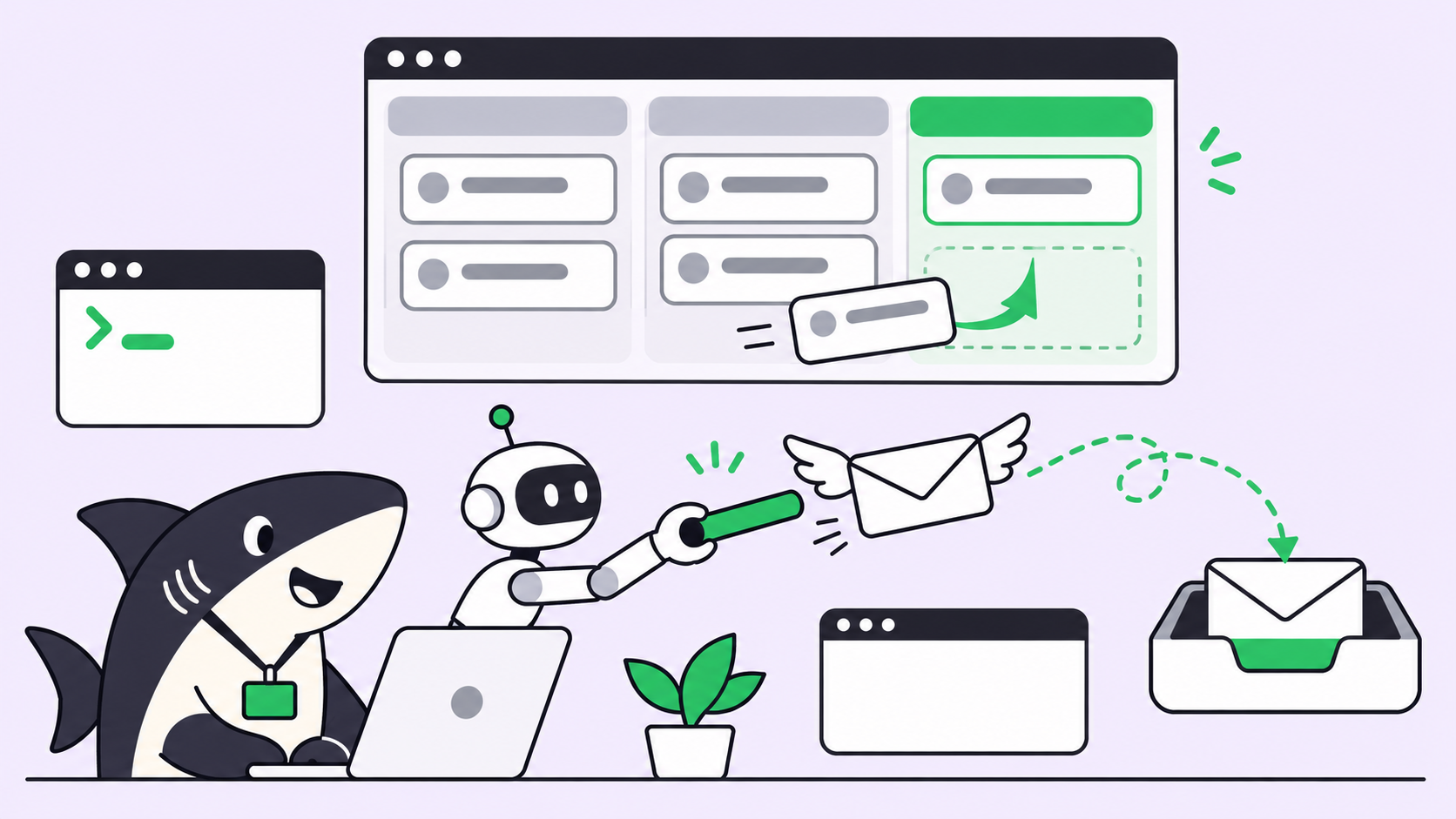
A plain comment doesn’t wake the assignee. To start a second run, @mention the Agent. We posted:
@Echo No answer from the reporter yet. Before I post it, add one line to your draft reply:
if `cancel-anything cancel hulu` prints `No recipe "hulu"`, Hulu isn't supported yet and
they can ask for it in #requests. Then post the final reply as a comment here so it lives
on the task. Keep it under 150 words.
Run 2 started within seconds and finished in 2m 25s. The comment’s thread now holds Echo’s 125-word reply, and the side panel lists two conversations and Runs 2 under Token usage.
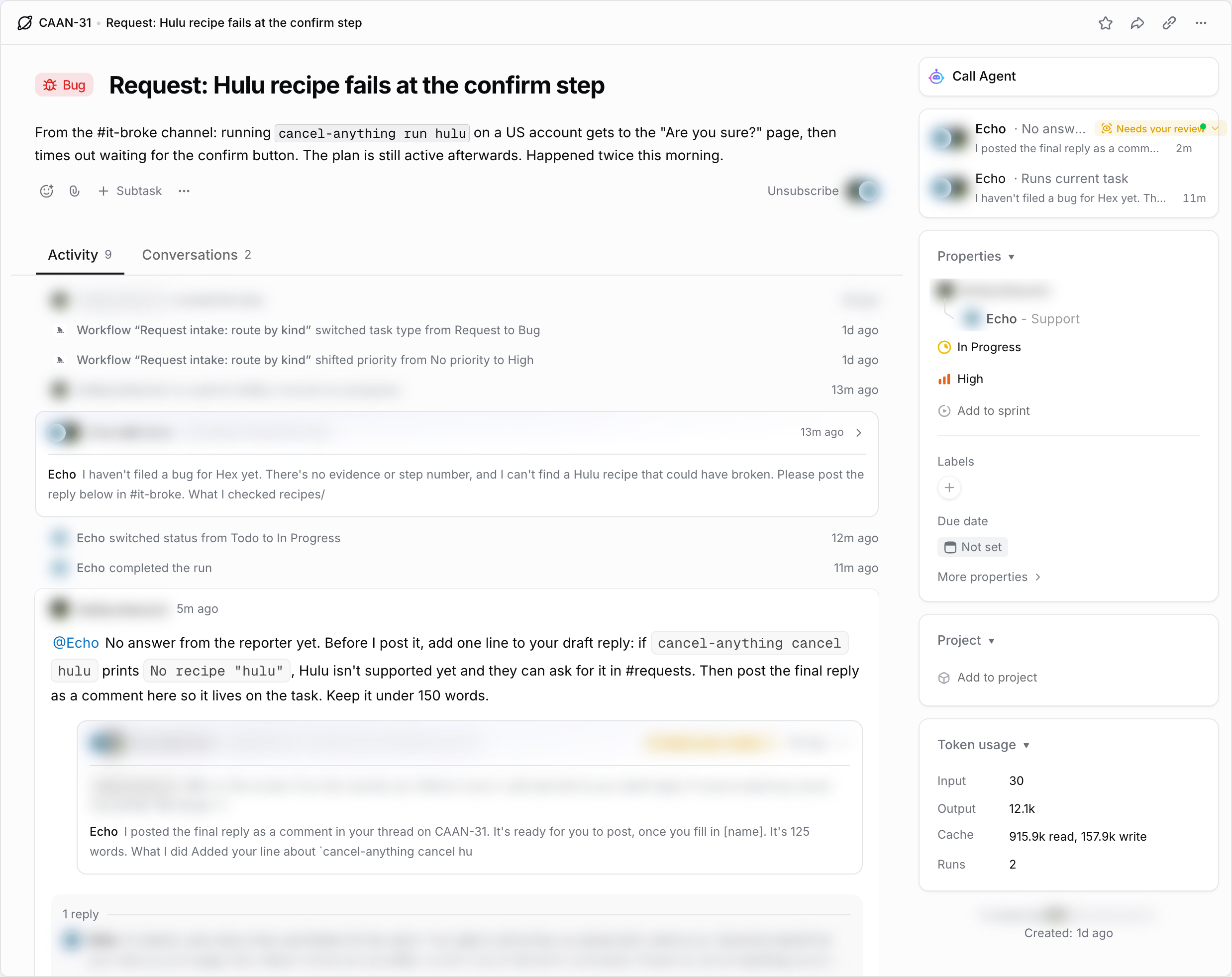
The mention opened a new conversation, not the first one. Echo still reused run 1’s work: it read the task, the comment thread, and then the first conversation’s messages, and built on its own draft.
Limits worth knowing
Open the Agent’s Settings, then Computer, Runtime & working directory.
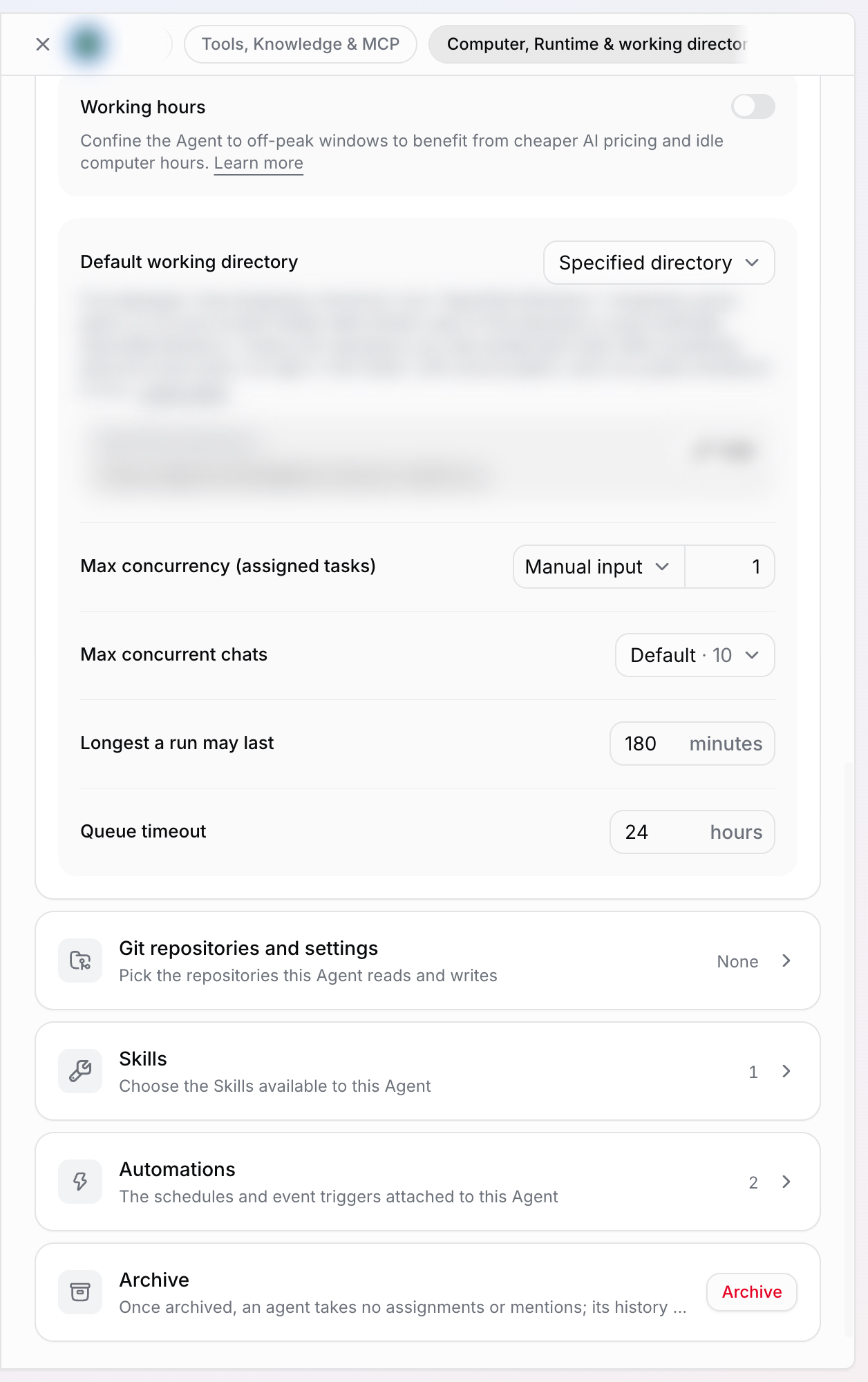
- Queue timeout: 24 hours by default, 1 to 168 hours. Past it, the run counts as failed and has to be triggered again.
- Longest a run may last: 180 minutes by default, 15 to 43,200 minutes, which is 30 days.
- Max concurrency (assigned tasks): Echo’s is 1, so a second assigned task would queue.
- A failed run keeps its execution log: a title, the model service’s technical details, and View help docs and Get help. An HTTP status is a clue, not a diagnosis. A 429 can mean a rate limit or an exhausted quota, as Anthropic’s error reference explains.
What went wrong for us
- Queued never appeared. Echo was idle, so dispatch took under a second. To see Queued, fill the Agent’s concurrency first.
- The follow-up opened a second conversation. We expected it to continue the first. Echo found its draft anyway, but if you want one thread, reply in the conversation panel instead of a task comment.
- The help page and the app use different labels. The help page says Running and Max run duration; the app says Working and Longest a run may last. We used the app’s.
- Our first comment didn’t post. The CLI returned a network error. We read the comments back before retrying, which avoided a duplicate run.
Two other ways teams use this
- A code team puts its engineer Agent on Use temporary directory. Each run gets its own worktree, so three bugs can run side by side on one repo.
- A team with long jobs raises Longest a run may last for a migration Agent and pairs it with working hours, so runs start overnight and nobody waits on them. For reviewing those runs, see when an agent run outlives your workday.
Recap checklist
- [ ] Task is out of Backlog before you assign
- [ ] Pick a per-run model from the Assignee row if you need one
- [ ] Watch Preparing environment, then Working
- [ ] Read the result, the status change and the conversation state
- [ ] Find old runs under the Agent’s Run history
- [ ] @mention the Agent to start a follow-up
- [ ] Check Queue timeout and Longest a run may last before long jobs
Want to watch your own run? Start free on Sharkly, connect a Computer, and assign one real bug.
FAQ
Why is my agent run stuck in Queued?
Something is holding it: the Agent’s or Computer’s concurrency is full, load or memory protection tripped, or the Agent is already working on that task. The queued card names the reason. If none applies, check that the Computer is online.
Does a plain comment restart the Agent?
No. Only a comment that @mentions an Agent or Crew starts follow-up work. A plain comment stays a comment.
What happens when a run hits the queue timeout?
It’s treated as failed and won’t start on its own. Trigger it again by retrying, @mentioning the Agent, or reassigning the task.
Can I stop a run halfway?
Yes. Use the stop button in the conversation’s composer. The task and its history stay; start a new run when you’re ready.
Does the run state change the task status?
No. Run states and task statuses are separate. In our run, Echo chose to move the task to In Progress through the Workflow.