TL;DR: A Codex sandbox team policy is one permission profile that every engineer’s Codex inherits. Define a shared dev profile in a base config.toml, let teams add entries through table merges, and lock the ceiling with allowed_permission_profiles in requirements.toml so nobody can switch to :danger-full-access. Then test the policy with codex sandbox before you roll it out.
Every engineer on your team runs Codex with a sandbox. The question is whether they all run the same one. On 2026-11-18 OpenAI published Inside the Codex sandbox, a detailed walk through permission profiles, the network proxy, and how Codex enforces limits on macOS, Linux, and Windows. Read it as a team lead and one practical question falls out: how do you write the policy once and make every laptop obey it?
This guide answers that with config you can copy. It builds on our earlier piece on sharing one Codex setup across engineers, which covered AGENTS.md and shared config. Here the subject is narrower and stricter: what Codex may read, write, and reach. If your agents run on your team’s own Computers through Sharkly, the same policy covers every run you dispatch, because the sandbox lives on the Computer, not in the chat.
Why a Codex sandbox policy drifts across a team
A sandbox policy drifts for the same reason any dotfile drifts: each engineer edits their own copy. One person adds network.enabled = true to get a package install through. Another switches to full access during a deadline and forgets to switch back. A third never changed the defaults at all.
Nothing about that is malicious. The trouble is that you can no longer answer a simple question: what can an agent on our team touch? Once agents run tasks nobody is watching live, that question stops being theoretical. Our checklist on coding agents leaking secrets shows how fast a readable .env file becomes a problem.
Codex gives you three tools to fix this: named permission profiles, layered configuration, and managed requirements. Used together, they turn a personal setting into a team policy.
How the Codex sandbox works
The Codex sandbox constrains commands in your existing environment instead of moving them into a container or VM. Codex uses each operating system’s own facility: Seatbelt on macOS, bubblewrap plus seccomp-bpf on Linux, and Microsoft’s MXC library on supported Windows devices. Every child process inherits the limits.
A permission profile is a named set of filesystem and network rules. Codex ships built-in profiles whose names start with a colon. According to OpenAI’s post, the built-in :workspace profile does three things in a Git repository:
- Allows writes inside the workspace, but keeps
.gitand.codexread-only. - Allows broad filesystem reads, subject to your normal OS permissions.
- Disables network access entirely.
Point 2 is the one teams underestimate. Broad reads keep compilers and SDKs working, but OpenAI says plainly that sensitive files elsewhere on the computer may stay readable. A team policy exists to close that gap.
Step 1: Write one shared permission profile
Start with a single custom profile that extends :workspace. This example follows the dev profile from OpenAI’s post and adds a domain allowlist:
# Base config shared by the whole team
default_permissions = "dev"

[permissions.dev]
description = "Team default: workspace writes, secrets denied, allowlisted network."
extends = ":workspace"

[permissions.dev.filesystem]
"~/build-cache" = "write"

[permissions.dev.filesystem.":workspace_roots"]
".devcontainer" = "read"
".vscode" = "read"
"**/*.env" = "deny"
"secrets" = "deny"

[permissions.dev.network]
enabled = true

[permissions.dev.network.domains]
"registry.npmjs.org" = "allow"
"pypi.org" = "allow"
"files.pythonhosted.org" = "allow"
"localhost" = "allow"
"127.0.0.1" = "allow"

[features]
network_proxy = true
Three details matter here. Filesystem entries take read, write, or deny. Rules under :workspace_roots apply to every workspace root, so .vscode becomes read-only in each one. And the network_proxy = true feature flag is not optional: OpenAI notes that without the proxy, network.enabled = true grants full network access and the domain rules are not enforced.
With the proxy on, explicit deny rules beat allow rules, and a request to an unlisted domain either waits for approval or gets blocked. The proxy also resolves a hostname only after the request is allowed, because a DNS lookup alone can leak data. Keep wildcards narrow for the same reason.
Step 2: Layer team overrides without forking the profile
Codex merges several config.toml files. The configuration precedence docs list the order, highest first:
| Rank | Layer | Where it lives |
|---|---|---|
| 1 | CLI flags and --config overrides |
The command line |
| 2 | Project config | .codex/config.toml (trusted projects only) |
| 3 | Profile files | ~/.codex/<name>.config.toml via --profile |
| 4 | User config | ~/.codex/config.toml |
| 5 | Cloud-managed defaults | Delivered for the signed-in workspace |
| 6 | System config | /etc/codex/config.toml on Unix |
| 7 | Built-in defaults | Codex itself |
The merge rule is what makes team policy practical. Tables merge recursively, the higher layer wins on a conflict, and arrays are replaced whole. Profiles store paths and domains as tables, so a team can add one entry and still inherit every other entry from the base.
A frontend team that needs its IDE folder protected and one extra API adds only this:
[permissions.dev.filesystem.":workspace_roots"]
".idea" = "read"

[permissions.dev.network.domains]
"api.example.com" = "allow"
Everything else in dev still comes from the base file. When the platform team tightens the base, every team picks up the change. Put the base in the system or cloud-managed layer, and keep team additions in user or project config.
One trap: the project layer loads only for trusted projects. If someone flags a project as untrusted, Codex skips its .codex/ folder entirely, so never put the security floor in the repository.
Step 3: Lock the ceiling with requirements.toml
Config sets defaults. Anyone can override a default. A policy needs a ceiling, and that is what managed requirements provide. Requirements live in requirements.toml and constrain what users may choose, rather than suggesting a starting point.
The key field is allowed_permission_profiles. When present, it is the complete allowlist: profiles set to true are allowed, and anything omitted or false is denied, including built-ins added in future Codex versions. Here is a policy that forbids full access:
default_permissions = "dev"

[allowed_permission_profiles]
":read-only" = true
dev = true
# ":danger-full-access" is omitted, so it is denied.

[permissions.dev]
description = "Team default: workspace writes, secrets denied."
extends = ":workspace"

[permissions.dev.filesystem.":workspace_roots"]
"**/*.env" = "deny"
"secrets" = "deny"

[permissions.filesystem]
deny_read = [
  "/**/*.env",
  "~/.ssh",
]
The managed configuration docs recommend defining the custom profile inside the requirements source, so its behavior stays under central control. The deny_read list goes further than a profile rule: users cannot weaken it locally, and when it is present Codex refuses full-access permissions altogether.
Version matters. Permission-profile allowlists require Codex 0.138.0 or later, and Codex 0.137.0 and earlier ignore both allowed_permission_profiles and managed default_permissions. Upgrade the whole fleet before you deploy custom managed profiles.
Which requirements source wins?
For local execution, OpenAI lists four sources from lowest to highest priority:
- The system file:
/etc/codex/requirements.tomlon macOS and Linux,%ProgramData%\OpenAI\Codex\requirements.tomlon Windows. - Agent Security requirements delivered in the cloud config bundle.
- Legacy
managed_config.tomlfields reinterpreted as requirements. - macOS managed preferences pushed through MDM.
A higher layer can switch off a profile that a lower layer allowed. If the cloud policy sets ":workspace" = false, the same entry set to true in the system file is not honored. That lets a security team tighten the policy for everyone without touching a single laptop.
Step 4: Test the policy before anyone depends on it
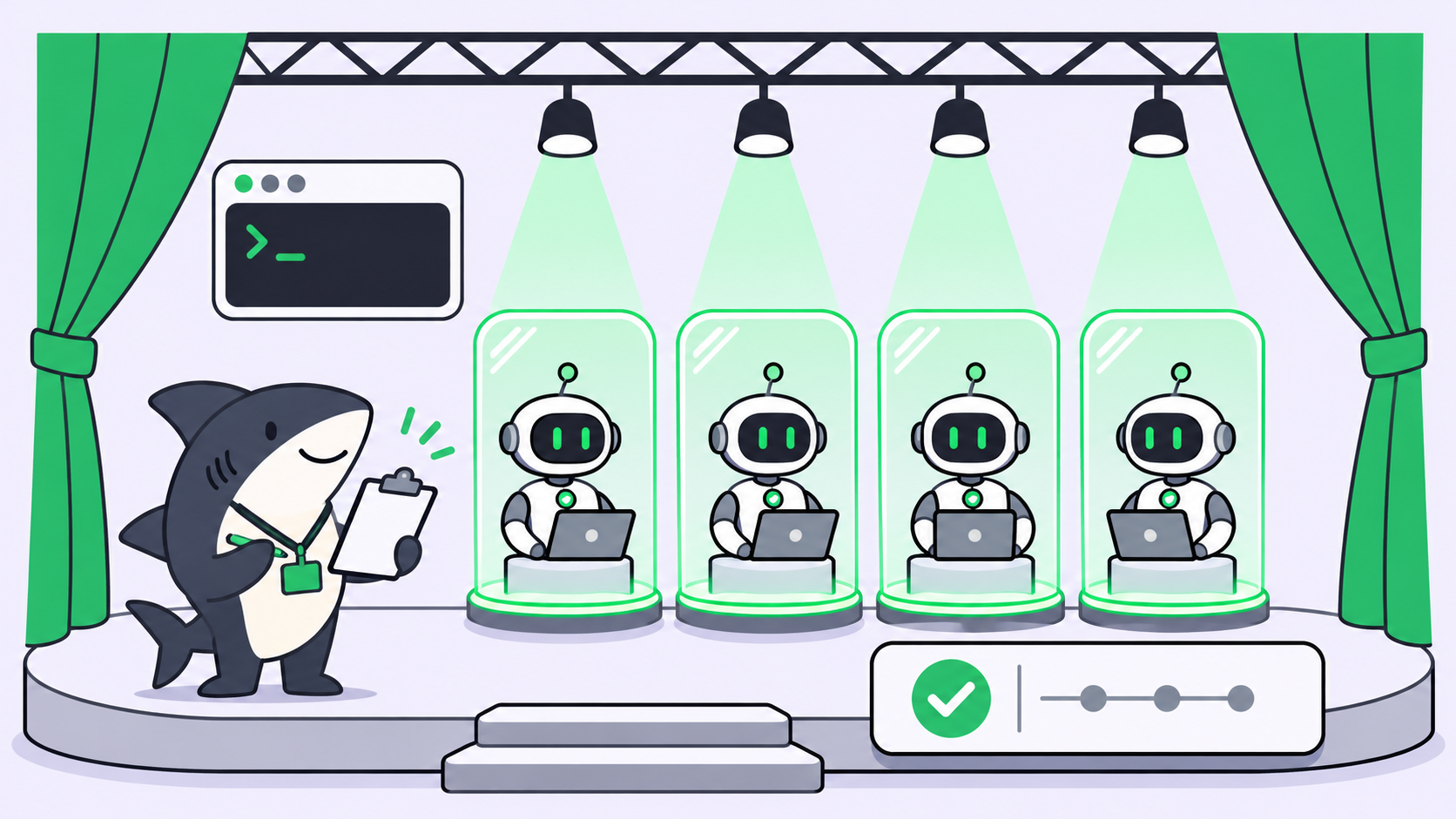
The codex sandbox command runs any command under a named profile, outside an agent session. Use it to prove each rule blocks what it should:
# Should fail: .vscode is read-only under dev
codex sandbox --permission-profile dev -- \
  bash -c 'echo "{}" > .vscode/settings.json'

# Should fail: .env files are denied
codex sandbox --permission-profile dev -- cat config/prod.env
On macOS the first command returns Operation not permitted. Turn these checks into a short script, run it on one computer per operating system, and keep it next to the policy file. A rule you never tested is a rule you only hope works.
Step 5: Sandbox the MCP servers too
Codex does not sandbox stdio MCP servers on its own, because it cannot know which files or hosts a server needs. An npx server therefore runs with your full user permissions. OpenAI’s fix is to wrap the launch command in codex sandbox with its own narrow profile:
[permissions.memory-mcp.filesystem]
":root" = "read"
"~/.npm" = "write"
"~/mcp-data" = "write"

[permissions.memory-mcp.network]
enabled = false

[mcp_servers.memory]
command = "codex"
args = ["sandbox", "--permission-profile", "memory-mcp", "--",
        "npx", "--offline", "@modelcontextprotocol/[email protected]"]
Add one profile per MCP server to the shared base, and the whole team gets the same containment for the tools agents call most.
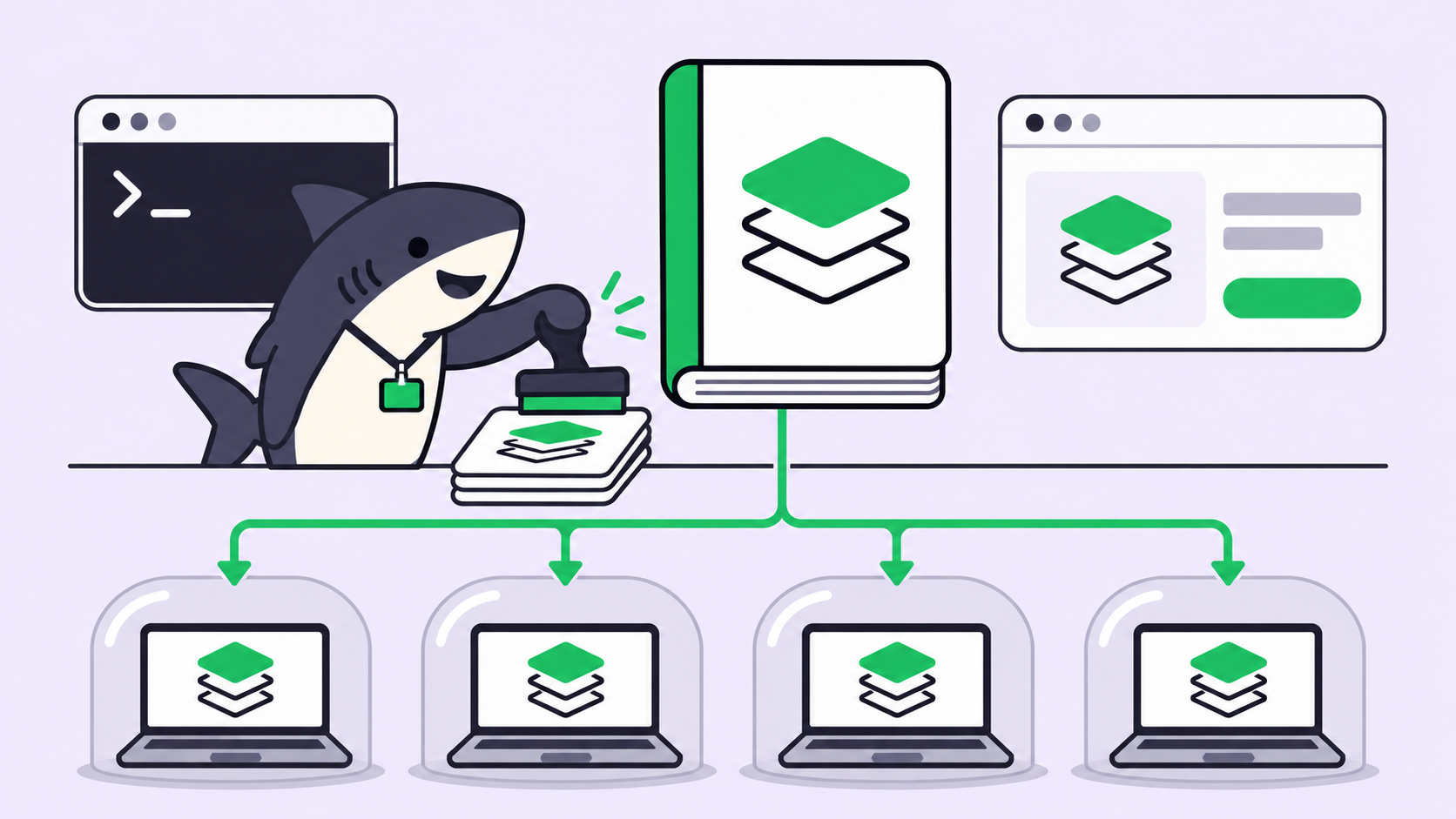
The diagram below shows how the pieces stack on one computer.
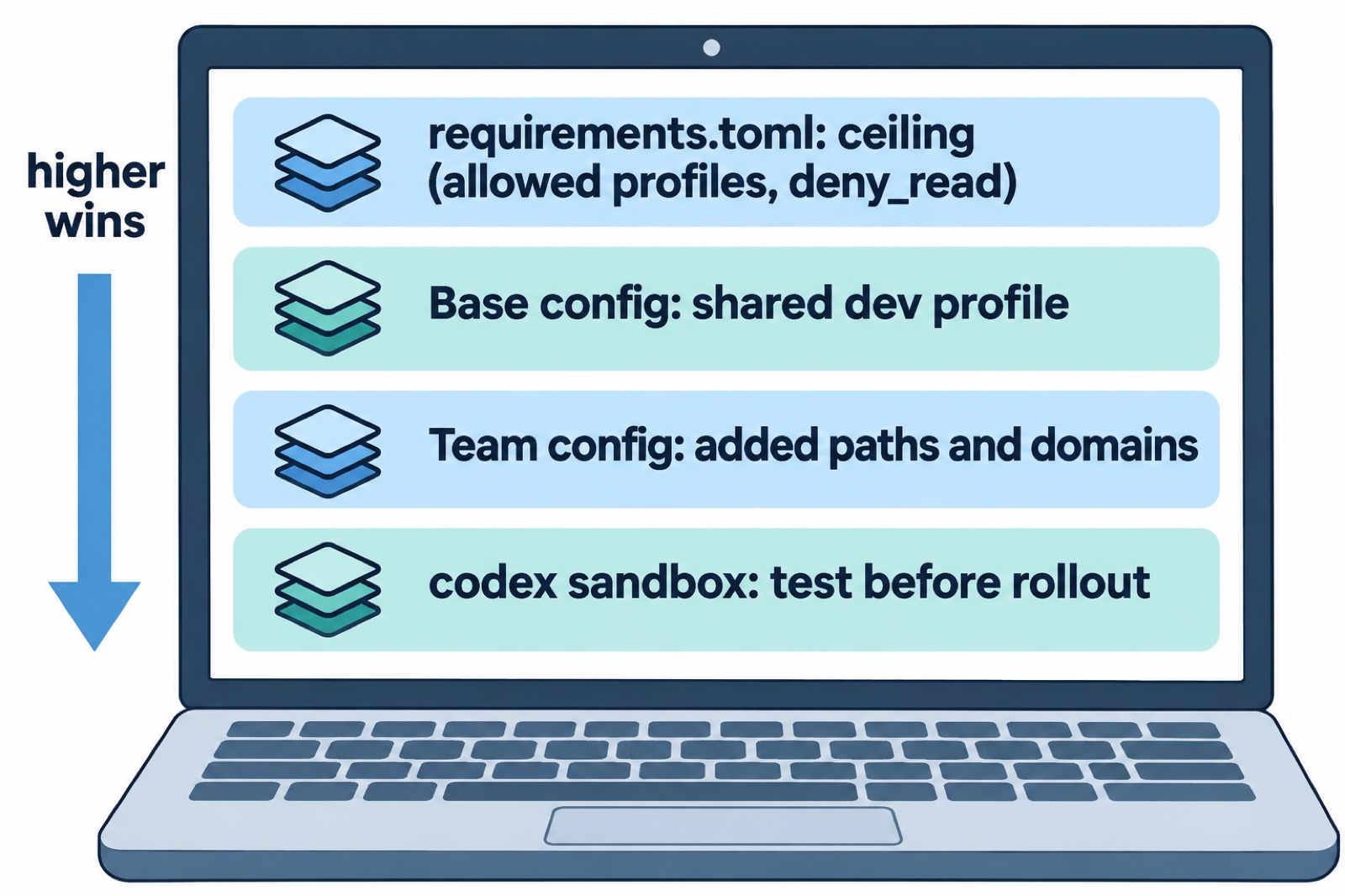
Applying one sandbox policy to every agent run in Sharkly
A policy only counts if it holds for runs nobody is watching. That is where an agent work layer comes in. In Sharkly, an Agent’s work runs through a Runtime, such as Codex, on a connected Computer. The local service on that Computer starts the Runtime, prepares the task directory, and streams progress back to the Task.
Because Codex runs on the Computer itself, it loads that Computer’s system config, user config, and requirements.toml like any other Codex session. Install the policy once per Computer, through MDM, a provisioning script, or a cloud-managed workspace, and every Task an Agent picks up on that Computer runs under it. The policy travels with the Computer, not with the Task.
That split keeps responsibilities clean. Codex enforces what a run may touch. Sharkly decides which Task runs, on which Computer, and puts the result in front of a human for review. If you want to compare this with hosted execution, our breakdown of Codex cloud versus your own Computers covers the trade-offs, and the Sharkly docs explain how to connect a Computer and check its Runtimes.
Alternatives: containers and VMs
Containers and VMs isolate an agent by moving it into a separate environment. They give a clean boundary and suit CI jobs and throwaway workspaces. The cost, as OpenAI points out with an iOS example, is that host-only toolchains and simulators do not run inside a Docker container without extra plumbing, and that plumbing needs its own limits.
You can combine both. Run Codex with a strict profile on developer laptops and inside a container in CI. What you should avoid is treating either one as the whole answer. Our guide to what a coding agent should and shouldn’t be allowed to do covers the policy questions that sit above the mechanism.
Conclusion
A Codex sandbox team policy comes down to four moves: one shared profile, table-based team overrides, a requirements.toml ceiling, and a test script you run before rollout. Each piece is plain TOML, so it goes through code review like everything else.
Write the base profile this week, deny .env and secrets, and block :danger-full-access in requirements. Then connect your team’s Computers to Sharkly so every Codex run you assign lands on a Computer that already enforces it.
FAQ
What is a Codex permission profile?
A permission profile is a named set of filesystem and network rules that the Codex sandbox enforces for a session. Built-in profiles start with a colon, such as :read-only, :workspace, and :danger-full-access. You define your own under [permissions] in config.toml and can extend a built-in with extends.
How do I stop engineers from using :danger-full-access?
Add allowed_permission_profiles to requirements.toml and leave :danger-full-access out or set it to false. When the table is present, any profile not set to true is denied. This needs Codex 0.138.0 or later on every computer.
Does a project’s .codex/config.toml override the team policy?
It can override defaults, but not requirements. Project config also loads only for trusted projects. Keep the security floor in requirements.toml and the shared base in system or cloud-managed config.
Can I restrict Codex network access to specific domains?
Yes. Enable the network for the profile, list domains under [permissions.<name>.network.domains], and turn on features.network_proxy. Without the proxy, enabling the network grants full access and the domain rules are ignored.
How do I test a Codex sandbox profile?
Run codex sandbox --permission-profile <name> -- <command> with a command that should fail, such as writing to a read-only folder or reading a denied file. A blocked operation returns an error like Operation not permitted.
Does the Codex sandbox protect MCP servers?
Not by default. Codex does not sandbox stdio MCP servers, so wrap the server command in codex sandbox with a dedicated profile.