Quick answer: Free AI agents for teams take two $0 pieces: a shared board where People assign Tasks to Agents, and a coding agent that runs on a free model. Sharkly’s Free plan covers organizations of up to 5 people at $0 (checked October 29, 2026), and OpenCode lists free models today. The team rule that keeps it working: one Agent per Task, and a person reviews before merge.
Free AI agents for teams is a workflow question before it’s a pricing question. One developer running Claude Code or OpenCode in a terminal is easy. Five people sharing three agents on one repository is where it falls apart: two agents edit the same files, nobody knows which run finished, and review happens in a chat thread that scrolls away.
This guide shows how a small team runs coding agents together at $0. You’ll set up a shared board, give each Agent one job, isolate every Task in its own git worktree, and keep a human review step before anything merges. If you already run agents on your own, Sharkly is the layer that turns them into a team.
What a free AI agent team needs
A free AI agent team is a group of up to a few people who assign coding work to AI agents through one shared system, pay nothing for that system, and run the agents on free or already-paid model access. It needs five parts:
- A shared board where any teammate can see and assign Tasks
- Agents that live in the team’s Space, not on one person’s laptop
- A Computer, meaning a connected host where the coding agent runs
- A $0 model route for that coding agent
- A review gate between the agent’s branch and your main branch
Miss one and somebody pays in time, usually the person untangling two agents’ changes on a Friday.
The two bills behind “free”
Every agent setup has two costs, and “free” has to hold for both.
| Bill | What it pays for | $0 route today |
|---|---|---|
| Platform | The board, Agents, Crews, assignment, run history | Sharkly Free, up to 5 people |
| Model | The tokens each agent run consumes | OpenCode free models, or a plan you already pay for |
The platform side is settled. Sharkly’s pricing page states that “Free covers organizations of up to 5 people,” and that Free and Team “include the same Agents, Spaces, and integrations.” Agents, Crews, Computers, Runtimes and Guests don’t occupy seats, so a team of five can run ten Agents without changing plans. Sharkly “does not sell tokens”: runs bill to the coding plan or API account on the Computer you connect. Seat math is in in Sharkly pricing explained.
The model side moves faster. On October 29, 2026, the OpenCode Zen docs listed GLM-5.3-Flash Free and DeepSeek V4.1 Flash Free at $0 for input and output, “free on OpenCode for a limited time.” Both providers follow a zero-retention policy and don’t train on your data, per the same page. Some other free models exist to “collect feedback,” so read each note before you send company code. We track the list in OpenCode free models.
Gemini CLI was the usual free answer until June 2026. Its free route changed, so check is Gemini CLI free before you plan around it.
How to set up free AI agents for your team
This follows the Sharkly quickstart, adjusted for a team.
Step 1: Create the Organization and invite People
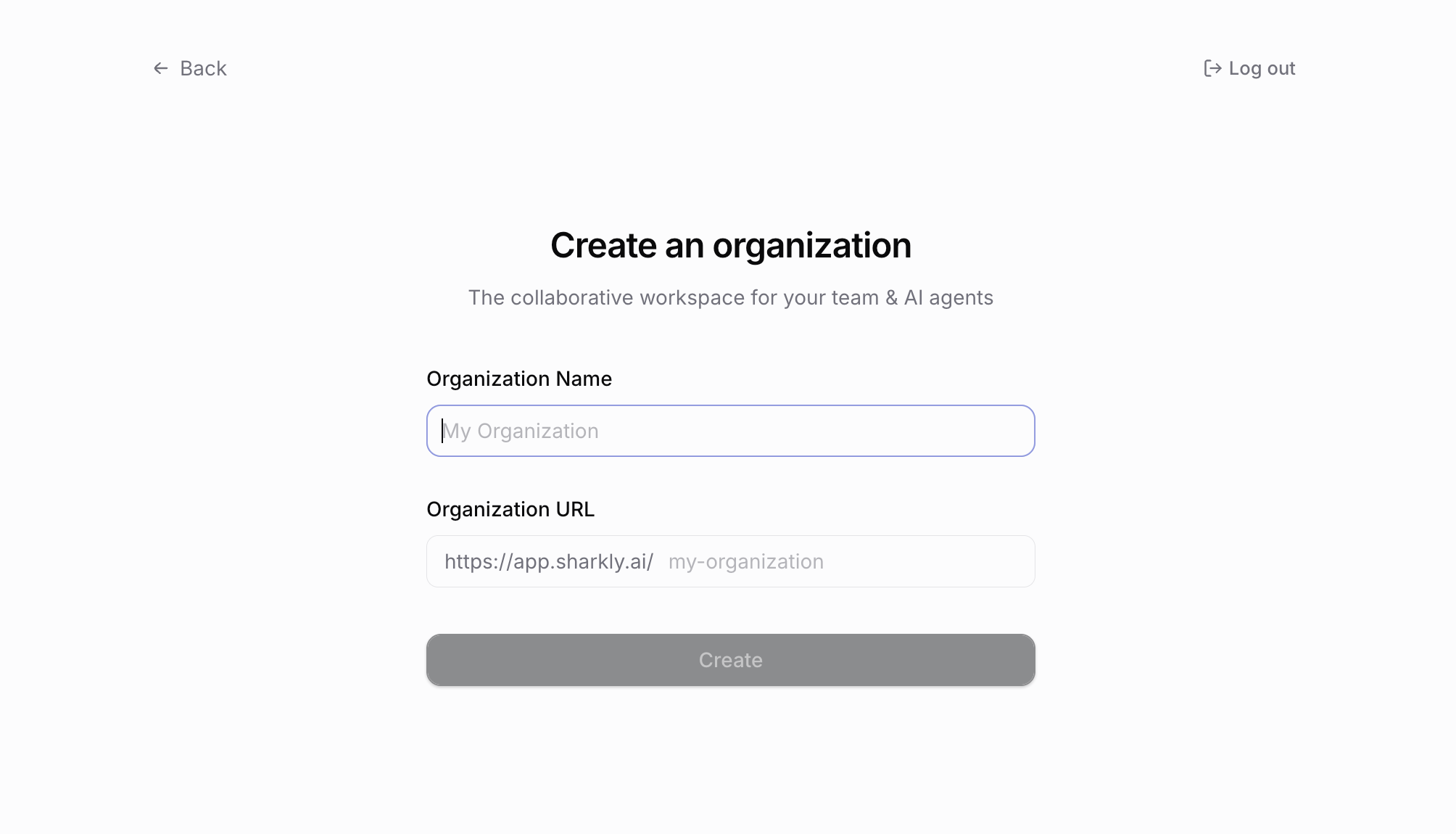
Sign in, create an Organization, and pick Software development when Sharkly asks what the Space is for. You get a Space named Default Space with Requirement and Bug task types ready.
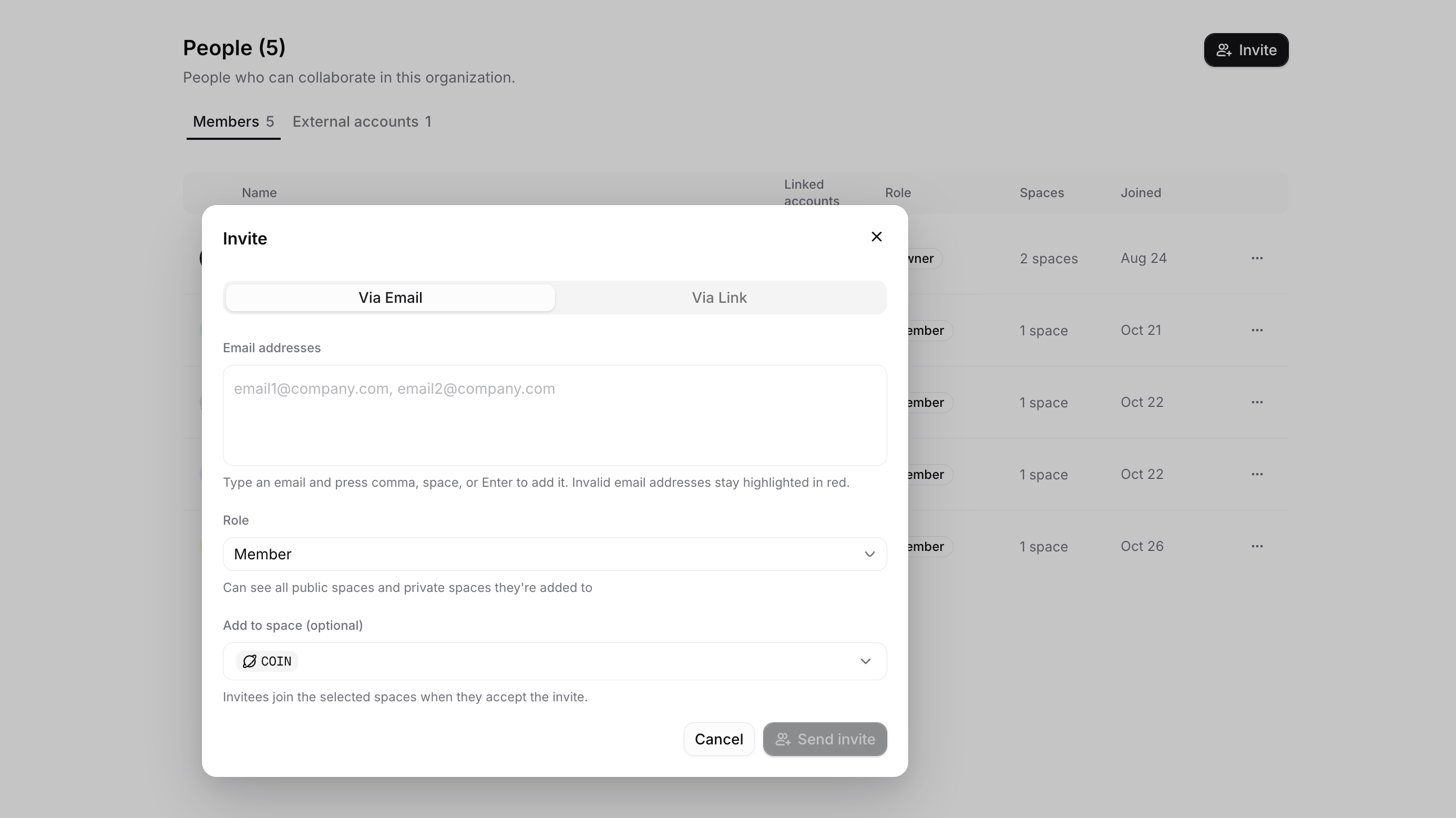
Then invite your teammates from People settings by email. Keep the count at five or fewer to stay on Free. A contractor who only needs one Space can join as a Guest: per the members docs, Guests see only the Spaces they’re added to, and the pricing page confirms they take no seat.
Step 2: Connect one shared Computer with a free runtime
A Computer is the host where agent work runs: a laptop, a cloud server or a VM. The desktop app detects installed coding tools and registers it; on the web, run the command from the Get started page.
Install OpenCode there, pick a free model, and confirm the Runtime shows Available on the Computer’s detail page. Online only means the connection is up.
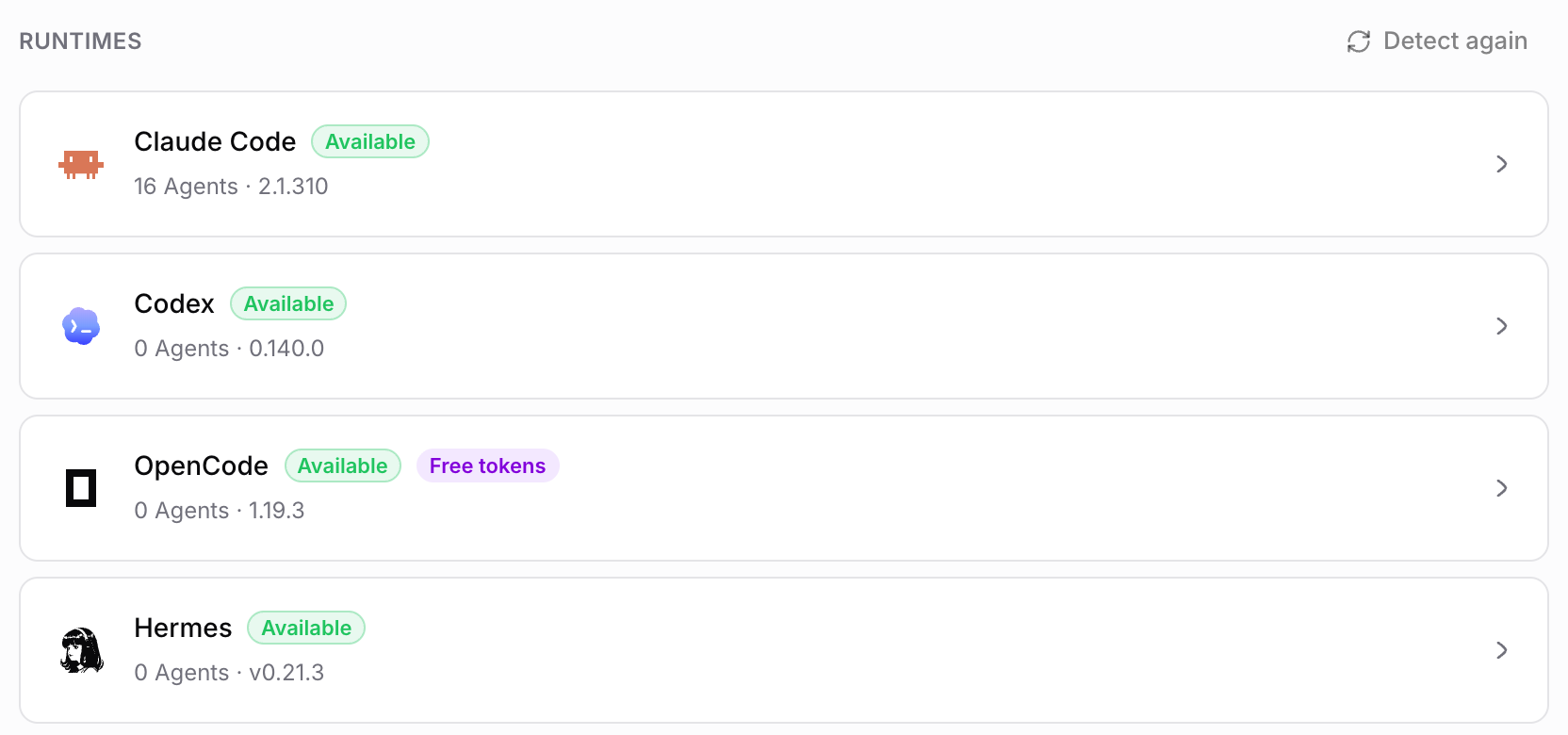
For a team, one always-on Computer beats five laptops. Tasks keep running when someone closes their laptop. One trap: every run bills to whatever model login sits on that Computer. On a free model that costs nothing. On a paid Claude Code or Codex login, one person’s subscription quietly carries the whole team’s runs.
Step 3: Create Agents with one job each
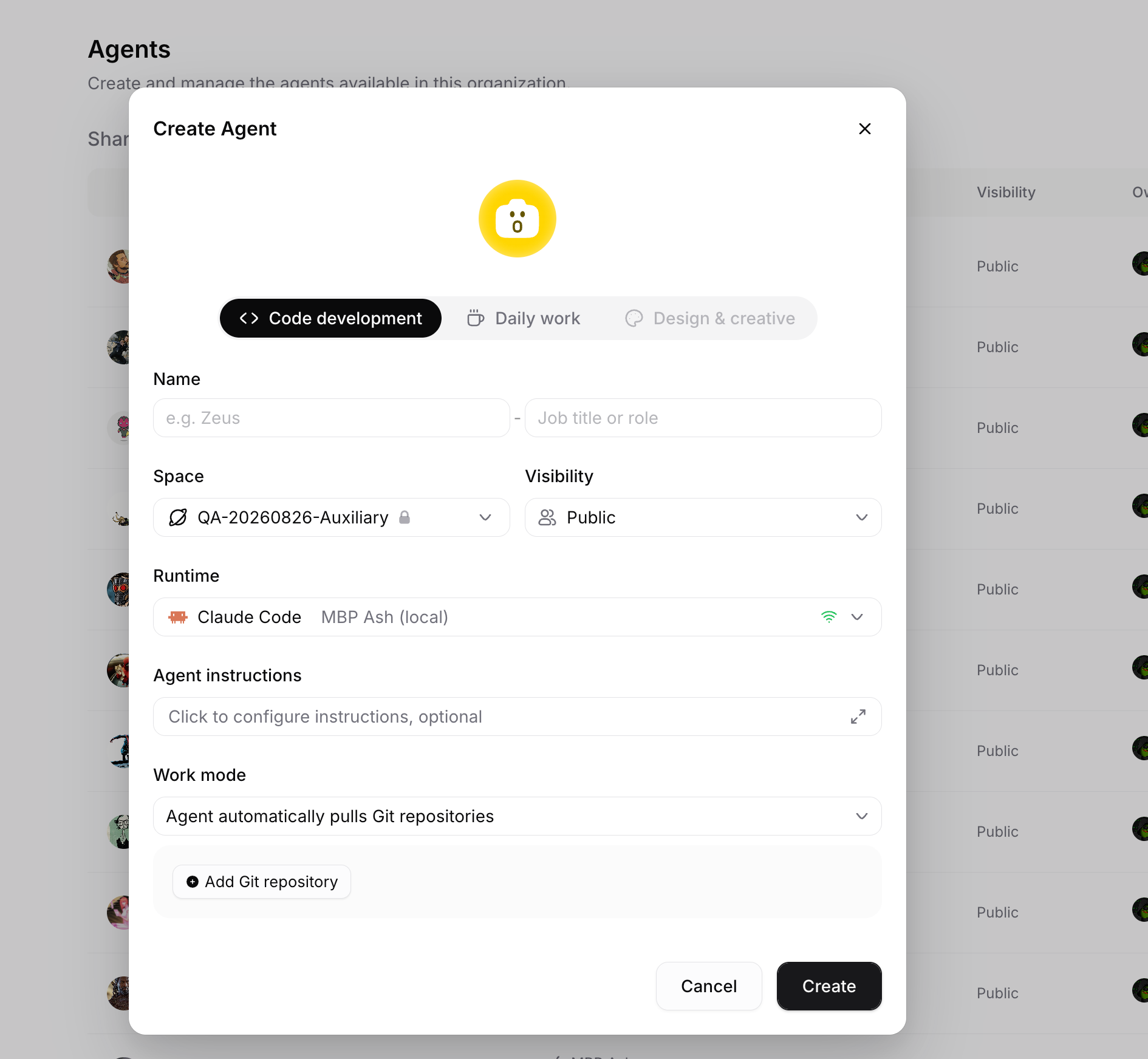
Open Agents, select Create Agent, and choose Code development. Give each Agent a narrow job: one fixes bugs, one writes tests, one updates docs.
Set the code source to “the Agent automatically pulls Git repositories” and add your repository. Then change visibility from Personal to Space. Per the Agents docs, a Space Agent is “available to People who can access the Agent’s Space,” so every teammate can assign it.
Step 4: One Agent per Task, one worktree per Task
Every Task gets exactly one Assignee, and each repository-backed run gets its own git worktree. The working directory docs give the example: “one Agent can fix a sign-in issue while another Agent adds tests,” each in its own worktree, without “coordinating changes in one dirty directory.”
To start a run, set the Agent as the Task’s Assignee. You don’t change the status first. The execution log shows progress, comments hold the conclusion, and anything that needs a person lands in Inbox. Results come back on a Task branch, so nothing touches main yet. We go deeper on this pattern in parallel agents in isolated worktrees.
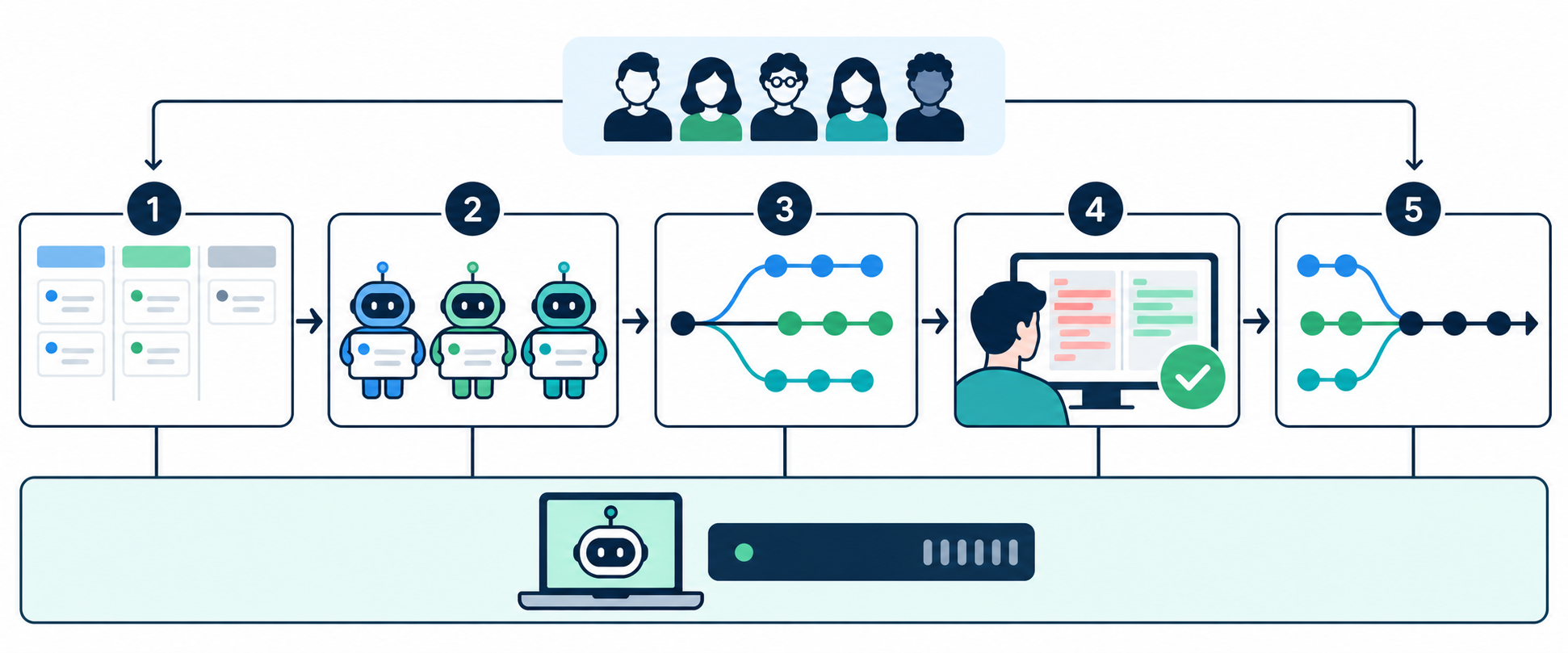
Step 5: Review before merge
The agent’s branch is a proposal, not a merge. A teammate reviews the Task’s worktree changes, then keeps, merges or discards them. If something is wrong, say so in a Task comment; the Agent continues with the context it already has.
Connect the GitHub integration if your team works in pull requests. A Task ID in the branch name, pull request title or body links the PR to the Task. Note the boundary the docs draw: “a merge does not change task status.” A person sets Done. For what a good reviewer checks, see how to review AI-generated code with task-level evidence and GitHub’s pull request review guide.
Team rules that keep it free and sane
Mechanics are half of it. Five agreements do the rest:
- Write the Task like a ticket for a new hire. Deliverable, constraints, and how to check it.
- No unassigned agent work. If it isn’t a Task, no Agent runs it.
- The requester reviews. Whoever filed the Task accepts or rejects the result.
- Small Tasks. A change you can review in ten minutes beats a 2,000-line branch.
- Record the model. Note which free model ran the Task, so you know what to blame when a route disappears.
Want the bigger picture on ownership? Agentic teams covers who owns the work when agents do it.
Where free stops
- People cap. The sixth person moves the organization to Team, $7 per person per month billed yearly. Agents still take no seat.
- Free models are temporary. OpenCode labels its free models “limited time.” Plan for a swap.
- Free-tier models are client-locked. OpenCode’s docs say “Free-tier chat models require OpenCode,” so they won’t run through Claude Code or Codex.
- “Free today” is not “free forever.” Sharkly’s pricing FAQ says the service “is currently offered free of charge” and you won’t be charged unless you later complete a purchase after updated terms are posted.
Other $0 routes for teams
Self-hosted boards and desktop apps also run agents for $0, with different hosting and visibility trade-offs. Our ranked list of free AI agent platforms compares ten of them by free cap and next price. If your team’s work is long-running research rather than code, Pokee AI agents for teams covers that shape.
Real-world use cases
- Two founders. They file Tasks by day; a bug-fix Agent and a test Agent take them overnight on one shared Computer.
- A five-person product team. Each developer keeps their own paid agent for deep work and shares Space Agents on free models for chores: dependency bumps, test coverage, docs.
- A student team. Everyone stays at $0: Free plan, one lab server as the Computer, OpenCode with a free model.
Conclusion
Free AI agents for teams work when the free parts carry structure: a shared board, one Agent per Task, isolated worktrees and a human who reviews before merge. The platform side is $0 for up to 5 people on Sharkly today; the model side is $0 while OpenCode’s free models last.
Your next step: connect one Computer, create one Space Agent, and assign it something boring. Start on Sharkly Free and follow the quickstart.
FAQ
Are there free AI agents for teams?
Yes. Sharkly’s Free plan gives organizations of up to 5 people the full product at $0, and OpenCode lists free models for the agent itself. Both were checked on October 29, 2026.
How many AI agents can a free team run?
The Free cap counts people, not Agents. Agents, Crews, Computers and Runtimes don’t occupy seats. Throughput depends on your Computer’s concurrency limit and your model’s quota.
Can several agents work on one repository at once?
Yes, with isolated worktrees. Each Task gets its own worktree and branch, so two Agents don’t edit the same directory.
Does merging a pull request close the Task?
No. Sharkly links the PR to the Task, but a person sets the status to Done.
What happens when the team grows past 5 people?
The organization moves to Team at $7 per person per month, billed yearly. The product stays the same.