
Quick answer: You can make videos with Claude Code for free by installing cinecode, an MIT-licensed skill that writes the script, builds every frame in code in headless Chrome, designs the sound and renders an MP4. The kit needs no paid service. Claude Code itself does: Anthropic requires a paid plan or a Console account, so “free” means no extra cost on top of the plan you already have.
Can you make videos with Claude Code for free?
Yes, with one honest caveat. The video tooling costs nothing, and the agent running it doesn’t.
cinecode is a skill: a folder of instructions and scripts that Claude Code loads when you ask for a film. Its README says it runs inside Claude Code (desktop app, VS Code extension or terminal) or Cursor, on your own computer, and that “no paid service is required.” It reached the top of GitHub trending on November 9, 2026, with more than 1,700 stars six days after the repo was created.
Here’s what each part of the stack costs:
| Part | Cost | Notes |
|---|---|---|
| cinecode kit | $0 | MIT license |
| Node.js 22+, Python 3.9+, ffmpeg, Chrome | $0 | The agent installs what’s missing, after asking |
| Narration (optional) | $0 to paid | Your Gemini key (free tier), ElevenLabs, or a free voice |
| Stock photos and video (optional) | $0 | A free Pixabay key, plus open archives |
| Claude Code | Paid plan | “Requires a Pro, Max, Ultra, Team, Enterprise, or Console account” |
That last row comes from Anthropic’s Claude Code setup docs, checked on November 9, 2026. The free claude.ai plan doesn’t include Claude Code, and regular chat at claude.ai can’t run ffmpeg or Chrome on your computer. Our post on whether Claude Code is free breaks down the plans, and Use Claude Code for Free covers the routes around it.
If you already pay for Claude Code, every film costs you only usage. If a team will request videos from an agent, Sharkly gives those requests a board, and we cover that setup below.
How cinecode turns one sentence into an MP4
cinecode builds pictures from code, not from an image or video model. Each scene is a function of time, drawn with Canvas 2D or three.js (a WebGL 3D library), captured frame by frame in headless Chrome, and piped into ffmpeg with the soundtrack.
That design has two consequences. Pictures cost no model credits, because the model writes code instead of generating pixels. And every frame is a pure function of time, so a re-render is identical, which makes revisions predictable.
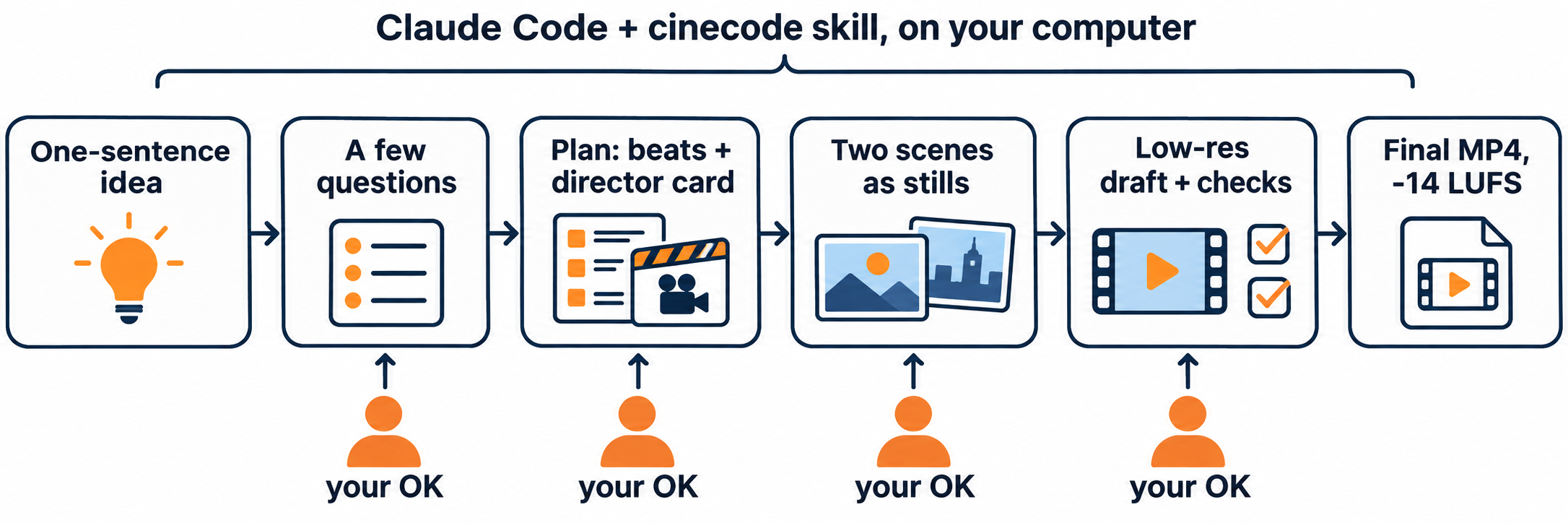
The README describes five steps:
- You say the idea. One sentence is enough.
- It asks a few questions about the medium, length, format, look, sound and music, with a recommended answer marked by a star.
- It shows the plan: a second-by-second beat table and a director card you can edit line by line, then two scenes as stills.
- It renders a draft and checks motion in the first frame, loudness, legibility and repeats.
- It renders the final at full size, mastered to -14 LUFS (LUFS measures perceived loudness), with a credits file for your video description.
How to install cinecode in Claude Code
Installation takes one line. Open Claude Code in any of its three surfaces and say:
Install the cinecode skill from https://github.com/sarpstar/cinecode
Or clone it yourself:
git clone https://github.com/sarpstar/cinecode.git ~/.claude/skills/cinecode
Install it in one place only, so the agent doesn’t see two copies. Then open a new chat in an empty folder and type “I want to make a short film.” For Cursor, clone into ~/.cursor/skills/cinecode instead; the README notes that its guard hooks, which catch a few mistakes as they happen, run only in Claude Code.
You also need a GPU that Chrome can use. Any recent Mac or a PC with a working graphics driver qualifies. Without one, rendering falls back to the CPU, which the README calls fine for tests and slow for a whole film.
What we saw when we rendered the starter film
We cloned the kit on an Apple M1 Pro, created a Quick-mode project with init_film.py, and ran the draft step on the untouched starter.
python3 ~/.claude/skills/cinecode/scripts/init_film.py my-film --quick --title "Test"
cd my-film && python3 tools/make.py draft
| What we measured | Result |
|---|---|
| Output | 8 seconds, 540 x 960 vertical, 24 fps, H.264 with AAC audio |
| File size | 2.2 MB |
| Render time | About 21 seconds wall clock |
| Loudness | -13.2 LUFS, peak -3.1 dBFS |
| Delivered? | No |
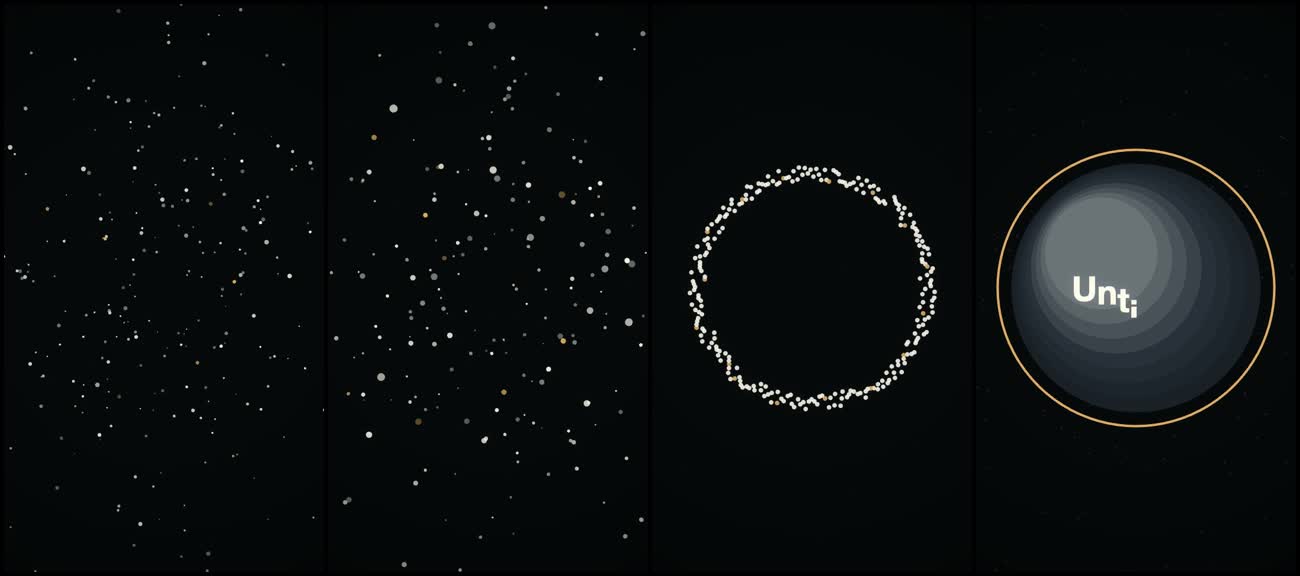
The last row is the interesting one. The kit’s checks refused to deliver the starter: 94% of the frames were near black, the film had only 2 sound events in 8 seconds, and every sound was synthesized in code. It wrote the draft to renders/ and asked for a fix pass instead of handing it over.
Two caveats. We ran the scripts directly, outside a Claude Code session, so the kit printed “GUARD OFF” and no agent wrote a film for us. We tested the render pipeline and its quality gate, not the writing. Your first real film will go through the questions and the plan before any render.
Quick mode vs Film mode
cinecode asks which mode you want first and recommends one based on your goal.
| Quick mode | Film mode | |
|---|---|---|
| Best for | Clips, ads and explainers up to about 3 minutes | Documentaries, narrated pieces, festival shorts |
| Approvals | About 3 | About 6 to 8 stage by stage, about 3 straight through |
| Picture | One self-contained film.html |
three.js scenes with eight look presets |
| Revisions | Up to 2 rounds on drafts | Notes applied only to the shots they touch |
You can start in Quick mode and move a film to Film mode later. The beats become the roadmap.
What “free” costs you in usage
The kit is free, but tokens aren’t. The README’s FAQ says a 30 to 60 second Quick film usually takes 100 to 250 agent steps, and every step re-reads the whole chat. Most of that hits the cache, but the chat grows with each step.
That usage counts against your plan’s limits, so a long film can eat a session window. The kit keeps the bill down in three ways:
- It looks at small contact sheets instead of full-size frames.
- It suggests a fresh chat at checkpoints, since the film lives in its files.
- It ships
tools/usage.py, which prints each chat’s token count.
Our guide to Claude Code usage limits explains the five-hour window and how to stretch it. Turning off skills and connectors a film doesn’t need also makes every step cheaper, per the README.
Turn video requests into board tasks for an agent
One person making one film needs nothing more than Claude Code and cinecode. A team that wants product clips every week needs somewhere to file the request, track the approvals, and keep the final file.
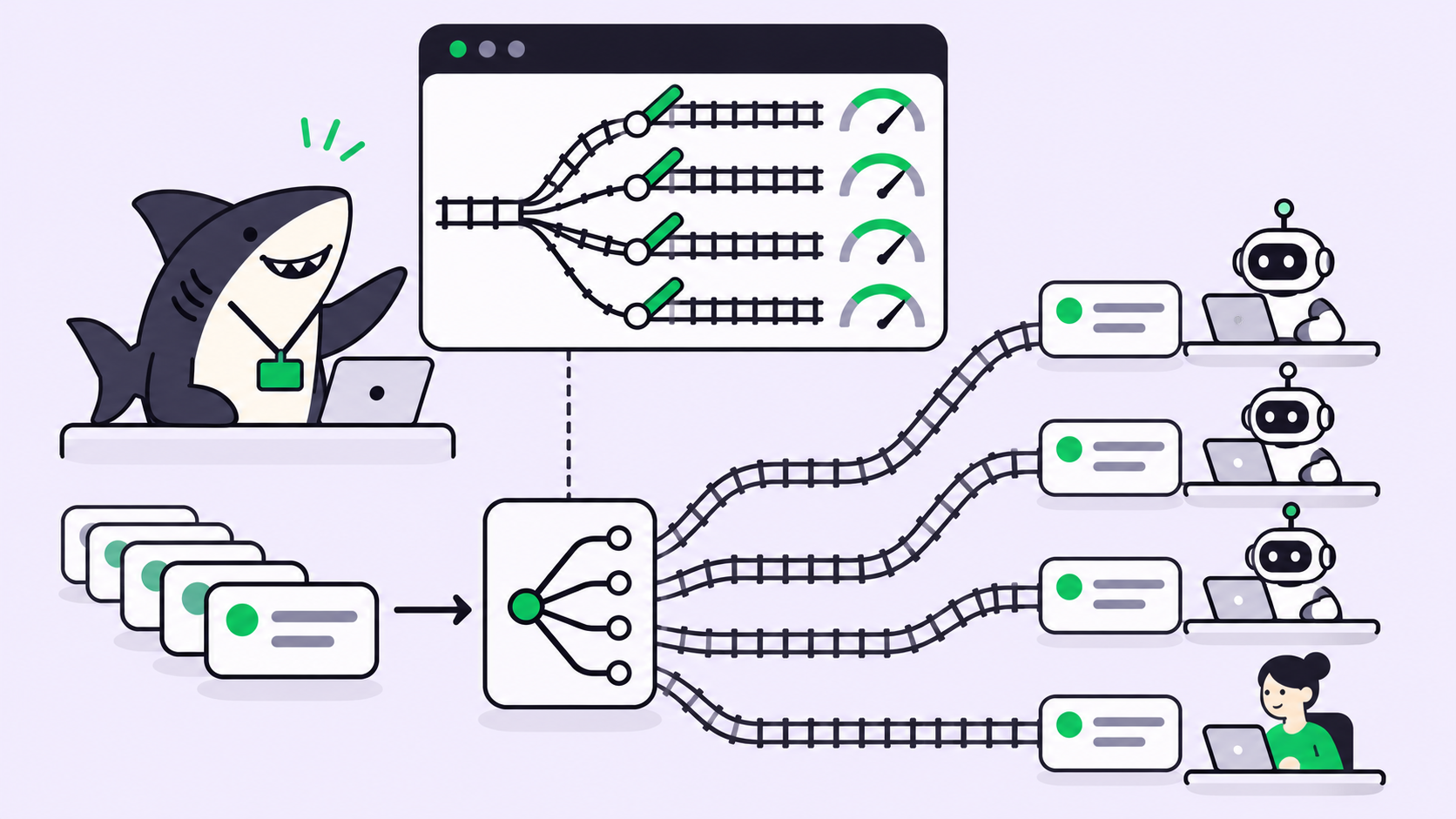
Here’s how that looks in Sharkly, a work system for People and Agents:
- Install cinecode on the Computer. A Computer is a device connected to Sharkly where Agents run. The Skills docs say Skills already available to an Agent’s Runtime don’t need to be bound in the product.
- Write the brief as a Task. The README says a complete brief (beats, words, length, format) goes straight to a draft without questions, so the Task body is where that detail belongs.
- Assign the Task to an Agent that runs Claude Code. Set a specified working directory so every film lands in one folder.
- Approve in the conversation. cinecode stops for your OK on the plan and the stills. In Sharkly, an Agent can leave its task conversation needing reply or needing review, and those hand-offs show up in the Task Chats module, per the Agent task execution docs.
- Receive the MP4. Agents can send files in chat, including recordings, according to the Sharkly changelog.
We haven’t run a full cinecode film through a Sharkly Agent yet, so treat this as a setup to try rather than a tested recipe. Our walkthrough on assigning your first task to an AI agent covers the Agent and Computer steps.
Sharkly’s Free plan covers organizations of up to 5 people, and Agents don’t occupy seats. Model usage stays on the Claude Code plan the Computer already uses.
Alternatives for making videos with an AI coding agent
cinecode isn’t the only route. A few others fit different jobs:
- OpenMontage runs a multi-stage agentic video pipeline. We covered it, and the approval problem it surfaces, in OpenMontage: Agentic Video Production.
- Remotion builds videos as React components, which suits developers who want the video in their own codebase. Check its license terms for company use.
- Raw ffmpeg plus a script. For captions, slideshows or screen recordings, Claude Code can write the ffmpeg commands directly without a kit.
- ChatGPT Images for short loops. Our guide to making GIFs with ChatGPT for free covers that route.
Conclusion
Making videos with Claude Code costs nothing beyond the plan you already pay for. Install cinecode with one line, give it a sentence, approve the plan and the stills, and you get an MP4 with mastered sound and a credits file. Its own checks refuse to deliver a dark, thin draft, which we saw on the first render.
If video is becoming team work, give each request a home. Create a free Sharkly workspace, put your next video brief in a Task, and let a person approve the cut. The Sharkly docs walk through connecting a Computer.
FAQ
Is cinecode free?
Yes. The kit is MIT licensed and needs no paid service. Narration is optional and can use a free Gemini tier or a free voice. You still need a Claude Code plan or Cursor to run it.
Can I make videos with Claude Code on the free claude.ai plan?
No. Anthropic’s setup docs say the free claude.ai plan doesn’t include Claude Code access. You need Pro, Max, Ultra, Team, Enterprise or a Console account.
How long does cinecode take to render a video?
Our 8-second starter draft rendered in about 21 seconds on an M1 Pro. The README says a 30-second Quick film fits in one short session, with most of the time spent on your notes.
Does cinecode use AI image or video generators?
No, by default. Pictures are drawn in code. The agent uses an image or video generator only if you connect one and ask for it.
Can I use cinecode videos commercially?
The README says yes as far as the kit goes: its fonts allow commercial use, and outside material enters only with a logged license. You’re responsible for your own logos, footage and music.
Does cinecode work in Cursor?
Yes. Clone it into ~/.cursor/skills/cinecode. The guard hooks run only in Claude Code.