OpenAI introduced dots at DevDay on September 29: always-on agents in ChatGPT, powered by GPT-6 Astra, each with its own cloud computer and browser, reachable in ChatGPT, Slack and Teams. The lines that matter most to a team already running coding agents sit near the top of OpenAI’s announcement: “Today, you can start with your primary dot, give it a name, and make it your own. Over time, we envision teams of dots working together on your behalf.” A dot starts as one person’s agent. Teams of dots are the stated direction, not the launch.
That order makes sense, and it leaves a gap for teams already past their first agent. In OpenAI’s own developer example, a dot watches customer feedback, builds and tests small fixes, and brings you “complete PRs to review.” If the same team runs Claude Code on a shared server and Codex on two laptops, that is one more source of pull requests feeding the same reviewers. The hard question stops being which agent is smartest. It becomes which agent is on what, what finished, and what is waiting on a person.
TL;DR
An OpenAI dot is a capable personal agent: always on, working on its own cloud computer, connected to over 4,000 apps through plugins, and governed by Custom Rules, Activity View, auto-review, and a monitor that can pause or stop it. For one person’s recurring work inside OpenAI’s ecosystem, a dot is the simpler answer. A team running several agents across vendors still needs one board where each agent is an Assignee on a Task, status is visible to everyone, results come back for review, and a person accepts the work. Those are different layers, and they stack.
What OpenAI dots are
An OpenAI dot is an always-on ChatGPT agent, powered by GPT-6 Astra, that works toward one person’s goals on its own cloud computer, including while that person is busy with something else. You name your dot, connect your apps, and talk to it in ChatGPT on desktop, web or mobile, in Slack or Teams, or on a voice call, with texting coming soon. It learns your preferences from feedback, can take on a new project while it works on several others, and messages you with progress, questions, or decisions that need you.
Two details separate a dot from a chat assistant. The first is the computer: a dot has its own browser and cloud computer, you can open that computer at any time to inspect the work, and you can give it permission to use your laptop. The second is initiative. When you are not working with it, a dot does what OpenAI calls “proactive research,” using your connected apps through tools restricted to read-only, so it can look but cannot send messages, change app content, or control your browser or computer.
| Item | What OpenAI says |
|---|---|
| Model | GPT-6 Astra |
| Where it works | Its own cloud computer and browser; your laptop only if you allow it |
| Apps | Over 4,000 through ChatGPT plugins |
| Where you reach it | ChatGPT (desktop, web, mobile), Slack, Teams, voice calls; texting coming soon |
| Plans | Rolling out to Pro and Business Premium in eligible markets; Enterprise, Edu and Healthcare beta when an admin enables it (off by default) |
| Usage | First dot included; conversations with it don’t count toward ChatGPT usage limits, but tasks it starts in Codex or ChatGPT Work do |
| Specialist dots | Focused enterprise pilots: own identity, credentials, IT-provisioned hardware, integration with systems of record |
| Microsoft | Working to integrate specialist dots with Agent 365 governance and security controls |
Specialist dots are the organizational version, and OpenAI draws the line itself: “Your dot works on your behalf; specialist dots take on dedicated responsibilities within your organization.” A company gives each one its own identity, credentials, and access to the systems it needs, and OpenAI’s engineers work with the organization to define its responsibilities, its tools, and “how people review and approve its work.” Hold onto that last clause.
The controls answer “what may my dot do?”
Dots ship with a thoughtful permission model. Built-in rules decide when a dot acts alone and when it asks. Custom Rules let you allow specific actions, require approval, or block them. Auto-review checks actions that could affect your accounts or share information against your instructions and rules, and some sensitive tasks, such as changing a password, always stay with you. Activity View shows progress, including background work, and lets you redirect. If OpenAI’s monitoring detects a safety concern, it can pause or stop the dot’s work.
That is the right set of controls for a personal agent, and OpenAI describes it in the second person: your apps, your rules, your approvals. Its own advice closes the loop: “Dots can still make mistakes, so always review consequential work.”
A team has the same needs one level up. The question is no longer “what may my dot do” but “what is every agent on this project doing, and who signs off.” OpenAI already expects part of that answer to live outside the agent: its stated goal for the Microsoft work is to let businesses “manage dots through the Microsoft tools they already use.” The management layer sits above the agent. That is where a board lives too.
What a team lead still asks
Picture a small product team. One engineer has a dot. Claude Code runs on a shared server, Codex runs on two laptops, and Gemini drafts documentation. Each agent does good work. The questions that fill the Monday meeting are not about any one of them.
| Question a team lead asks | What a dot gives you | What the board adds |
|---|---|---|
| Who is working on the checkout bug? | The dot’s owner can ask it, or follow it in Activity View | Every Task shows its Assignee: a person, an Agent, or a Crew, whichever Runtime runs it |
| What finished overnight, and what failed? | Progress messages to its owner; Activity View for background work | Run states on each Task (queued, running, completed, failed, canceled) on a board anyone in the Space can open |
| What is waiting on a person? | Approval requests under Custom Rules; questions and decisions sent to its owner | Waiting for human reply and waiting for human review route to the responsible person’s Inbox |
| Can Claude Code and Codex take work from the same queue? | A dot runs on GPT-6 Astra and can start tasks in Codex | Any supported Runtime on a connected Computer: Claude Code, Codex, Gemini, OpenCode, and others |
| What is an agent allowed to touch? | Custom Rules, auto-review, read-only proactive research | Agent instructions, attached repositories, isolated worktrees, Computer visibility; assigning a Task in Backlog does not start a run |
| Who accepts the result? | The owner reviews consequential work | A person sits on the Task next to the Agent, and acceptance is a status change the whole team can see |
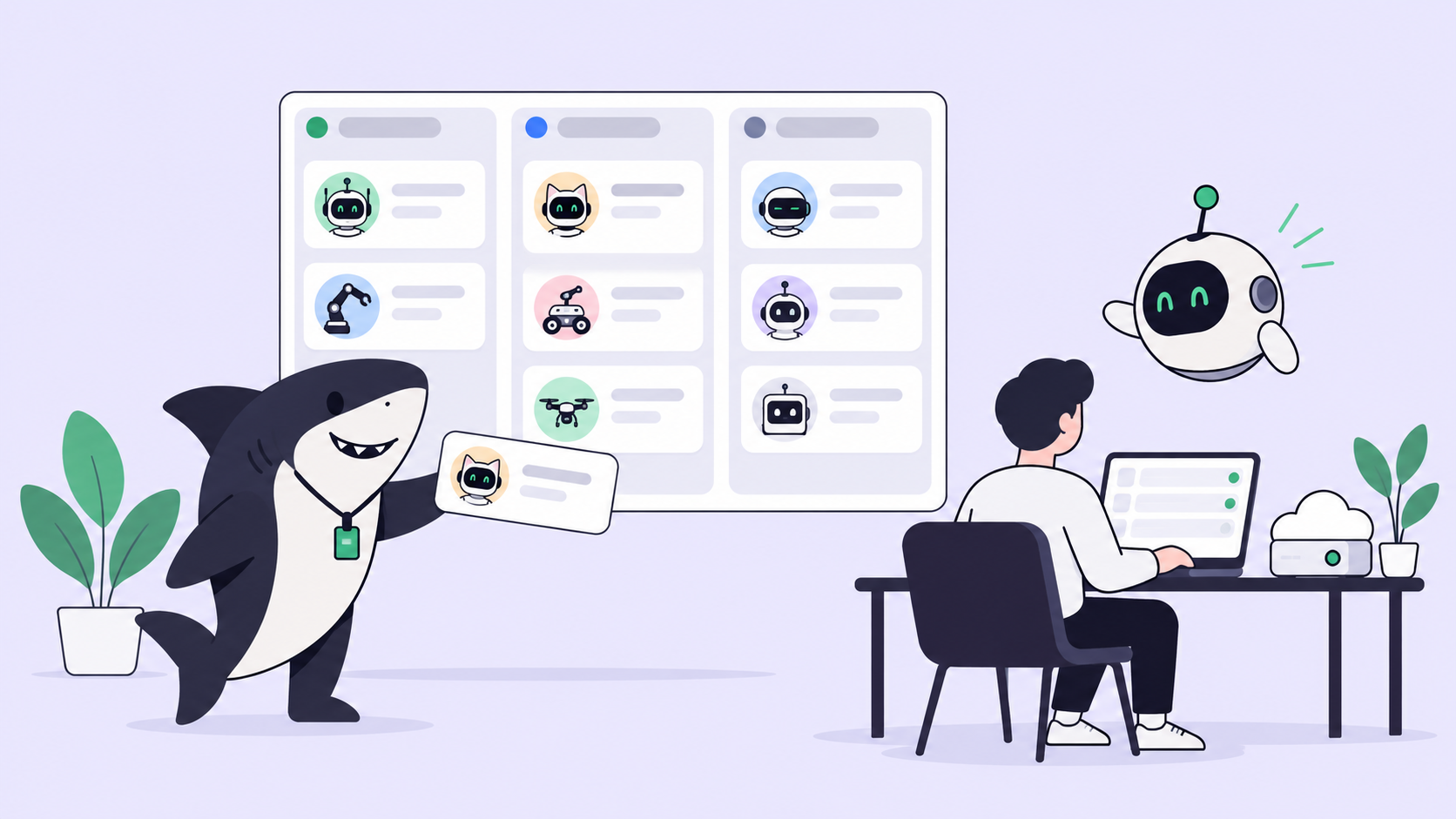
The right-hand column is not a smarter agent. It is the record around agents. Sharkly is not a replacement for Claude Code, Codex, or other execution tools; it adds the shared task, Computer, context, control, and review layer around the tools your team already uses. Four roles, one job each: the Agent defines how work should be handled, the Computer supplies the host, the Runtime performs the session, and the Task remains the shared record. Progress, trace events, and the result return to the Task, so “what happened overnight” is answered on the board rather than in four private threads.
The contract holds whatever the vendor. Agents research, execute, test, and report. People set direction, grant authority, and accept the result. Human ownership of agent work explains why that second sentence cannot move to the agent, and agentic teams covers what changes once several people share one board.
When a dot fits better, and when a board does
Use a dot when the work is one person’s, it recurs, and it lives in ChatGPT, Slack, Teams and the apps a plugin connects: a launch plan that shifts with scope, an analysis that reruns when new data arrives, an invoice someone forgot to send. If you already pay for Pro or Business Premium and your agent work is mostly your own, a dot is less setup than anything else here, and you may not need a board at all. A dot also blurs the line between an assistant and a teammate: it carries work you are not watching, like a teammate, but it answers to one person.
Use a board when the work is shared: several people assigning to several agents, Runtimes from more than one vendor, reviewers who did not write the request, and a history per Task that outlives any one conversation. It matters most when you want the workflow to survive the next best agent. Today that might be Astra in a dot, Claude Code on a server, and Codex on a laptop. Next quarter the lineup may change, and a team’s board should not have to be rebuilt each time.
The two stack. If a dot’s pull request lands in a GitHub repository connected to Sharkly and its title, body, or branch carries a Task ID, Sharkly’s GitHub integration tries to link it to that Task. A dot you message in Slack can sit next to a Sharkly Agent with its own Slack bot without either replacing the other. And if you want GPT-6 Astra on the board itself, it arrives the way every model does, through the Runtime on a Computer, because the Agent follows the Runtime’s default model. The setup is in running GPT-6 Astra agents in Sharkly.
Dots were not the only DevDay launch about agents that act without being asked. MCP Events and team tasks, both in the DevDay recap, bring the same idea to event-driven work; our companion piece on ChatGPT watching your project board asks what an event should produce once it lands.
Every AI company wants you to manage their agents. Sharkly lets you manage yours. If you want to keep using multiple coding agents rather than committing to one ecosystem, that’s the problem Sharkly is designed around.