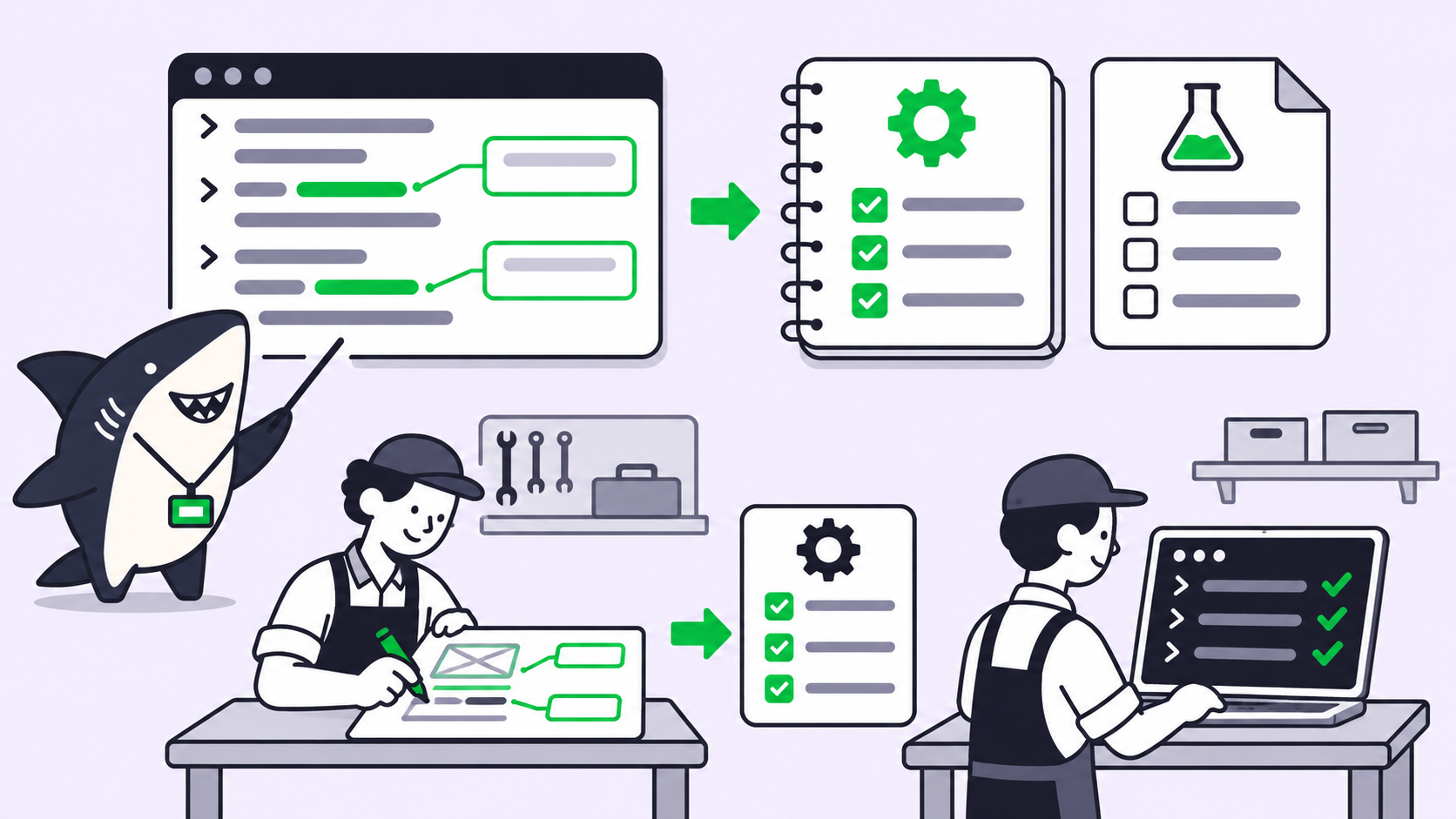
TL;DR: Sharkly sets the AI agent Git commit author at three levels: Organization, Space and Agent. The lowest level that sets a value wins. Give each coding Agent its own author name, keep the email on an address your Git host recognizes, and tell the run which branch to start from. Sharkly then commits on a sharkly-agent/<agent>/<task> branch, never on main.
Open git log on a repository where three coding agents work and every line says the same name. You can’t tell which commit came from the engine agent, which from the recipe agent, and which from you. Sharkly fixes that with one setting per Agent. Sharkly is free to start at sharkly.ai.
We did this for real in Cancel Anything, a small subscription-cancelling CLI a team is building on Sharkly. Bolt, its engine Agent on Claude Code, got its own commit author, then built a real feature on a stacked branch. By the end you’ll have an Agent whose commits carry its name, a branch a reviewer can find by task key, and a clear view of who wins when settings disagree.
Before you start
You need three things in place:
- A Space with a Git repository and a baseline branch. Our repositories tutorial walks through that setup.
- A code Agent on a Computer whose Git credentials can push to the remote.
- Space or Organization admin access if you plan to change those levels.
In Cancel Anything, Bolt runs Claude Code with Opus 5.5 and uses Use temporary directory, so every run gets a fresh copy of the repository.
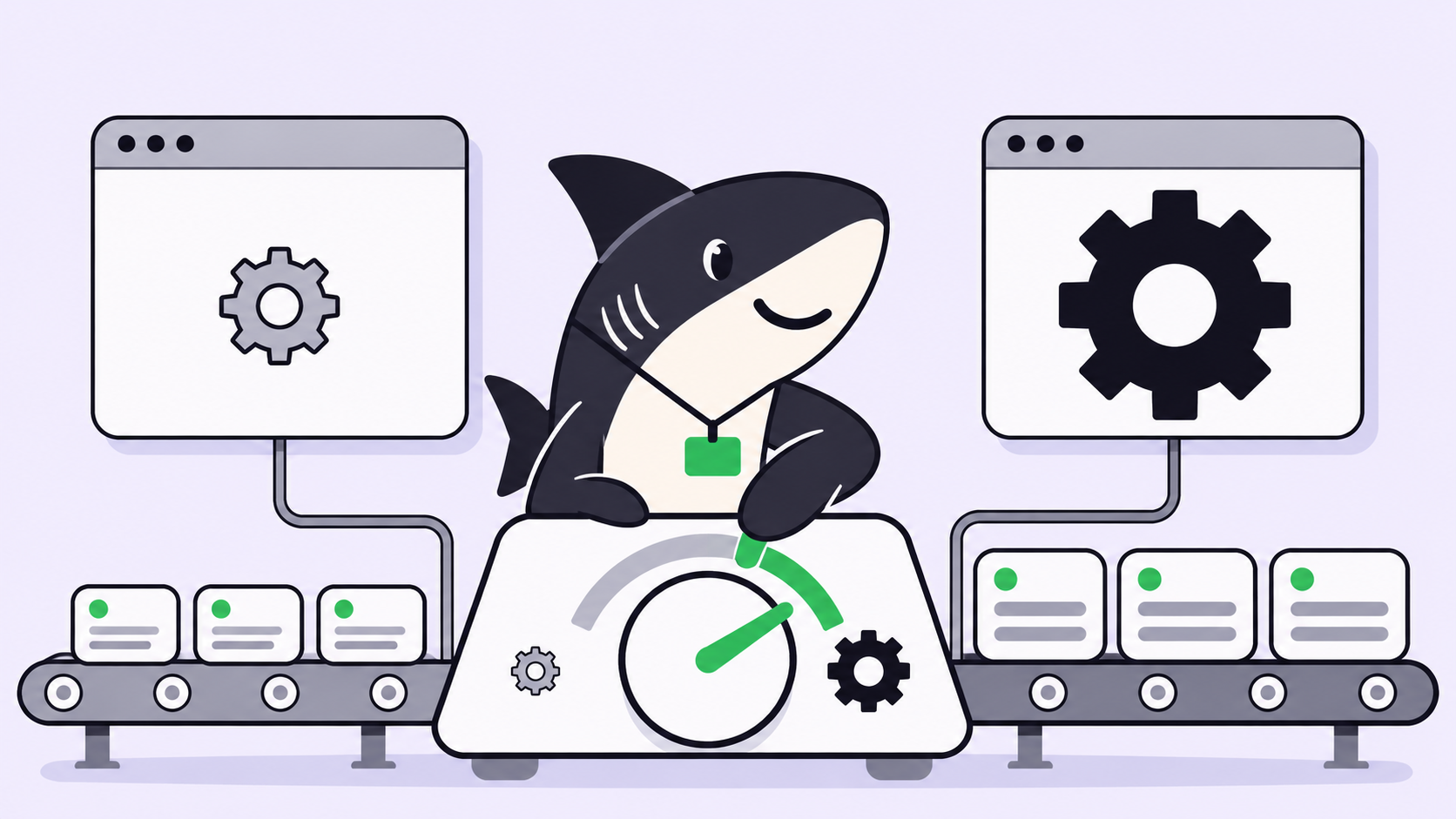
How the three levels decide the author
A commit author is two fields: a name and an email. Sharkly resolves each one separately:
- Agent: the value on the Agent, if it sets one.
- Space: otherwise the Space value. A Space starts on Inherit organization settings.
- Organization: otherwise the global value.
- Fallback: with nothing set anywhere, the name is the member who started the run plus the Agent, for example “Jane & Thor”, and the email comes from the Computer’s git config.
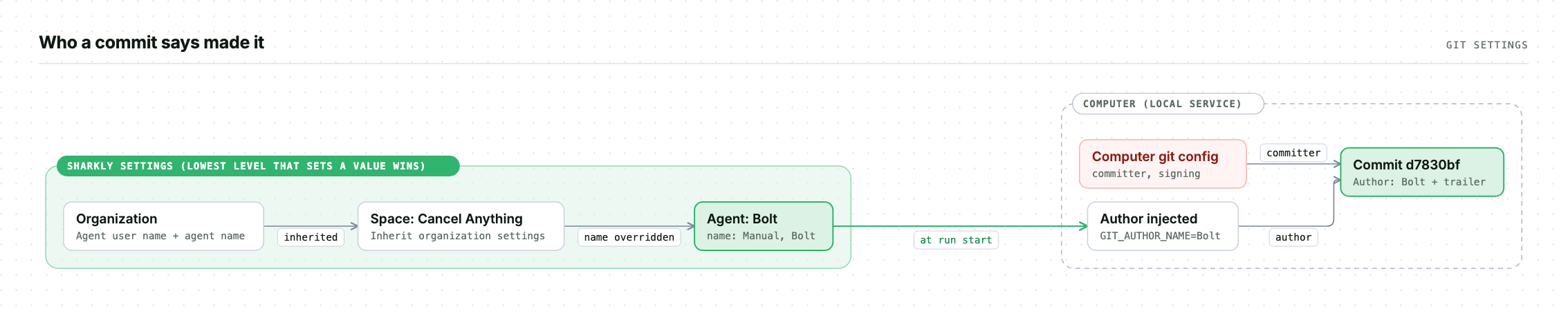
Two limits matter. Sharkly sets only the author (GIT_AUTHOR_NAME and GIT_AUTHOR_EMAIL). The committer and any commit signing still come from the Computer’s ~/.gitconfig. And in Manually specify the code directory mode, a git config --local author in that folder beats every Sharkly level.
Step 1: Read the organization defaults
Open Organization settings and choose Git repositories and settings. The Global Git settings card holds three controls: Commit author name, Commit author email and Co-authored-by line.
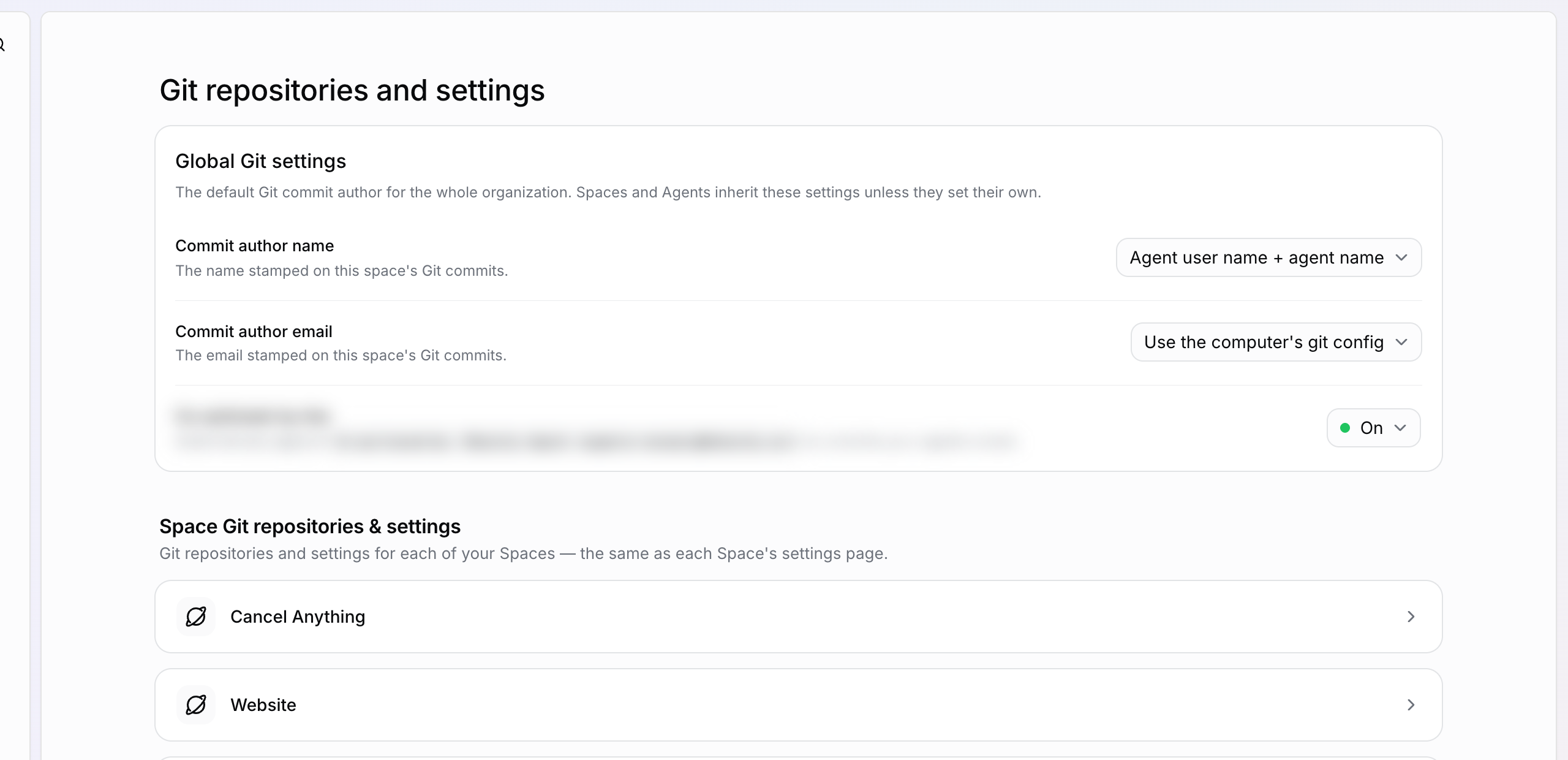
Cancel Anything uses Agent user name + agent name for the name and Use the computer’s git config for the email. The Co-authored-by line is On, so every agent commit ends with Co-authored-by: Sharkly Agent <[email protected]>. We read this page and changed nothing on it.
Step 2: Check what the Space inherits
Open the Space settings, scroll to Git repositories & settings and expand Commit author settings. Open the Commit author name dropdown to see every source.
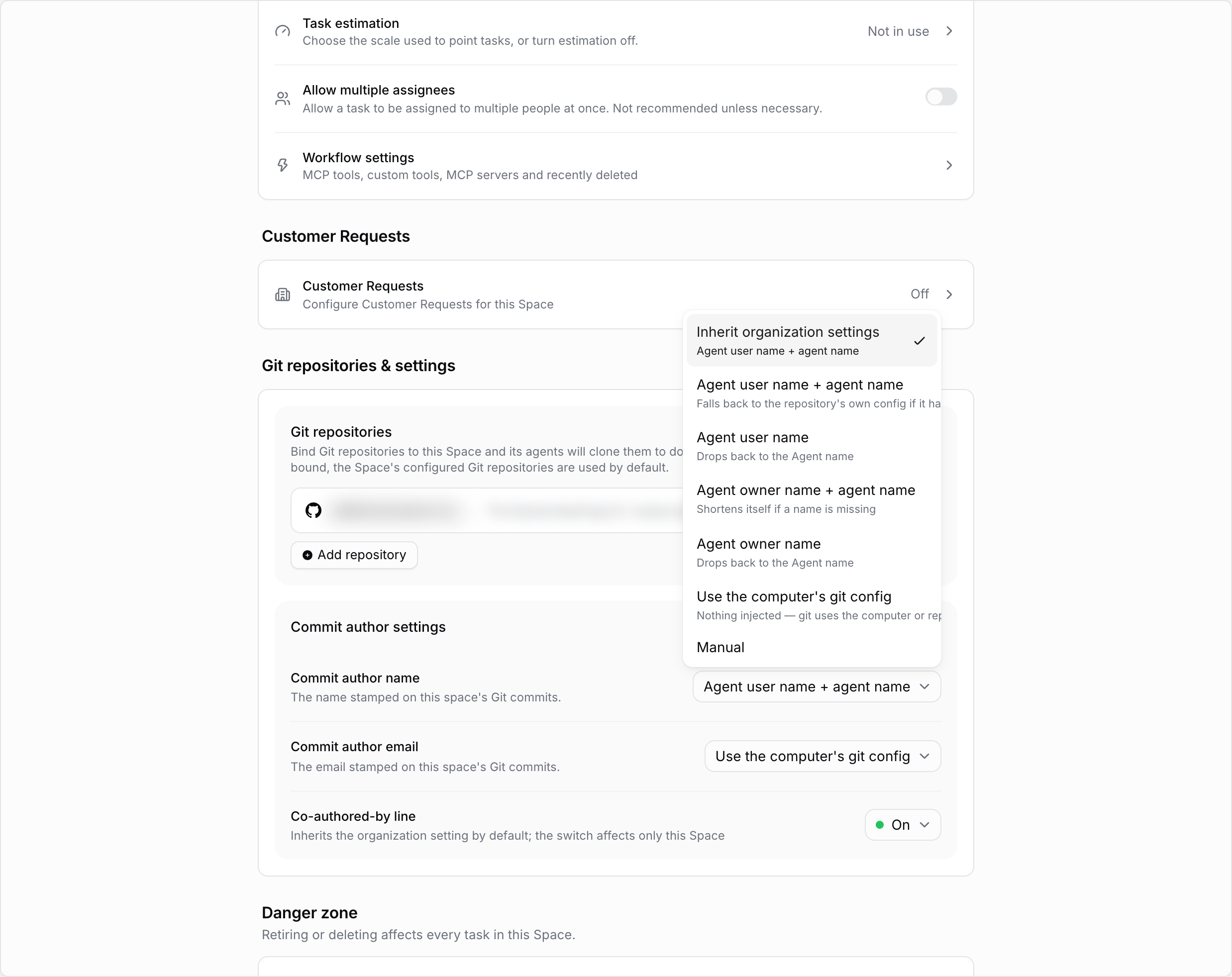
The list is the same at every level:
| Option | What lands in the commit |
|---|---|
| Agent user name + agent name | the member who started the run plus the Agent |
| Agent user name | that member’s name, or the Agent’s name if it’s missing |
| Agent owner name + agent name | the Agent’s owner plus the Agent |
| Agent owner name | the owner’s name, or the Agent’s name if it’s missing |
| Use the computer’s git config | nothing injected; Git uses the Computer or repo config |
| Manual | the exact text you type |
Our Space stays on Inherit organization settings. Keep a Space on inherit unless one team genuinely needs different commits, so the Organization page stays the single source.
Step 3: Give one Agent its own author name
Open the Agent, click Settings, expand Git repositories and settings, then Commit author settings. Set Commit author name to Manual and type the Agent’s name. We typed Bolt.
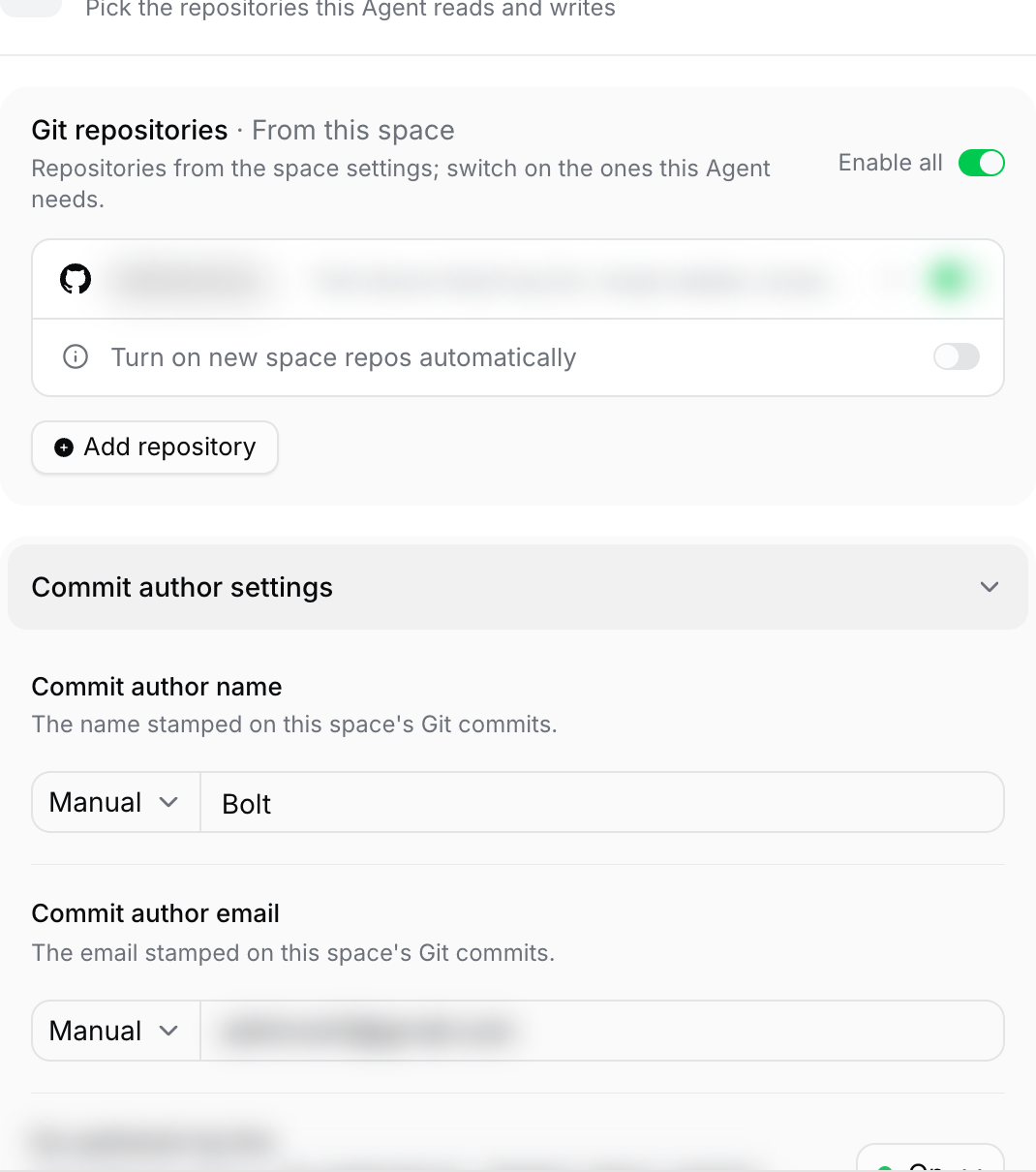
We left the email alone on purpose. It already pointed at an account the Git host knows, so the commits still link to a real profile and pass email-based checks. The name tells reviewers which Agent wrote the change; the email keeps attribution intact.
To set this for many Agents at once, the CLI takes the same fields:
sharkly agent edit <agent-id> \
  --commit-name-mode manual \
  --commit-name "Bolt"
--commit-email-mode, --commit-email and --co-authored-by work the same way.
Step 4: Tell the run which branch to start from
Bolt’s next real job was CAAN-14: turn a recorded click log into a draft recipe. It depends on CAAN-13, which was still in QA on its own branch. Starting from main would have meant building on code that isn’t there yet.
Sharkly picks the starting point in a fixed order: an explicit checkout ref, then the Agent repository branch, then the Space baseline branch, then the remote default. So we added one line to the task, not to Bolt’s settings:
Branch: part 1 (CAAN-13) is still in QA, so it isn't on main yet.
Start from its branch:
sharkly repo checkout <repo-url> --ref sharkly-agent/bolt/CAAN-13
Commit on the branch the checkout gives you and push that branch
for review. Never push to main.
Then we assigned CAAN-14 to Bolt.
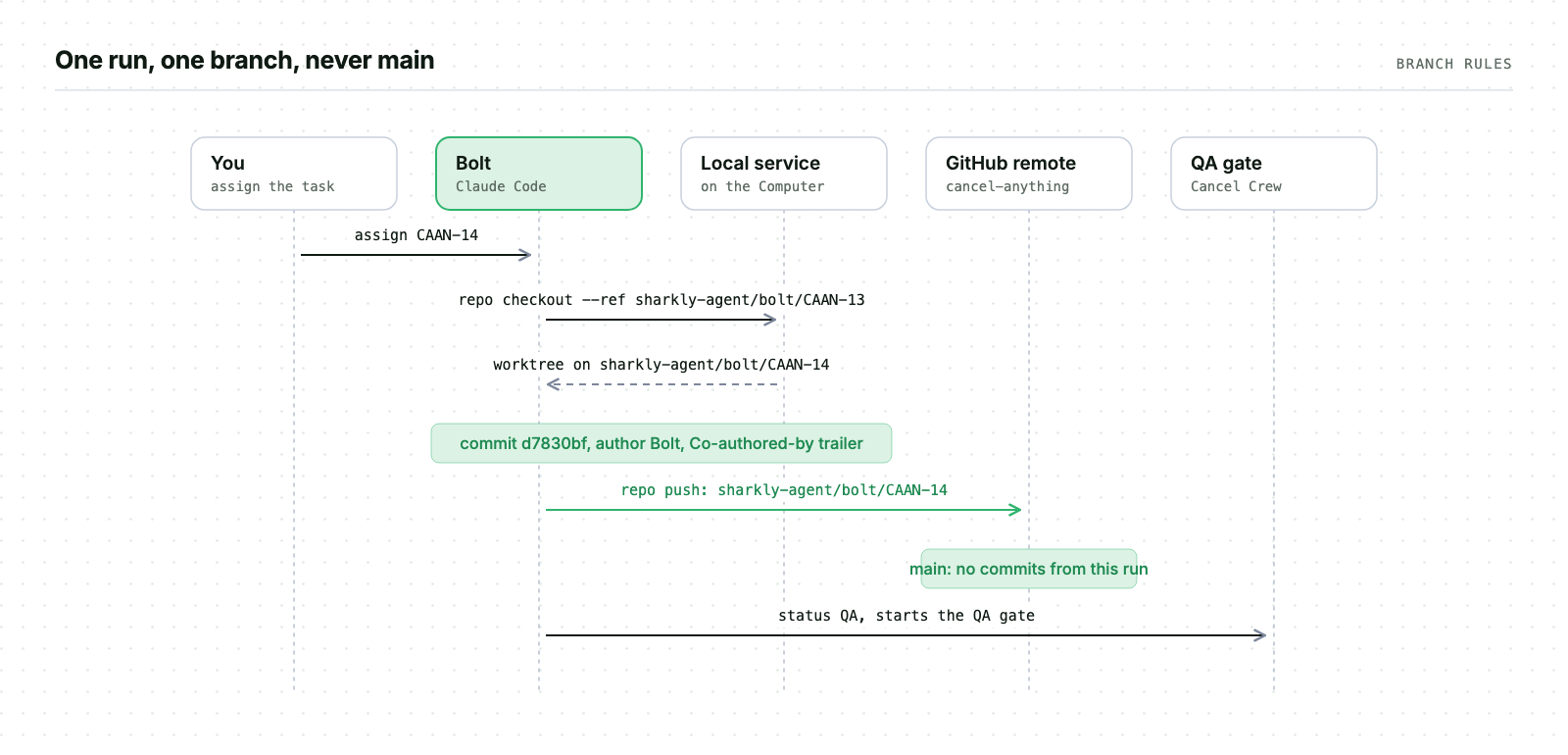
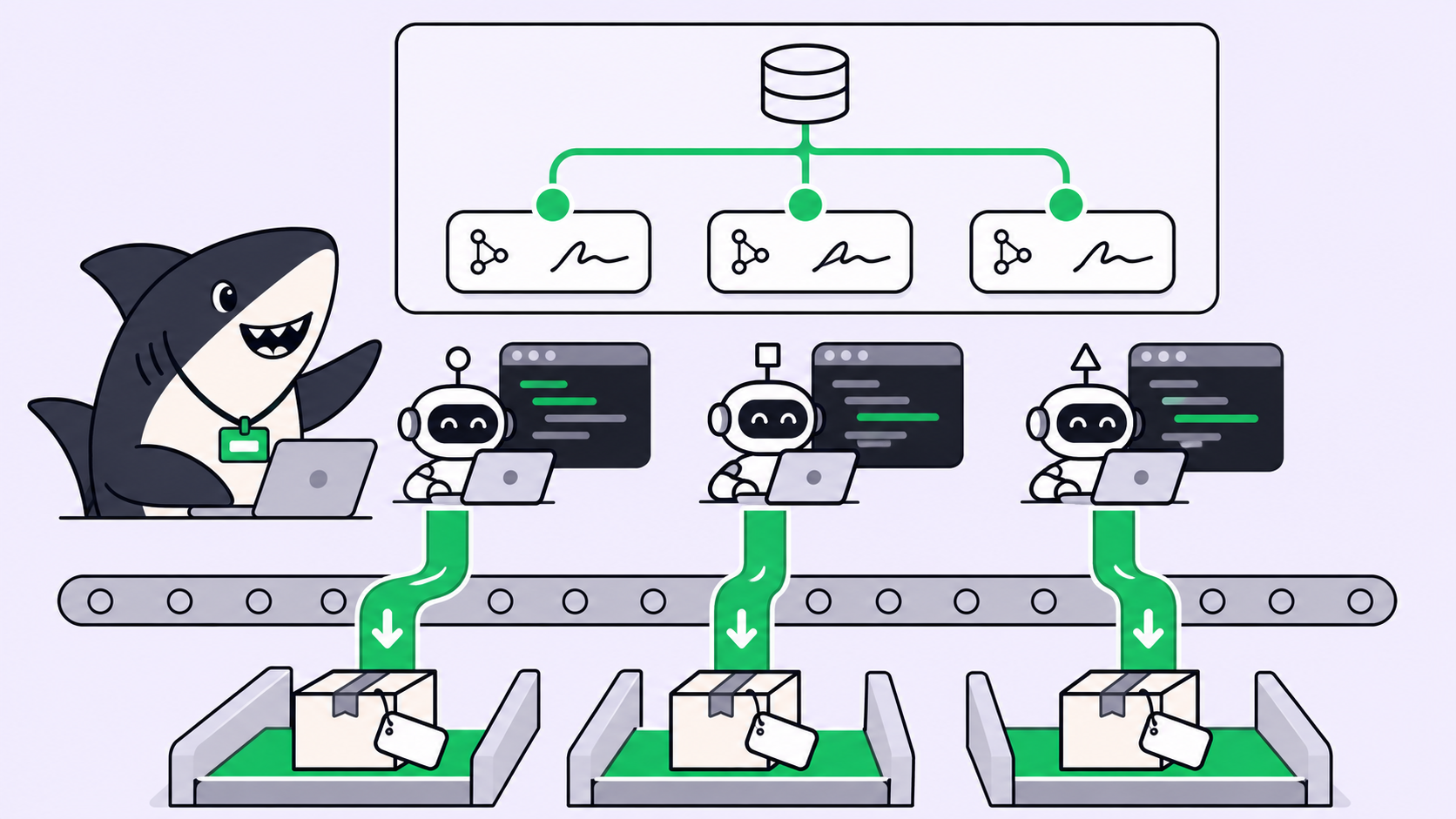
The branch name isn’t something you configure. A checkout always creates sharkly-agent/<agent>/<task-key>, so the branch tells you who made it and why.
Step 5: Read the result
Bolt finished in under five minutes. It wrote the draft writer and its tests (26 of 26 passed, typecheck and validate clean), committed, pushed the branch and moved CAAN-14 to QA. The QA gate automation picked it up and, five minutes later, sent it back to In Progress with changes required. That’s the gate working: the branch and author made the review easy to scope.
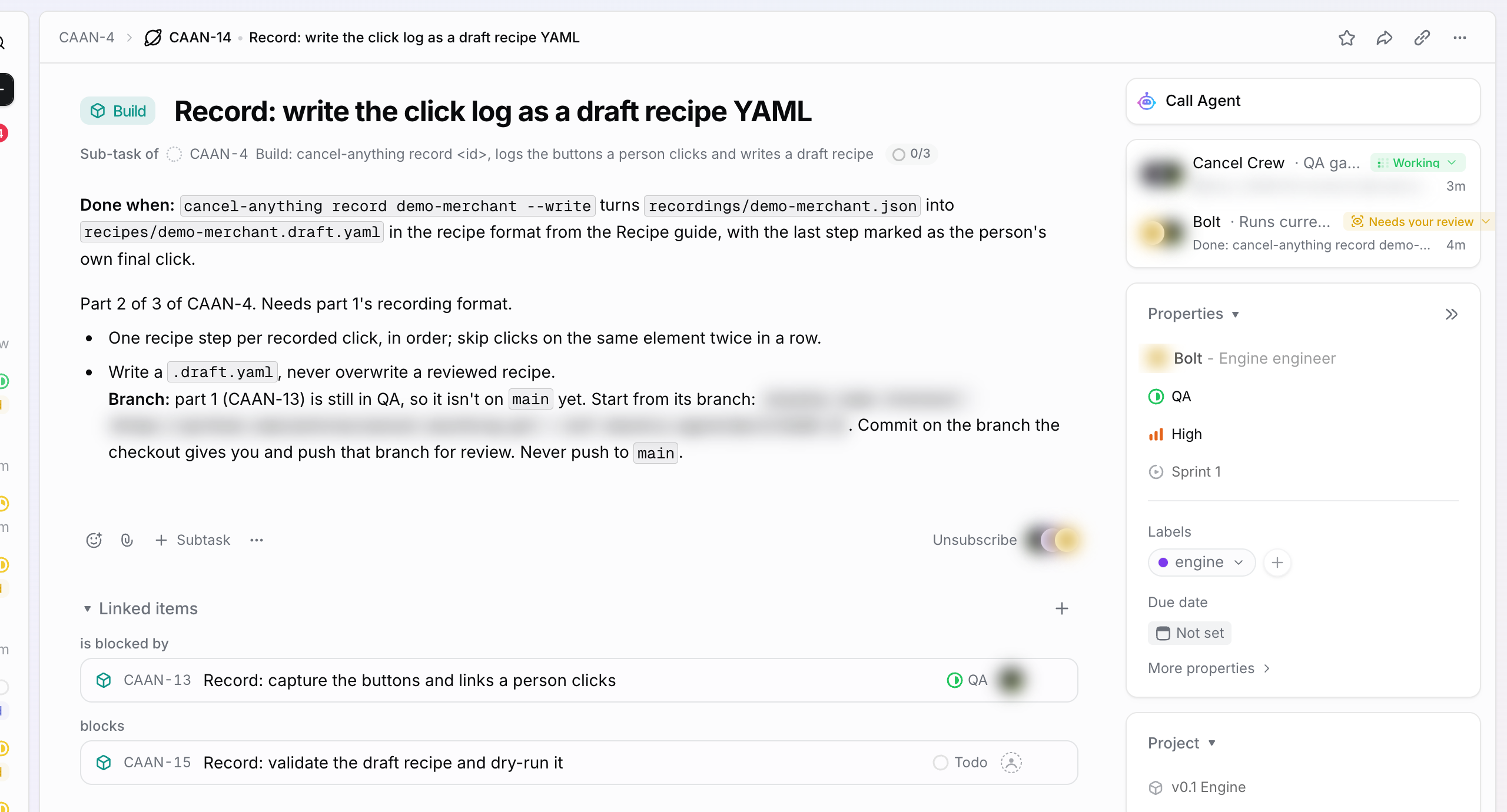
On the platform side, a reviewer gets three things on the task: the status, a Needs your review flag on Bolt’s conversation, and Bolt’s closing comment with the branch and commit.

In the repository, the commit reads like this (committer redacted):
$ git log origin/sharkly-agent/bolt/CAAN-14 -1 --format='%h %an | %cn | %s'
d7830bf Bolt | <Computer git config> | Record: write the click log as a draft recipe
Every earlier commit in the same repository shows the owner’s name, because every Cancel Anything Agent used it as a manual value until this run. The branch sits on top of CAAN-13’s branch, and main got nothing.
What went wrong for us
The trailer ignored the instructions. Every Cancel Anything Agent’s instructions say “never add a Co-Authored-By line”. Two earlier commits still ended with the Sharkly trailer. The platform appends it through a managed prepare-commit-msg hook, not the model, so instructions can’t remove it. The fix is the Co-authored-by line setting: set it to Off on the Space or Agent and Sharkly deletes the hook from cached repositories.
Remote branch names drifted. Locally, every Bolt branch follows sharkly-agent/bolt/<task>. On the remote, older runs show up as build/ci and fix/cdp-exit, because those runs pushed under another name (sharkly repo push --target-branch allows it). Reviewers then search two naming schemes. We now put “push that branch” in the task, which kept CAAN-14 on its own name.
The labels say “space” on the Agent panel. The Agent’s fields read “The name stamped on this space’s Git commits”. They still apply to that Agent only. Trust the panel you’re in, not the helper text.
Two other ways teams use this
A contractor-heavy team sets the Organization to Agent owner name + agent name. Each commit then carries the Agent’s owner, so the person responsible for that Agent’s output is in git blame.
A team with signed commits sets the name per Agent but leaves the email on Use the computer’s git config. Signing keys and the committer stay on the Computer, and Sharkly’s docs say signing works independently of these settings. See GitHub’s guide to commit signature verification.
Recap checklist
- [ ] Organization: commit author name, email and Co-authored-by line chosen
- [ ] Space: left on Inherit organization settings unless a team needs its own
- [ ] Each code Agent: Manual name, email on an address your Git host recognizes
- [ ] Stacked work: an explicit
--refin the task, not a changed baseline - [ ] Review: branch
sharkly-agent/<agent>/<task>and commit in the Agent’s closing comment - [ ] Trailer: switched with the setting, never with instructions
Want commits your reviewers can read at a glance? Set one Agent’s author name in Sharkly today, then assign it a real task and read the git log.
FAQ
How do I change the Git commit author for an AI agent in Sharkly?
Open the Agent, go to Settings, Git repositories and settings, Commit author settings, and set Commit author name to Manual or another source. The change applies to the Agent’s next run.
Which Git setting wins: Organization, Space or Agent?
The lowest level that sets a value. An Agent value beats the Space, and a Space value beats the Organization. Each field resolves on its own, so an Agent can set only the name.
Can Sharkly sign agent commits?
No. Sharkly injects the author only. Configure SSH or GPG signing in the Computer’s global Git config, and every working-directory mode picks it up.
How do I remove the Co-authored-by line from agent commits?
Set Co-authored-by line to Off at the Organization, Space or Agent. Writing “no trailer” in instructions doesn’t work, because a Git hook adds it.
What branch does a Sharkly agent commit to?
A checkout creates sharkly-agent/<agent>/<task-key>, starting from the explicit ref, the Agent branch, the Space baseline or the remote default, in that order.
Can I stop an agent from pushing to main?
Keep the Agent on its own branch through the task and the checkout. To enforce it, add a branch protection rule on your Git host; see GitHub’s protected branches.