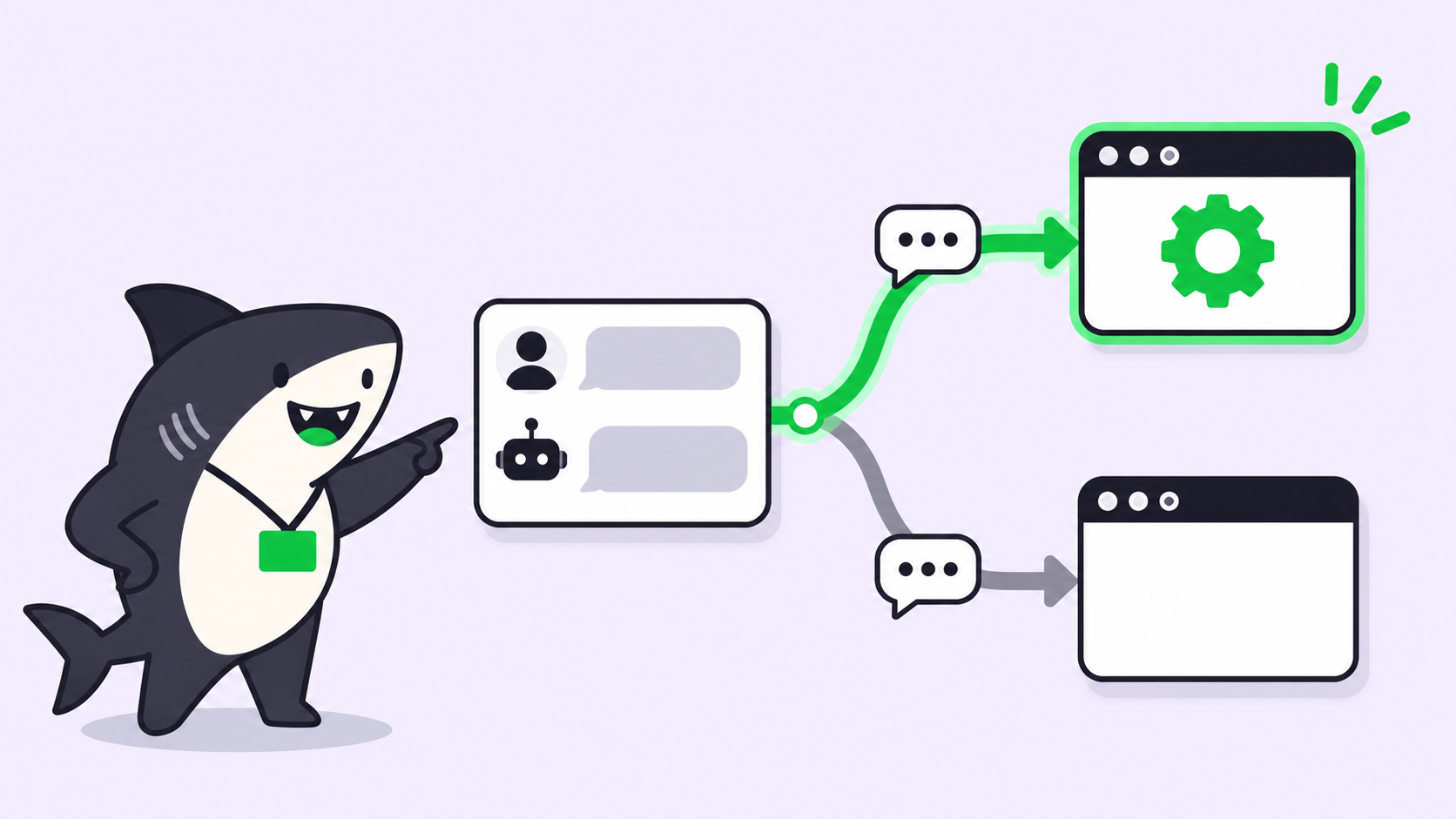
To fork an AI agent conversation in Sharkly, hover any message in an Agent chat and click Branch into a new chat. Sharkly opens a new session from that point and leaves the original untouched. Branch from your own message to edit and resend it; branch from a reply to continue after it. The fork can run on a different Runtime.
An agent goes down the wrong path, and the usual fixes are bad ones. A follow-up message drags the wrong answer along as context. A new chat makes you retype everything. Forking gives you a clean retry from the last good message, and the first attempt stays readable for comparison.
Before you start
You need three things:
- A Space. Ours is Cancel Anything (
CAAN). The work item is CAAN-38, “Recipe: 24 Hour Fitness (US)”, which waits on a capture task, CAAN-39. - A Computer with more than one Runtime. Ours is a Mac running Codex and Claude Code side by side. See how Computers work.
- An Agent with at least one chat. Hex is a Code dev Agent on Codex. It had never run before this tutorial.
A Runtime is the coding agent CLI that does the work on the Computer, such as Claude Code or Codex. Sharkly talks to it over the Agent Client Protocol.
How a fork works in Sharkly
A fork is a new chat session that starts at a message you pick, carries the conversation up to that point, and then goes its own way. The original session doesn’t change, and both can keep going. It’s the chat version of a git branch.
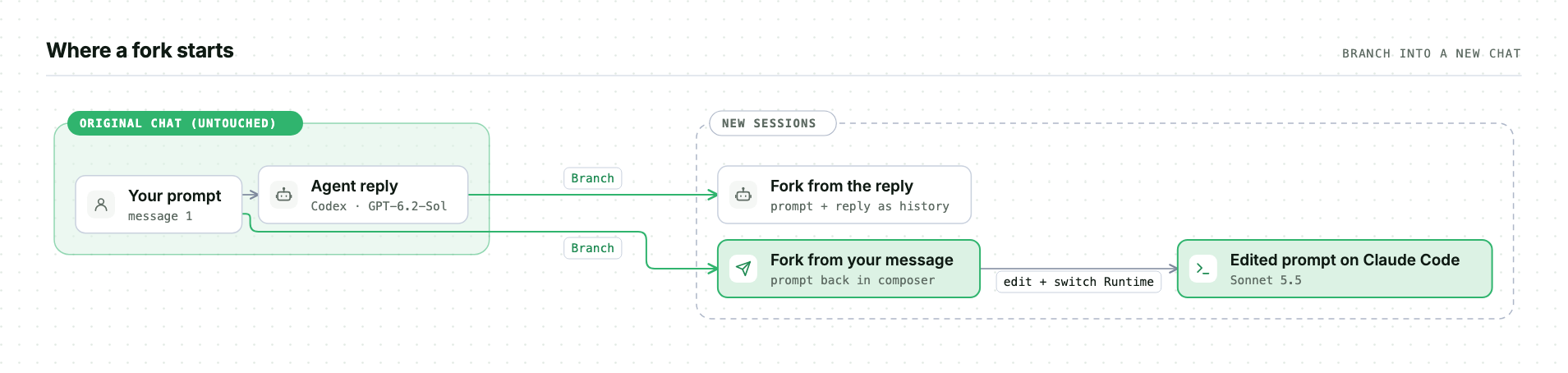
The chat help page says forking works in standalone chats and task conversations, on every Runtime. A fork of a task conversation stays attached to that task.
Step 1: Find the branch point
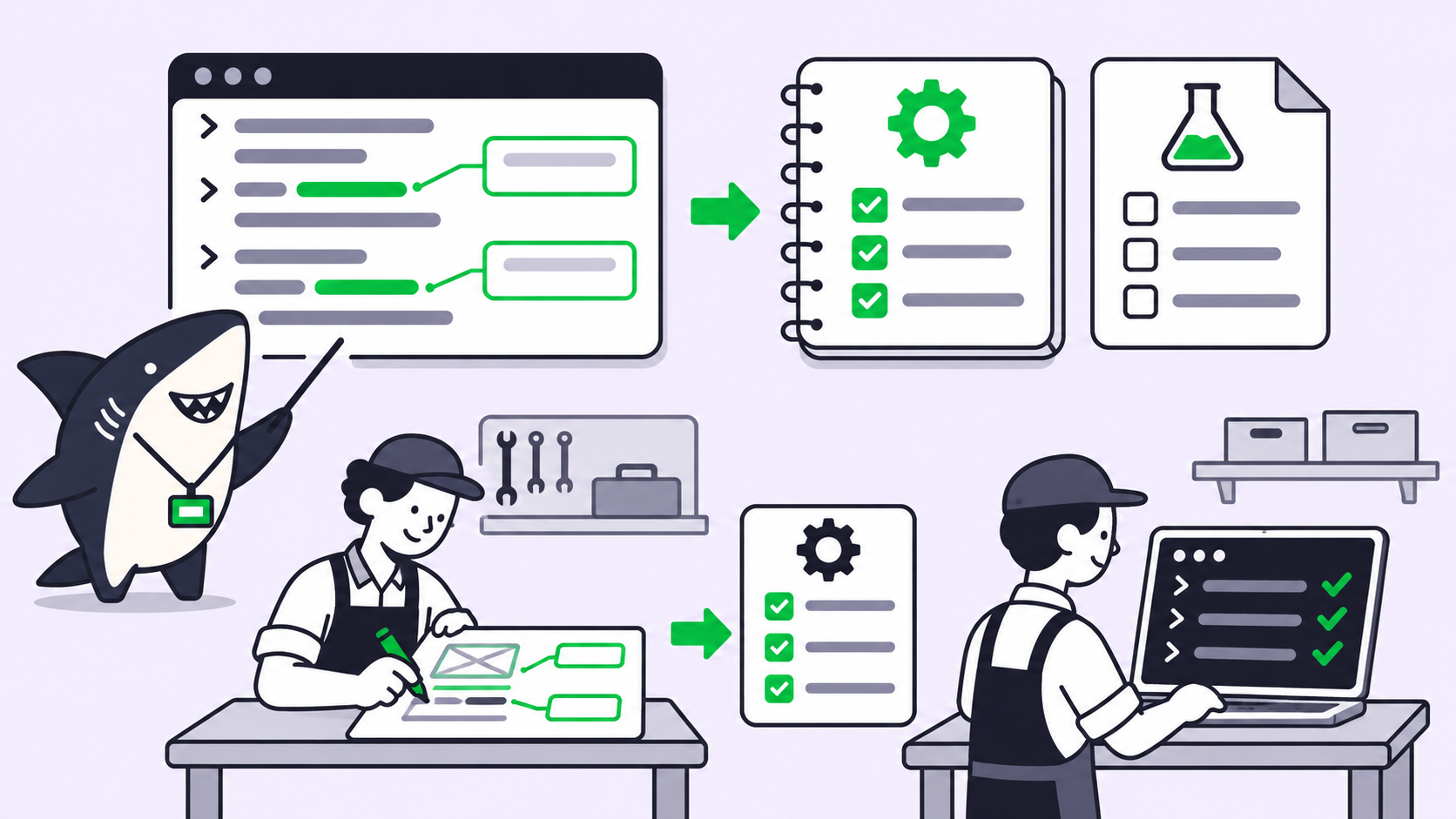
We opened All Agents, hovered Hex and clicked Chat. Our prompt asked for a draft recipes/24-hour-fitness.yaml, built from the project spec and the demo recipe, so the PM agent could see its shape before anyone walked the real cancel flow.
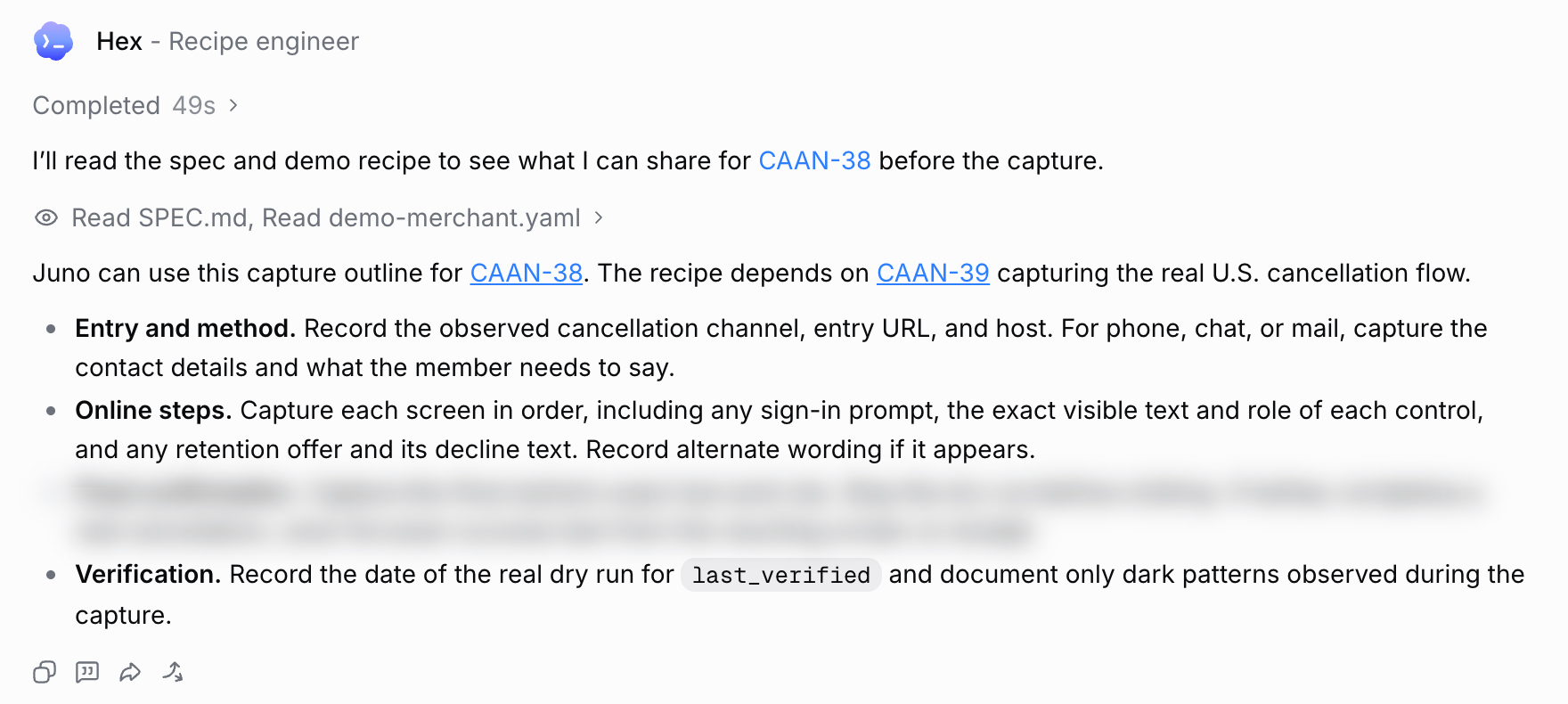
Hex read both files and answered in 49 seconds. The answer was careful and useful, but it was a capture checklist, not the YAML we asked for. That’s the wrong path: a follow-up would argue with it, and a new chat would lose the setup.
Every message has a row of icons under it. For a reply, they’re Copy the assistant’s reply, Quote, Share and Branch into a new chat, the fourth icon.
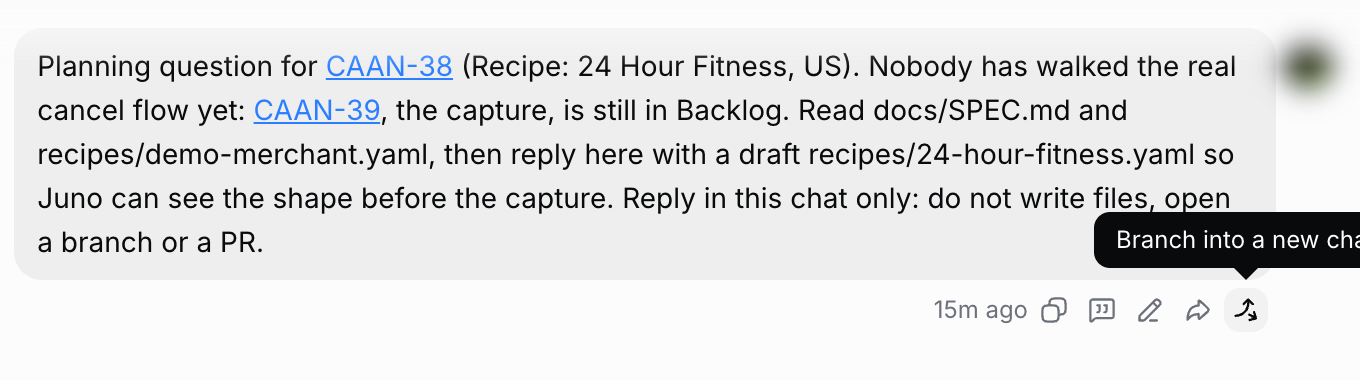
Your own messages have the same icon, next to Touch up the message. Pick the message that was still right. For us, that was our prompt: the reply was the part we wanted gone.
Step 2: Branch and check what came along
Click Branch into a new chat. There’s no dialog: Sharkly creates the session at once and opens it. Its title is the original’s with “(Fork)” on the end, and it gets a row in your Conversations list.
What the fork inherits depends on where you branched. We tried both:
| Branch from | History in the fork | Composer |
|---|---|---|
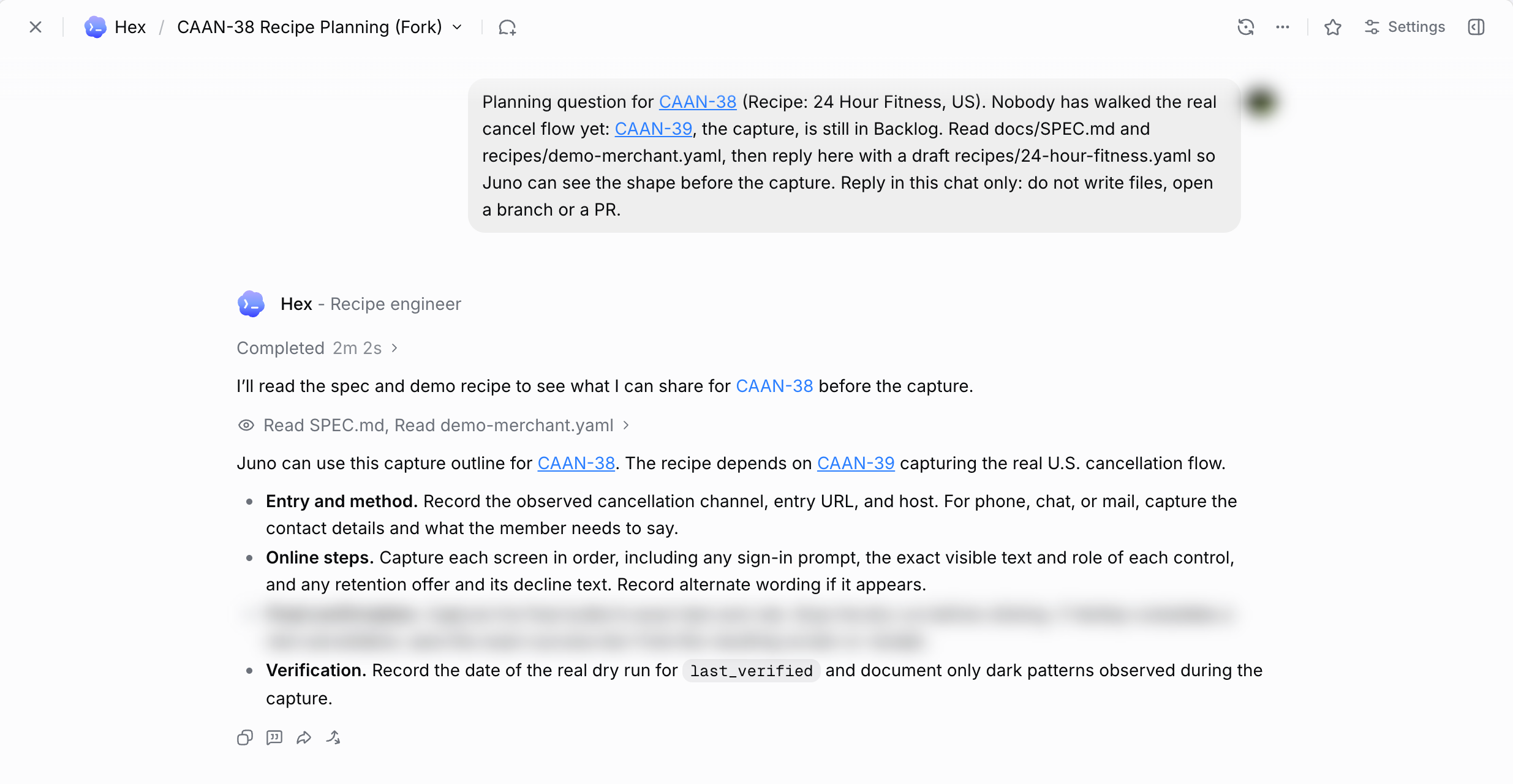
| An Agent reply | Everything up to and including that reply | Empty, ready for your next turn |
| Your own message | Everything before that message | Holds that message, ready to edit and resend |
Branching from Hex’s reply gave us the full exchange to build on:
Branching from our prompt gave us a clean retry. Our prompt was the first message, so the history above it was empty, and the prompt sat in the composer:
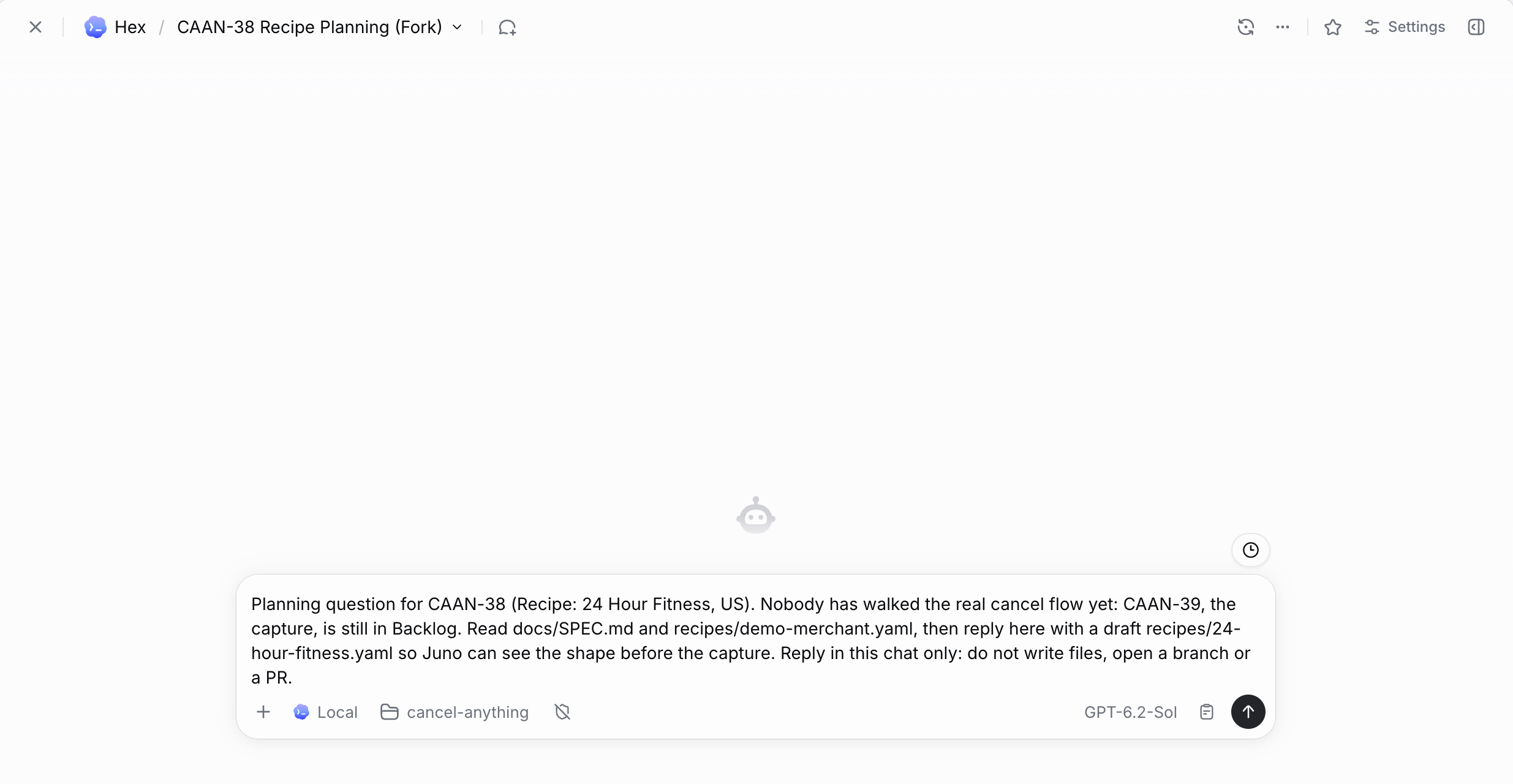
Nothing runs until you send. The fork also copies the chat’s model choice: ours showed GPT-6.2-Sol, the model we’d picked for the original.
We added one correction to the end of the prompt: “I need the YAML itself, not a capture outline. Put TODO in every value nobody has seen on the real site: no guesses. After the YAML, list the open questions CAAN-39 has to answer.”
Step 3: Move the fork to another Runtime
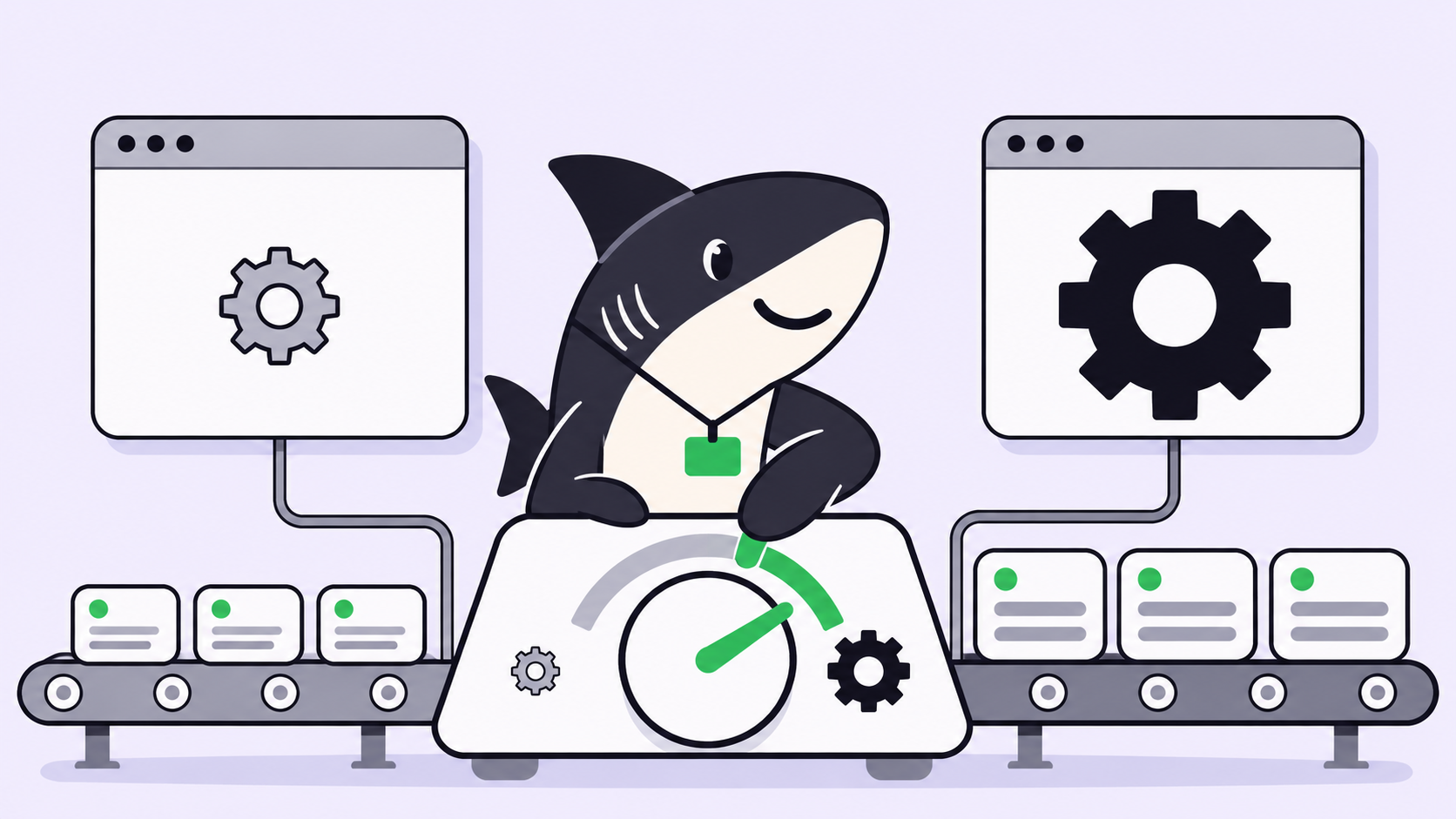
The help page doesn’t say whether a fork can change Runtime. In the app it can. The composer’s Runtime button opens Choose a Runtime:
- Mirror the Agent’s settings: Codex on our Mac, Hex’s default
- Every Runtime on your Computers: Claude Code, Codex, OpenCode and Hermes on ours
We picked Claude Code. The model button then listed models “From Claude Code CLI”, and we chose Sonnet 5.5 to keep the run cheap. The picker’s note says the choice governs messages sent in this chat only; runs started by assignment, status changes or @mentions still use the Agent’s own settings.
So you don’t need a second Agent to compare runtimes. Hex kept its name, instructions and Skills, and ran on a different CLI. Cancel Anything also has a variant, “Hex (Claude Code)”, for when Claude Code should be Hex’s standing default. For one comparison, the fork is enough.
Step 4: Send and compare the two answers
We sent the edited prompt. Hex on Claude Code finished in 41 seconds with exactly what we’d asked for: a recipe skeleton that commits to nothing nobody has seen.
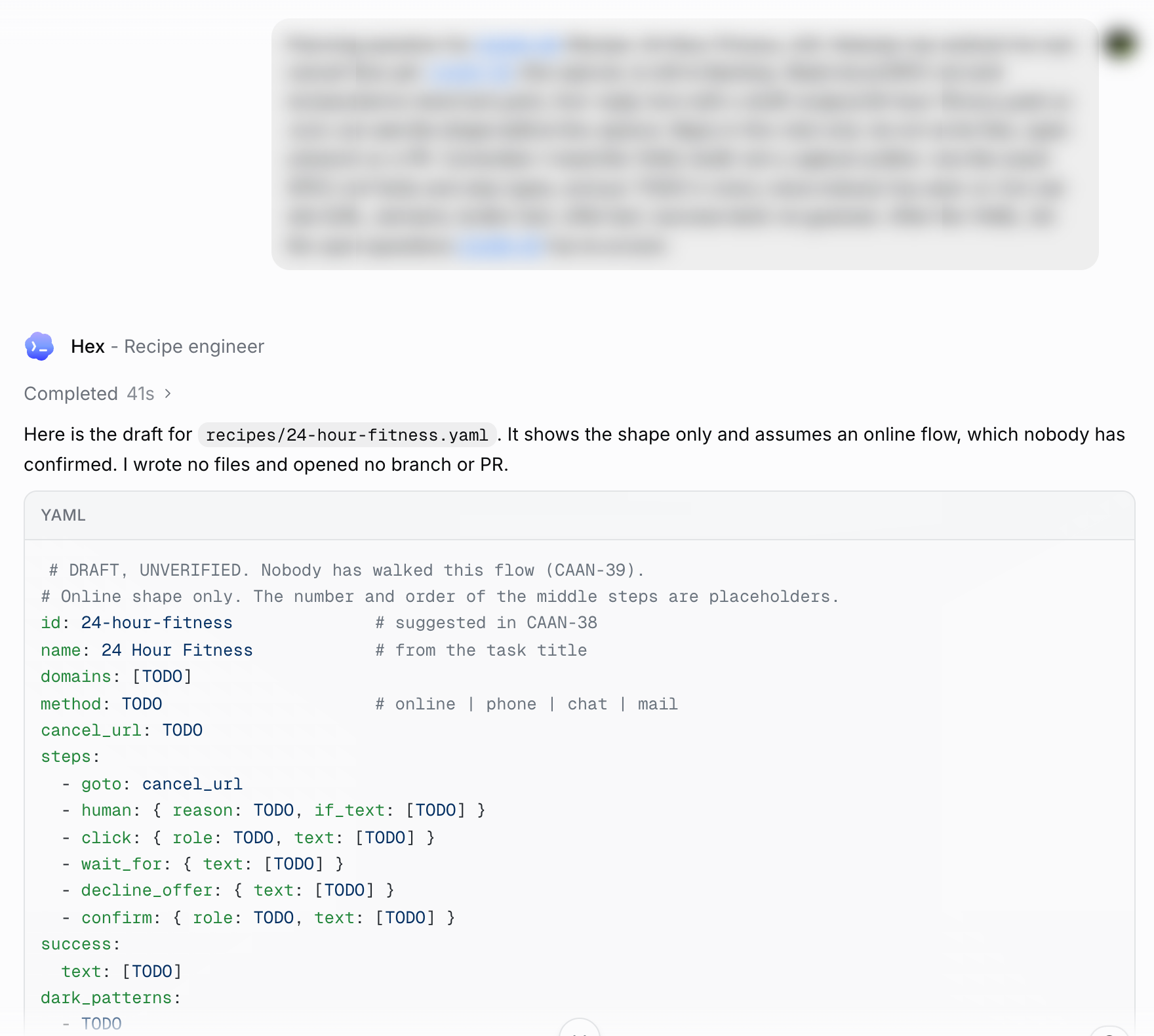
The reply opened like this:
# DRAFT, UNVERIFIED. Nobody has walked this flow (CAAN-39).
id: 24-hour-fitness              # suggested in CAAN-38
name: 24 Hour Fitness            # from the task title
domains: [TODO]
method: TODO                     # online | phone | chat | mail
cancel_url: TODO
steps:
  - goto: cancel_url
  - human: { reason: TODO, if_text: [TODO] }
  - click: { role: TODO, text: [TODO] }
  - decline_offer: { text: [TODO] }
  - confirm: { role: TODO, text: [TODO] }
It also warned that the draft would fail validation as written, because TODO isn’t an allowed method, and listed 13 open questions for the capture task.
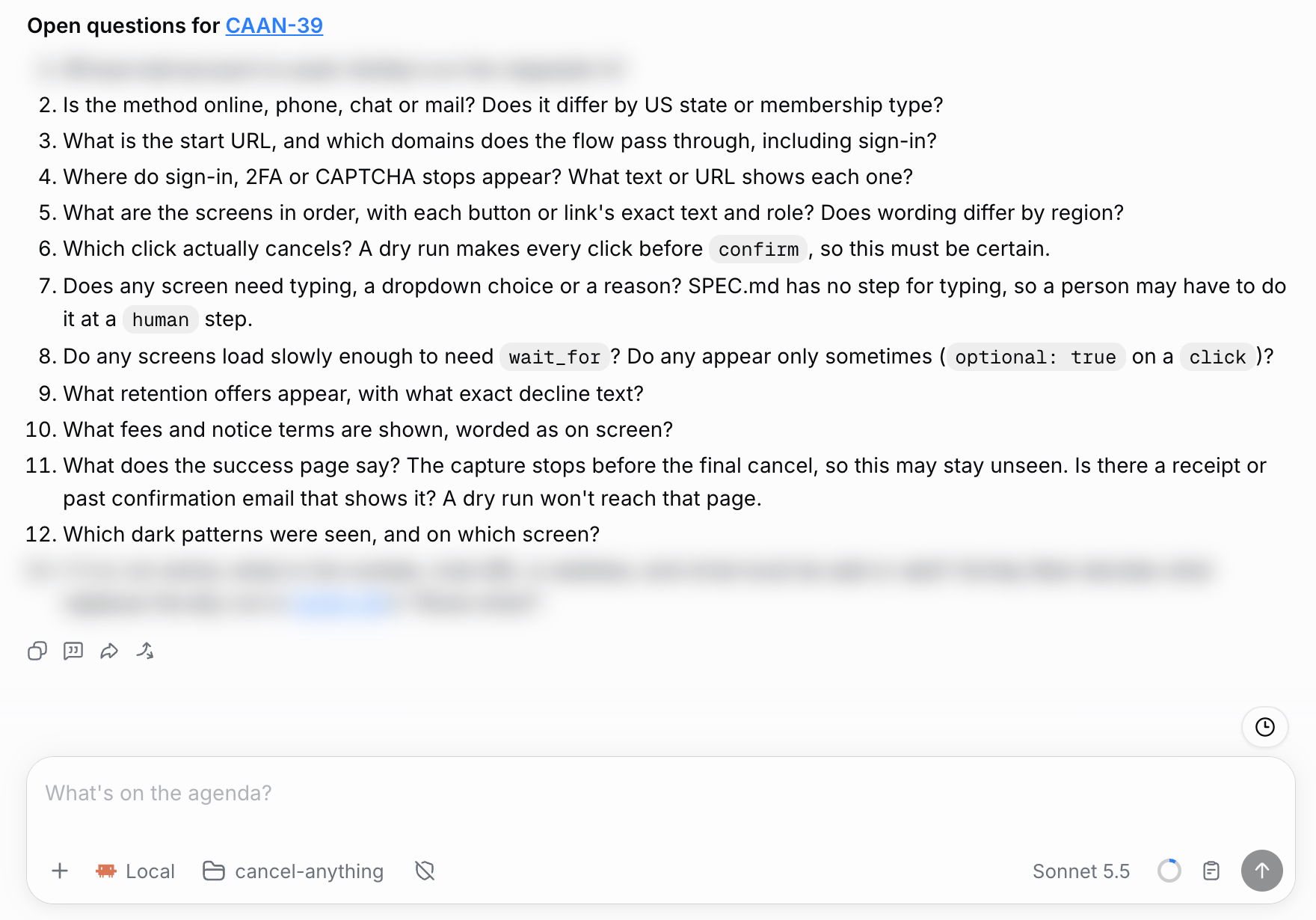
Side by side:
| Original (Codex) | Fork (Claude Code) | |
|---|---|---|
| Model | GPT-6.2-Sol | Sonnet 5.5 |
| Time | 49 s | 41 s |
| Prompt | Ask for a draft YAML | Same, plus the correction |
| Answer | Four-part capture checklist | TODO-only YAML, validation note, 13 questions |
| Useful for CAAN-38 | Partly, as a checklist | Yes, as the shape of the file |
This isn’t a fair model contest: the fork got a better prompt. That’s the point of forking from your own message: you fix the instruction and keep everything else equal.
Step 5: Keep one, mark the other Completed
We kept the fork. Sharkly had already renamed it “Draft Recipe for 24 Hour Fitness” from its content, while the original kept “CAAN-38 Recipe Planning”. We marked the original Completed so it stops asking for attention. The CLI equivalent is sharkly chat session edit <session-id> --status completed.
Do this only in standalone chats. Per the help page, marking a task conversation completed marks the task itself completed too. For a fork of a task conversation, leave the losing branch alone, or close the task on purpose.
The real result
Two Hex runs, 90 seconds of agent time, and a file shape the team can fill in once someone walks the real cancel flow.
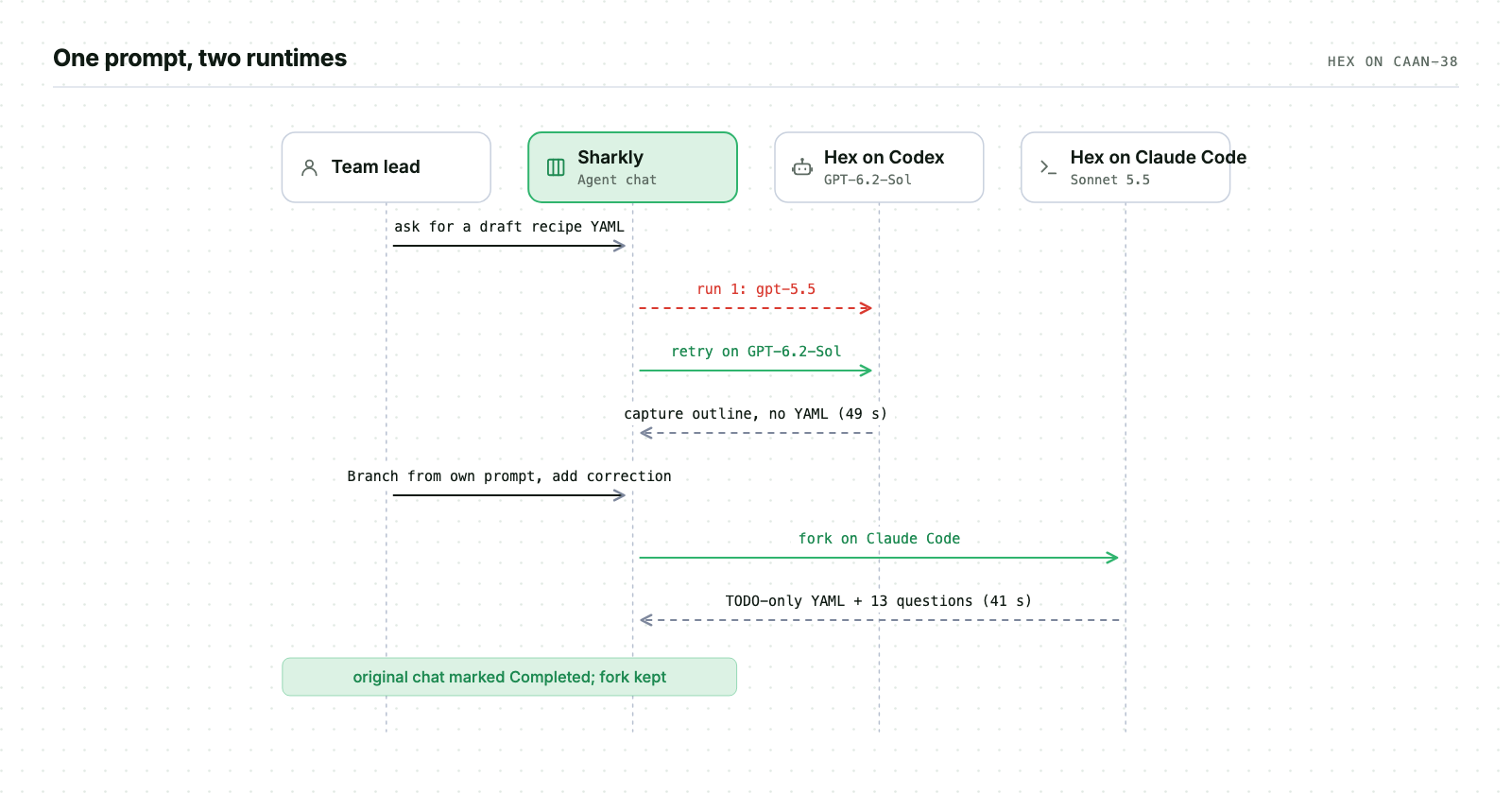
The fork’s session record names the session it came from and shows the Runtime override. Both sessions point at the same working directory. Hex wrote no files, so that didn’t matter here, but a fork that edits code works in the same folder as its original.
What went wrong for us
- Hex’s first run failed in one second. The error read “model
gpt-5.5is no longer available for this Runtime and must be re-selected”. Hex’s default model had been retired from Codex. We picked GPT-6.2-Sol in the chat’s model menu and clicked Retry; the Agent’s default still needs updating. - Branch has no confirm step. Our first test click created an empty fork on another task straight away. Expect a stray “(Fork)” row while you learn where the icon sits.
- The context-reset timestamp. The fork’s record stamped a context reset at the minute we switched Runtime. Our branch point had no earlier turns, so nothing was lost. On a long chat, check that the fork’s first answer knows what came before.
When to fork, start a new chat, or send a follow-up
| Situation | Do this |
|---|---|
| The last answer is fine and you want more | Send a follow-up |
| The answer went wrong and the setup is worth keeping | Fork from your last good message |
| You want two approaches from the same context | Fork twice from the same reply |
| The topic changed | Start a new chat |
| The work needs an owner, status or review | Turn it into a task |
For the chat-versus-task decision itself, see chat with an AI agent or assign a task.
Variations: two other teams
A platform team keeps one long design chat with an architect agent. At each decision, the lead forks from the agent’s last reply twice: one fork argues for a queue, the other for a cron job. The losing fork stays as a record of why.
A support team drafts customer replies with a Sonnet agent. When a draft lands in the wrong tone, the lead forks from their own request, edits the tone line and resends, so the customer facts stay identical across both drafts.
Recap checklist
- [ ] Hover the last good message and click Branch into a new chat
- [ ] From your own message: edit the prompt in the composer
- [ ] From a reply: write the next turn
- [ ] Optional: change Runtime and model in the fork’s composer
- [ ] Send, then compare the two answers side by side
- [ ] Keep one; mark the other Completed (standalone chats only)
- [ ] Copy the kept result into the task it belongs to
Next step: open the last agent chat that went sideways, fork it from your prompt, and fix one sentence. Read the chat help page, or start with how Sharkly agents work.
FAQ
Does forking change the original conversation?
No. Our original Hex chat kept its prompt and its reply exactly as they were after we forked it twice.
Can a fork use a different Runtime or model?
Yes. The fork’s composer has the Runtime and model pickers, and the choice applies to that chat only. We moved a Codex chat to Claude Code with Sonnet 5.5.
Does a fork cost anything before I send?
No run starts until you send a message. Creating the fork only creates the session.
What happens to a fork of a task conversation?
It stays associated with the same task, per the help page. Marking a task conversation completed also completes the task, so close forks with care.
Should I fork or create an Agent variant?
Fork for a one-off comparison. Create a variant when a different Runtime or model should stay the default for a stream of work.