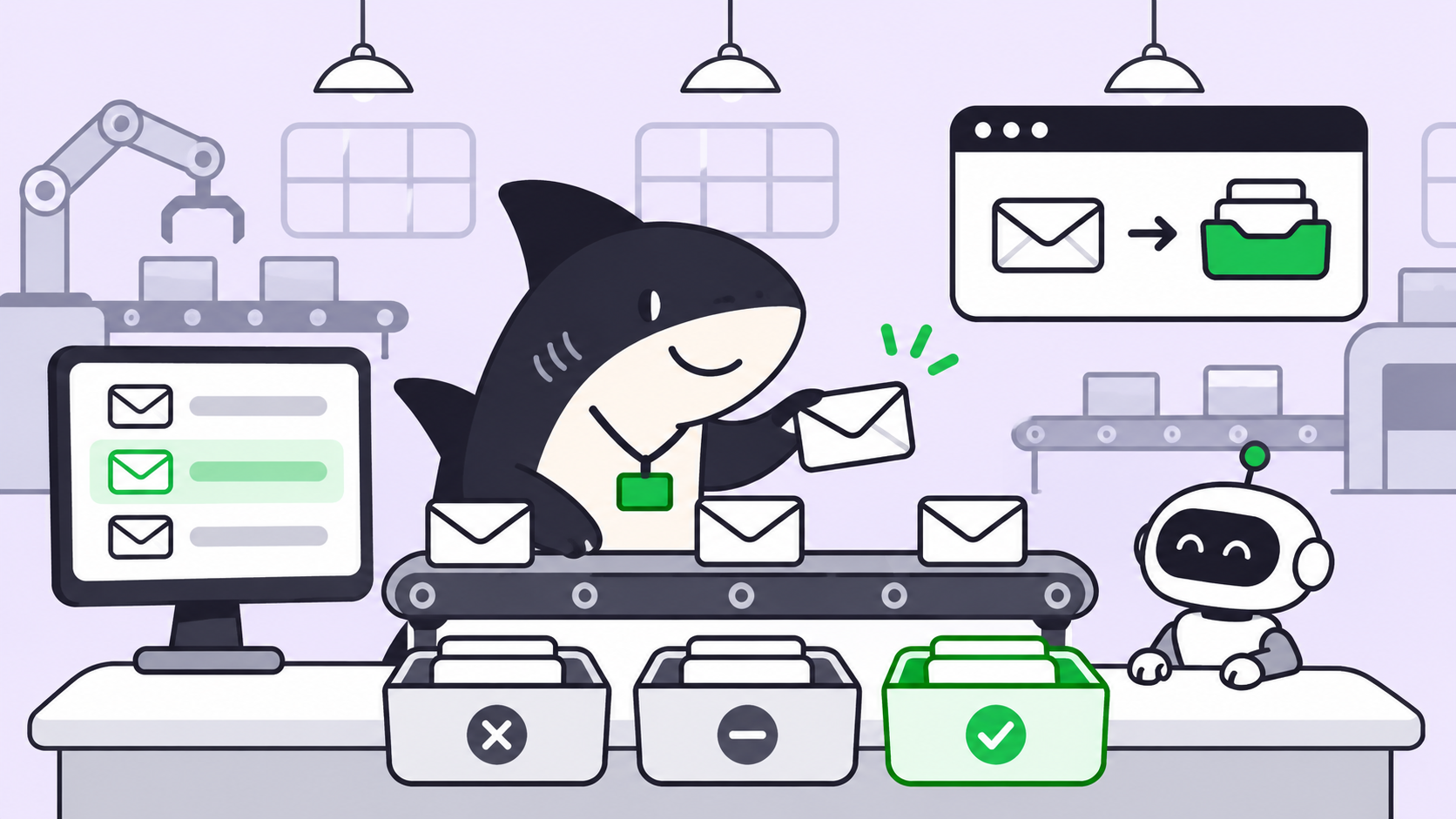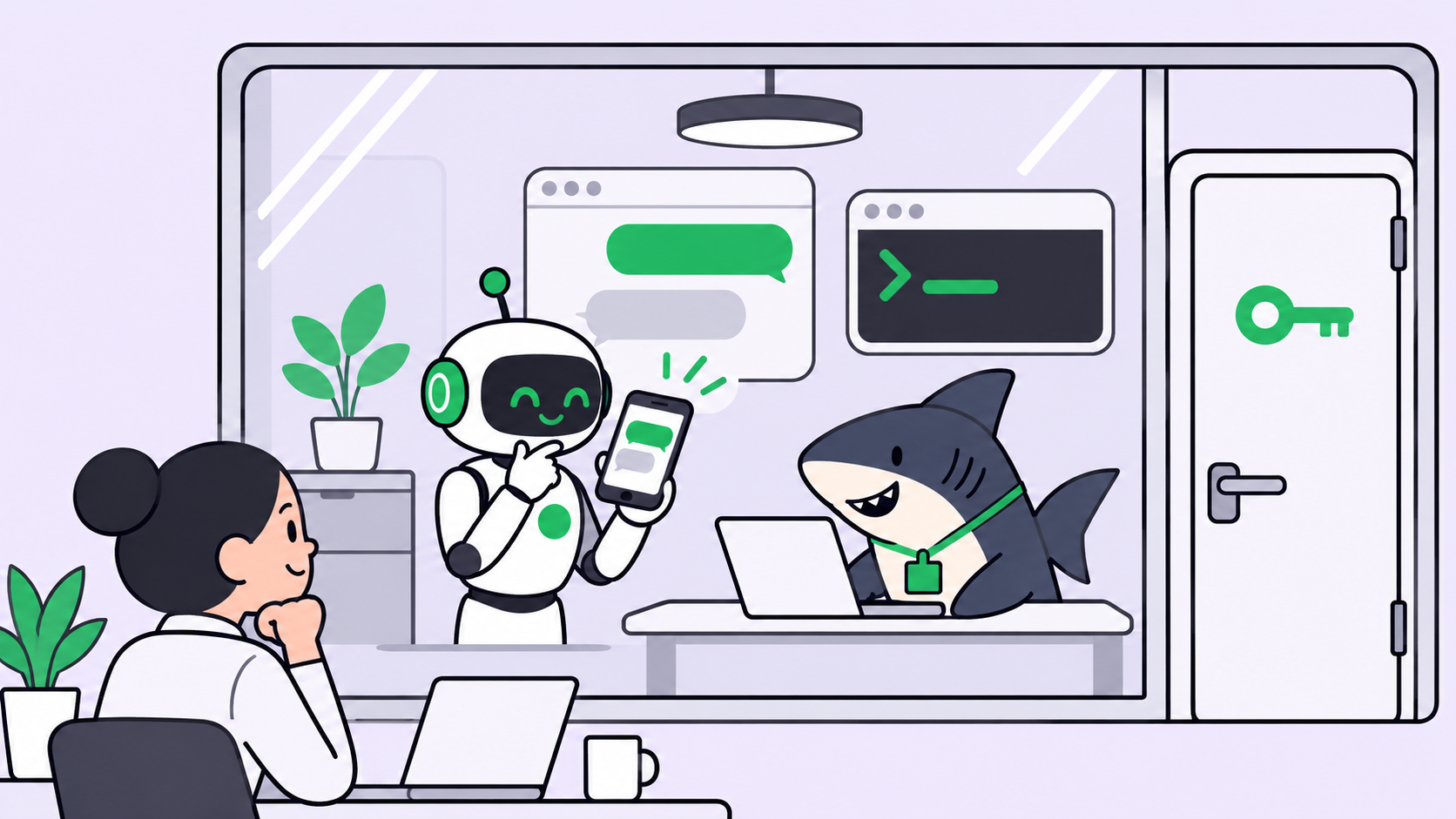
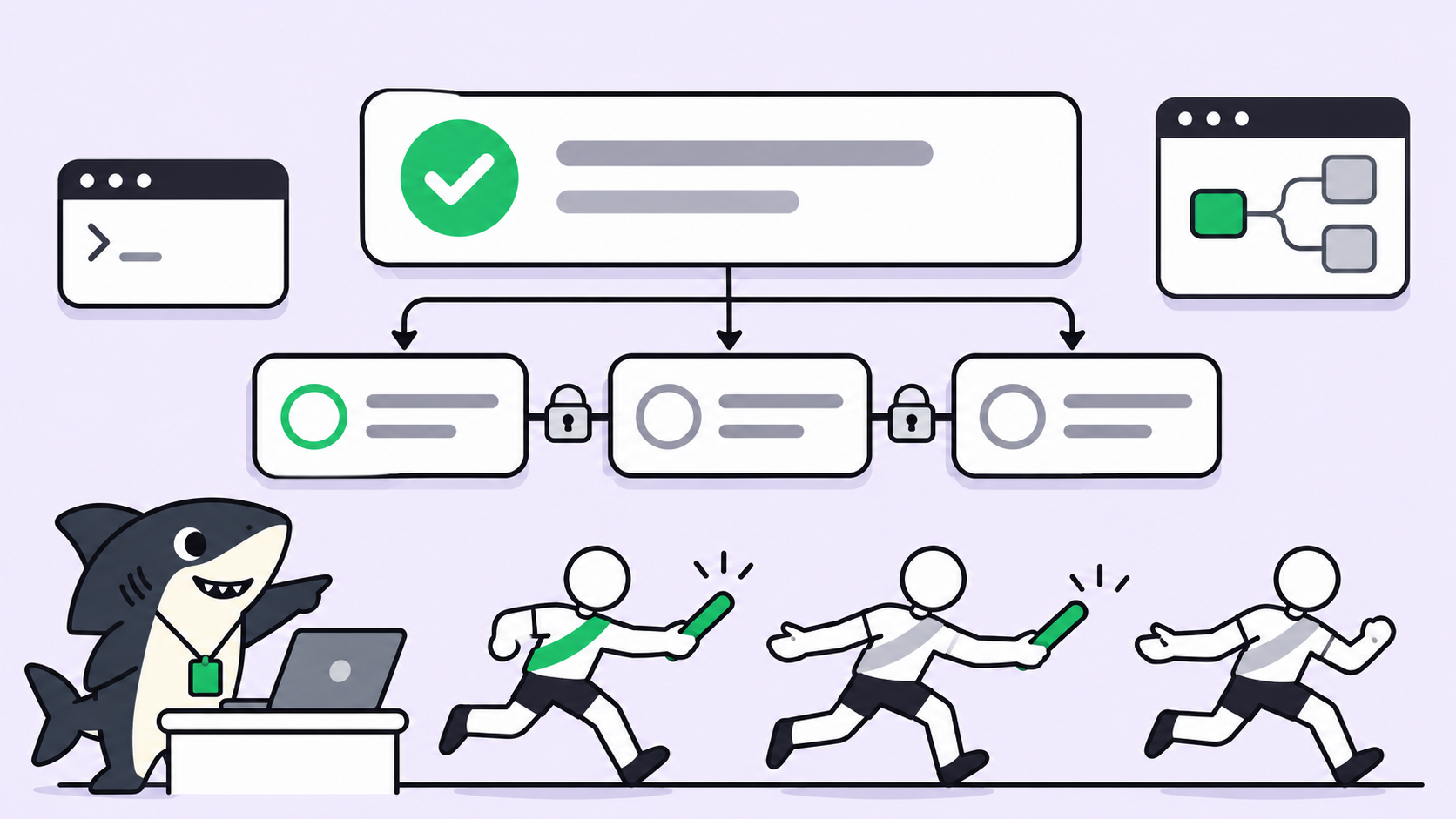
TL;DR: Sharkly sub-tasks split one big task into agent-sized pieces that roll up to a parent counter. Linked items connect independent tasks with a direction, such as “is blocked by”. Neither one changes a task’s status or holds back an agent: the link tells your team what to wait for, and your team acts on it.
The job, and what you end with
Sharkly sub-tasks are the fix for a task that’s too big for one agent run. On our Cancel Anything board, CAAN-4 asks for a whole record command: capture a person’s clicks, turn them into a recipe YAML, then validate the result. One agent run on all of that gives you one huge diff and one vague review. And CAAN-6, a nightly check, can’t start before CAAN-3 (CI) exists.
By the end of this tutorial you’ll have a parent task split into three sub-tasks with a “Done when:” line each, a blocking link with the right direction, a custom link type of your own, and one real agent run on the first sub-task. Everything below was done in the Cancel Anything organization on 2026-11-23: real clicks, a real run, real results.
If you haven’t set up Sharkly yet, it’s free to start.
Before you start
You need three things in place:
- A Space with tasks in it. Ours is Cancel Anything (key
CAAN), with statuses Triage, Backlog, Todo, In Progress, QA and Done. - A Computer that’s online, so agent runs have somewhere to execute. See how Sharkly Computers work.
- At least one Agent. We used Bolt, a Claude Code agent on Opus 5.5 that owns the engine code. If you’ve never handed work to an agent, start with assigning your first task to an AI agent.
Custom link types need an Organization Owner or Admin. Everything else works for any member.
How sub-tasks and linked items fit together
A sub-task is part of its parent’s outcome. A linked item is a separate task with a relationship to this one. The Task relations help page draws the same line: hierarchy goes in sub-tasks; dependency, derivation, duplication and context go in linked items.
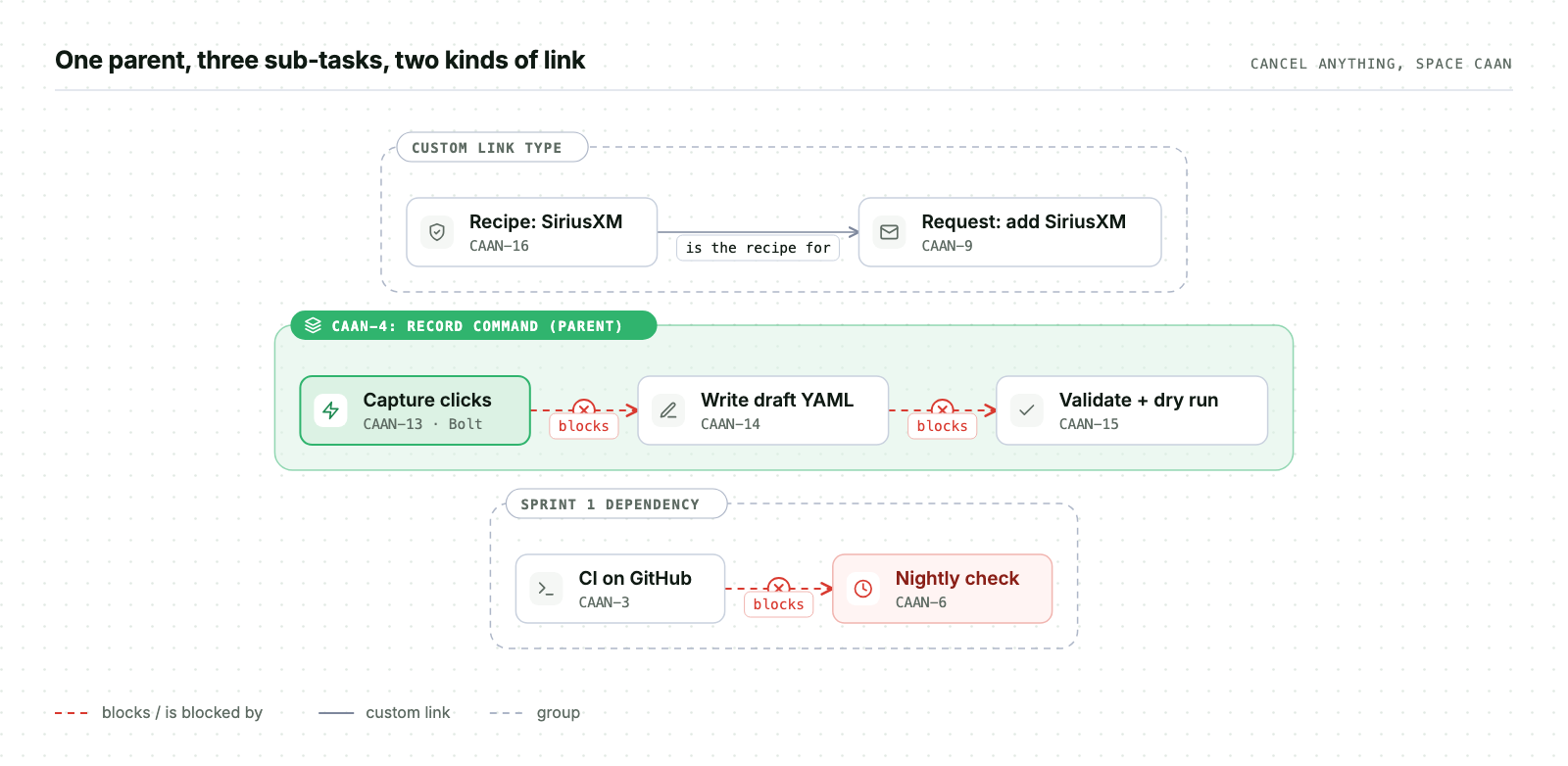
That split is a work breakdown structure on one side and a dependency graph on the other. You’ll use both.
Step 1: Split the parent into Sharkly sub-tasks
Open the parent task. Under its description, click + Subtask, or use the + on the Sub-tasks header once one exists. A parent must sit in the same Space as its children.
Make each sub-task one agent run and give it its own “Done when:” line. Ours:
| Sub-task | Done when |
|---|---|
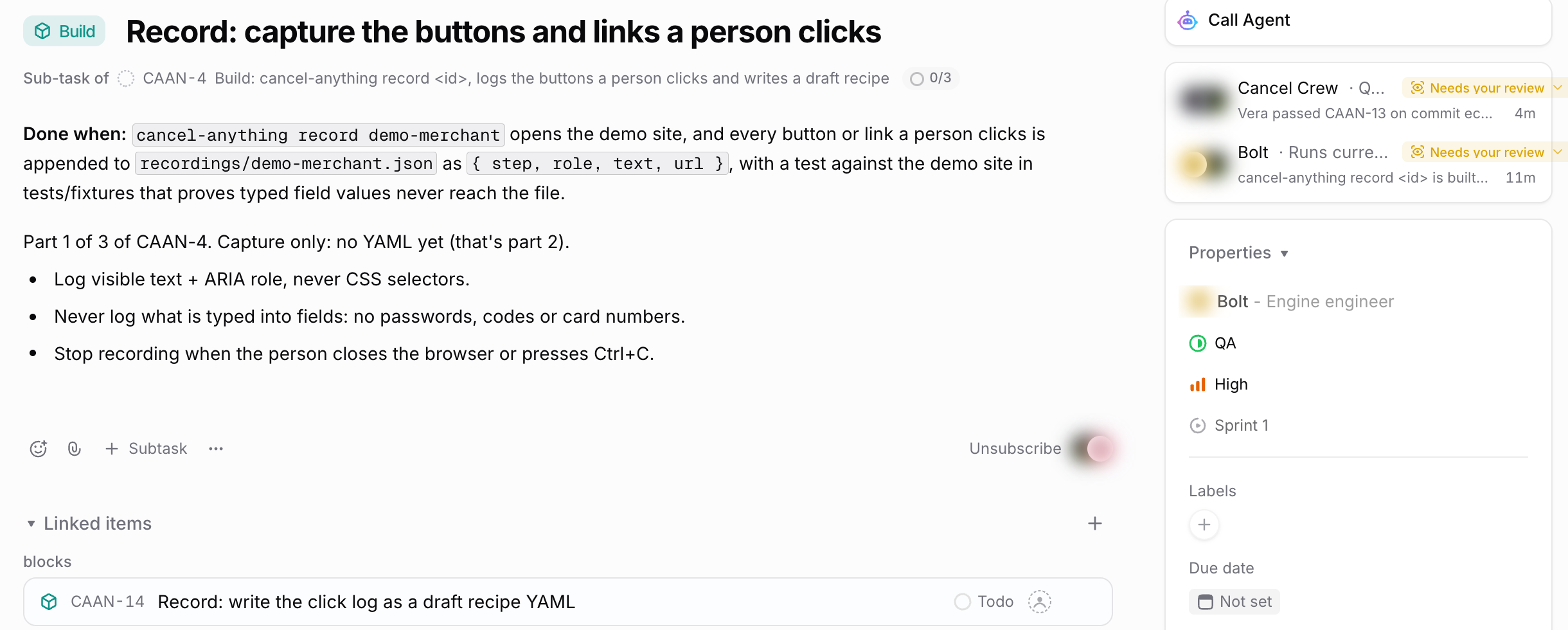
| CAAN-13 Record: capture the buttons and links a person clicks | every click lands in recordings/demo-merchant.json as { step, role, text, url }, and a test proves typed values never reach the file |
| CAAN-14 Record: write the click log as a draft recipe YAML | the log becomes recipes/demo-merchant.draft.yaml |
| CAAN-15 Record: validate the draft recipe and dry-run it | the draft passes npm run validate and a dry run |
We created ours from a script with the Sharkly CLI, which takes the same fields:
sharkly task create --space CAAN --parent CAAN-4 --type Build \
  --sprint "Sprint 1" --priority high --status Todo \
  --title "Record: capture the buttons and links a person clicks" \
  --body-file done-when-13.md
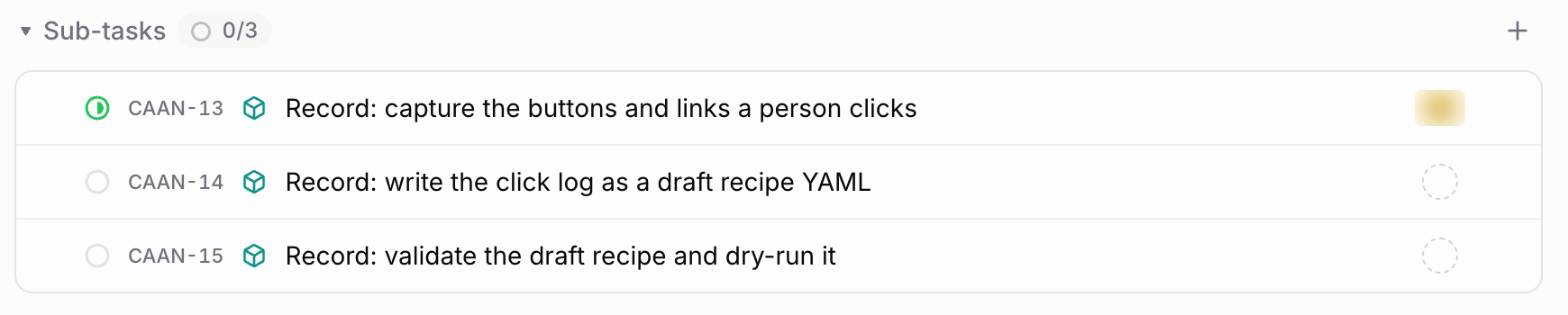
The parent now shows a Sub-tasks section with a progress counter.
Open any sub-task and you’ll see “Sub-task of CAAN-4” under the title, with the parent’s counter beside it.
Step 2: Block a task on the step before it
Open the task that has to wait (CAAN-6). In Linked items, click +. The Add linked task dialog opens with the relation type already set to is blocked by. Search for CAAN-3 or paste its URL, then select it.
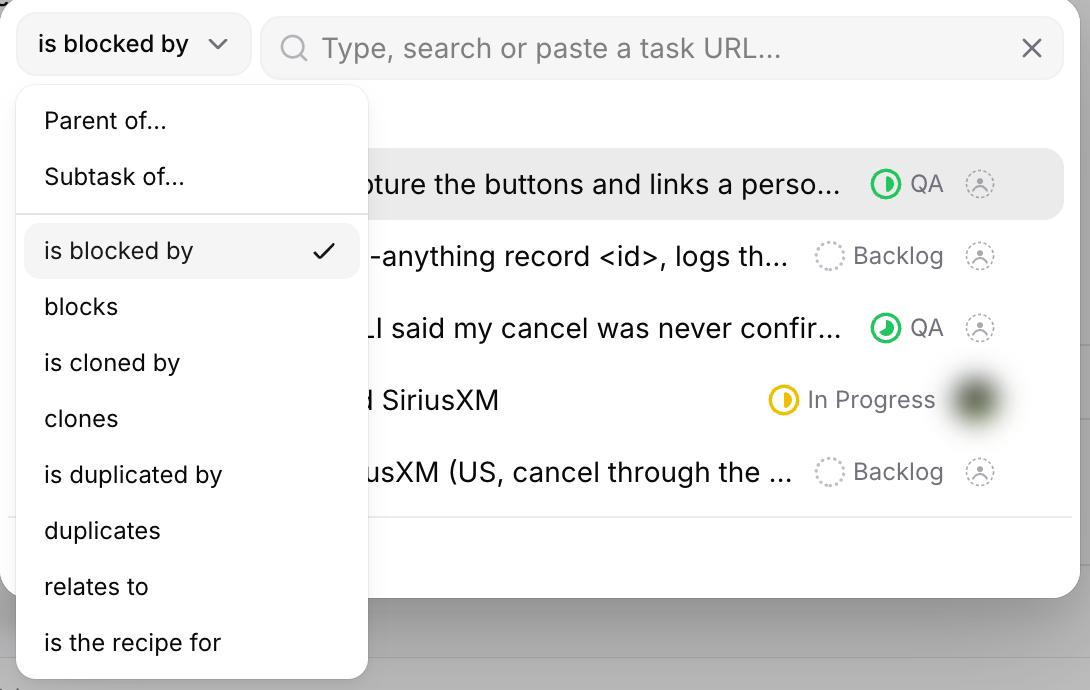
Direction matters. “CAAN-6 is blocked by CAAN-3” and “CAAN-6 blocks CAAN-3” are opposite claims, and Sharkly shows each side its own wording. We also chained the sub-tasks: CAAN-14 is blocked by CAAN-13, and CAAN-15 is blocked by CAAN-14. From the CLI:
sharkly task link CAAN-6 --target CAAN-3 --type is_blocked_by
Linked tasks can live in different Spaces of the same Organization. Space access still applies when someone opens them.
Step 3: Check what a blocking link does not do
Here’s the part that trips people up. A relation never changes status. We moved the blocked CAAN-6 from Backlog to Todo and Sharkly allowed it, no warning. Adding “is blocked by” doesn’t move a task to a Blocked status, and it doesn’t start an automation either.
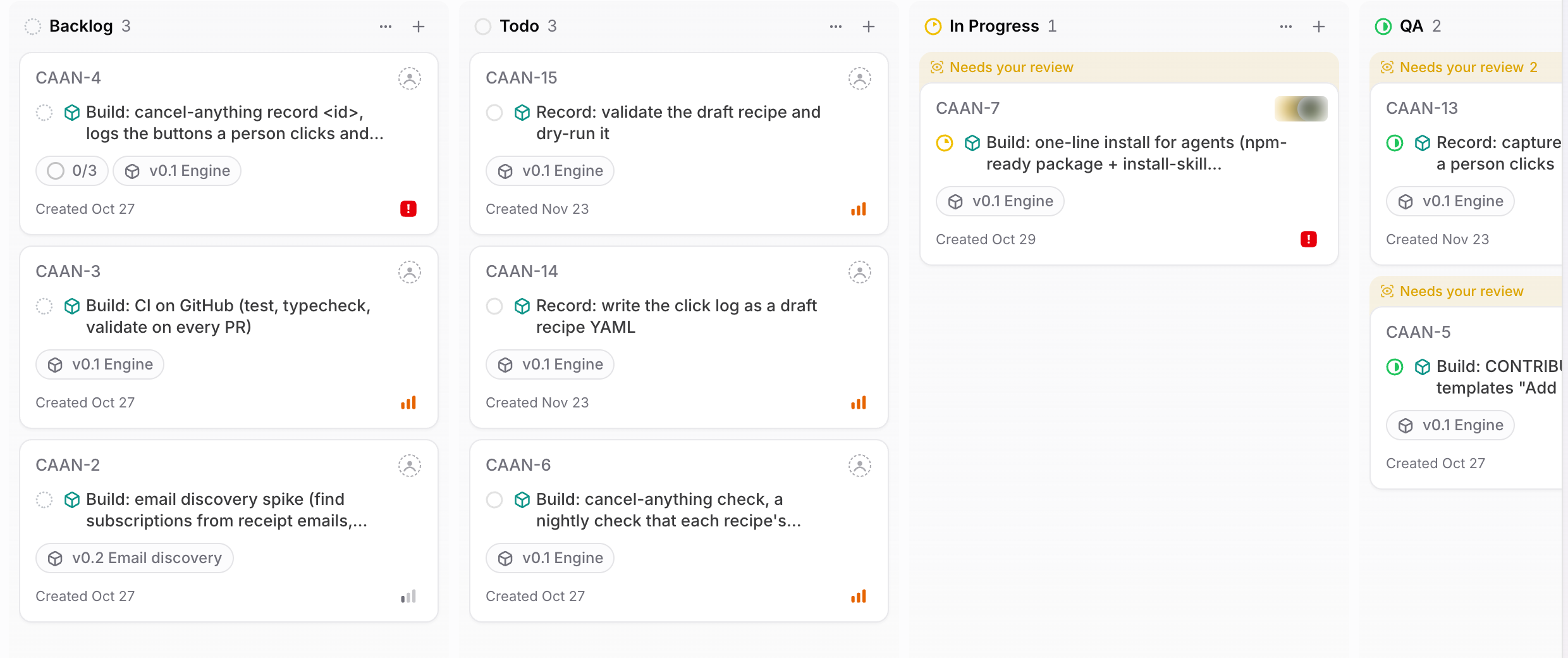
So the team uses a convention instead. The blocked task gets a comment that says why it waits and when to assign it:
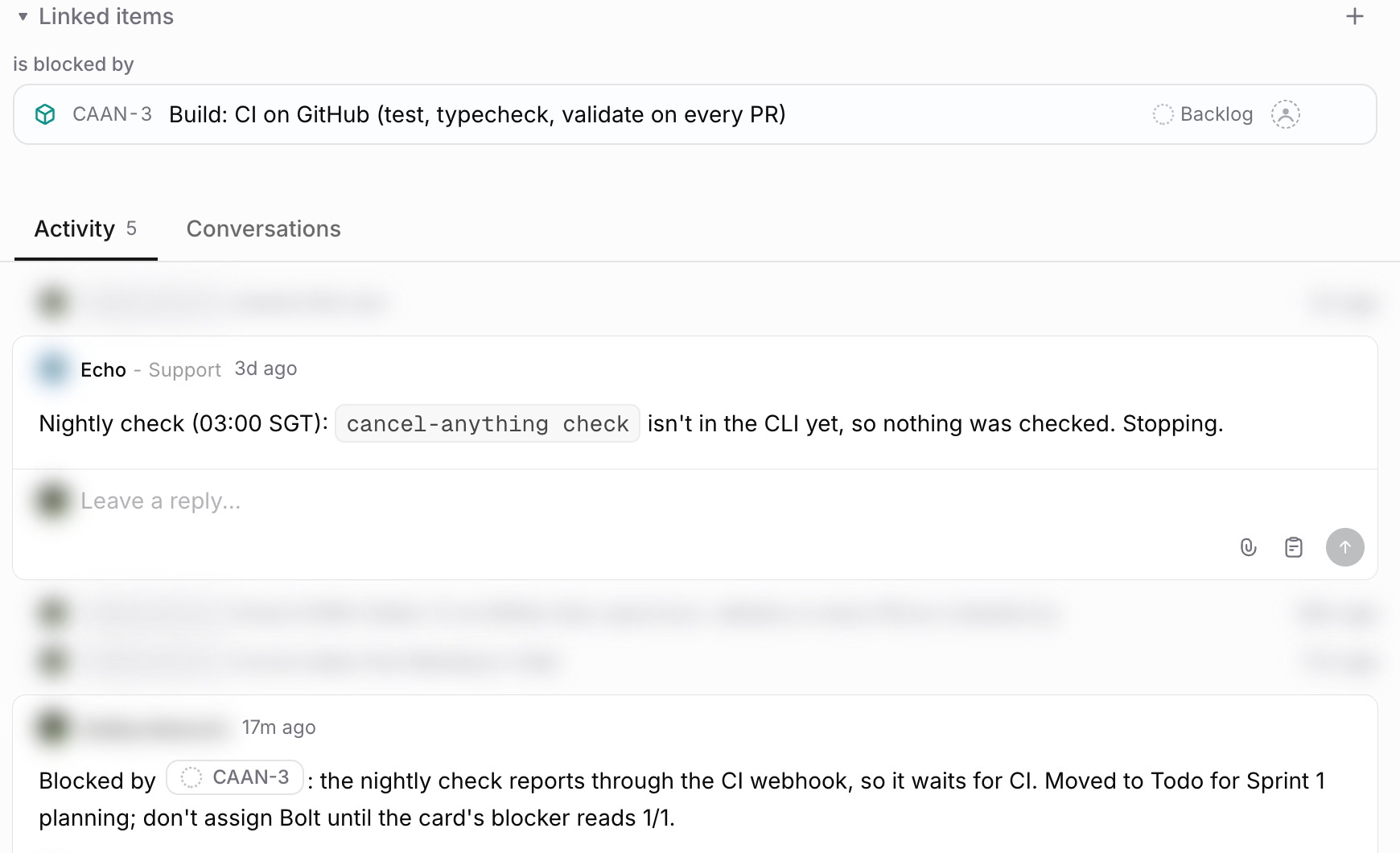
The rule on our board: nobody assigns an agent to a task whose blockers aren’t Done. If you want the board to enforce it, add a Blocked status and move the task there yourself, or build an automation with an explicit trigger.
Step 4: Add a custom link type in Sharkly
The four built-in types (blocks, clones, duplicates, relates to) don’t say “this recipe answers that request”. So we made one. Go to Organization settings > Task link types > New link type and fill in three fields:
- Name: Recipe for
- Outward description: is the recipe for
- Inward description: has the recipe
Click Save. Built-in types are locked; yours gets an edit menu.
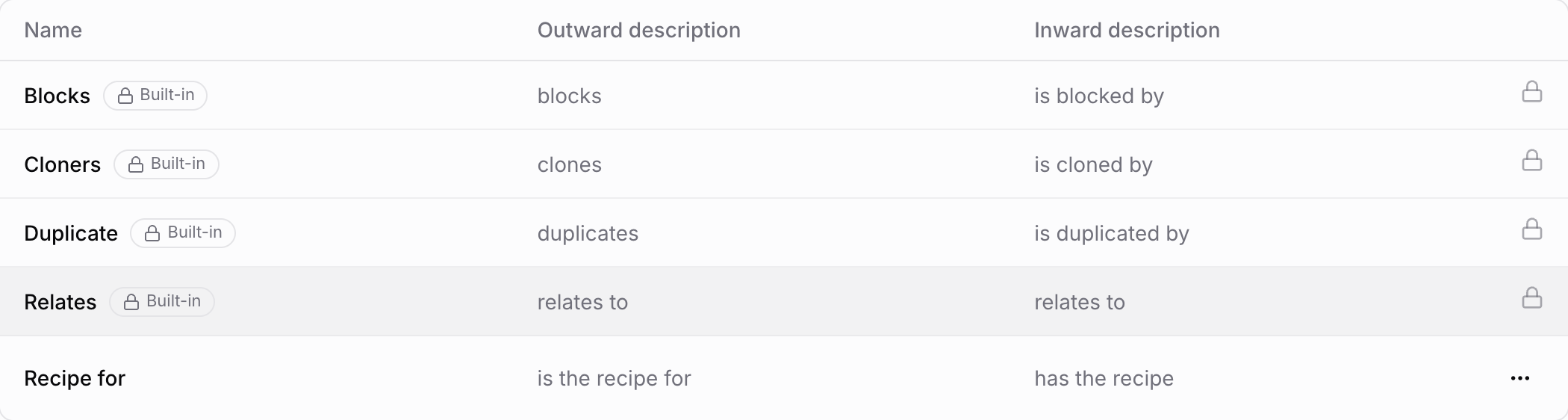
Then on the Recipe task (CAAN-16, the SiriusXM recipe), open Add linked task, pick is the recipe for from the relation list, and choose the request CAAN-9. Open the request and it reads the other way round:

Step 5: Assign the first sub-task to an agent
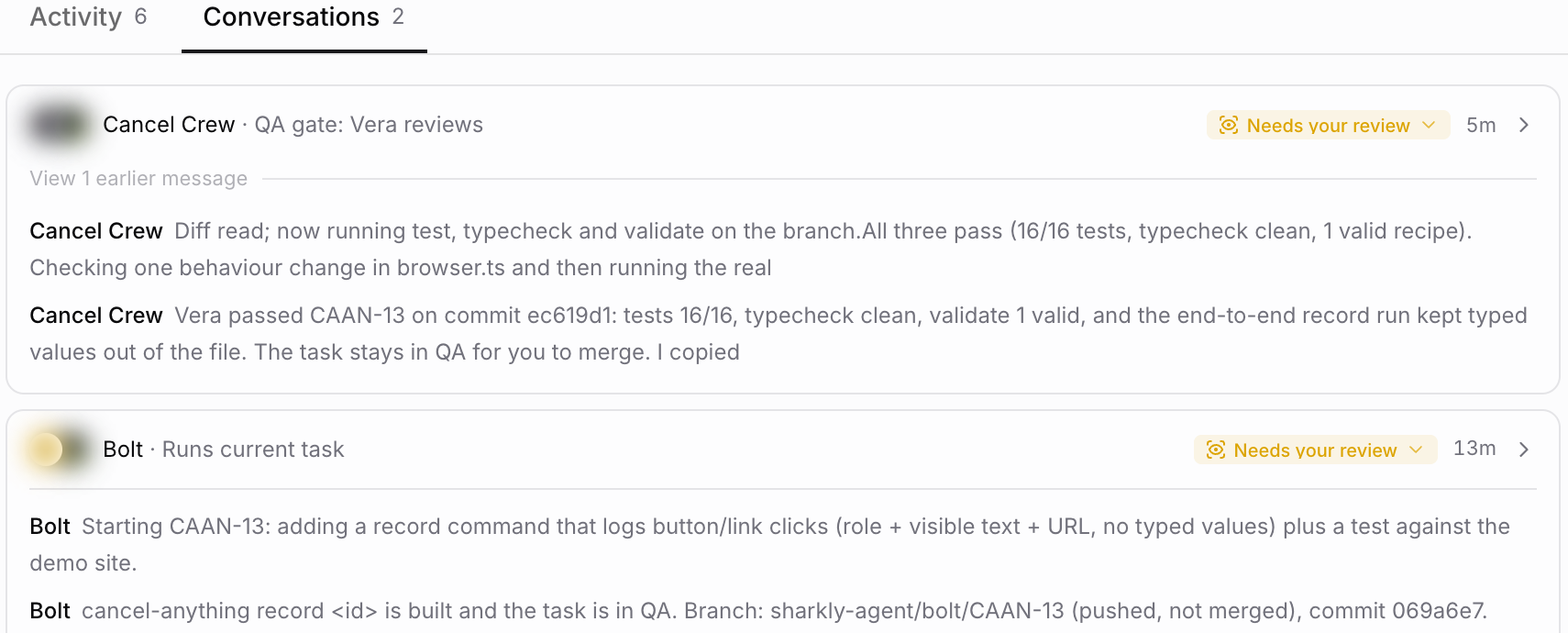
Assign CAAN-13 to Bolt. Assigning an agent starts a run on that task. Bolt finished in about six minutes: it built cancel-anything record <id>, added a privacy test that types an email, password and card number on the demo site and checks none reach the file, pushed a branch, and moved the task to QA with 15 of 15 tests passing.
Moving to QA fired the Space’s existing QA gate automation. It hands every QA task to Cancel Crew, whose leader passes it to Vera, the QA agent. Vera re-ran the tests, typecheck and validation, did an end-to-end recording, and passed it.
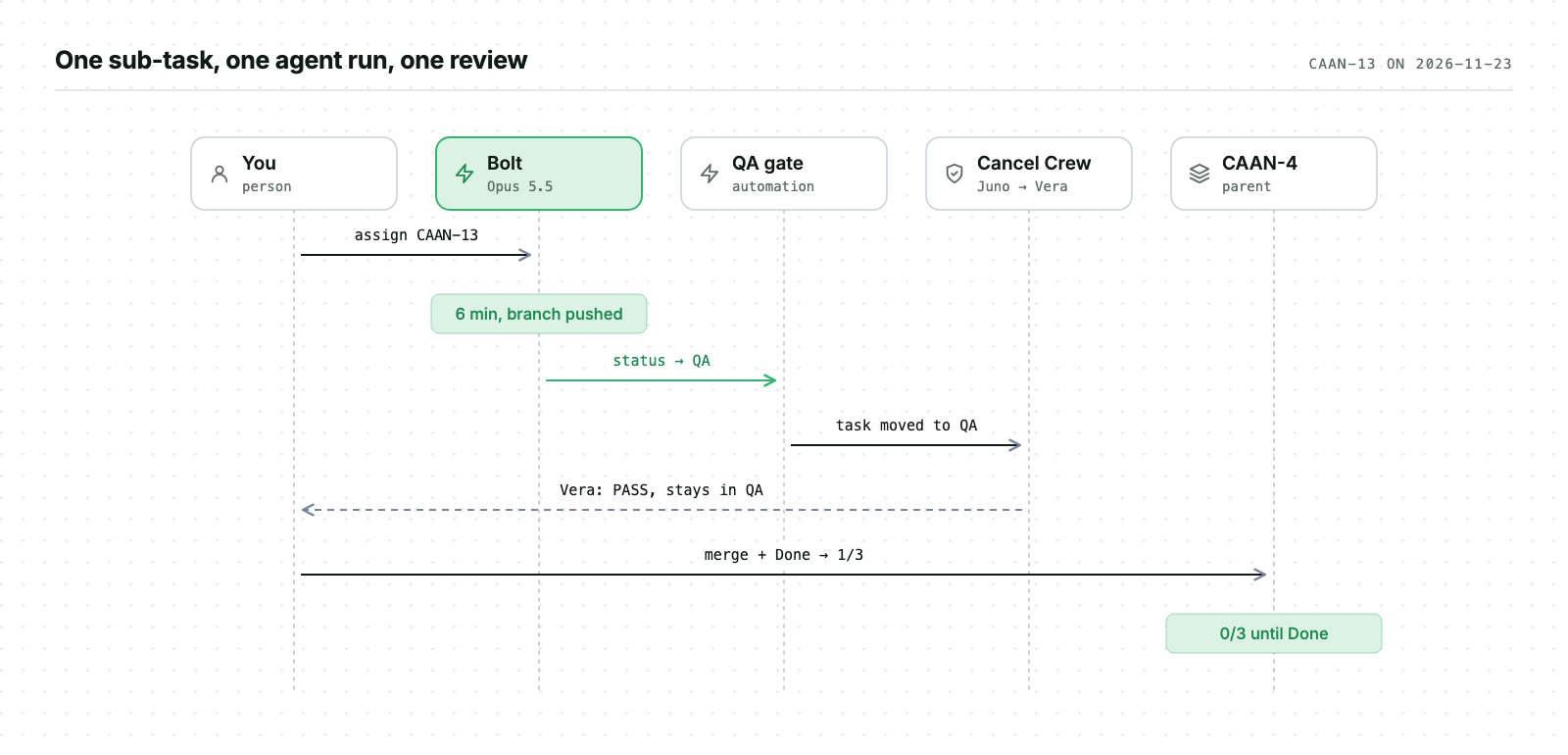
The real result
CAAN-13 sits in QA with a passing review and a branch to merge. The parent still reads 0/3, and that’s correct: the counter counts sub-tasks in Done, and only a person moves a task to Done after the merge. CAAN-14 shows “is blocked by CAAN-13” until then, so nobody hands Bolt the YAML writer against code that hasn’t landed.
That’s the whole point of the split. Each review covers one diff with one “Done when:” line, close to a Definition of Done per increment.
What went wrong for us
- No blocking indicator on the board. The help page says board cards show how many tasks a card blocks and the progress of its blockers. On 2026-11-23 our cards showed the sub-task chip (0/3) and no blocking count, on the Build tab and the All tab, and Display settings had no property for it. The API returns the counts (
blockedByCount: 1on CAAN-6), so we read blockers from the task page’s Linked items. The app wins here, so check your own board before you rely on it. - The CLI rejected our custom type by name.
sharkly task link CAAN-16 --target CAAN-9 --type "Recipe for"returnedunknown relation type. We made that link in the app instead. - The picker lists only the outward wording. “has the recipe” never shows in the relation list. To link from the request side, open the recipe and link outward.
- A stray link. We linked CAAN-14 “relates to” CAAN-16 by mistake. Unlinking removed it from both tasks; the activity log keeps the record.
Variations
A frontend team splitting a redesign. One parent per page, a sub-task per component, and “is blocked by” pointing at the design-system task that ships the tokens. Agents take components in parallel; nothing waits except what needs the tokens.
An ops team tracking incidents. A custom “causes / is caused by” type links the incident to the deploy that caused it, and the postmortem tasks become sub-tasks of the incident. The relation answers “what broke this” without merging tasks.
If several agents share the work, a Crew can pick up sub-tasks and route review the same way our QA gate did. Sequencing long chains is classic critical path thinking: block only on what truly gates the next step.
Recap checklist
- [ ] Split any task that needs more than one agent run into sub-tasks, each with a “Done when:” line.
- [ ] Link dependencies as “is blocked by” from the task that waits.
- [ ] Remember that links never change status; agree on a team rule for blocked work.
- [ ] Add a custom link type when the built-ins don’t say what you mean.
- [ ] Assign one sub-task at a time and review it before unblocking the next.
- [ ] Move sub-tasks to Done yourself; the parent counter follows.
Next step: open your largest Backlog task in Sharkly, split it into three sub-tasks, and assign the first one to an agent.