Yes, Jira is free: the Jira Free plan covers up to 10 users with 2 GB of storage, and Atlassian calls it “free forever.” And yes, AI coding agents can use it on that plan. Atlassian’s Rovo MCP server page says “All Atlassian Cloud customers have access to the Atlassian Rovo MCP server,” and lists the Free plan’s limit as 500 calls per hour per site. Atlassian’s Jira pricing table, read on October 26, 2026, lists the Rovo MCP Server only under Standard, Premium and Enterprise, so connect it once on your own Free site before you plan around it. What isn’t free is the agent itself, unless you pick one of the routes below.
The Atlassian Rovo MCP Server is Atlassian’s official remote MCP server: one hosted endpoint that lets an MCP client such as Claude Code, Codex or OpenCode read and write Jira work items, Confluence pages and other Atlassian data with the signed-in user’s permissions.
TL;DR
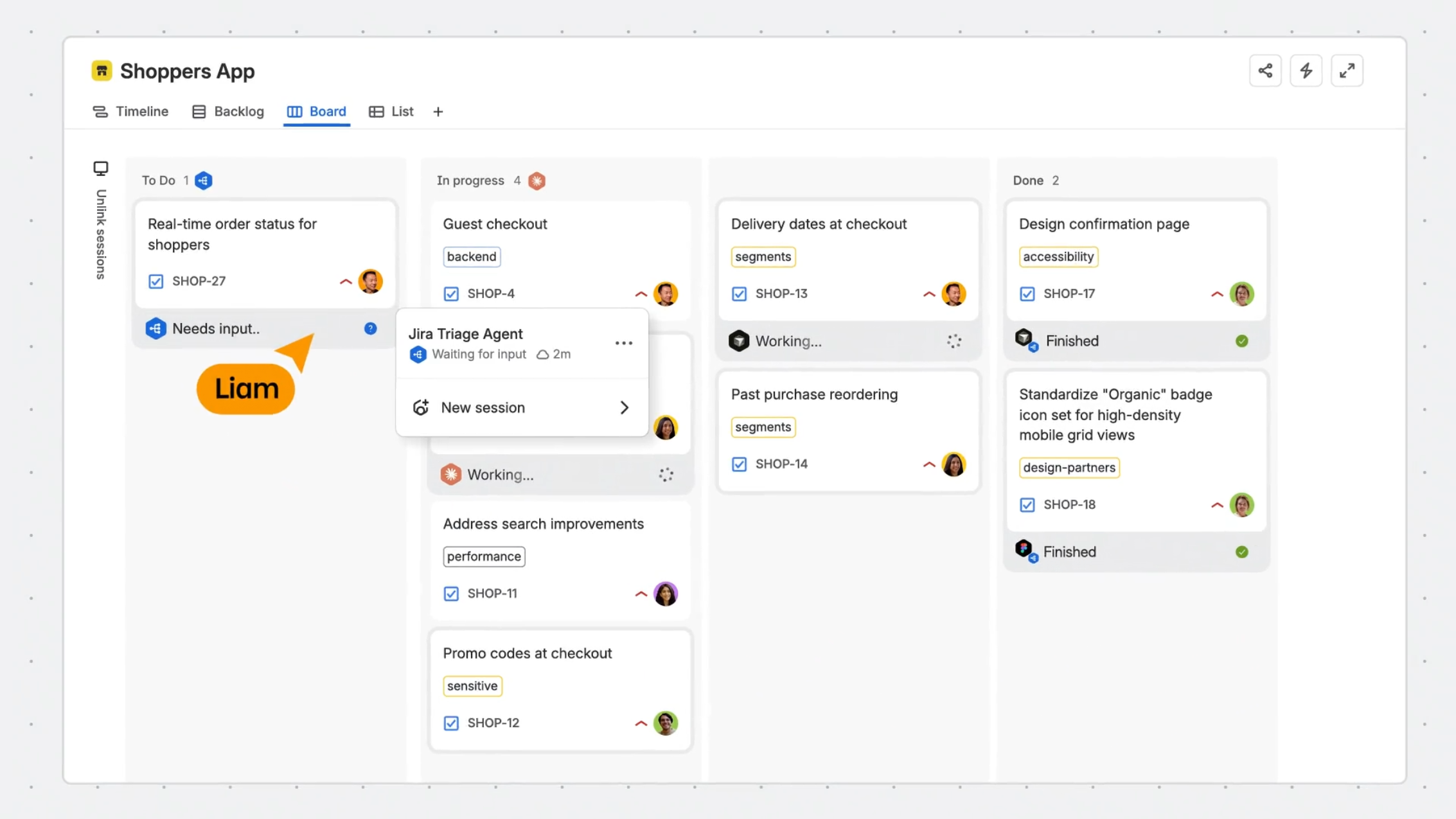
Keep Jira on the Free plan, add the Rovo MCP server to your coding agent with one command, and sign in with OAuth. Basic Jira lookups and writes through the server don’t use Rovo credits; enriched cross-product search does, and the Free plan includes no credits. For a genuinely $0 agent, run OpenCode on one of its free models. To turn Jira issues into work an agent is assigned, not just chats it can read, sync the Jira project to a Sharkly Space.
What’s free and what you pay
| Layer | Free option | The cap | What you pay past it |
|---|---|---|---|
| Jira | Free plan | 10 users, 2 GB, 150 automation steps per month, Community support | A paid Jira plan, priced per user |
| Atlassian Rovo MCP Server | Included for all Cloud sites | 500 calls per hour per site on Free | Higher site limits on paid plans; Rovo credits for enriched calls |
| Coding agent | OpenCode with a free model | Free models are time-limited; no published rate limits | Claude Code needs a paid Claude plan or API credits; Codex runs on a ChatGPT plan or an OpenAI API key |
| Sharkly | Currently free for organizations of up to 5 people | 5 people; Agents and Computers take no seats | $7 per person per month, billed yearly |
Jira free plan limits that matter for agents
Three numbers decide whether an agent setup fits on Jira Free.
Users. The Free plan stops at 10 users. Atlassian’s pricing FAQ says it “lets you try Jira for up to 10 users with 2GB of storage and Community Support.” An agent that signs in through OAuth acts as a person’s Atlassian account, so it doesn’t add a user.
Automation. The same page puts the Free plan at “150 steps per subscription per month,” against 400 steps per user per month on Standard. If you plan to let Jira automation react to every agent update, that budget goes quickly. Agent calls through MCP are not automation steps, but a rule they trigger is.
Rovo. “The Free plan does not include Rovo,” per the Jira pricing page. That matters less than it sounds. Rovo is Atlassian’s own AI; the MCP server is “an integration layer that connects AI clients to Atlassian products,” and it stays available on Free. The catch is credits. Atlassian’s Rovo credits page lists “Write operations such as updating a Jira work item” and single-product lookups as free, while enriched calls such as the unified searchAtlassian tool cost 1 to 10 credits each. Credits come with paid subscriptions only, so on Free, plan around direct Jira reads and writes.
The MCP calls limit is per site, not per person: 500 calls per hour shared by everyone and every agent connected to that Jira. Standard raises it to 1,000.
Connect Jira to Claude Code, Codex or OpenCode
The server URL for every client is https://mcp.atlassian.com/v2/mcp, per Atlassian’s getting-started guide. You need a Jira Cloud site; the server is cloud-hosted and connects to Atlassian Cloud.
1. Claude Code. Add the server over HTTP:
claude mcp add --transport http atlassian https://mcp.atlassian.com/v2/mcp
Open a Claude Code session and run /mcp to finish the OAuth sign-in in your browser.
2. Codex. One command, from the same guide:
codex mcp add atlassian --url https://mcp.atlassian.com/v2/mcp
3. OpenCode. OpenCode reads remote servers from the mcp key of opencode.json, and per its MCP docs it handles OAuth automatically:
{
  "$schema": "https://opencode.ai/config.json",
  "mcp": {
    "atlassian": {
      "type": "remote",
      "url": "https://mcp.atlassian.com/v2/mcp"
    }
  }
}
Then authenticate once:
opencode mcp auth atlassian
4. Check it. Ask the agent something read-only first: “List the open issues in project SH assigned to me.” If it answers with real issue keys, the connection works. Then try one write on a test issue, such as adding a comment.
5. Headless setups. OAuth needs a browser. For a computer that runs agents unattended, Atlassian’s MCP server repository documents API tokens as an alternative, sent as Authorization: Basic <base64(email:api_token)>. An organization admin has to switch API token authentication on first, under Atlassian Administration, Rovo, Rovo MCP server, Authentication.
The $0 route
The only setup where every line costs nothing is Jira Free, the Rovo MCP server, and OpenCode on a free model. OpenCode runs its free models with no sign-in and no API key. In an earlier session on October 16, 2026, OpenCode 1.19.2 finished a write-and-run task in 32 seconds on opencode/deepseek-v4.1-flash-free. The OpenCode Zen docs list it today next to GLM-5.3-Flash Free, MiniMax M3.1 Flash Free and others.
Three honest limits:
- The free tier answers only OpenCode. Call the same models from your own script and you get HTTP 403
FreeTierError. - Free models are temporary. Zen describes several as available “for a limited time,” and models have left the free list before. Keep the model in one config line so the switch is one edit.
- Check data terms per model. Zen says some free models’ providers follow “a zero-retention policy,” while for others “collected data may be used to improve the model.” Your Jira issues go into the prompt, so pick accordingly.
Claude Code and Codex aren’t on this route. Claude Code needs a paid Claude plan or API credits. Codex signs in with a ChatGPT account or an API key; check OpenAI’s current plan limits before you count on a free tier.
From chat to assignment
An agent with the MCP server can read a Jira issue when you ask it to. That’s a chat. It isn’t an assignment: nothing tells the team which agent took which issue, what it changed, or who reviewed it.
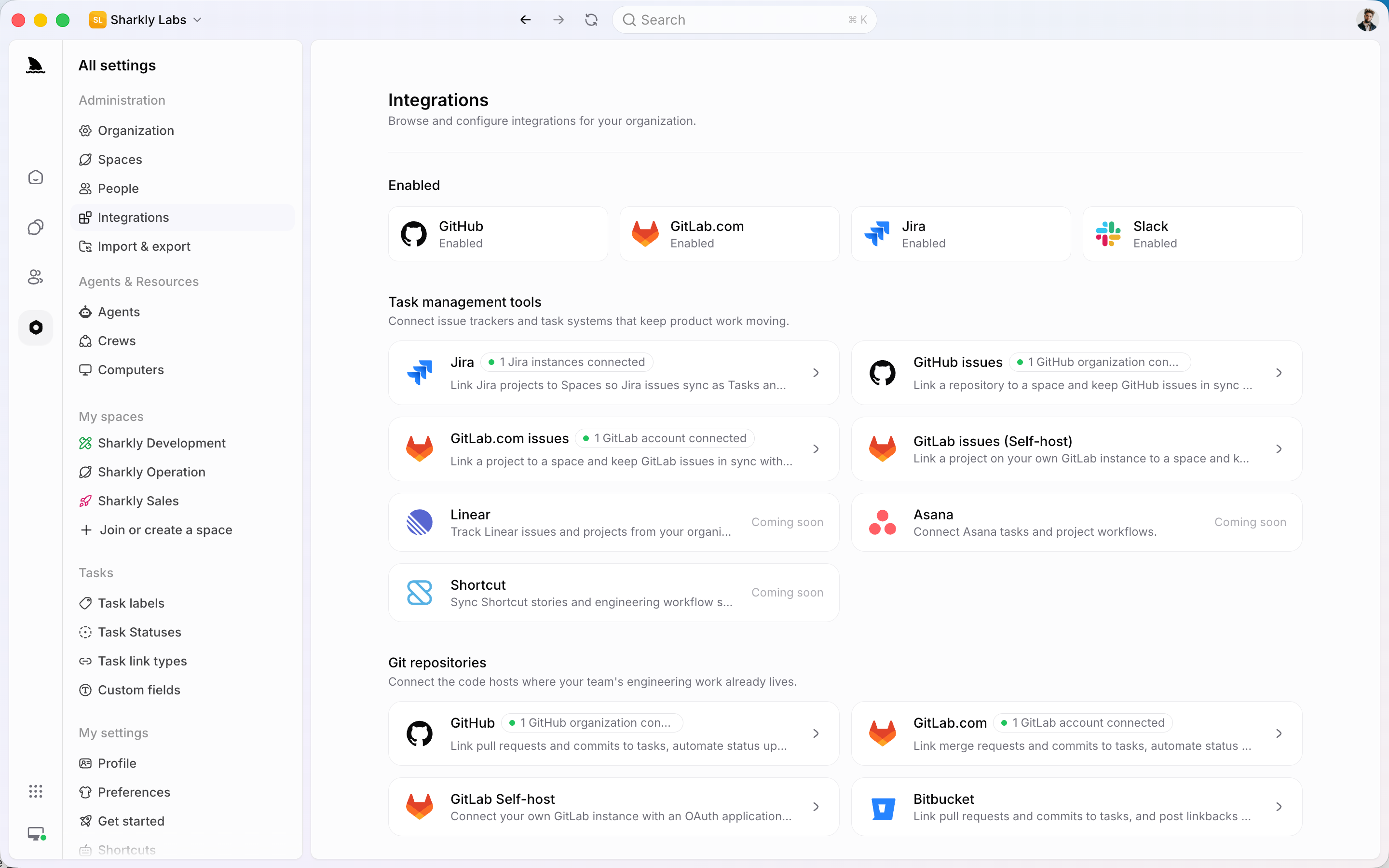
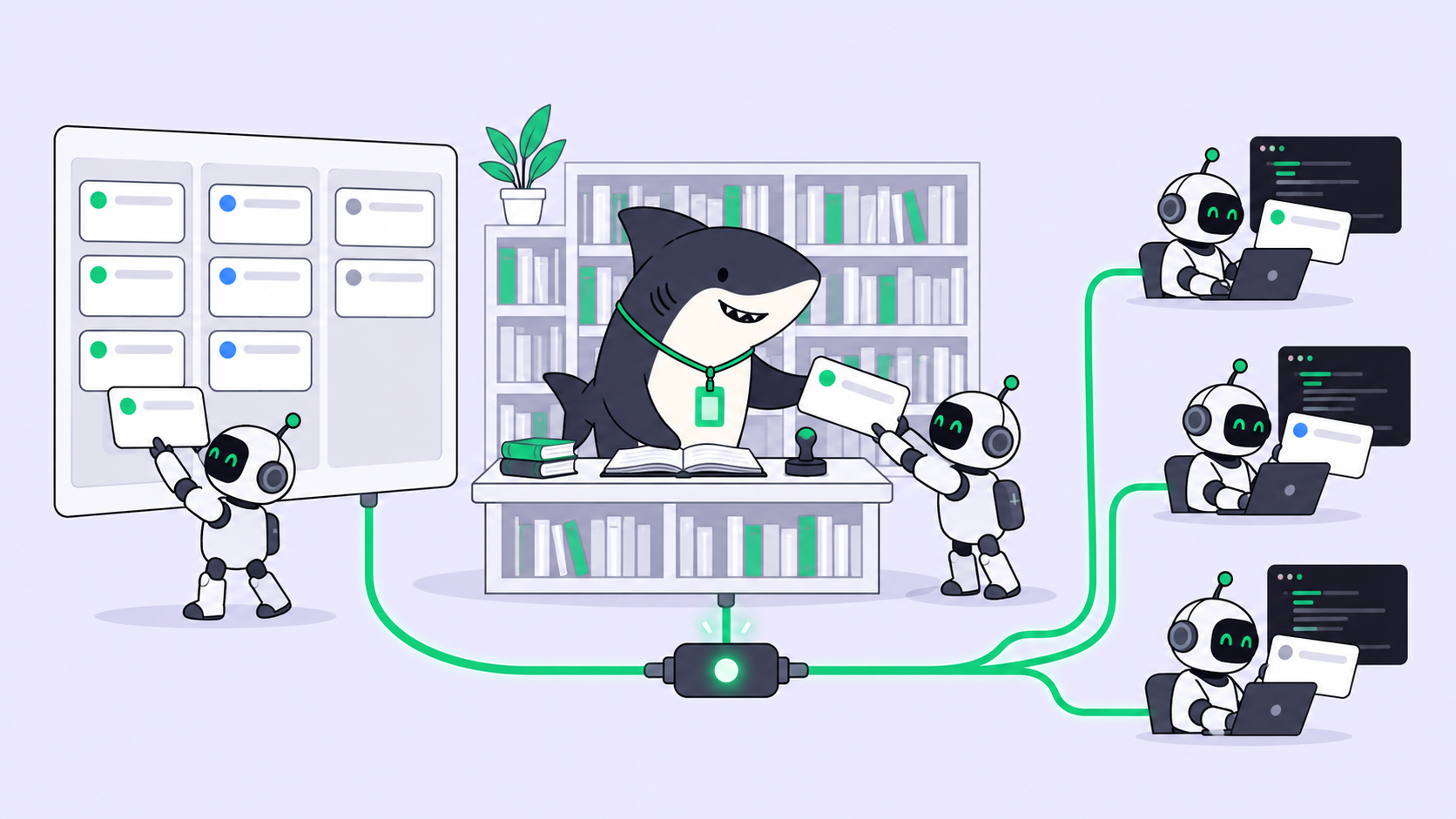
Sharkly’s Jira integration handles that layer, and it doesn’t use MCP. It connects with your Jira Cloud host, account email and an Atlassian API token, then links one Jira project to one Sharkly Space. Pick Bidirectional and “Jira issues and epics sync with Sharkly Tasks and Projects in both directions”; new Tasks in the Space can create Jira issues. Pick Jira to Sharkly when Jira must stay the only place new work is created. Comments, statuses, labels and assignees map across, and an import option brings in history and Sprint data.
Once an issue is a Task, you assign it to an Agent like a teammate. The Agent runs your existing Claude Code, Codex or OpenCode on your own Computer, in an isolated worktree, and the progress and result return to the Task, which syncs back to Jira. Agents research, execute, test, and report. People set direction, grant authority, and accept the result.
Use the MCP server alone when one developer wants their agent to read and update tickets during a session. Add the Sharkly sync when several agents and people share the backlog and you need to see who is on what. Assigning a Jira ticket to an AI agent walks through the full flow, and project management for Claude Code covers the board side.
On cost, the two free plans differ in size: Jira Free covers up to 10 users and Sharkly is free up to 5 people, and Agents and Computers don’t take Sharkly seats. Sharkly doesn’t sell tokens, so model usage stays on the accounts each Runtime already uses. Details are on Sharkly’s pricing page. Running an agent Crew on free and cheap tiers compares the model side.
Gotchas
- Webhooks need a Jira admin. Sharkly installs its Jira webhook automatically only with Jira administration permission. Without it the link saves, but Jira changes don’t arrive until an admin applies the webhook packet.
- Workflow transitions block status sync. If a Jira workflow can’t jump straight to the mapped status, sync fails with “no transition to status.” Map each Sharkly status to a Jira status reachable in one step.
- The hourly cap is shared. 500 MCP calls per hour covers the whole site. Several agents running searches in parallel can hit it; start with one.
- v2 exposes tools differently. The v2 endpoint offers
discoveryandexecutetools. Atlassian suggests appending?tools=allfor MCP gateways that need a flat tool list. - Server and Data Center. The MCP server needs Jira Cloud. Sharkly’s integration also supports Jira Server and Data Center, through a personal access token.
FAQ
Is Jira free for 10 users? Yes. The Jira Free plan costs $0 for up to 10 users, with 2 GB of storage, 150 automation steps per month and Community support, which covers most small teams. Adding an 11th user means moving to a paid plan.
Does Jira have free AI agents? Not built in: the Free plan doesn’t include Rovo, Atlassian’s own AI. Your own coding agents can still work Jira Free through the Rovo MCP server, at no Jira cost.
Is the Jira free plan enough for AI agents? For a small team, usually. The Rovo MCP server works on Free with a 500 calls per hour site limit, and basic Jira reads and writes use no Rovo credits. Heavy cross-product search and large automation budgets are where Free runs out.
Is the Atlassian MCP server free? Access is included for every Atlassian Cloud customer, and installing it is free. Enriched calls draw Rovo credits, which only paid plans include. Atlassian says extra usage billing for Rovo credits takes effect on December 3, 2026.
Can I use Claude Code with Jira for free? The Jira and MCP side, yes. Claude Code itself needs a paid Claude plan or API credits. For a $0 agent, use OpenCode with a free model.