TL;DR: The 1Password breach began when an attacker got into one employee’s corporate GitHub account, pushed malicious code to backend services, and downloaded account records for a subset of customers. Vaults, stored passwords and the keys that protect them were not touched. If your team hands GitHub tokens to AI agents, each agent is one more account like that. Give every agent its own identity, scope its tokens, expire them, log what it touched, and keep a human on anything that leaves the building.
On November 25, 2026, 1Password published its own account of the incident. The 1password breach story is short, and the part most worth your attention isn’t about password managers at all. It’s about what one GitHub account can reach.
Most engineering teams now run coding agents with GitHub access. Some share a human’s token, some get a bot account, a few get nothing scoped at all. This post covers what happened, then turns it into a checklist for agent access. If you already coordinate agents in Sharkly, the last section shows where each control lives.
What happened in the 1Password breach
Every fact below comes from 1Password’s incident post. Where press coverage adds detail, 1Password’s wording wins.
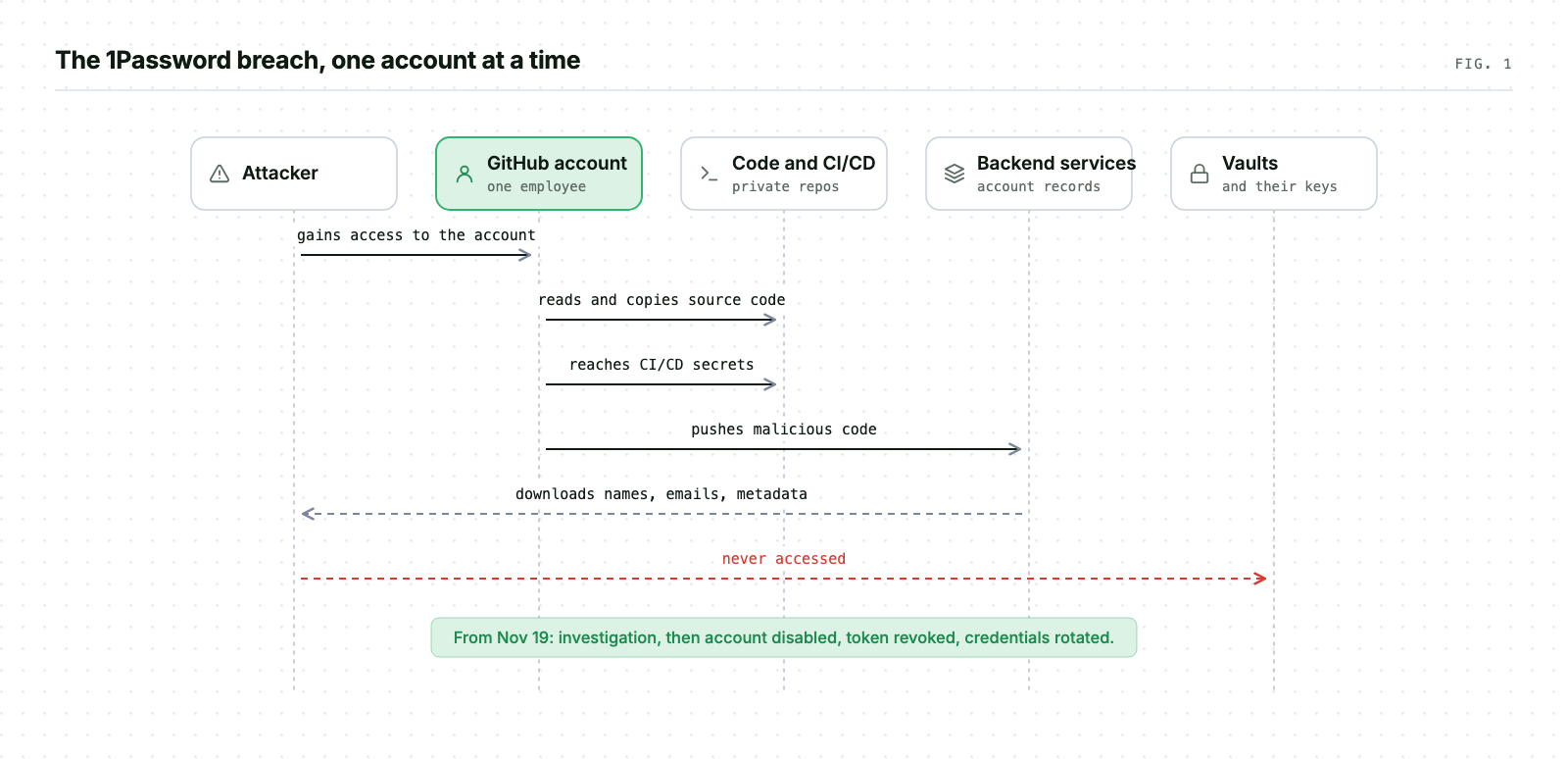
Timeline. On November 19, 2026, 1Password began investigating signs that an attacker had access to an employee’s corporate GitHub account. The attacker used that account to reach source code and push malicious code to backend services. Those services then downloaded administrative data about customers. 1Password published its update on November 25.
What was taken. Account records for a subset of users:
- Names and the email addresses used to sign in
- Account and user identifiers, plus creation and last sign-in times
- Public keys and Secure Remote Password protocol parameters, which 1Password says cannot be used to access an account
- Tokens inside emailed invitation, provisioning and account recovery links
- Other non-secret internal metadata
The attacker also copied source code from private repositories and reached the CI/CD system, which holds infrastructure secrets. 1Password says it rotated every credential that may have been exposed.
What was not taken. Vaults and the items in them, the keys that protect vaults, account passwords, Secret Keys and account recovery keys. 1Password doesn’t store your account password or Secret Key, so it had none to lose.
What 1Password did. It disabled the GitHub account, revoked the stolen token, rotated internal credentials, and lengthened the codes in invitation and recovery emails from six digits to ten characters. A small number of users who were mid-invite or mid-recovery were notified directly.
What you should do. Nothing in your account needs changing. Watch for phishing: unexpected emails, texts or calls about 1Password invitations or recovery you didn’t start. MacRumors has a plain summary for non-technical readers.
Why the 1Password breach matters for AI agent permissions
The entry point was a single developer identity with write access to code that ships. That’s the same shape as most AI agent setups.
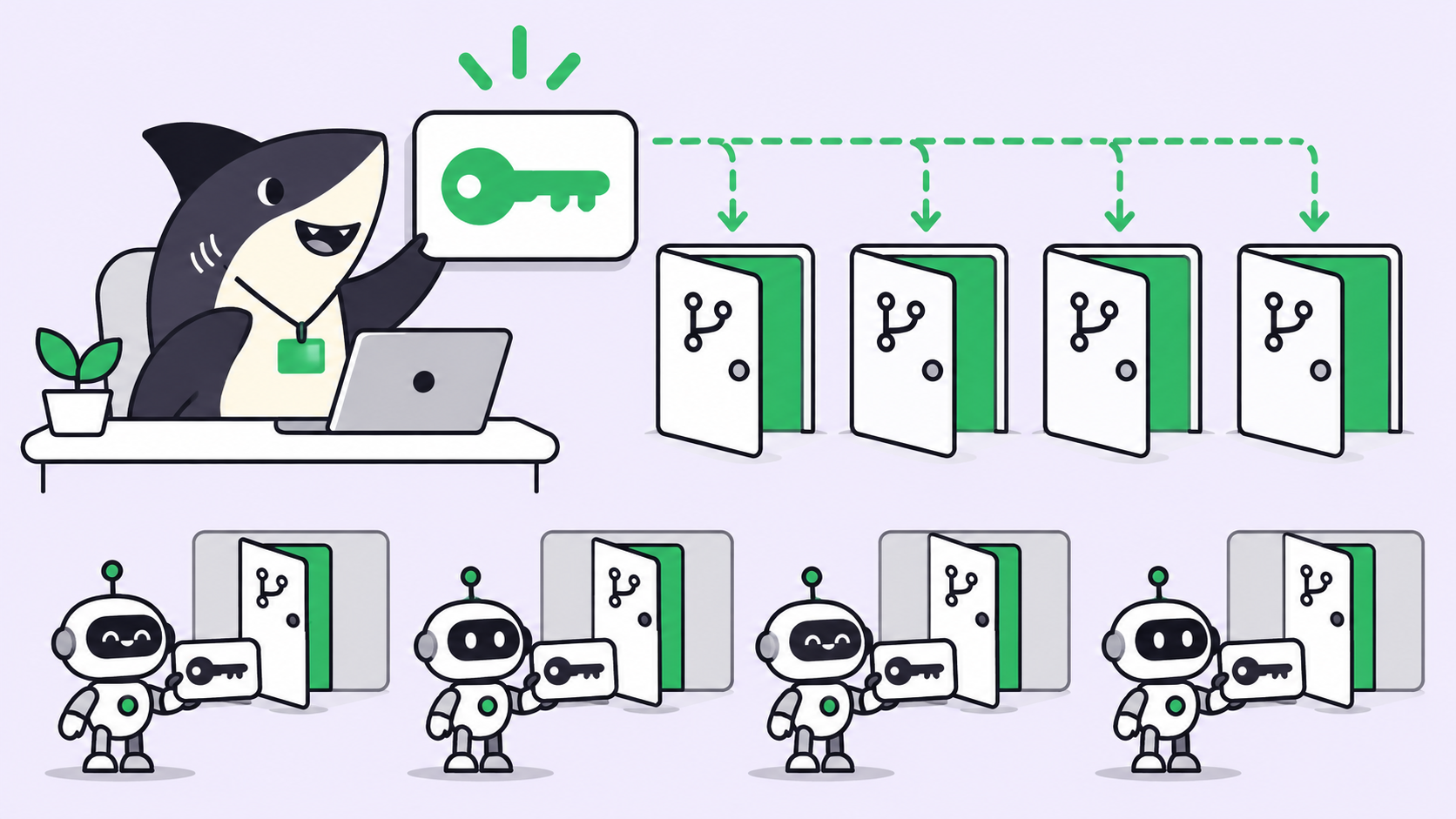
A coding agent that opens pull requests holds a GitHub credential. If that credential is a teammate’s personal token, the agent inherits everything the teammate can touch: every repo, every org, often with no expiry. Stealing it means stealing the human’s reach. The OWASP Top 10 for LLM applications calls this “excessive agency”: an agent holding more permissions than its task needs.
Nothing here says an agent caused the 1Password incident. It didn’t. The lesson is about counting accounts. Five agents with five borrowed tokens is five more doors, each one as wide as the person it was borrowed from. We covered a different risk, secrets showing up in agent output, in our guardrail checklist for agents leaking secrets. This post is about the access itself.
The AI agent access checklist
Five controls, each one checkable this week.
| Control | What it stops | How to check it |
|---|---|---|
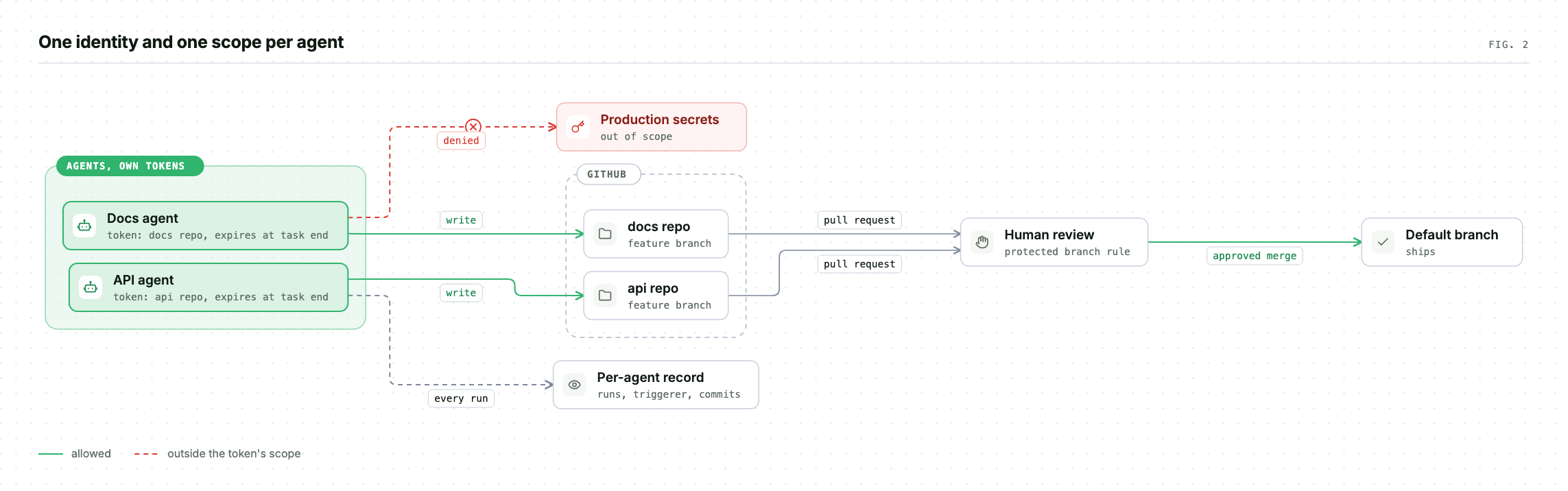
| One identity per agent | A stolen token exposing a human’s full reach | No agent runs on a person’s token |
| Scoped tokens | One agent reaching repos it never needed | Token lists named repos and permissions |
| Expiry at task end | Forgotten tokens that live for years | Every agent token has an end date |
| A record of what it touched | Not knowing what to rotate after an incident | You can list one agent’s runs and commits |
| Human approval on outbound actions | An agent pushing, sending or publishing alone | Protected branches and review gates |
Does each agent need its own identity?
Yes. A shared human token makes an agent’s actions indistinguishable from a person’s, and revoking it locks out the person too. Give each agent its own credential: a bot account, a GitHub App installation, or a fine-grained personal access token created for that agent alone.
How narrow should an agent’s token be?
Scope it to the repositories and permissions the task needs, nothing broader. Fine-grained tokens let you pick named repositories and set read or write per permission. A docs agent needs contents write on one docs repo. It doesn’t need Actions, secrets, or the payments service. This is the least privilege principle, applied per agent instead of per team.
When should agent access expire?
When the task ends. Set an expiry on every agent token, and prefer short-lived credentials that the job mints and drops. A token that outlives its task is a token nobody remembers to rotate.
How do you record what an agent touched?
Keep a per-agent trail: which task started the run, who triggered it, which repo it wrote to, which commits it made. GitHub’s organization audit log covers the GitHub side. You also need the work side, so that after an incident you can answer “what did this agent do last Tuesday” in minutes.
What should a human always approve?
Anything that leaves the building: pushes to protected branches, deploys, emails, published posts. Enforce it in the tool, not in the prompt. Branch rulesets that require review do this for code. Our post on human-in-the-loop controls for production changes goes deeper.
Add agents to your access review
Most teams run a quarterly access review for people. Agents rarely make the list. Add them with four questions per agent:
- Who owns this agent, and is that person still here?
- Which repos and systems can its credential reach today?
- When does that credential expire?
- Has it run in the last 30 days? If not, archive it.
An agent nobody owns, with a token that never expires, is the kind of account an attacker goes looking for. For a fuller list of what an agent should and shouldn’t be allowed to do, see coding agent permissions.
How Sharkly gives each agent its own identity
Sharkly is how a team organizes its agents and their access. It isn’t a security product, and it wouldn’t have stopped what happened at 1Password. What it does is make the checklist above visible. Each control below is described in the Sharkly docs and changelog.
Each Agent is its own record. An Agent in Sharkly is a saved configuration with its own instructions, visibility, Skills and Git repositories. You can attach repositories to one Agent to give it a narrower code scope than the Space default.
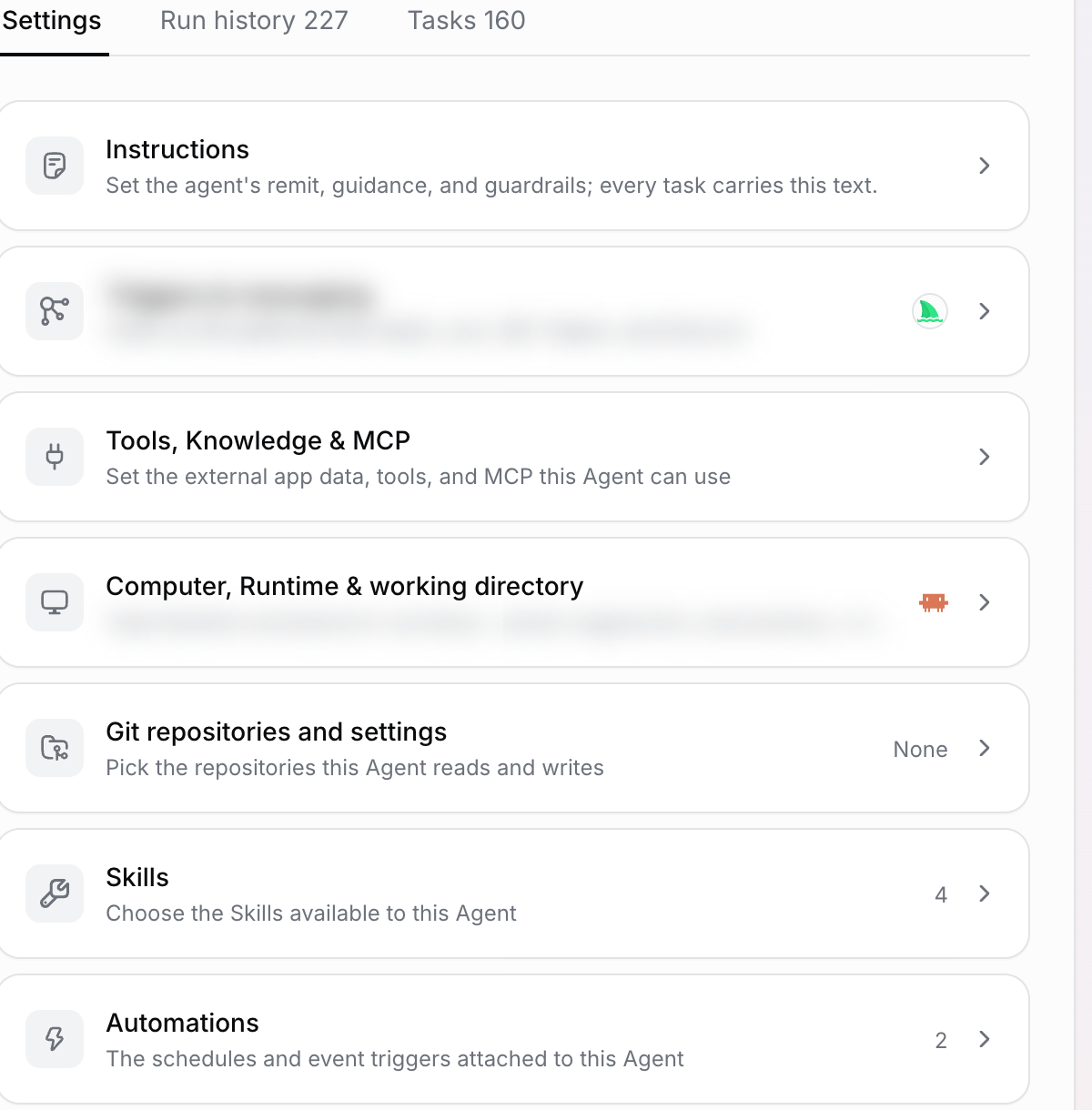
Runs carry the triggering person’s permissions. A run uses the identity and permissions of the person who triggered it, capped at the Agent owner’s. Commits an Agent makes in a task are authored as the triggering person and the Agent together.
Run history shows what each Agent did. Every Agent has a Run history tab listing each run’s status, source, who triggered it, when it ran and the tokens it used. Runs tie back to the task that started them, with the Agent’s comments on that task.
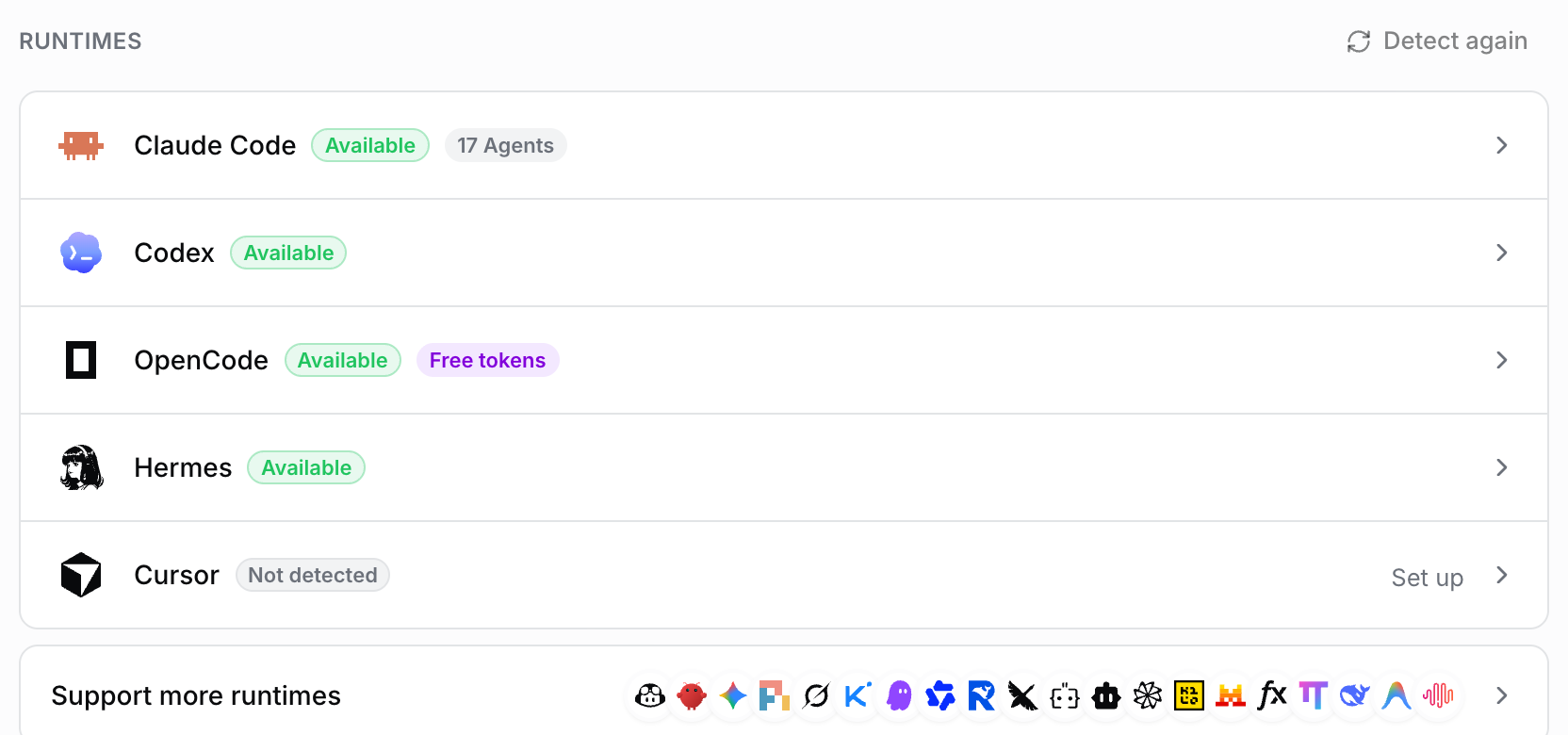
Agents run on your Computers. A Computer is a laptop, server or container you connect to Sharkly. It supplies the files, credentials, network access and tools the Agent uses, so your .env secrets stay on the Computer you connected.
A human stays on the gate. An Agent can leave a task waiting for human review, and authorization levels set when Claude Code and Codex runs must ask for permission. Archiving an Agent cancels its running work and keeps its history, which covers question 4 of your access review.
Sharkly is free to start at sharkly.ai.
Conclusion
The 1Password breach started with one developer account that could push code. Your agents hold the same kind of account. Give each one its own identity, scope and expire its tokens, keep a record of its runs, and put a human on every outbound action. Then add your agents to the next access review. If you want those controls in one place, connect a Computer and create your first Agent in Sharkly today.
FAQ
Were 1Password passwords stolen in the breach?
No. 1Password says vaults, the items in them and the keys that protect them were not accessed. It doesn’t store account passwords or Secret Keys.
What data was exposed in the 1Password breach?
Names, sign-in email addresses, account identifiers, sign-in times, public keys, SRP parameters, tokens in some emailed invitation and recovery links, and other non-secret metadata for a subset of users.
Do I need to change my 1Password password?
1Password says you don’t need to change anything. Watch for phishing about invitations or account recovery you didn’t start.
How did attackers get into 1Password?
Through an employee’s corporate GitHub account. The attacker used it to reach source code and push malicious code to backend services.
Should AI agents use a developer’s personal GitHub token?
No. Give each agent its own credential, scoped to the repos its task needs, with an expiry date.