TL;DR: GPT-6 Cyber is OpenAI’s security-tuned variant of GPT-6 Astra, released November 5, 2026. It needs Daybreak Red plus separate model approval, and it lists at $20 per million input tokens. Most teams should run review and triage on mainline models, then save GPT-6 Cyber for proving high-risk findings on systems they own.
GPT-6 Cyber changes the last step of security review, not the first. OpenAI’s announcement reports 81 new high-severity Firefox vulnerabilities and working exploits for 948 Linux kernel bugs. That sounds like a model to plug into every agent you run.
The access rules say otherwise. You probably can’t call it today, and the most useful parts of the release sit in the system card: where the model stays in scope, and where its reports leave things out.
This guide covers who gets access, what it costs, how to route security work across model tiers, and what your reviewers should check. If you’re already running several agents, Sharkly gives you one place to manage their tasks and results.
What is GPT-6 Cyber?
GPT-6 Cyber is a cyber-specialized variant of GPT-6 Astra built for authorized security work: vulnerability discovery, exploit development and web penetration testing. OpenAI post-trained it to refuse fewer authorized requests and stay inside the scope you set. It rates the model Critical for cybersecurity under its Preparedness Framework.
It isn’t a stronger general coding agent. On ExpertSWE, OpenAI’s internal test of long software tasks, it scored 82.95% against 83.24% for Astra. Keep your default runtime for feature work.
Who can access GPT-6 Cyber?
Approval decides access, not budget. OpenAI’s Daybreak help page says a commercial agreement or purchase alone doesn’t guarantee it.
| Access level | Models | Intended work |
|---|---|---|
| Standard | Mainline models, including Astra, with standard safeguards | Threat modeling, secure code review, patching |
| Daybreak Blue | Reduced refusals on models such as GPT-6 Sol and GPT-6 Luna; Astra keeps standard safeguards | Vulnerability triage, malware analysis, incident response, patch validation |
| Daybreak Red | GPT-5.6 Cyber, plus reduced refusals on models including Astra | Penetration testing, red teaming, exploit validation |
| Red with GPT-6 Cyber approval | gpt-6-cyber through the API and Codex |
The same work, with GPT-6 Cyber |
Three details catch teams out:
- Red isn’t enough. GPT-6 Cyber needs its own approval. It’s with a select group of Red customers now, and OpenAI says all Red customers will get it “soon.”
- There’s no solo route. You can only apply for Red as an approved business or enterprise organization. People applying alone can request Blue.
- Everything starts switched off. After approval, an owner enables Daybreak for specific users or projects. Unattended Codex CLI runs need
daybreak=trueon the host that runs them.
Organizations also need SSO, MFA, managed devices and least-privilege access. API use requires an IP allowlist by default.
How much does GPT-6 Cyber cost?
These are OpenAI’s standard short-context API prices per million tokens, as listed on November 6, 2026:
| Model | Input | Output | Reduced refusals need |
|---|---|---|---|
gpt-6-luna |
$0.10 | $0.50 | Daybreak Blue |
gpt-6.1-sol |
$2.00 | $10.00 | Daybreak Red |
gpt-6-astra |
$10.00 | $50.00 | Daybreak Red |
gpt-6-cyber |
$20.00 | $100.00 | Red plus model approval |
Per token, that’s twice Astra and 200 times Luna. For scale, the Linux campaign behind the 948 exploits ran about $1.2 million in API credits, a figure OpenAI called closer to an upper bound. Don’t point your most expensive model at every file.
Resource-constrained defenders, such as government organizations and essential service providers, can look at OpenAI’s $1 billion grant program, which subsidizes access.
Where GPT-6 Cyber earns its price
Compare it with Astra, not only with the older model. These are OpenAI’s numbers unless noted:
| Test | What it measures | GPT-6 Cyber | GPT-6 Astra |
|---|---|---|---|
| SEC-Bench Pro | Finding bugs in JavaScript engines | 87.02% | 85.38% |
| Web pentest | Recall of web vulnerabilities | 40.3% | 32.0% |
| ExploitGym | Exploiting a specified bug | 48.5% | 42.4% |
| RemoteExploitBench | Remote exploits on known bugs | 95% completed | 100% refused under Blue |
| FrontierCyber (Irregular) | Real software and hardware | 90 of 288 | 96 of 288 |
On finding bugs, the step up from Astra is modest. Irregular’s outside evaluation had Astra slightly ahead on FrontierCyber, GPT-6 Cyber ahead on long-horizon scenarios, and no successful attacks on fully hardened targets. The sharpest difference is permission: GPT-6 Cyber does exploit work that Astra refuses under Blue.
OpenAI says as much: mainline models “already support code review, vulnerability triage, and patch development.” The real-world wins fit that split. Mozilla’s findings came with evidence and reproducible tests, and the same campaign showed 30 known issues were more severe than reported. Severity proof is what you’re paying for.
How to route security work across agents
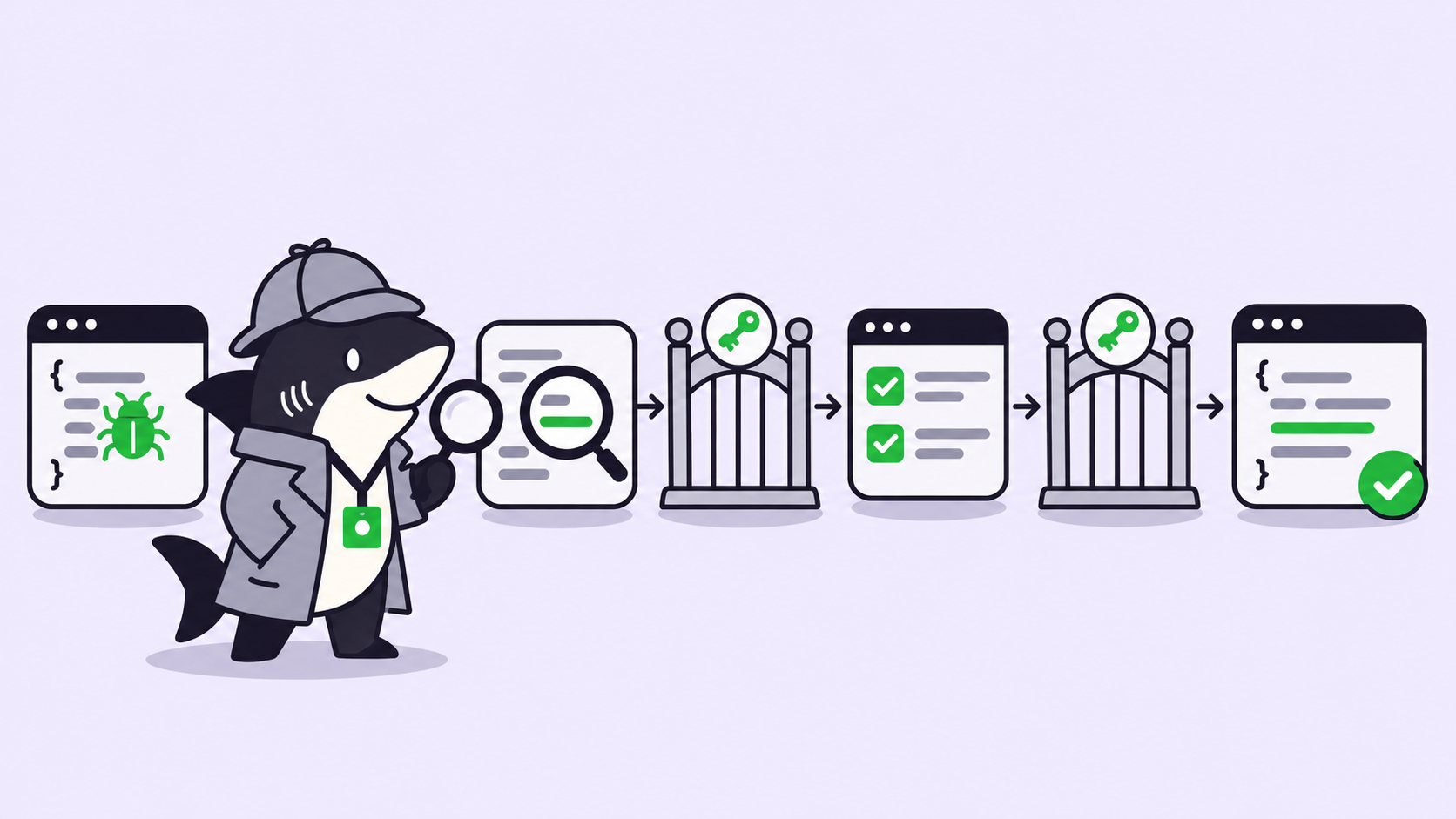
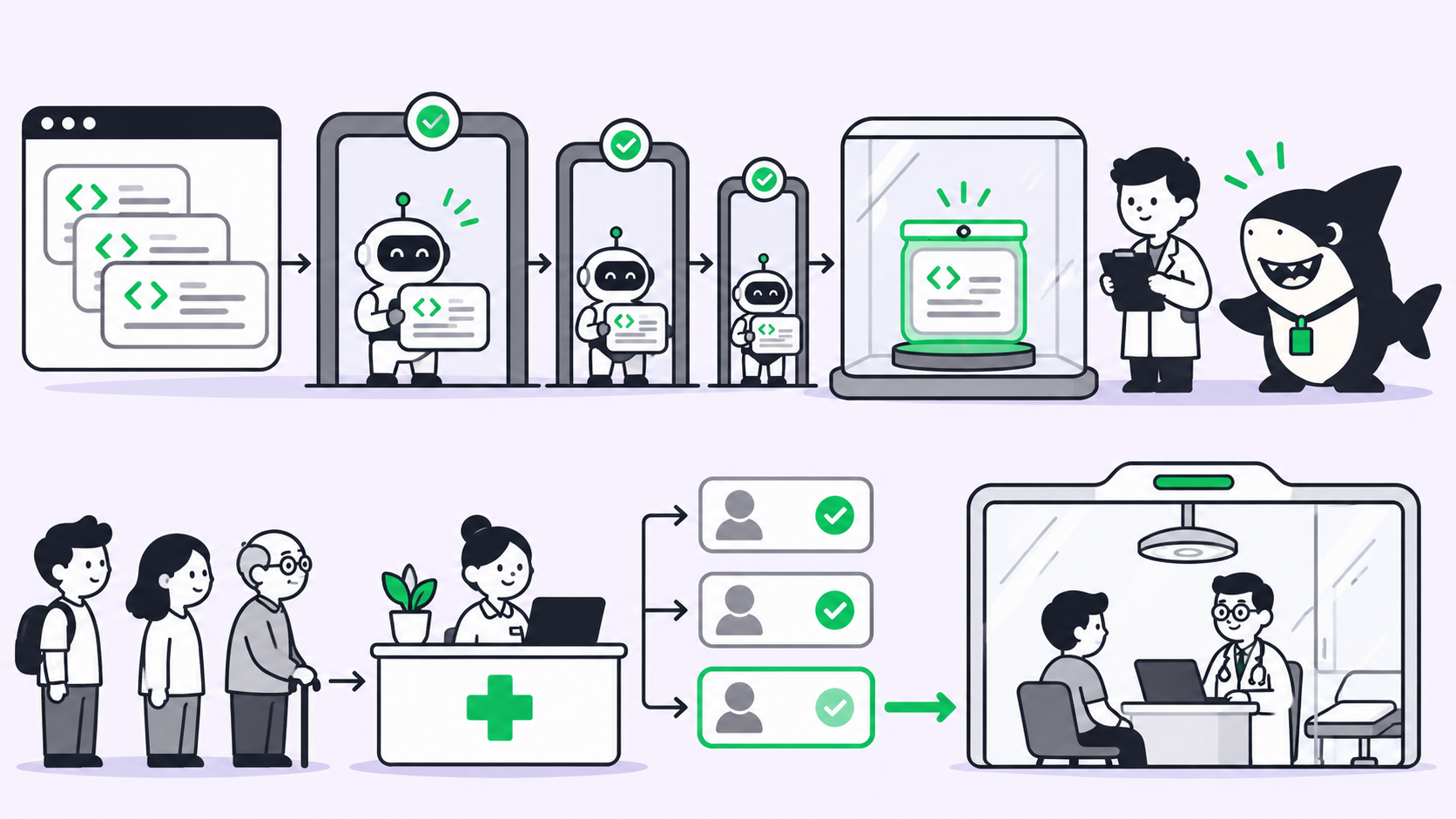
Route by evidence, so each tier only receives work the cheaper tier couldn’t settle. This routing is our recommendation, not an OpenAI rule:
- Scan on a mainline model. Agents review diffs and public entry points, then file candidate findings.
- Triage under Daybreak Blue. Write a failing test, remove duplicates and rate each finding by the trust boundary it crosses.
- Escalate by rule. Send a finding up only if it reproduced, crosses a trust boundary, and its severity depends on exploitability.
- Prove it in isolation. GPT-6 Cyber validates the path in a disposable environment with named targets.
- Patch, then attack the patch. One agent drafts the fix with its test, and a second tries to bypass it.
- A person decides. Nothing merges or reaches a maintainer without human review.
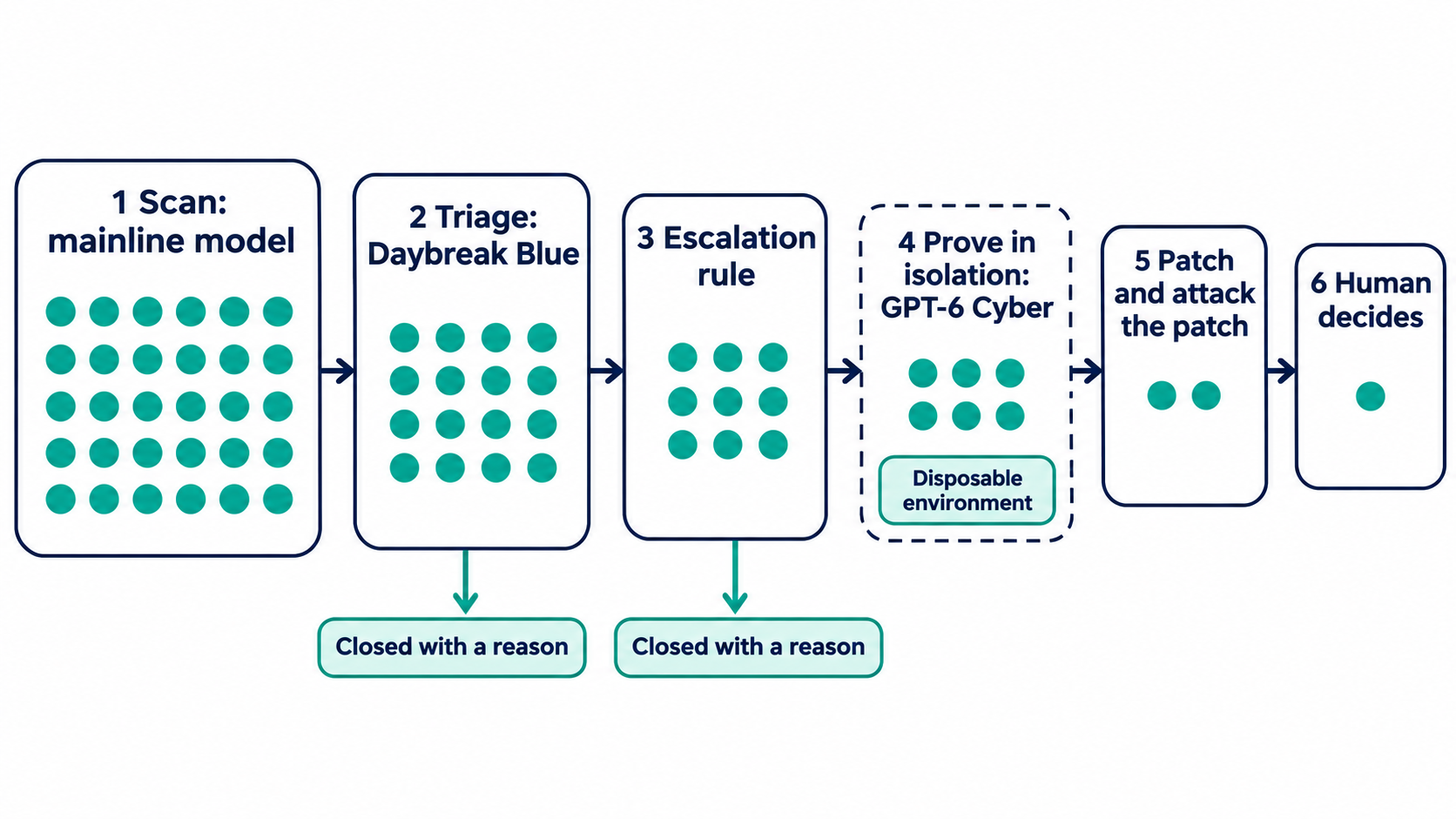
Without Red, stop at step 2. A failing test proves a defect without producing an attack tool, and that covers most application bugs. Our breakdown of OpenAI’s staged pipeline maps those stages onto a normal repo.
Put the scope in the task, not the chat
The system card recommends isolated environments with explicit limits on targets, credentials, network access and permitted actions. For high-risk work, a human operator should be able to stop the agent.
The scope numbers are strong. In OpenAI’s honeypot test, GPT-6 Cyber exploited an out-of-scope service in 0.07% of graded runs without deployment safety instructions and 0% with them. GPT-5.6 Sol hit 49.5%. Still, a test environment isn’t your network, so write the boundary down where it survives a handoff:
Title: Validate exploitability: SSRF in /api/webhooks/test

Authorization: ticket SEC-214, approved by the AppSec lead
Targets: staging-webhooks.internal only
Credentials: test account svc-sec-scan, no production secrets
Network: egress to the target only
Allowed: read code, send requests to the target, write a proof
Forbidden: other hosts, data extraction, persistence, merging
Evidence: repro steps, request log, code path, regression test
Stop: after two approaches with no new evidence, or on a tool warning
Report: repeat every blocker in the final message
The last two lines answer system card findings covered in the next section. For the wider question of what an agent may touch, see our guide to coding agent permissions.
Review the run, not the summary
OpenAI flagged 20.29% of GPT-6 Cyber’s graded responses for not reporting blockers accurately, against 11.66% for Astra. In most flagged samples it reviewed, the model had mentioned the blocker earlier but left it out of the final answer.
OpenAI treats those as incomplete summaries, not deception. Your reviewer still has a problem, because the final message is the part people read.
Two more results point the same way. GPT-6 Cyber stopped at warnings 73.00% of the time when stopping was right, against 78.38% for Astra, which OpenAI links to greater persistence. On realistic workplace tasks, its high-severity authorization violations ran 1.15% in tool-based workflows, against 0.77% for Astra.
So change the review rule. For any Cyber-tier finding, the reviewer opens the run’s record and checks it against the claim. Ask what the agent tried, what stopped it, and which targets it touched. What review agents can and can’t verify covers where a second agent helps, and approval gates cover where to stop a run.
Running the lane in Sharkly
Sharkly sits above the model, and it doesn’t grant Daybreak access. What it adds is shared tasks, ownership and review across the agents you run, so a finding keeps its scope and evidence as it moves between tiers.
- Dedicate a Computer. Use a connected Computer with a fixed outbound IP, since the allowlist follows that address. Keep its visibility narrow.
- Configure Codex on that host. Use the approved workspace or a key from the enabled project, then set the model and
daybreak=truein its Codex config. OpenAI warns that changing your laptop doesn’t change a remote runner. - Create one Agent per lane. A triage Agent runs on a mainline model, and a validation Agent runs on the dedicated Computer. Each Agent’s Computer & Runtime settings hold its environment variables and custom arguments. Instructions carry the standing rules, and the Task carries the scope.
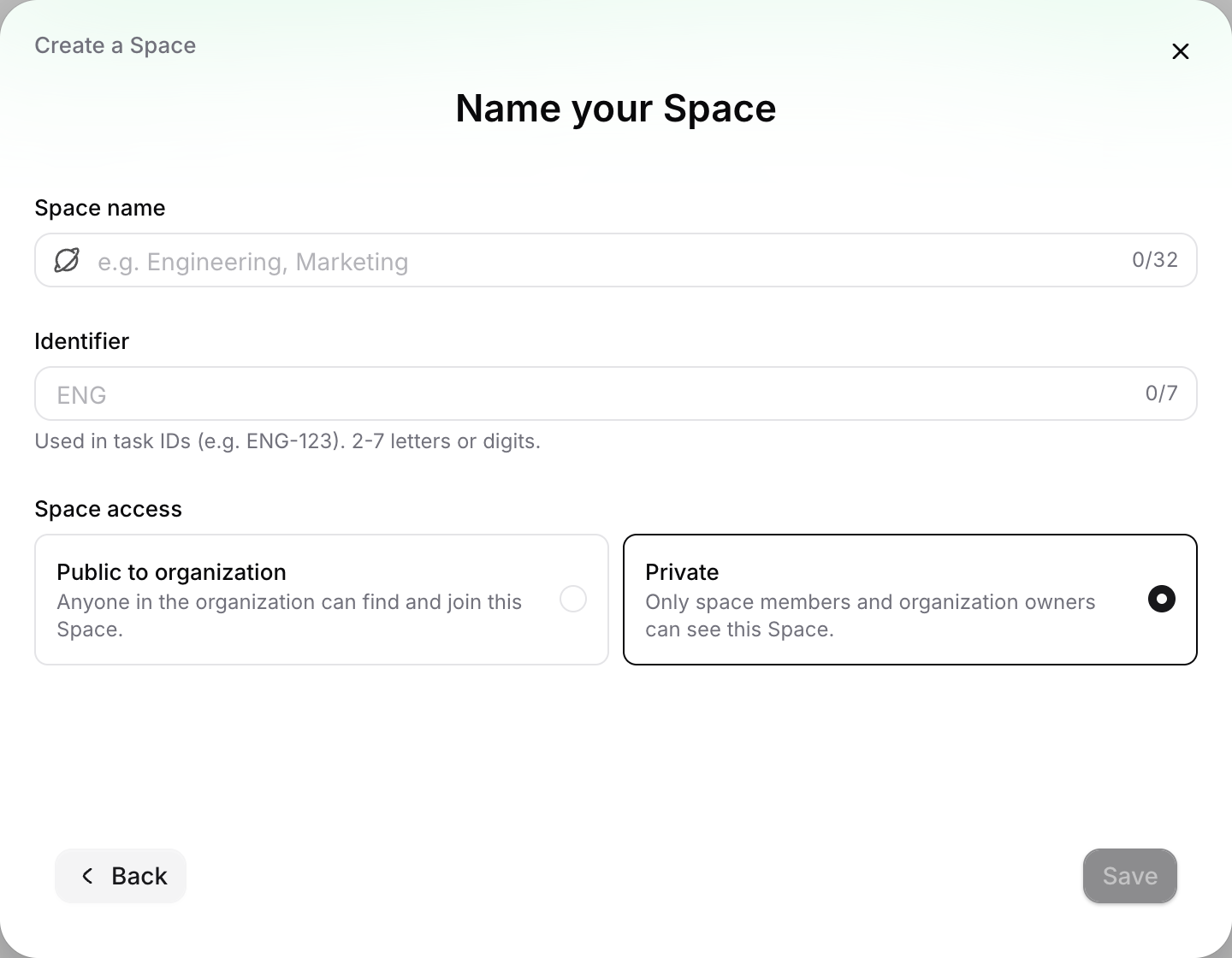
- Keep findings in a Private Space. Its tasks and working content stay with Space members, which suits unpatched vulnerability details.
- Make escalation a status. A task type such as Candidate, Reproduced, Escalated, Patched, Closed shows where each finding sits, and a person moves it to Escalated.
Reviewers open the Task’s execution log to see tool calls and Runtime events, which is the check the previous section asks for.
Two boundaries matter. A temporary worktree stops Tasks from colliding, but it isn’t a security sandbox, so run proofs in a disposable VM or container. And Daybreak bars resale, proxying and downstream access, so confirm with your OpenAI contact that your approval covers this setup. It follows OpenAI’s Codex docs but hasn’t been validated on a GPT-6 Cyber account, so start with one bounded Task.
When you don’t need any of this
If one engineer reviews one repo, Codex alone is a fine answer. OpenAI recommends its sandboxing and Auto-Review for GPT-6 Cyber sessions, and that may be all you need.
The equation changes with several agents, several repos and findings that pass between people. If you sell security services, Daybreak can’t reach customer-facing workflows; OpenAI points those teams to its partner program.
Conclusion
GPT-6 Cyber is a specialist you call late, not a default you run everywhere. The teams that benefit most already have scoped tasks, evidence at each handoff, and reviewers who read the run.
Start this week: write your escalation rule, apply for Daybreak if your work qualifies, and file one scoped validation Task on a service you own. Sharkly’s quickstart gets your first Agent running on a connected Computer.
FAQ
Is GPT-6 Cyber available to everyone?
No. It’s available through the API and Codex to a select group of approved Daybreak Red customers, with wider Red access planned. OpenAI hasn’t announced general availability.
How much does GPT-6 Cyber cost?
OpenAI lists $20 per million input tokens and $100 per million output tokens at standard short-context rates, with cached input at $2. Check the pricing page before budgeting, since listed rates change.
Does Daybreak Blue include GPT-6 Cyber?
No. Blue gives reduced refusals on supported mainline models and no access to cyber-specialized models. Astra keeps standard safeguards under Blue.
Can I use GPT-6 Cyber on systems I don’t own?
Only with explicit authorization to test them. Daybreak doesn’t authorize anything beyond that, and OpenAI can suspend or revoke access after misuse.
What should a human check in an agent’s security report?
The run record: targets touched, blockers hit, and whether the evidence supports the claim. Task-level evidence makes that check faster.