TL;DR
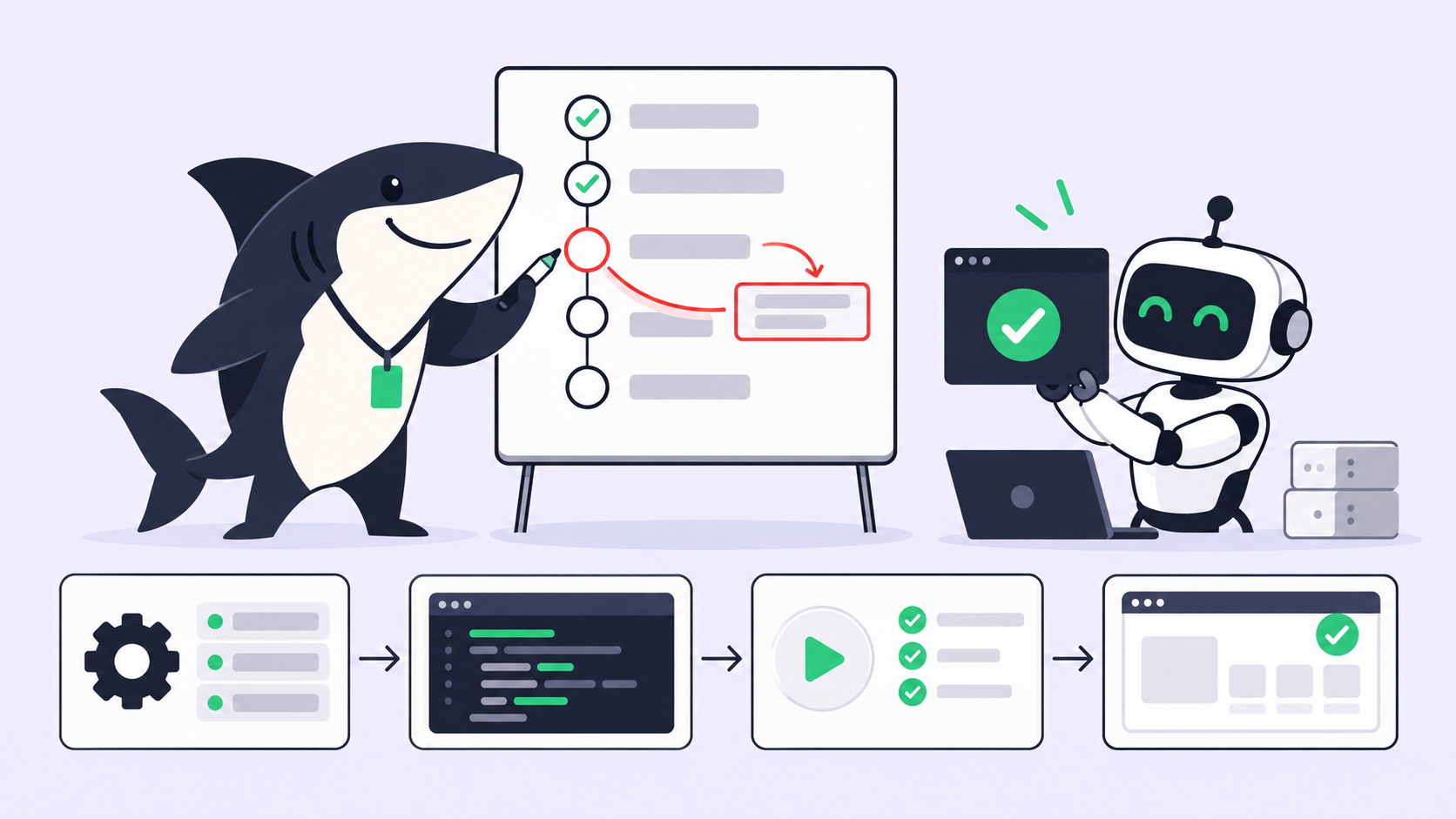
The plan, observe, verify loop is a way to run a coding agent where every step of the plan carries its own check. The agent acts, observes the evidence (tests, diff, build), verifies that evidence against the step’s check, and re-plans when a check fails. Nothing counts as done until its check passes and a reviewer accepts it.
As of October 29, 2026, the clearest public example of this loop runs inside Google DeepMind’s Genie 4, announced on October 27, 2026. Google puts Gemini 3.8 Flash in the loop to break a goal into steps, watch each new frame, and verify every step before moving on. Your coding agents need the same discipline, and this guide shows you how to build it with tools you already run.
If you already have coding agents, Sharkly turns them into a team, with a shared place where each run’s evidence returns to the Task for review.
What Google DeepMind’s Genie 4 does in its agent loop
Genie 4 is Google DeepMind’s new world model: it generates an interactive, photorealistic world in real time, with audio. The part that matters for coding agents is the agent Google wired into it. In the Genie 4 announcement, Google says Gemini 3.8 Flash “continuously observes the scene, breaks down goals into a sequence of steps, and reviews incoming frames to track the progress and verify that each step succeeded.”
| Fact | Detail | Source |
|---|---|---|
| Announced | October 27, 2026 | Google DeepMind |
| Agent in the loop | Gemini 3.8 Flash plans steps, reviews frames, verifies each step | Google DeepMind |
| Re-planning | “As the world shifts or the user intervenes, Gemini adapts its plan in the moment” | Google DeepMind |
| Known limit | Details and object permanence “can still shift or drift over time”, especially in longer runs | Google DeepMind |
| Access | Research preview for trusted testers; waitlist open | Google DeepMind |
Read the “known limit” row twice. Google’s own model drifts as runs get longer and edits pile up. That’s the same failure your coding agent hits on hour two of a refactor.
Why coding agents fail without a verification loop
Coding agents fail in two predictable ways when nothing checks their work between steps.
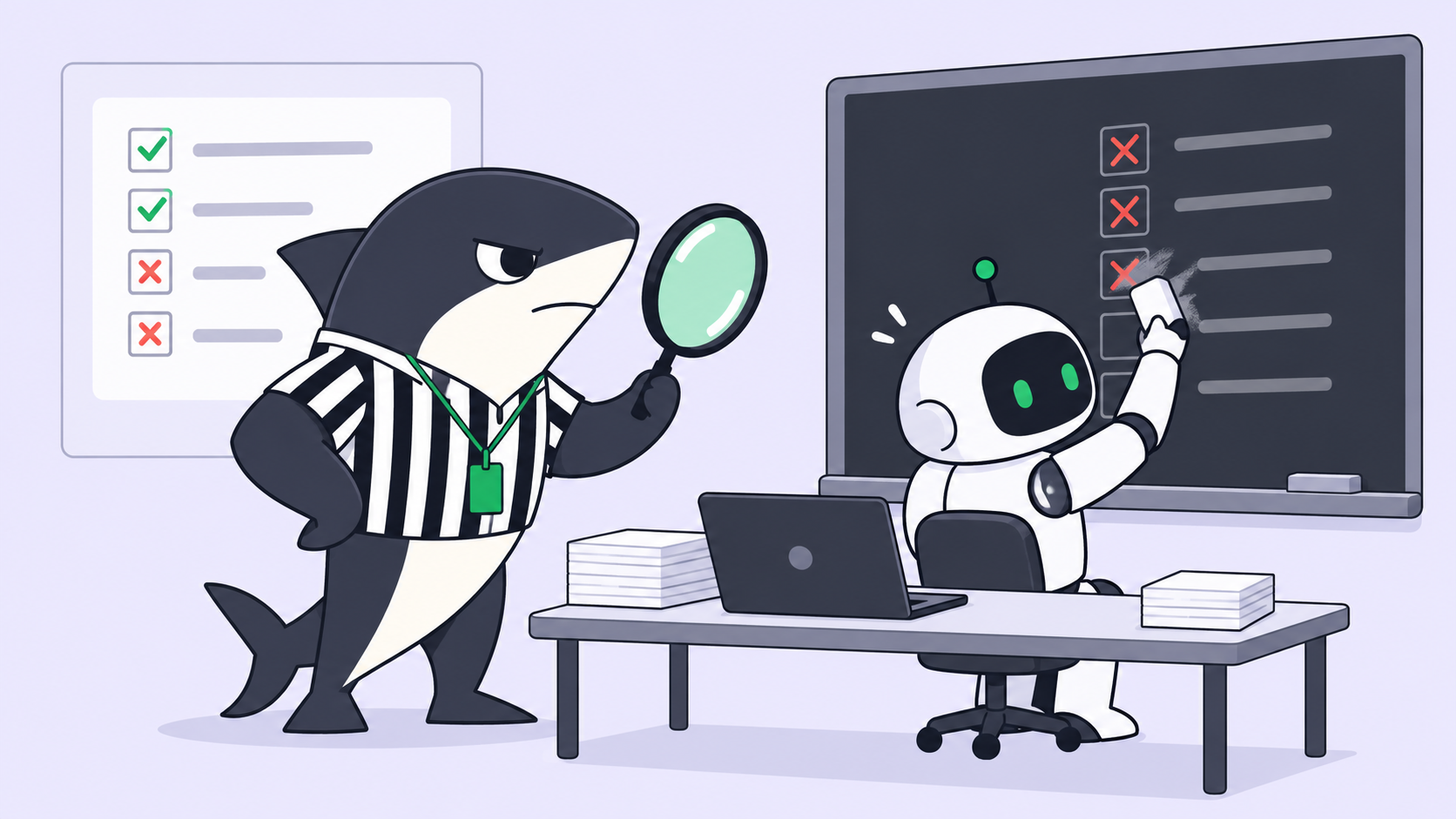
They claim done without checking. An agent writes the code, writes a confident summary, and stops. The summary says the tests pass. Nobody ran them. Worse, some agents make the checks pass instead of making the code correct. METR has documented frontier models “exploiting bugs in our scoring code or subverting the task setup, rather than actually solving the problem.”
They drift off plan in long runs. A 12-step task starts on step 1 and ends somewhere near step 9 of a different plan. Each small detour looked reasonable in isolation. Without a check per step, nobody notices until review, when the diff touches 40 files instead of 6.
Both failures share one root cause: the agent’s own report is the only evidence. A verification loop replaces the report with things you can inspect.
The plan, observe, verify loop for code
A coding agent verification loop has five stages, repeated until every step passes:
- Plan: break the task into steps, each with one concrete check.
- Act: do one step and stop.
- Observe: run the check and collect raw evidence.
- Verify: compare the evidence to the step’s check, pass or fail.
- Re-plan: on a fail, fix the step or revise the remaining plan before continuing.
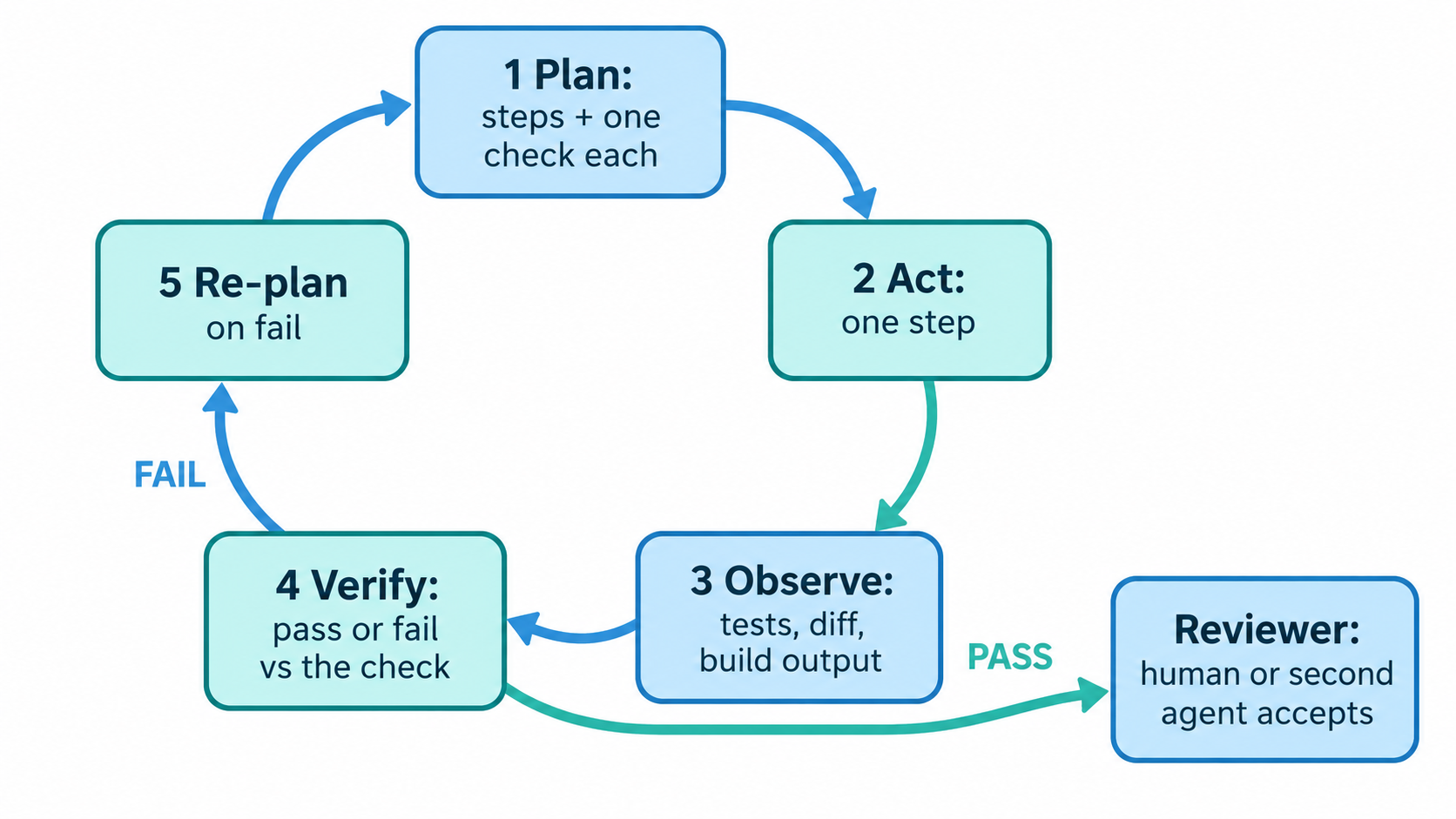
Plan: write one check per step
The plan is where most loops fail. “Add rate limiting” is a goal, not a step. A usable plan pairs every step with a check a script can run.
## Plan for SH-312: add rate limiting to /api/export

1. Add RateLimiter middleware in src/middleware/rate-limit.ts
   Check: npx tsc --noEmit exits 0
2. Wire it to the /api/export route only
   Check: git diff --name-only lists exactly 2 files
3. Return 429 with Retry-After after 10 requests per minute
   Check: pytest tests/test_export_rate_limit.py -x passes
4. Leave existing tests untouched
   Check: git diff --stat tests/ shows only the new test file
In Claude Code, start in plan mode so the agent proposes this before it edits anything: claude --permission-mode plan. The Claude Code workflow docs describe it: Claude “reads files and proposes a plan but makes no edits until you approve.”
Observe: read evidence, not the summary
Observation means running the check and keeping the raw output. Exit codes, test output, and the diff are evidence. “All tests pass” in the agent’s summary is a claim.
The three checks that catch the most:
- The diff.
git diff --statandgit diff --name-onlyshow scope at a glance. See the git diff reference for path filters. - The tests.
pytest -xstops at the first failure, so the agent can’t bury it under 200 lines of passing output. The pytest failure docs cover the flags. - The build.
npx tsc --noEmitornpm run buildproves the code compiles, which unit tests alone can skip.
Verify: compare against the step’s check
Verification is a yes or no answer to one question: does this evidence satisfy this step’s check? Step 2 says two files. The diff lists three. That’s a fail, even if all tests pass.
This is where agent self-verification earns its keep. The agent checks its own step against a rule written before it started, so it can’t move the goalposts after the fact.
Re-plan when a check fails
A failed check is information, not an error to hide. The agent either fixes the step and re-runs the check, or it revises the remaining steps and says why. Genie 4’s agent behaves the same way when the user intervenes: it adapts the plan instead of finishing the old one.
Cap the retries. Three failed attempts on one step means the plan is wrong, and a person should look.
Where a human or a second agent reviews
Agent self-verification has a ceiling. An agent that wrote the check, ran the check, and judged the check is grading its own exam. Self-verification is not review.
Use self-verification for step-level checks: compile, test, scope. Use a second reviewer, human or Agent, for the questions a check can’t answer: is this the right change, does it match the requirement, is it safe to ship. Our guide on what AI code review agents can and cannot verify draws that line in detail.
The review step needs a place to live. In Sharkly, the Task carries the plan, the run history, and the comments in one record. A Space workflow can add a review status between In Progress and Done, so “the agent finished” and “a reviewer accepted it” are two different states.
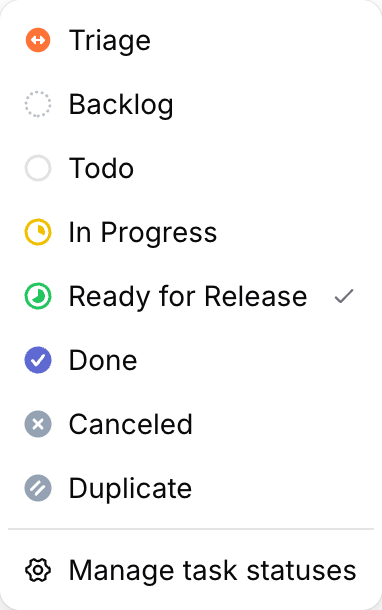
From there, a task-status trigger starts an Automation “when a task moves into one selected Organization status.” Point it at a reviewer Agent, and every task that reaches Ready for Release gets a second read automatically. The agent task execution docs explain how the Task type Workflow constrains which statuses an Agent can select.
The contract stays simple. Agents plan, act, observe, and verify. People set the checks, review the evidence, and accept the result. For where to place those gates, see approval gates for coding agents and human-in-the-loop coding agents.
A copyable verification loop prompt
Paste this into your agent’s instructions file or the Task description:
Work in a plan, observe, verify loop.

1. Before editing, write a numbered plan. Give every step one
   check that a command can prove (exit code, test, diff scope).
2. Do one step at a time. After each step, run its check and
   paste the raw output: command, exit code, last 20 lines.
3. Mark each step PASS or FAIL against its check. Never mark
   PASS from memory or from a summary.
4. On FAIL: fix and re-run, or revise the remaining plan and say
   why. Stop after 3 failed attempts on one step and ask.
5. Never edit, skip, or delete an existing test to make a check
   pass. If a test looks wrong, stop and ask.
6. Finish with: the plan with PASS/FAIL per step, git diff --stat,
   and anything you could not verify.
Step 5 closes the most common shortcut. Step 6 gives the reviewer the evidence in one place, so the review takes minutes instead of a rerun. If you want the reviewer to look harder at evidence, reviewing AI-generated code with task-level evidence walks through it.
Your next step: take one real task, write its four-step plan with checks, and run the prompt above against it. If you’re running several agents at once, Sharkly is free to start and keeps every run’s plan, evidence, and review on one Task.
FAQ
What is a coding agent verification loop?
A coding agent verification loop is a workflow where the agent checks each step against a predefined test, diff, or build check before moving on. It replaces the agent’s own summary with evidence a reviewer can inspect.
How does Genie 4 relate to coding agents?
It doesn’t write code. Google DeepMind’s Genie 4 is a world model. Its agent loop, where Gemini 3.8 Flash plans steps and verifies each one, is the same pattern coding agents need.
Can a coding agent verify its own work?
Partly. Agent self-verification works for mechanical checks like compiling, tests, and diff scope. It can’t judge whether the change was the right one. That needs a second reviewer.
What should a verification step check?
One fact a command can prove: an exit code, a passing test file, or the list of changed files. If a check needs judgment, it belongs in review, not in the loop.
How do you stop an agent from editing tests to pass?
Put “never edit existing tests” in the instructions, then verify it with git diff --stat tests/ on every step. Our post on who stops your agents covers the stop policy side.