Requirements to code is where agent adoption fails quietly. The agent did not write bad code. The problem is that six weeks later nobody can show which requirement a change came from, who approved the scope, or what evidence the reviewer saw before accepting it. The code arrived fast. The record did not.
This tutorial builds the record on purpose: one chain from a written requirement to a merged pull request, where every hop is something you can open. GitHub’s Spec Kit solves the same gap with files in the repository. This guide solves it with a work system, using Sharkly because it keeps the whole chain on one Task, though the pattern ports to any tracker that can hold the same links. If you want the operating loop first, start with our guide to AI agent project management.
TL;DR
A traceable requirements-to-code workflow is one where every artifact points at the artifact that caused it: requirement, Task, sub-tasks, runs, pull request, acceptance. In Sharkly the requirement becomes a Task, an Agent proposes the breakdown in Plan mode and a person confirms it, each sub-task runs in an isolated worktree with an execution log, the pull request links back by Task ID, and a person accepts the result against the acceptance criteria written at the start. Agents research, execute, test, and report. People set direction, grant authority, and accept the result.
What traceable has to mean
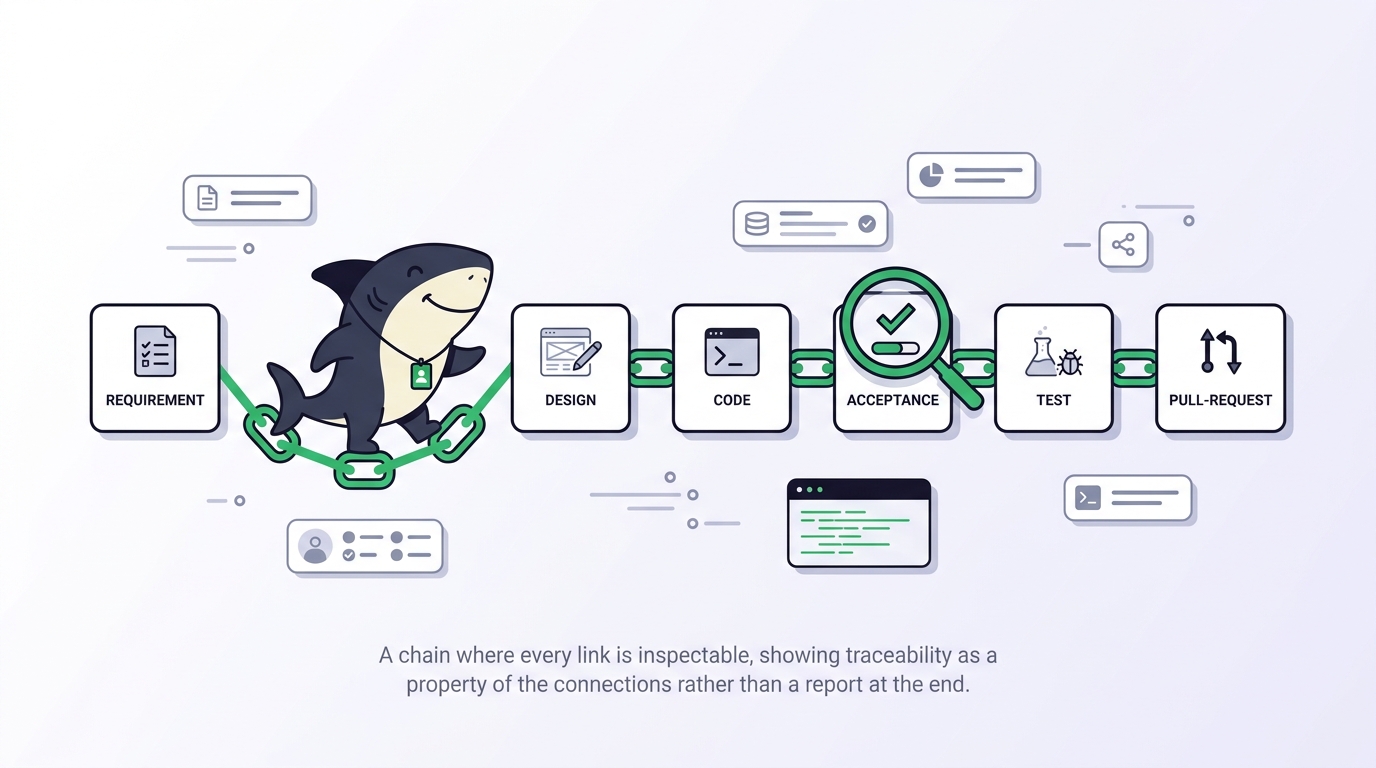
Traceability is not a report you generate at the end. It is a property of the chain: each link exists because of the one before it, and you can walk it in either direction. Six hops cover a feature.
| Hop | Where it lives | What links it to the previous hop |
|---|---|---|
| Requirement | Task description, Requirement or User Story type | The person who wrote it |
| Breakdown | Sub-tasks under the parent Task | Confirmed Plan mode proposal |
| Execution | Task runs and execution log | Assignment plus a ready status |
| Evidence | Agent comment with checks and results | The run that produced it |
| Change | Pull request | Task ID in branch, title, or body |
| Acceptance | Status change by a named person | Review against the acceptance criteria |
If any hop is missing, the chain is decorative. The most common gap is the last one: a merged pull request treated as acceptance when nobody compared the change to the requirement.
Step 1: Write the requirement as a Task
A Task is the basic unit of tracked work in Sharkly, and a Space set up for software development starts with Requirement, Bug, Task, and User Story task types. Use Requirement or User Story for the parent. The type decides which custom fields and which Workflow statuses apply, so a Requirement can carry its own review status without polluting the Bug workflow.
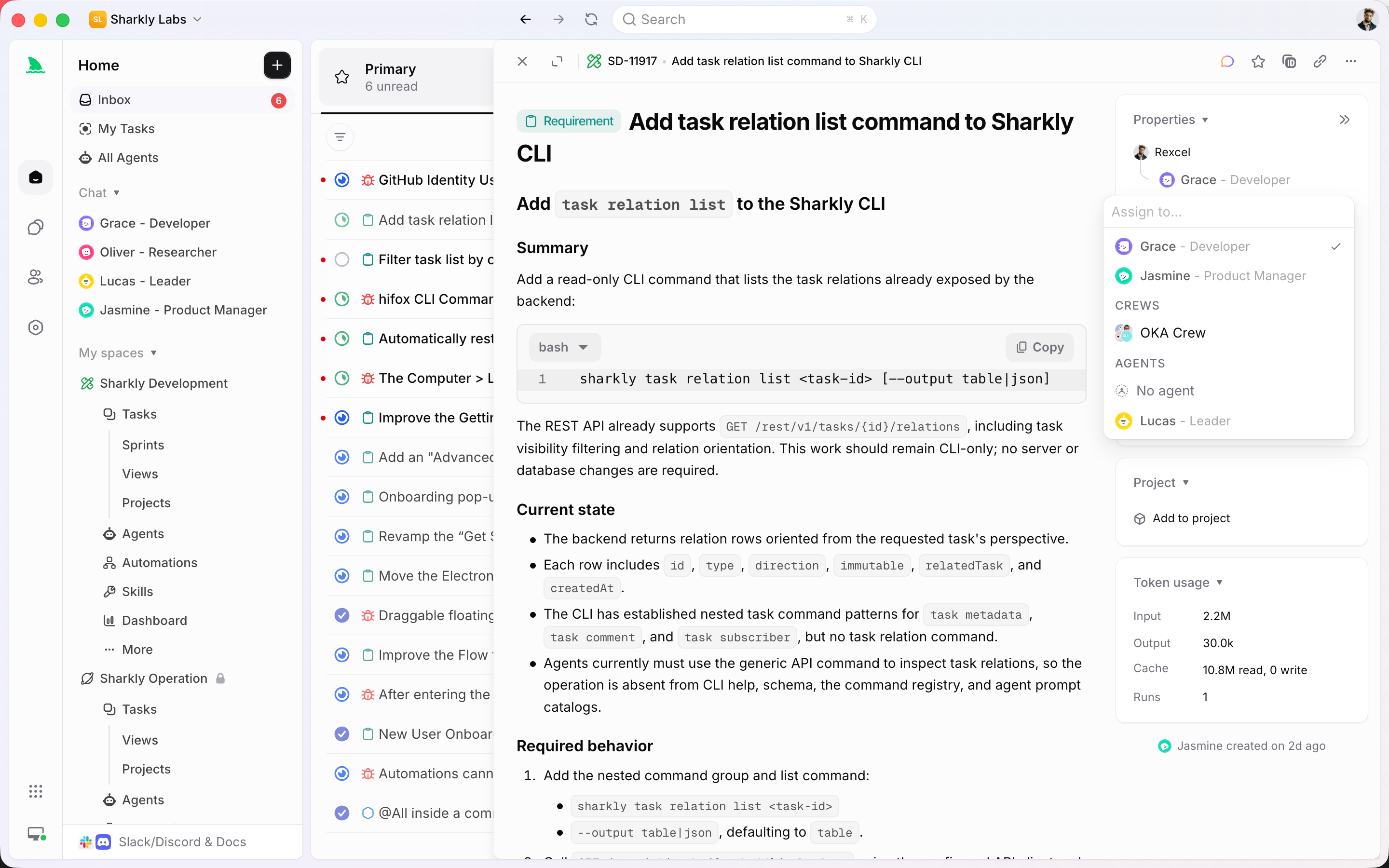
The description carries the load. Write it for someone who has never seen the conversation: why the work matters, what is in and out of scope, the relevant files or observed behavior, the decisions already made, and how completion will be reviewed. That last line is the acceptance criteria, the anchor for hop six. If you cannot write it yet, the requirement is not ready, and Backlog exists for exactly that: a Task assigned to an Agent does not start while it sits there.
Attach the repositories at the Space level so every sub-task inherits them. An Agent with no repository bindings falls back to the Space’s Git repositories, which is what you want for a multi-Task feature.
Step 2: Let an Agent shape the breakdown, then confirm it
Open the Task’s Agent chat and switch the session to Plan mode. In Plan mode the Agent can propose actions for your review, and Sharkly creates the planned Task and sub-tasks only after you confirm the proposal. You can confirm without starting, or confirm and start the work.
This is the hop most teams skip, and it is what makes the breakdown traceable rather than improvised. The proposal is visible before it becomes work: remove the sub-task that expands scope, add the migration step the Agent missed. Sub-tasks stay in the same Space as their parent, and Sharkly rejects self-parenting and cycles, so the hierarchy stays a tree.
Use a single Agent for a requirement that one role can cover. Use a Crew when the leader needs to interpret the goal, involve other Agent members such as a test writer, and bring their results back into one Task. For a three-file change, the Crew adds moving parts without adding traceability. Our guide to Sharkly Crews covers the leader-first model.
Copy anything decided in chat into the Task description. Chat on a Task is not a comment and does not appear in Activity, so a decision that lives only there is invisible to the chain.
Step 3: Execute in isolation, with a trace
Assign each sub-task to an Agent through the Assignee control, then move it out of Backlog. Sharkly checks the status category and execution readiness, queues the run, and dispatches it to the selected Computer, where the local service prepares an isolated task directory and starts the Runtime.
Two details keep this hop honest. The run includes the Task title and description, recent comments, and the Task type Workflow with its allowed statuses, so the Agent works from the requirement rather than a paraphrase. And each repository-backed run gets its own worktree in Temporary mode, so parallel sub-tasks cannot overwrite each other. Our piece on running agents in parallel without merge conflicts explains why isolation is what makes fan-out safe.
Progress, trace events, and the result return to the Task. The execution log records why the run was queued, when it started and ended, tool calls and Runtime events, the trigger source, and failure details. That log is hop four.
Step 4: Link the pull request by ID
Connect the GitHub organization once, then put the Task ID in the pull request title, the description, or the source branch name. A bare SH-312 and Fixes SH-312 both create the link. Linkbacks comment the Task URL on the pull request, on by default for private repositories.
Now the boundary, because it matters for traceability: words like fixes and closes carry no extra meaning, and merging a pull request does not change the Task status. Sharkly links the change to the Task; it does not decide the Task is done. Status stays a human decision, which is the whole point of hop six. Our walkthrough of assigning a Jira ticket to an AI agent and getting a PR back shows the same link from the tracker side.
Step 5: Review against the requirement, then accept
An Agent can leave a Task waiting for human review, and that signal lands in the responsible person’s Inbox under Primary. Read three things in order: the acceptance criteria from step one, the Agent’s comment listing the checks it ran and what remains uncertain, and the execution log. Only then the diff.
If a separate test Task verifies the change, record that relationship explicitly. Organization Owners and Admins can create custom link types, and the docs’ own example, validates / is validated by, is the traceability edge for this hop. Relations do not change status on their own, so the acceptance still has to be a status change made by a person.
One category rule protects you here: moving a Task to Completed marks it terminal but does not cancel a run that is already active. If the Agent is still working, cancel first, then decide.
Where the chain breaks
The workflow above has three known break points, and they are worth stating plainly.
Conclusions left in chat. Standalone Agent Chat sessions belong to the person who created them. If the design was settled there, the Task does not know.
Runs started outside a Task. An automation workflow’s Run Agent action does not create a Task; the run is recorded on the Agent. Fine for a nightly check, wrong for feature work.
Files instead of a record. Spec Kit’s spec.md, plan.md, and tasks.md are a strong chain for one developer working in one repository. Use them when the team is you. Use a shared work system when a second person needs to review, accept, or ask what happened without opening your checkout. Sharkly is not a replacement for Claude Code, Codex, or other execution tools; it is the layer that keeps the chain visible around them. The docs cover each concept in more depth at docs.sharkly.ai.
FAQ
Does requirements to code mean the Agent writes the requirement? No. A person writes the requirement and its acceptance criteria. An Agent can research the codebase and propose a breakdown in Plan mode, but the proposal becomes Tasks only after a person confirms it.
Can I keep the requirement in Jira and still get the trace? Yes. Jira import and sync keep the tracker your organization reads while Sharkly holds the execution record. Our Jira alternatives for human-agent teams covers the case where the tracker itself is up for replacement.
What if the pull request merges before review? The Task status does not change, so the chain shows an unaccepted Task with a merged change. That is the correct signal: a person still owes a decision.
How small should the first traceable feature be? One requirement, two or three sub-tasks, one Agent. Our Claude Code project management walkthrough runs the loop end to end on a single Task.