
Yes, with limits. GitHub Copilot has a real free plan: Copilot Free costs $0, needs no credit card, and includes 2,000 code completions a month, agent mode in your editor, Copilot CLI and a small allowance of chat and agent usage. What it leaves out is the cloud agent that turns a GitHub issue into a pull request; that starts at Copilot Pro, $10 a month.
This page is about GitHub Copilot, the coding assistant inside VS Code, JetBrains, the terminal and github.com. Microsoft Copilot, the general-purpose chat assistant in Windows and Microsoft 365, is a separate product with separate plans.
What’s free and what you pay
| Route | Cost | The cap | What you pay past it |
|---|---|---|---|
| Copilot Free | $0, no card | 2,000 completions a month; “limited chat and agent usage”; auto model selection only; no cloud agent | Upgrade to Pro, or wait for the monthly reset |
| Copilot Student | $0 for verified students | Allowance of AI credits, auto model selection only; unlimited completions | Upgrade to a paid plan |
| Free Copilot Pro (teachers, popular OSS maintainers) | $0, reevaluated monthly | Pro’s allowance: 1,500 AI credits a month | Additional usage budget |
| Copilot Pro | $10/month | 1,000 base + 500 flex = 1,500 AI credits ($15) a month | Additional usage at model rates, or upgrade |
| Copilot Pro+ | $39/month | 7,000 AI credits ($70) a month | Additional usage, or Max |
| Copilot Max | $100/month | 20,000 AI credits ($200) a month | Additional usage |
All figures are from GitHub’s plans documentation and plans page, checked on October 23, 2026.
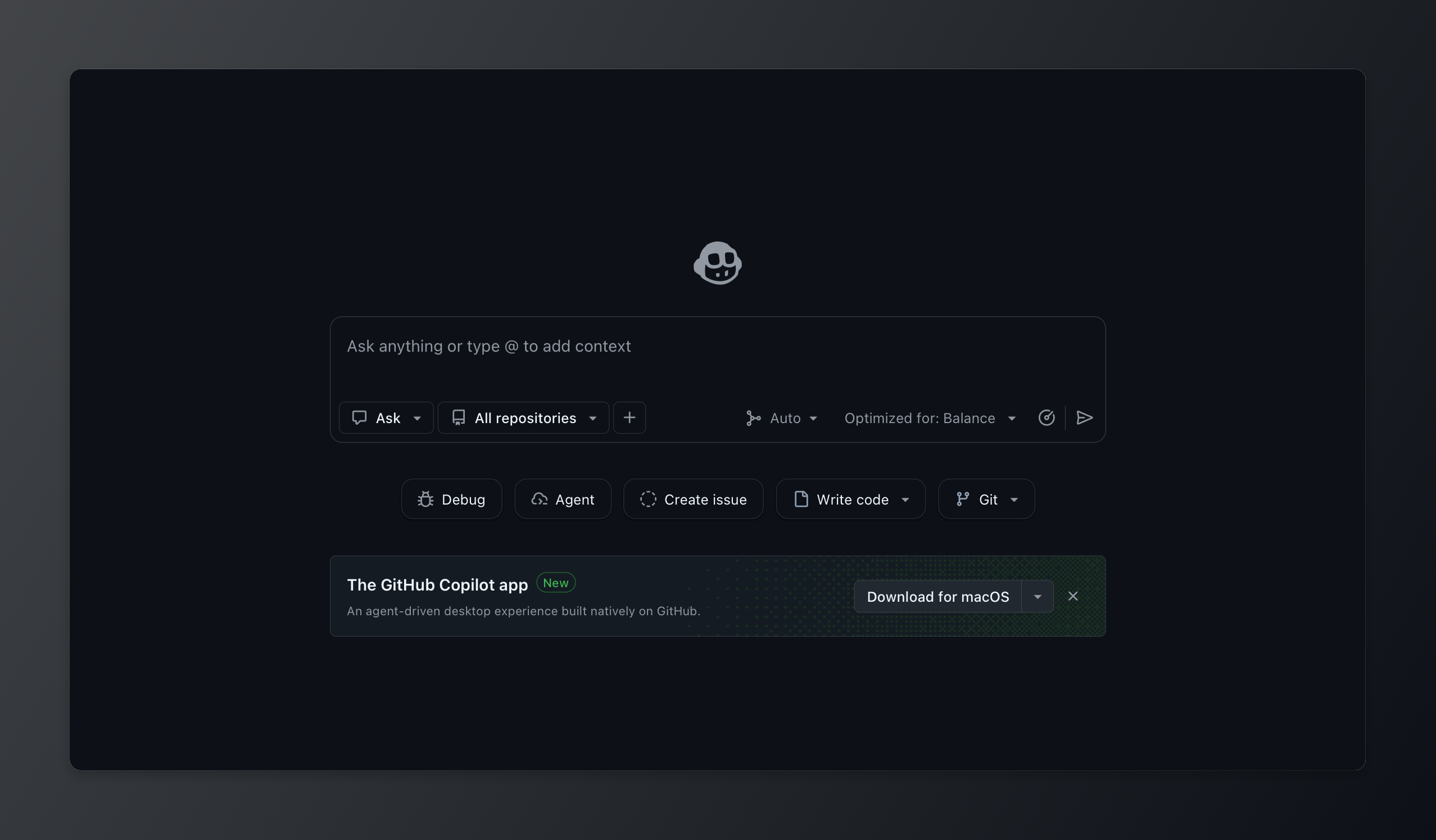
GitHub Copilot is GitHub’s AI coding assistant: it suggests code as you type, answers in chat, edits files in agent mode, runs in your terminal through Copilot CLI and, on paid plans, works on assigned issues and opens pull requests.
What Copilot Free includes today
The plans page lists Free as “For getting started with GitHub Copilot” at $0, with “No credit card required.” It includes:
- 2,000 completions per month. Inline suggestions and next edit suggestions in your IDE, capped on Free and unlimited on every paid plan.
- Chat and agent mode. Copilot Chat in IDEs, on github.com and in GitHub Mobile, plus agent mode in your editor. The pricing FAQ: “Free plan supports CLI and agent mode.”
- Copilot CLI. Included on every plan. Install it with
npm install -g @github/copilot(Node.js 22 or later) or Homebrew, then sign in with/login. - MCP and custom instructions. Model Context Protocol servers, prompt files, and repository and personal custom instructions all work on Free.
Models on Free come through auto model selection only: Copilot picks the model per request. The plans page describes this as “Access to Haiku 4.5, GPT-5 mini, and more.”
To start, open VS Code or Visual Studio, click the Copilot icon and choose Sign up for Copilot Free, or go to github.com/copilot. Free is only for individuals: if an organization already assigns you a Copilot seat, you use that instead.
Where the free tier stops
Chat and agent usage is metered, and the amount is not published. Since June 2026 Copilot bills everything except completions in GitHub AI Credits. GitHub’s billing docs define the unit as “1 AI credit = $0.01 USD,” charged by tokens at each model’s rate. Chat, Copilot CLI, the cloud agent and third-party agents all consume credits. For Free, GitHub says only that it includes “an allowance of AI credits” and, on the plans page, “Limited chat and agent usage.” There is no number to plan around, and long agent sessions spend credits far faster than quick questions.
When you hit the limit, VS Code and github.com show your reset date and a link to upgrade. The allowance resets at 00:00 UTC on the first day of each calendar month, and unused credits do not carry over.
Not on Free at all:
- Copilot cloud agent. “Assign work to Copilot and it creates a pull request” is marked “Not included” for Free. That is the feature behind assigning a GitHub issue to an AI agent.
- Code review on pull requests. Free gets only “Review selection” in VS Code.
- Model choice. Picking a specific model starts at Pro.
- Pull request summaries and Copilot Chat skills in IDEs.
Is there a free trial of Copilot Pro?
GitHub’s plans page and docs, read on October 23, 2026, mention no free trial for Pro, Pro+ or Max, and checkout asks for a card. Treat Copilot Free as the trial: the same editor experience with a smaller allowance and no cloud agent.
Is Copilot Pro free for students?
Not exactly. Verified students get Copilot Student, a separate free plan, not free Copilot Pro. Per GitHub’s plans docs, Student includes the cloud agent, code review, agent mode, MCP and unlimited code completions, plus an allowance of AI credits. It uses auto model selection only and excludes third-party agents.
To qualify you must be a verified student on GitHub Education. GitHub’s student application page requires that you be at least 13, enrolled in “a degree- or diploma-granting program, such as a high school, college, university, or homeschool,” and able to “provide documents that prove your current student status,” such as a dated school ID, class schedule, transcript or enrollment letter.
How to get it:
- Go to your GitHub Education benefits settings and click Start an application.
- Submit proof of enrollment and wait for approval.
- Follow the student setup steps: under the free developer resources section, click Learn more, then activate Copilot Student.
Approval and activation are separate steps: the benefit “can take several days” to apply, and GitHub says not to buy a paid plan in the meantime. Eligibility is reevaluated every month.
Teachers and maintainers get Pro itself. GitHub’s free Pro page lists two routes: “a verified teacher on GitHub Education” or “a maintainer of a popular open-source repository.” GitHub does not publish what counts as popular. To check, open your Copilot settings; if you qualify, a page titled “GitHub Copilot Pro” says so and offers Get access to GitHub Copilot.
One catch from the same page: once you have free access as a student, teacher or maintainer, “you won’t be able to cancel your plan.”
The cheapest paid step: Copilot Pro
Pro is $10 a month and adds the cloud agent, code review on pull requests, unlimited completions and model selection. Its allowance is 1,000 base credits plus a 500-credit flex allotment, 1,500 credits or $15 of usage a month. GitHub notes that “flex allotments will vary over time,” so treat the 1,000 base as the fixed part.
Past the allowance you can set a budget for additional usage, which “may be capped,” or upgrade for only the price difference. Pro+ at $39 adds premium models such as Opus and 7,000 credits; Max at $100 includes 20,000.
Use Copilot Free when you mostly want completions and occasional chat in your editor. Use Pro when you want to hand issues to the cloud agent or pick your model.
How to use GitHub Copilot for free
- Copilot Student, or free Pro. If you are a student, teacher or maintainer of a popular project, apply. It is the only $0 route to the cloud agent.
- Your own model key in VS Code. VS Code’s language model docs say bring-your-own-key models “work without signing into a GitHub account and without a Copilot plan.” It “applies to the chat experience and utility tasks only,” so inline suggestions still need a GitHub account, and agent use needs a model that supports tool calling. A local model through the Ollama extension, or a provider’s free API key, keeps the route at $0, and quality follows the model.
If you want a $0 agent that can take a GitHub issue, using GitHub with AI agents for free covers agents on free models. Is Codex free? and Is Claude Code free? cover the other two big agents.
Where Sharkly fits
Sharkly does not make Copilot free, and it does not sell tokens.
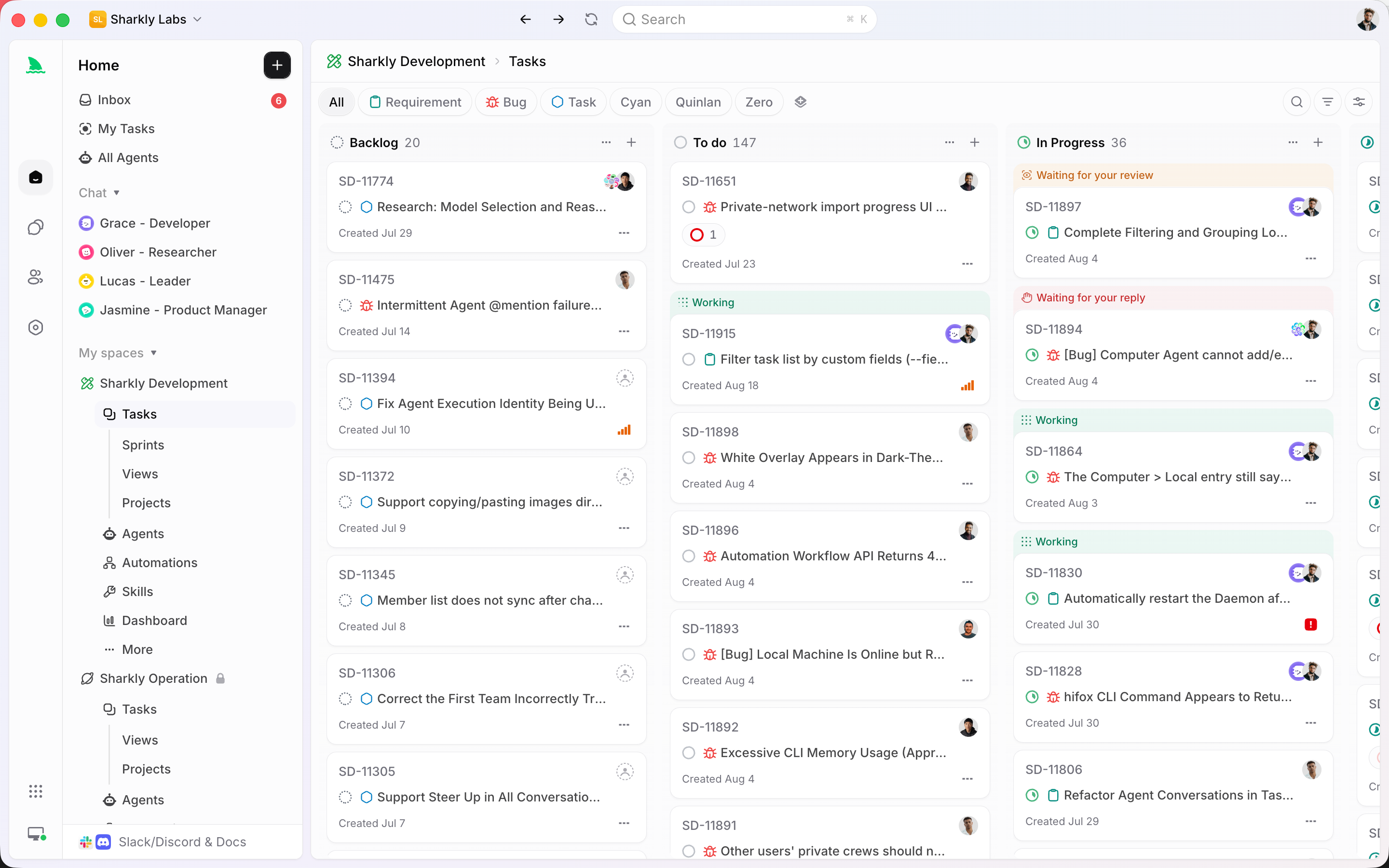
You already have coding agents. Sharkly turns them into a team. You connect your own Computer, Sharkly detects the supported coding tools installed there, such as Claude Code, Codex or OpenCode, and each becomes a Runtime behind an Agent you assign Tasks to from a shared board. Each Task runs in an isolated worktree and the result comes back to the Task for review. GitHub Copilot is not on Sharkly’s list of supported Runtimes, so keep Copilot in your editor and on github.com, and use Sharkly for the agents it does run.
Sharkly’s pricing page lists Free for organizations of up to 5 people and Team at $7 per person per month billed yearly beyond that. “Guests, Agents, and Computers do not occupy seats,” and “Sharkly does not sell tokens,” so model usage stays on each tool’s own plan. Sharkly pricing explained has the details.
If you run Claude Code, Codex or OpenCode next to Copilot, run them through Sharkly.
FAQ
Is GitHub Copilot free? Yes, through Copilot Free: $0, no card, 2,000 completions a month, agent mode, Copilot CLI and a limited allowance of chat and agent usage. The cloud agent and pull request reviews need Pro at $10 a month or the Student plan.
What is the Copilot free tier’s limit? 2,000 completions a month plus an allowance of AI credits for chat, agent mode and the CLI. GitHub does not publish the credit amount for Free. It resets on the first of each month at 00:00 UTC.
GitHub Copilot Free vs Pro: what’s the difference? Pro adds the cloud agent, code review on pull requests, unlimited completions, model selection and 1,500 AI credits a month for $10. Free uses auto model selection only.
Is Copilot Pro free for students? Students get Copilot Student instead, a free plan with the cloud agent, code review and unlimited completions but auto model selection only. Free Copilot Pro is for verified teachers and maintainers of popular open source projects.
How do I use GitHub Copilot for free? Sign up for Copilot Free in VS Code or on github.com/copilot. Students can apply through GitHub Education, and VS Code chat can run your own model key without a Copilot plan.
Does Copilot Free include the coding agent? It includes agent mode in your editor and Copilot CLI. It does not include the cloud agent that works on assigned issues and opens pull requests.