Yes, you can run a kanban board for AI coding agents at $0, but only a few free boards let you assign a card to an agent and get the result back on that card. Sharkly’s free plan does (organizations of up to 5 people), GitHub Projects does with Copilot’s cloud agent (free only for verified students), and Linear’s Free plan includes its agent platform. Trello and Jira’s free plans are boards your agent can work on through MCP or a sync, not boards that dispatch it. Vibe Kanban is free and open source, but it is sunsetting.
What’s free and what you pay
| Board | What’s free | The cap | Assign a card to an agent? | What you pay next |
|---|---|---|---|---|
| Sharkly | Full product, $0 for organizations of up to 5 people; Agents and Computers take no seats | 5 people; model usage stays on your own coding plan | Yes: set an Agent as the Task’s Assignee; it runs in its own worktree on your Computer | Team, $7 per person per month billed yearly |
| GitHub Projects + Copilot cloud agent | Projects on GitHub Free; Copilot Student is free for verified students | Copilot Free does not include the cloud agent | Yes, on Copilot Student or a paid plan: assign the issue to Copilot | Copilot Pro, $10 per month |
| Linear Free | Unlimited members, agent platform, MCP access, Linear Agent | 2 teams, 250 issues; coding sessions not on Free | Yes, to agents installed in your workspace; or your own agent via MCP | Basic, $10 per user per month billed yearly |
| Trello Free | Boards, cards, the official MCP server on any plan | 10 collaborators and 10 boards per Workspace; one Workspace per MCP connection | No; your agent moves cards through MCP | Standard, $5 per user per month billed yearly |
| Jira Free | Board, backlog and list views for up to 10 users | 2 GB, 150 automation steps a month; Rovo, Agents in Jira and Rovo MCP Server not ticked on Free | Not on Free; Jira’s agent features start at Standard | Standard, $8.48 per user per month on Atlassian’s page |
| Vibe Kanban | Apache-2.0, runs with npx vibe-kanban |
Sunsetting; the hosted board service was retired | Workspaces run an agent per issue in a git worktree | Your own server, if you self-host the board |
Checked on October 26, 2026 against each vendor’s pricing page and docs. The agent’s model is a separate cost; the $0 route below covers it.
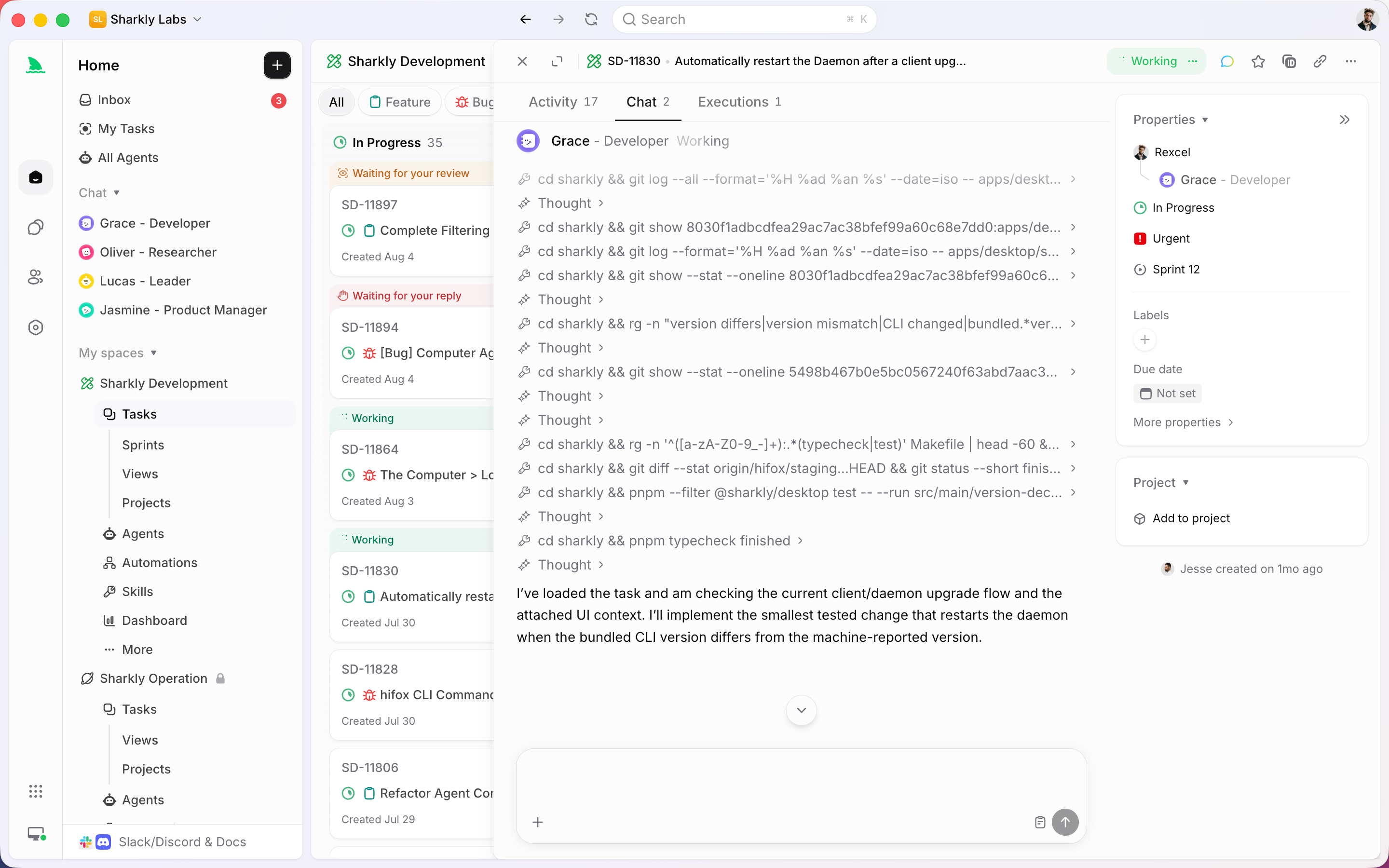
A board counts as an agent board here if it does three things: you can hand a card to an agent, the card’s status follows the agent’s work, and the result (diff, pull request, comment) lands back on the card. That last part is what tracking work completed by AI coding agents depends on.
Sharkly: the agent is an assignee on the board
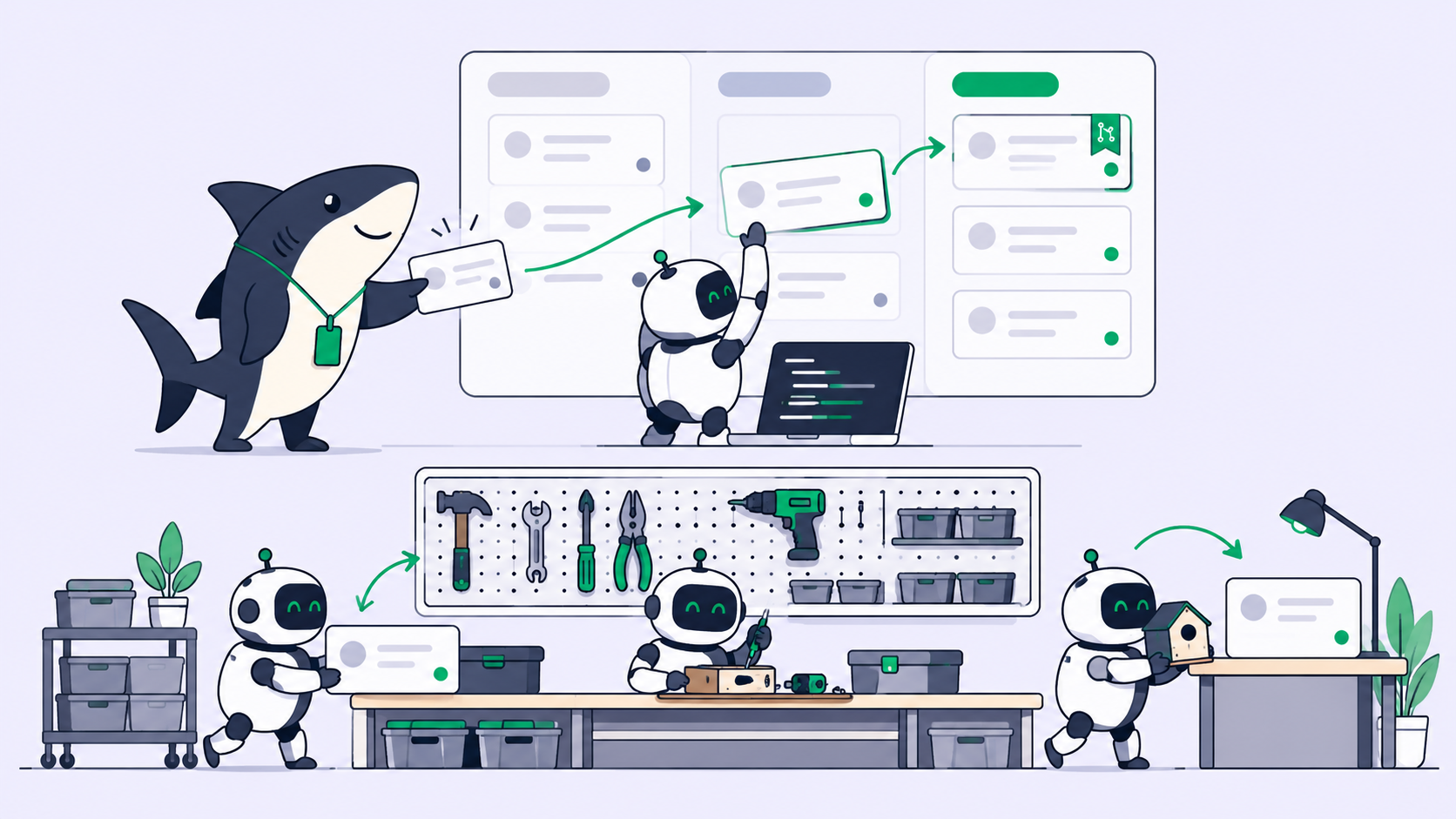
In Sharkly an Agent sits in the same assignee field as a person. You connect your own Computer, and the coding tools installed there, such as Claude Code, Codex or OpenCode, become Runtimes behind your Agents. Per the quickstart, “setting the Assignee starts the Agent.” Each Task gets its own worktree, the execution log shows what the Agent is doing, and its conclusions and blockers come back as comments on the Task.
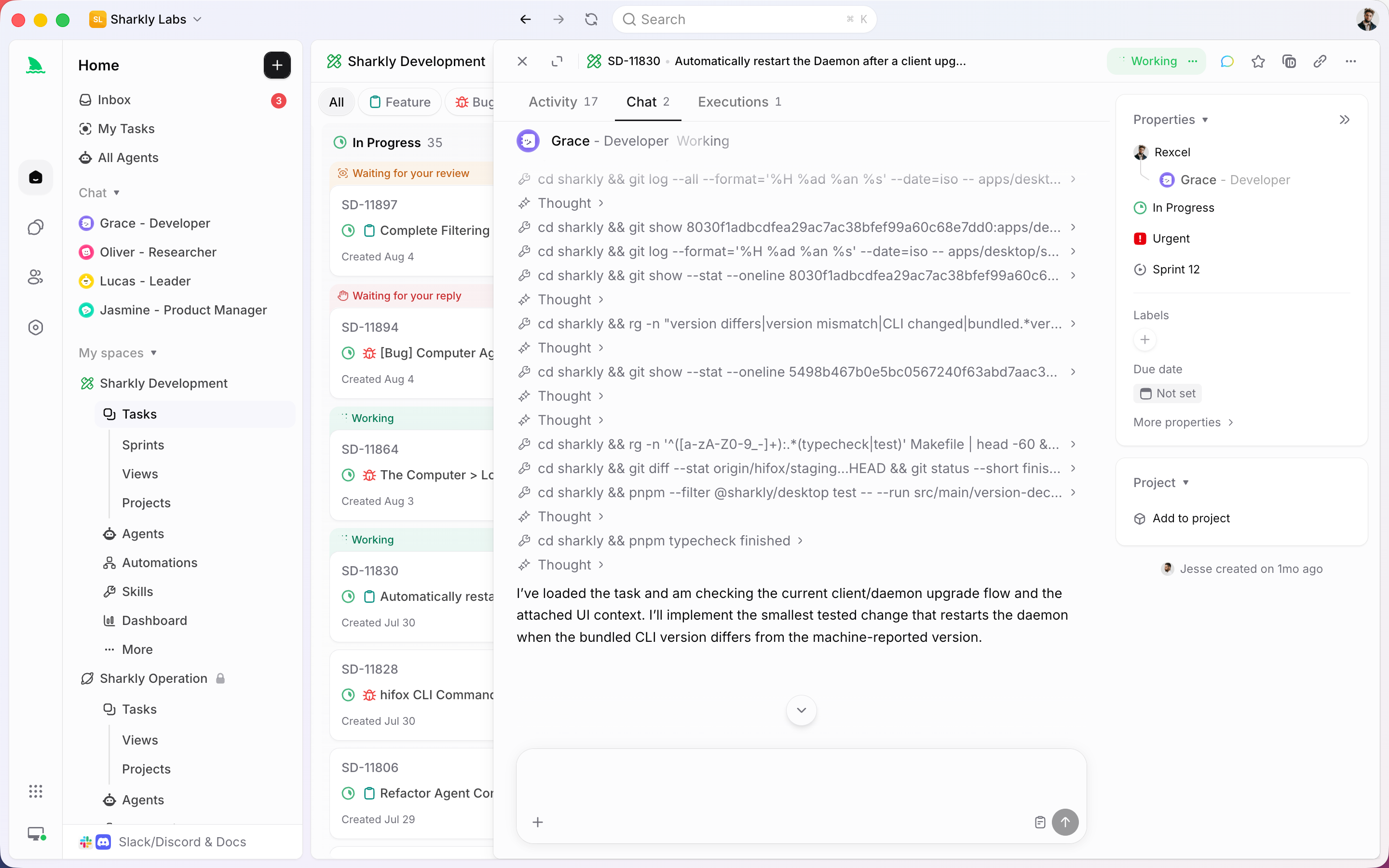
Sharkly’s pricing page says “Free covers organizations of up to 5 people” and that “Guests, Agents, and Computers do not occupy seats.” “Sharkly does not sell tokens,” so each run bills against the coding plan the Runtime already uses. Sharkly is currently free to use; Team is the published price above 5 people.
Where it stops: runs need a connected Computer that is online, and there is no Linear or Trello connector.
GitHub Projects with the Copilot cloud agent
GitHub Free includes Issues and Projects, and a project can be shown as a kanban board. GitHub’s cloud agent docs describe the assignment: open an issue, click Assignees, select Copilot, pick the repository and starting branch, and confirm. You can do it “when viewing an issue in GitHub Projects.” Copilot then works on a branch and opens a pull request.
The catch is the plan. GitHub’s plans documentation lists the cloud agent for Copilot Student, Pro, Pro+ and Max, not Copilot Free. Verified students get it at $0; everyone else starts at Pro, $10 a month. The cloud agent spends AI credits, and GitHub doesn’t publish the Student allowance. Is GitHub Copilot free? has the plan detail, and assigning a GitHub issue to an AI agent covers the workflow.
Linear Free
Linear’s pricing page lists Free at $0 for unlimited members, 2 teams and 250 issues, and its comparison table ticks “Agent platform”, “MCP access” and “Linear Agent” on Free. Coding sessions are not on Free. Linear’s agents docs say you “delegate issues by assigning the issue to the agent,” and “Agents are not counted as billable seats.” Third-party agents come from Linear’s integrations directory, priced by their makers.
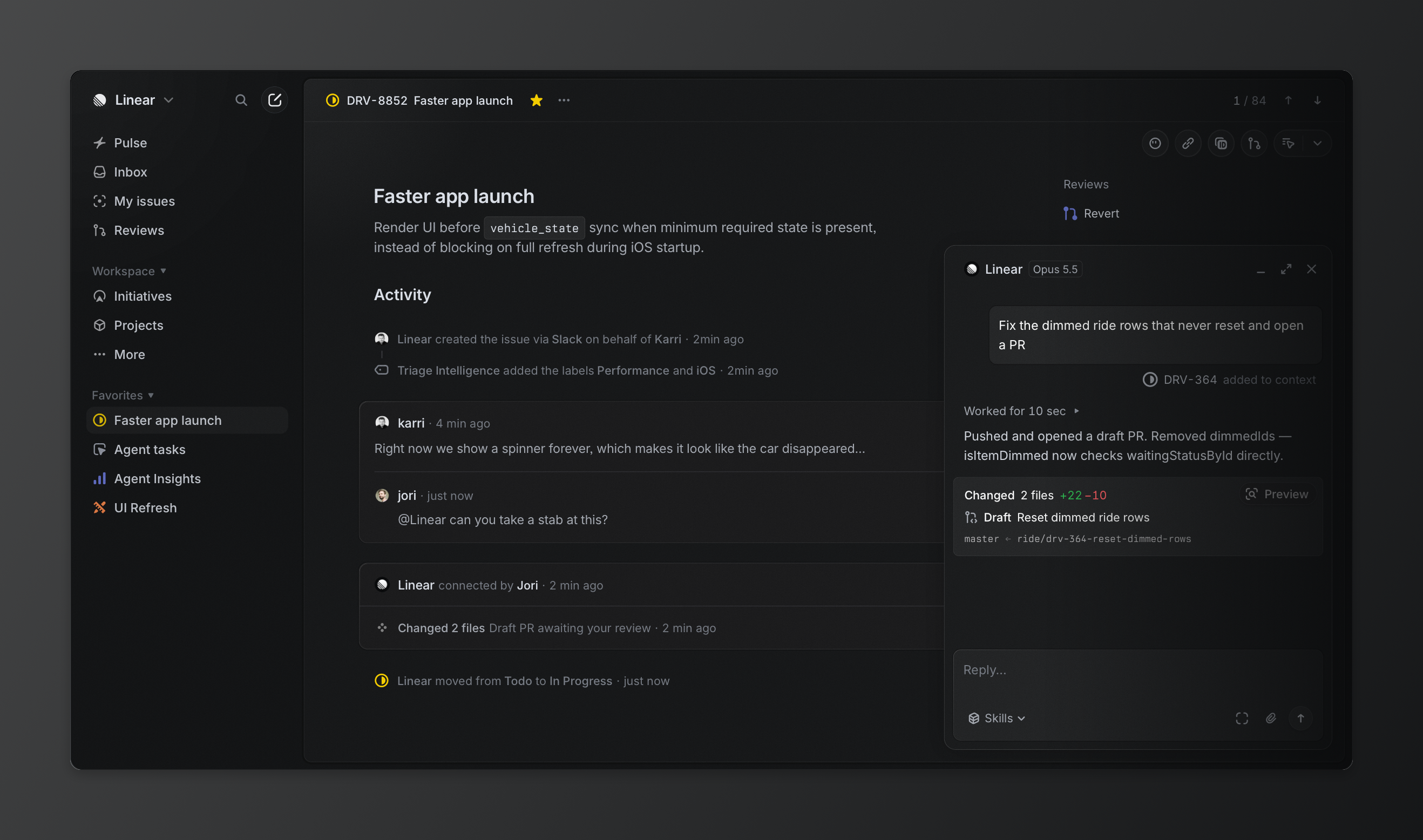
The other route is the reverse direction: your own coding agent reads and updates Linear issues through Linear’s MCP server. 250 issues fills up quickly when agents file sub-issues. Setup is in using Linear with AI agents for free.
Trello Free
Trello Free is $0 for up to 10 collaborators and 10 boards per Workspace, with 250 Workspace command runs a month. Atlassian’s official Trello MCP server needs only “a Trello account on any plan” and an OAuth sign-in, and “each Trello MCP connection supports one workspace.”
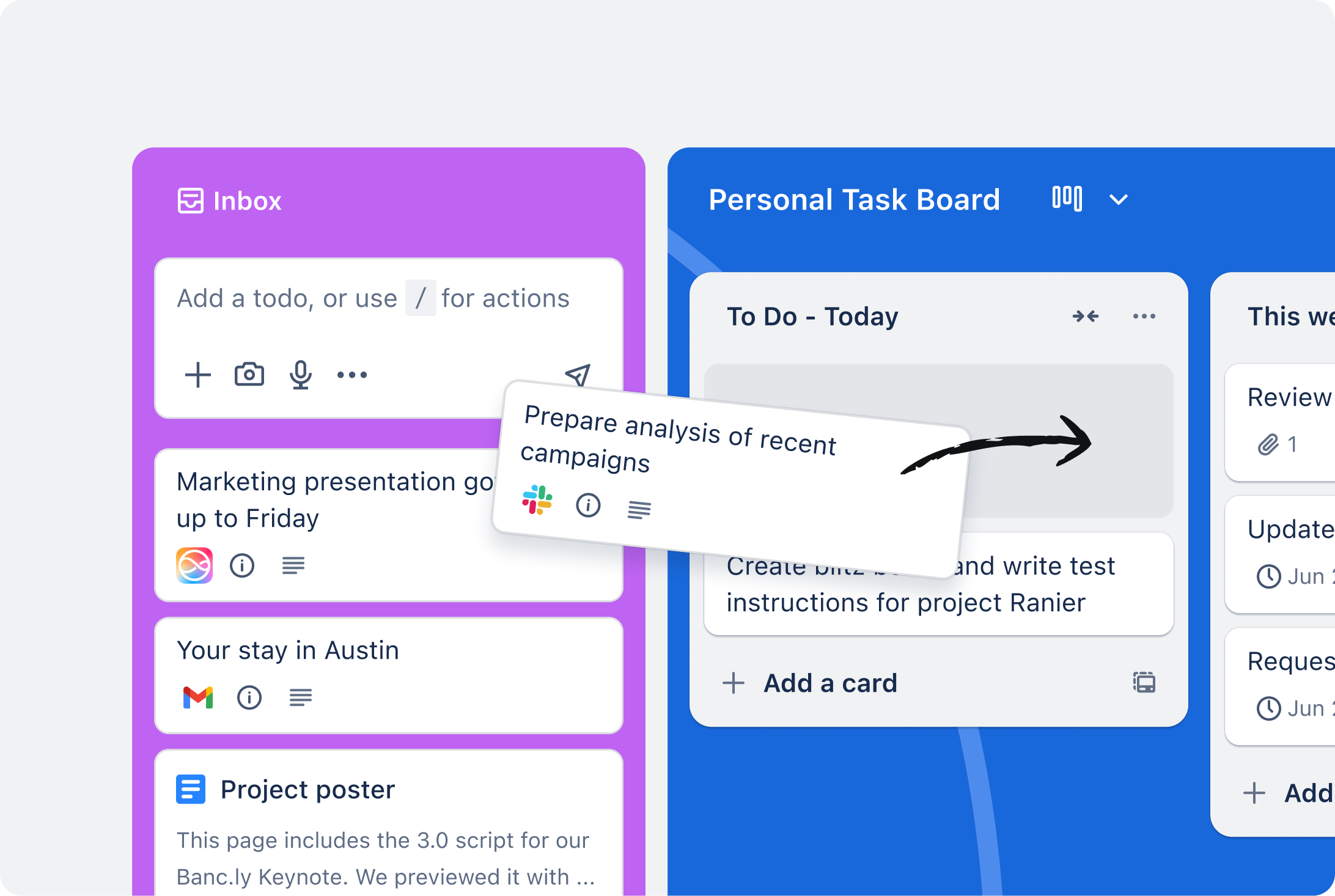
There is no agent assignee in Trello: you start Claude Code or OpenCode, tell it which card to work, and it moves the card. Tracking whether the work finished is on you. The steps are in using Trello with AI agents for free.
Jira Free
Jira’s pricing page lists Free as “Free forever for 10 users,” with 2 GB of storage and 150 automation steps a month. In its feature table, read on October 26, the rows for Atlassian Rovo, Agents in Jira, Agent Sessions, Rovo MCP Server and Third-party agents carry a tick for Standard and above and none for Free. Standard is shown at $8.48 per user per month and adds “Rovo Search, Chat, and Agents.”
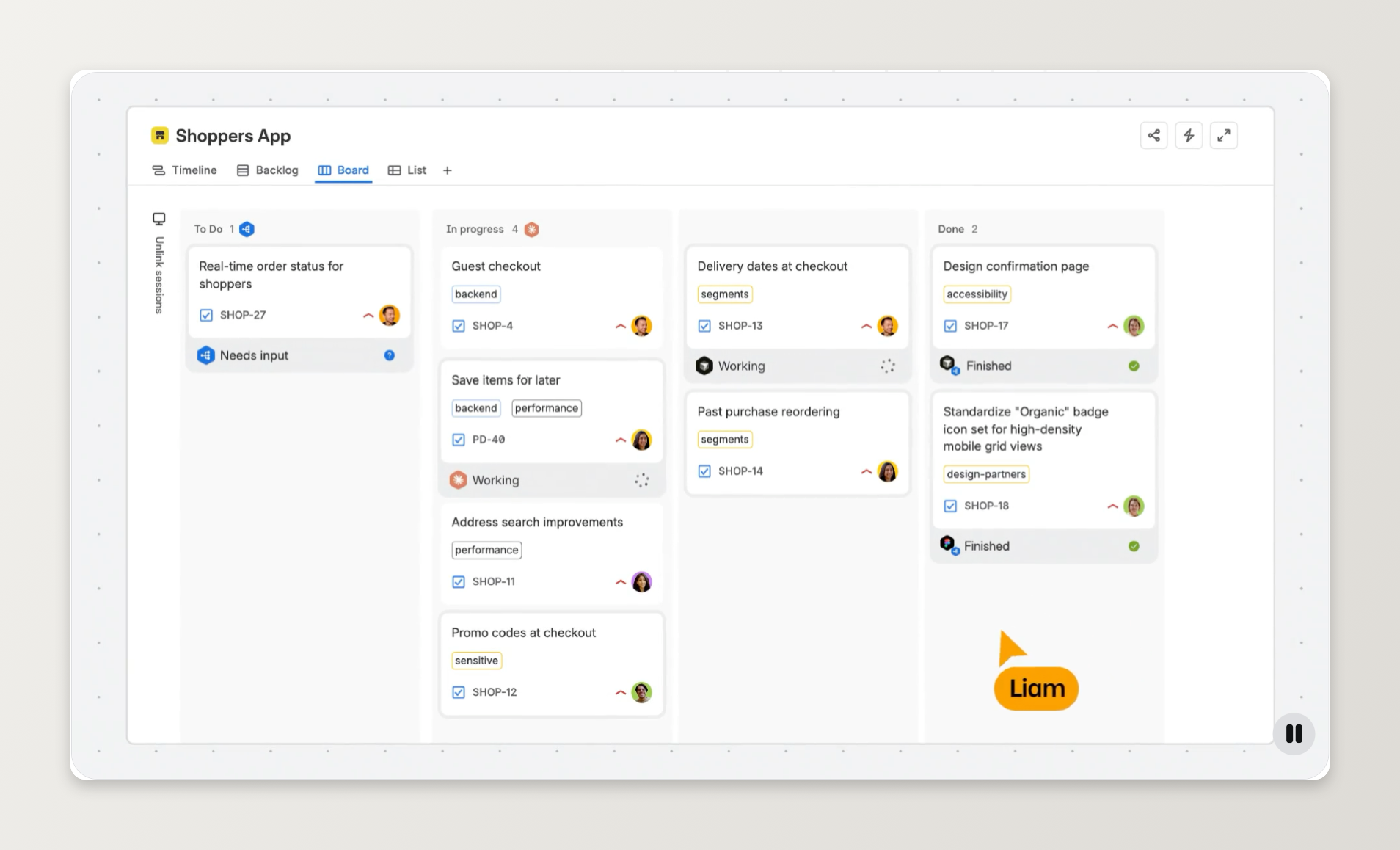
So on Jira Free, assigning a ticket to an agent is not part of the plan. Sharkly’s Jira connector imports or syncs issues into Tasks you can assign to an Agent; assigning a Jira ticket to an AI agent walks through it.
Vibe Kanban
Vibe Kanban is Apache-2.0 and starts with npx vibe-kanban. It runs Claude Code, Codex, Gemini CLI, OpenCode and six other agents, each workspace giving the agent “a branch, a terminal, and a dev server.”
Its README now opens with “Vibe Kanban is sunsetting.” The shutdown post of April 10, 2026 says the project “will live on, open source and community maintained” and that “local workspaces will continue to function,” while the hosted kanban issues, comments, projects and organisations were removed. The getting started guide says that without sign-in “the kanban board, issues, and team features will be unavailable.” To keep a board, you self-host Vibe Kanban Cloud with Docker Compose on a server with 2 GB of RAM and a domain. Our Vibe Kanban alternative guide covers moving off it.
The $0 route: Sharkly Free with an OpenCode agent
Sharkly’s board is free for up to 5 people and OpenCode ships free models, so neither side costs anything. The steps come from the Sharkly and OpenCode docs.
- Install OpenCode on the Computer that will run the work. OpenCode’s docs give
curl -fsSL https://opencode.ai/install | bashornpm install -g opencode-ai. - Choose a free model. OpenCode’s Zen page lists free models such as GLM-5.3-Flash Free and DeepSeek V4.1 Flash Free. Run
opencode models opencodeto see the IDs your version can select, and set one as the defaultmodelinopencode.json. - Create a Sharkly organization. Sign in at sharkly.ai, name the organization and choose Software development under “Initialize workspace.” That creates a Default Space with a board.
- Connect the Computer. Install Sharkly Desktop, which detects installed coding tools and registers the Computer, or on the web choose Get started, then Connect Computer, and run the command shown.
- Create an Agent. Open Agents, then Create Agent, choose Code development, point it at your repository, select the Computer and pick OpenCode as the Runtime. Give it one kind of work, such as bug fixes.
- Create a Task and assign it. On the Tasks page choose New Task, write the outcome you want, and set Assignee to the Agent. The Agent starts working.
- Review on the card. Read the execution log and the Agent’s comments, reply with feedback if it needs another pass, and set the Task to Done yourself.
Two limits to plan around. OpenCode’s free models are offered “for a limited time,” with usage limits OpenCode does not publish, and they answer only inside OpenCode. For a $0 route with no shared limit, point opencode.json at a local model instead; OpenCode free models covers both.
For verified students there is a second $0 route: GitHub Free, a Projects board and Copilot Student, assigning issues to Copilot as described above.
Which free board should you pick?
- Hand a card to your own agent, get the result on it: Sharkly Free, for 5 people or fewer.
- GitHub-native and a student: GitHub Projects with Copilot Student.
- Already planning in Linear: Linear Free, within 250 issues.
- A board your agent updates when asked: Trello Free with MCP.
- On Jira Free: keep it as the tracker and sync issues to a board that dispatches agents.
If you run several coding agents and want one board to assign and review their work, run your existing coding agents through Sharkly.
FAQ
Is there a free kanban board for AI agents? Yes. Sharkly is free for organizations of up to 5 people and lets you set an Agent as a Task’s assignee. Linear Free includes its agent platform, and Vibe Kanban is open source, though it is sunsetting.
What is the best free AI task manager for coding agents? For assigning tasks to agents you already run, Sharkly Free. For GitHub-native work, GitHub Projects with the Copilot cloud agent, free only on Copilot Student.
Can I assign a Trello or Jira card to an AI agent for free? Not natively. Trello has no agent assignee, and Jira’s agent features start at Standard. An agent can still work on Trello cards through the official MCP server.
Is Vibe Kanban still free? Yes, the code is Apache-2.0 and community maintained. But the project is sunsetting and its hosted board was retired, so keeping a board means self-hosting.
Do AI agents count as seats? Not on Sharkly or Linear.